
O que é um Servidor de IA Local?


Lembre-se do desenho animado SpongeBob SquarePants. O laboratório do Plankton alberga um supercomputador chamado Karen. Karen não é apenas a sua esposa; ela atua como a mente central de computação por trás de toda a operação do Chum Bucket. O Plankton nunca tem de carregar os seus esquemas secretos para roubar a fórmula do Krabby Patty para algum servidor público na nuvem em Bikini Bottom. Cada cálculo complexo, tarefa de análise de dados e até troca emocional está seguramente guardada no seu próprio hardware na cave. Esta configuração ligeiramente geek ilustra perfeitamente um dos conceitos mais quentes no mundo da tecnologia atualmente. Para utilizadores que exigem privacidade absoluta, propriedade rigorosa dos dados e controlo total, executar inteligência artificial numa máquina local é exatamente como construir o seu próprio "Karen" dedicado.
Definição Principal: Um servidor de IA local é um equipamento físico dedicado — como um mini PC de alto desempenho ou um NAS — que executa modelos de inteligência artificial totalmente offline. Processa os dados localmente sem enviar consultas a fornecedores externos na nuvem, dando-lhe controlo total sobre a privacidade dos seus dados e os recursos computacionais.
Agora que temos o conceito básico definido, vejamos como este hardware físico muda fundamentalmente a forma como interagimos com a IA.

IA na Nuvem vs. IA Local: Qual é exatamente a diferença?
A maioria das pessoas usa IA baseada na nuvem todos os dias sem pensar no fluxo de dados subjacente. Compreender a diferença entre estas duas abordagens é o primeiro passo para decidir se precisa de construir o seu próprio servidor.
A Abordagem na Nuvem (Bibliotecas Públicas)
Usar um serviço como o ChatGPT é muito semelhante a visitar uma biblioteca pública para fazer pesquisas. Quando escreve um pedido, essa pergunta viaja pela internet até um enorme centro de dados a milhares de quilómetros de distância. Os clusters de alto desempenho processam o seu pedido e enviam a resposta de volta para o seu ecrã. A biblioteca é incrivelmente informada, mas as desvantagens são óbvias. Cada "livro" que requisita fica registado. Se estiver a fornecer ao sistema relatórios financeiros confidenciais da empresa, está a expor-se a enormes riscos de fuga de dados. Além disso, se a biblioteca ficar sem energia — ou se a sua própria internet doméstica falhar — fica completamente cortado do seu trabalho.
A Abordagem Local (O Seu Cofre Privado)
Um servidor AI local muda completamente este paradigma. Descarrega o ficheiro de pesos do Modelo de Linguagem Grande (LLM) diretamente para o seu disco rígido. Quando digita um comando no terminal, toda a inferência e cálculo dependem inteiramente da CPU, GPU e memória que estão fisicamente na sua secretária. É o equivalente a contratar um bibliotecário de topo para viver em sua casa e trancá-lo dentro de um cofre privado e isolado fisicamente. A velocidade de resposta não é afetada pela congestão da rede pública. Mais importante, pode entregar a este bibliotecário os seus documentos mais altamente classificados sem qualquer receio de que a informação saia da sala.
Por que precisa de um servidor AI local (os benefícios principais)
Se só precisa que a IA o ajude a redigir um email de ausência uma vez por mês, a versão web de qualquer chatbot popular serve. No entanto, para programadores, pequenas empresas e entusiastas de hardware, a implementação local resolve vários pontos críticos.
Privacidade e segurança de dados máximas
Manter os dados completamente fora da internet é a principal razão pela qual muitas empresas optam pela implementação local. Quando precisa que uma IA analise dados profundos de concorrentes ou processe listas de encomendas contendo informações pessoais identificáveis (PII) dos clientes, enviar esses dados para uma API pública é uma grave violação de conformidade. Um servidor local corta fisicamente a possibilidade de fugas externas de dados, permitindo-lhe alimentar documentos internos essenciais no modelo com tranquilidade.
Sem taxas de subscrição (ROI a longo prazo)
Chamar APIs de cloud de topo é cobrado por token. Se processar grandes quantidades de texto, a fatura no final do mês é frequentemente chocante. Construir o seu próprio servidor transforma as taxas de subscrição contínuas num único investimento inicial em hardware. Para esclarecer as diferenças financeiras e operacionais, veja esta matriz básica de comparação:
| Métrica de comparação | AI na cloud (APIs/assinaturas pagas) | Servidor AI local (hardware auto-hospedado) |
| Investimento inicial | Muito baixo (alguns euros por mês) | Mais elevado (compra de componentes de hardware) |
| Custo a longo prazo | Escala linearmente com o uso, sem limite | Aproxima-se de zero (apenas custos de eletricidade) |
| Segurança dos dados | Dependente das políticas de privacidade do fornecedor | 100% isolamento físico absoluto |
| Confiabilidade do tempo de atividade | Sujeito a quedas e interrupções de rede | Sempre online enquanto tiver energia |
| Personalização do modelo | Ajuste fino limitado fornecido pelo fornecedor | Liberdade total para modificar pesos open-source |
Modelos sem censura e personalização
Modelos comerciais grandes implementam regras rigorosas para evitar responsabilidades legais e éticas. Por vezes, pode querer apenas escrever um código para um teste de penetração de cibersegurança, e o modelo na cloud recusará categoricamente, citando uma "violação das políticas de segurança." Localmente, executa modelos open-source completamente sem censura como Llama 3 ou Mistral. Estes modelos operam livres dos valores corporativos das grandes empresas tecnológicas e executam estritamente as suas instruções.

Capacidade 100% Offline
Imagine-se num voo de longa duração ou a trabalhar numa cabana remota com receção péssima. Contanto que o seu servidor local esteja consigo — ou a funcionar num dispositivo portátil — pode manter uma codificação e geração de conteúdo de alta intensidade. Oferece uma forma muito pura de produtividade offline.
O Que Pode Realmente Fazer com Ele? (Casos de Uso no Mundo Real)
Executar Modelos de Linguagem Grande (LLMs) Pessoais
O caso de uso mais fundamental é construir um superassistente pessoal. Pode alimentá-lo com todos os artigos, emails e notas que escreveu nos últimos anos. Como funciona localmente, não está limitado por restrições de tamanho de ficheiro ou privacidade. Em poucos dias, pode ajustar um avatar digital que imita perfeitamente o seu estilo pessoal de escrita.
Fluxos de Trabalho Programáticos & Assistentes de Codificação
Para profissionais que trabalham com crescimento massivo de tráfego ou desenvolvimento técnico, o poder de computação local é o motor da automação. Pode integrar scripts Python com LLMs locais para construir fluxos de trabalho complexos de Geração Aumentada por Recuperação (RAG).
Especificamente, servidores locais destacam-se em tarefas de processamento em lote de alta concorrência:
-
Raspar centenas de milhares de palavras de HTML de páginas concorrentes para extrair automaticamente estruturas centrais de entidades.
-
Gerar em lote configurações otimizadas para motores de busca de Título, Descrição e URL (TDU) com base no conteúdo das páginas rastreadas.
-
Analisar horas de legendas de vídeos de revisão no YouTube para reconstruí-las em posts de blog longos e logicamente coerentes.
Como nunca está à espera que uma API na cloud responda ou limite a sua taxa, a eficiência e flexibilidade deste tipo de processamento em lote é incrivelmente alta.
Automação Doméstica Privada & Gestão de Media
Para além da geração de texto, um centro de computação local pode gerir toda a sua rede doméstica. Muitos entusiastas de hardware utilizam-no como o cérebro para dispositivos de casa inteligente ou para executar reconhecimento facial por IA em bibliotecas de fotos locais. Pode identificar com precisão pessoas e cenas específicas em dezenas de milhares de fotos sem nunca contactar um servidor externo.
Requisitos de Hardware: O Que É Necessário para Executar IA Local?
O tamanho e a inteligência do modelo que pode executar dependem inteiramente da configuração do seu hardware. Compreender estes parâmetros ajuda a evitar erros dispendiosos na compra de equipamento.
O Gargalo: GPU e VRAM Explicados
Ao executar modelos grandes localmente, a Memória de Vídeo (VRAM) é o gargalo absoluto. A sua importância supera em muito o poder bruto de computação dos núcleos. Um modelo 8B (8 mil milhões de parâmetros), após quantização, geralmente requer pelo menos 8GB de VRAM para manter uma janela de contexto fluida. Se quiser executar um modelo mais inteligente de 70B, poderá precisar de 32GB ou até 64GB de VRAM. Se ultrapassar o limite da sua VRAM, o sistema descarrega dados para a memória padrão do sistema, reduzindo a velocidade da inferência a um ritmo muito lento.
Processador (CPU) e Memória (RAM)
Enquanto a GPU trata do trabalho pesado, o CPU é responsável por alimentar dados para a placa gráfica. A memória do sistema (RAM) determina o comprimento do Contexto que pode processar. Quando quer que a IA leia um livro de 100.000 palavras de uma só vez, uma RAM de sistema ampla é indispensável.
Formatos: De Portáteis a Mini Servidores
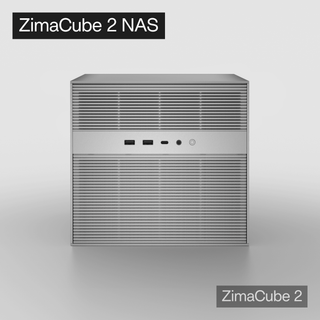
O formato físico que escolher determina a sua experiência de utilizador. Muitas pessoas começam por testar modelos em portáteis de alto desempenho para jogos, como o Lenovo Legion Y9000P. Embora tecnicamente funcione, o ruído massivo dos ventiladores e o calor gerado durante a inferência a carga total podem rapidamente tornar-se insuportáveis, e os portáteis não são concebidos para estar ligados 24/7. Os utilizadores do ecossistema Apple frequentemente descobrem que um Mac mini da série M oferece uma excelente experiência. A arquitetura única de memória unificada da Apple permite que a GPU partilhe o enorme pool de memória do sistema, o que é uma vantagem natural para executar modelos excepcionalmente grandes. No entanto, se quiser um formato puro construído especificamente para expansibilidade e armazenamento de dados, servidores micro-NAS como o ZimaCube são frequentemente o destino final. Dispositivos nesta categoria geralmente apresentam slots PCIe dedicados que permitem anexar ou expandir com múltiplas placas gráficas. Internamente, oferecem grandes baias para discos para armazenar vastas bases de conhecimento locais e dados vetoriais RAG. São silenciosos, eficientes em termos energéticos e podem ficar discretamente ao lado do seu router, fornecendo silenciosamente poder computacional de IA 24/7.

Como Configurar o Seu Primeiro Servidor Local de IA (Passo a Passo)
Não deixe que o hardware e o código subjacente o intimidem. A comunidade open-source reduziu significativamente a barreira de entrada para a implementação local. Aqui está o caminho claro para começar:
-
Prepare a base de hardware: Certifique-se de que o seu dispositivo está ligado a uma rede local estável e tem bastante espaço de armazenamento para os ficheiros de pesos dos modelos (normalmente alguns gigabytes a dezenas de gigabytes por modelo).
-
Configure os drivers do ambiente: Se usar uma GPU dedicada, atualize para os drivers gráficos mais recentes e instale o CUDA Toolkit para que o hardware possa ser devidamente utilizado. Para dispositivos Apple, assegure-se de que o sistema operativo suporta a aceleração Metal mais recente.
-
Instale um gestor de modelos: Escolha e instale uma ferramenta gráfica de gestão que não exija programação para servir como backend do seu servidor local.
-
Descarregue e carregue modelos: Procure e descarregue os formatos de modelo necessários a partir da biblioteca open-source do gestor (formatos GGUF quantizados são altamente recomendados).
-
Estabeleça uma ligação e teste: Envie o seu primeiro prompt de teste através da interface de chat incorporada no software ou pela sua porta API local exposta.
Passo 1: Escolha a Plataforma de Hardware Adequada
Como mencionado anteriormente, escolher um dispositivo silencioso com espaço para expansão poupa-lhe muitas dores de cabeça no futuro. Um micro-servidor com portas de expansão ricas permite-lhe simplesmente adicionar outra placa de computação quando ficar sem poder de processamento, em vez de o obrigar a deitar fora a máquina inteira.
Passo 2: Escolha a Sua Interface de Software
Quando falamos de aplicações automatizadas mais avançadas, temos de clarificar a relação entre o OpenClaw e um servidor de IA local. O seu servidor local essencialmente fornece apenas o "cérebro" — a capacidade de pensar e o poder de computação bruto. O servidor em si não sabe, por natureza, como manipular ficheiros do sistema operativo ou executar código externo. É aqui que uma interface ou framework agente como o OpenClaw entra em ação. O OpenClaw atua como o operador, ligando-se ao seu servidor de IA através de uma API local. O servidor compreende a sua intenção e gera o código, enquanto o OpenClaw funciona como as "mãos e pés", executando fisicamente esses scripts no seu computador, a navegar em páginas web ou a gerir os seus diretórios locais. É uma relação simbiótica perfeita: um fornece a inteligência, o outro a execução.
Passo 3: Descarregue um Modelo e Comece a Conversar
A maioria das ferramentas de interface inclui uma barra de pesquisa integrada ligada à comunidade open-source Hugging Face. Para iniciantes, basta procurar uma versão quantizada de algo como Llama-3-8B-Instruct e clicar em descarregar. Depois de carregar, pode desligar completamente o Wi-Fi e começar a conversar com o cérebro digital que acabou de construir.

O Futuro é Local
A descentralização do poder computacional é uma tendência irreversível. Tal como os computadores evoluíram de enormes mainframes que ocupavam salas inteiras para máquinas pessoais em cada secretária, a inteligência artificial está a passar de um monopólio dos gigantes da nuvem para implementações pessoais e locais em desktops. Configurar um servidor local de IA é mais do que poupar dinheiro nas subscrições mensais ou alcançar o máximo padrão de privacidade. Representa uma forma de autonomia na era digital. Já não está apenas a alugar inteligência da nuvem; possui fisicamente um ativo intelectual dedicado e sempre ligado no mundo real.
Perguntas Frequentes sobre Configurações de Servidores Locais de IA
P1: Vale a pena construir uma estação de trabalho local dedicada para IA, apesar do custo elevado?
R: Montar uma configuração local é altamente vantajoso para entusiastas que valorizam a privacidade absoluta dos dados, acesso a modelos sem censura e tempos de inferência mais rápidos para projetos pessoais. Embora uma configuração multi-GPU de topo possa ser cara, investir numa única placa potente para consumidores oferece um valor significativo a longo prazo, especialmente quando se consideram os custos ilimitados e acumulativos das subscrições de API em nuvem de alto volume ao longo do tempo.
P2: Como deve uma pequena empresa abordar a construção do seu primeiro servidor local de IA?
R: As pequenas empresas devem focar na estabilidade e em aplicações práticas, como integrar manuais técnicos internos numa base de conhecimento privada e pesquisável usando Geração Aumentada por Recuperação. Em vez de criar um pesadelo complexo de alojamento e refrigeração ao ligar várias placas gráficas antigas e baratas, as empresas beneficiam muito mais ao investir numa única placa profissional de alta memória para garantir velocidades de processamento fiáveis e de nível empresarial.
P3: Quais são alguns projetos únicos e altamente pessoais que as pessoas executam nestes servidores?
R: Porque os servidores locais garantem total privacidade, os desenvolvedores estão a experimentar projetos altamente íntimos que seriam enormes violações de privacidade em clouds públicas, como o repositório viral "ex-skill" criado pelo utilizador GitHub titanwings. Este projeto open-source específico permite aos utilizadores destilar com segurança os hábitos de escrita, tom e peculiaridades conversacionais de um ex-parceiro num avatar digital localizado, explorando os limites da IA emocional sem nunca transmitir registos sensíveis de conversas pela internet.
P4: Como é que um servidor de IA local melhora fundamentalmente a segurança dos dados em comparação com soluções cloud?
R: Uma configuração de IA local assegura fundamentalmente os seus dados através de isolamento físico completo, o que significa que os seus documentos confidenciais, registos financeiros ou código proprietário nunca saem da sua máquina física. Ao contrário dos fornecedores de cloud que registam os seus comandos e potencialmente usam as suas entradas para treinar modelos futuros, um sistema local processa tudo no seu próprio hardware, tornando praticamente impossível qualquer fuga de dados baseada em rede ou violações por terceiros.
P5: Estes modelos de IA podem funcionar completamente sem ligação à internet?
R: Sim, uma vez que tenha descarregado os ficheiros de pesos do modelo de linguagem grande necessários e o software para o seu disco rígido local, todo o servidor de IA pode funcionar completamente offline. Isto permite-lhe manter uma codificação intensiva, geração de conteúdo e análise de dados mesmo em locais remotos, instalações seguras ou durante falhas graves de rede, proporcionando uma forma pura e ininterrupta de produtividade offline.
P6: Preciso de competências avançadas de programação para configurar um servidor de IA local?
R: Configurar uma IA local já não está restrito a programadores avançados graças a interfaces gráficas modernas e fáceis de usar que simplificam todo o processo de implementação. Ferramentas de software empacotam configurações complexas de ambiente numa aplicação de ambiente de trabalho padrão, permitindo que iniciantes descarreguem facilmente modelos otimizados de comunidades open-source e comecem a interagir com os seus assistentes digitais com apenas alguns cliques simples.

Produtos recomendados

Centro de Campanhas Zima
Mais para Ler

Como é que o Rez Tech cria a sua própria nuvem pessoal com o ZimaBoard 2
A Rez Tech cria uma nuvem pessoal com o ZimaBoard 2, duas unidades locais, RAID 1 e ZimaOS, e depois testa o acesso a...

O Silicon Steak reduz o seu laboratório doméstico com o ZimaBoard 2
Silicon Steak explora se o ZimaBoard 2 pode substituir uma máquina de homelab muito maior, testando armazenamento, reprodução multimédia, Minecraft, Pi-hole, aplicações autoalojadas e...

Como a Smart Life cria uma nuvem privada com o ZimaBoard 2
A Smart Life transforma o ZimaBoard 2 num destino doméstico para fotografias e vídeos do telemóvel, mostrando a construção do hardware, a configuração do...


