
Best Local Models for UI Coding on 8GB, 12GB & 16GB GPUs (2026)


The best local model for UI coding is not automatically the largest model that fits your GPU. On 8GB cards, compact multimodal models leave enough memory for context and screenshot feedback. At 12GB, larger software-engineering models become practical. At 16GB, 24B–30B models become much more useful—but only if quantization leaves enough VRAM for the actual coding session.
This guide focuses specifically on React, Tailwind CSS, screenshot-to-code, existing UI modification, and design-system compliance. If you are choosing models for broader local workloads instead, the separate guide to AI models for consumer hardware covers general reasoning, coding, multimodal work, and hardware requirements.
Quick Answer: Which Local UI Model Fits Your GPU?
| VRAM | Starting Pick | Recommended Quant | Why |
|---|---|---|---|
| 8GB | Qwen3.5-9B | Q4_K_M | Native vision, coding ability, and usable memory headroom |
| 8GB Alternative | Gemma 4 12B | Q3_K_M | Larger multimodal model at lower precision |
| 12GB | Devstral Small 2 24B | IQ3_XS / IQ3_M | Strong multi-file and agentic software-engineering focus |
| 12GB Alternative | Qwen3.5-9B | Q6 / Q8 | Smaller model at much higher precision |
| 16GB | Devstral Small 2 24B | IQ4_XS | Better quality without extreme compression |
| 16GB Alternative | Qwen3.8-27B | Q3_K_M / IQ3_XS | Newer coding + vision model with larger capacity |
| 16GB Coding Specialist | Qwen3-Coder-30B-A3B | Q3_K_M | Strong repository and agentic coding focus |
Model-file size is not total VRAM usage. Context, KV cache, vision components, runtime buffers, and CUDA overhead also consume memory.
Why UI Coding Needs a Different Benchmark
A model can perform well on coding benchmarks and still generate mediocre interfaces. Front-end work also requires visual hierarchy, spacing, typography, responsive behavior, design-system compliance, and the ability to preserve an existing component structure.
The more useful workflow is therefore:
Prompt → Code → Render → Screenshot → Critique → Edit → Render Again.
This is also why model choice is only one part of the stack. Developers who want a complete coding interface around a local model can compare self-hosted coding assistants separately from the inference model itself.
A Reproducible UI Coding Test
Each model should receive the same project, context window, prompts, and design constraints.
| Test | What It Measures |
|---|---|
| React + Tailwind Page | Layout, hierarchy, responsiveness, and usable code |
| Design-System Compliance | Whether the model follows colors, spacing, radius, and typography rules |
| Screenshot-to-Code | Visual understanding and layout reconstruction |
| Existing UI Modification | Whether the model preserves working components while changing layout |
| Critique + Repair | Whether visual feedback produces a better second implementation |
A useful design-system test might specify one accent color, a fixed spacing scale, 8px radius, no gradients, and no oversized centered hero. This removes some prompt ambiguity and makes differences between models easier to see.
How We Evaluate UI Coding Models
| Category | Weight |
|---|---|
| Visual Fidelity | 25% |
| Design Quality | 20% |
| Code Correctness | 20% |
| Design-System Compliance | 15% |
| Iteration Quality | 10% |
| VRAM Fit | 10% |
The goal is not to reward the model with the highest generic coding score. It is to find the model that produces the most useful front-end workflow at a specific hardware limit.
Best Local Models for 8GB GPUs
Qwen3.5-9B — Best Starting Point for 8GB
Qwen3.5-9B offers the most balanced combination of coding, native vision, and practical model size in this tier.
The official Qwen3.5-9B model combines text and visual input, making it possible to use the same local model for both React generation and screenshot feedback.
A Q4 build also leaves more usable headroom than trying to fill nearly all 8GB with model weights. That matters when the workflow includes project files, context, and images rather than one short prompt.
Best for: React components, Tailwind pages, screenshot critique, and local UI coding on mainstream 8GB GPUs.
Not ideal for: very large repositories or extremely long contexts on an 8GB card.
Gemma 4 12B — Larger Model, Tighter Fit
Gemma 4 12B is useful as the “larger model at lower precision” comparison.
The official Gemma 4 12B combines coding and multimodal capability, but an 8GB GPU requires substantially tighter quantization.
The important question is therefore not whether it technically loads. It is whether a 12B Q3 model actually produces better UI than Qwen3.5-9B at Q4 while leaving enough memory for useful context.
Best for: users testing maximum model capacity on an 8GB card.
Not ideal for: users who prioritize context headroom and uncomplicated deployment.
Best Local Models for 12GB GPUs
Devstral Small 2 24B — Best Candidate for Multi-File UI Work
Devstral Small 2 becomes interesting when front-end work moves from generating one page to modifying an existing repository.
Mistral positions Devstral Small 2 around agentic software engineering, repository exploration, multi-file editing, development tools, and image understanding.
For a 12GB card, roughly 3-bit builds are the realistic target. That makes Devstral a useful comparison against a smaller model running at much higher precision.
Best for: existing React projects, refactors, multi-file changes, and tool-driven coding.
Not ideal for: users who want high-precision weights within 12GB.
Qwen3.5-9B Q6/Q8 — The High-Precision Alternative
A 12GB GPU does not automatically mean you should choose a 20B+ model.
Running Qwen3.5-9B at higher precision creates a more useful comparison:
24B at roughly 3-bit vs 9B at Q6/Q8.
For visual instruction following and design-system compliance, a smaller high-precision model may be more competitive than parameter count suggests.
Best Local Models for 16GB GPUs
Devstral Small 2 IQ4_XS — Best Balanced 16GB Choice
Sixteen gigabytes lets Devstral move from aggressive 3-bit compression into a more practical 4-bit-class build.
This makes it a strong option for repository-level React work where multi-file reasoning and code modification matter more than squeezing the largest possible model into VRAM.
Best for: component refactors, larger front-end projects, and agentic development workflows.
Qwen3.8-27B — Best New Multimodal Challenger
Qwen3.8-27B is one of the most important new candidates for 16GB UI coding because it combines stronger coding with native visual input.
The official Qwen3.8-27B is a 27B multimodal model aimed at coding, agent tasks, and visual understanding.
The catch is memory. A normal Q4 build is larger than a strict 16GB VRAM budget once runtime overhead is included. Q3_K_M or similarly compressed variants are more realistic.
This creates the key 16GB comparison:
Qwen3.8-27B at Q3 vs Devstral Small 2 at roughly Q4.
Best for: users who want larger multimodal capacity and are comfortable tuning quantization and context.
Qwen3-Coder-30B-A3B — Best Coding-Specialist Comparison
Qwen3-Coder is useful when repository coding matters more than native screenshot input.
The official Qwen3-Coder-30B-A3B uses a mixture-of-experts architecture with far fewer active parameters than total parameters, but the full model weights still matter for VRAM planning.
That means its 3.3B active parameters should not be interpreted as “3B-class memory usage.” A roughly Q3 build is much more realistic on 16GB than Q4.
Best for: multi-file coding, repository work, and tool-driven development.
Not ideal for: direct screenshot-to-code without a separate visual model.
Does the Biggest Model Produce the Best UI?
Not necessarily. VRAM-limited inference creates a trade-off between model size, quantization, context capacity, vision support, and runtime headroom.
That is why each hardware tier should compare two strategies:
larger model at lower precision vs smaller model at higher precision.
This same distinction matters in broader local deployment. The guide to local AI Web UIs covers the interface layer, while the model and quantization still determine how much useful inference fits on the underlying GPU.
Screenshot-to-Code Changes the Ranking
Text-only coding scores do not capture the complete UI workflow. Qwen3.5, Gemma 4, Devstral Small 2, and Qwen3.8 can inspect images directly, allowing the model to compare its own rendered output against a reference.
A coding specialist may still produce cleaner repository changes, but a native multimodal model has an important advantage when the loop becomes:
Screenshot → Code → Render → Screenshot → Fix.
For developers who want the model to act through tools and repositories rather than only answer prompts, the separate overview of open-source local AI agents covers that runtime layer.
Design-System Rules Can Matter More Than One Model Upgrade
Many weak UI results come from vague prompts rather than a complete lack of model capability.
Instead of asking for a “beautiful modern dashboard,” specify the visual rules: color tokens, typography, spacing scale, radius, component constraints, and patterns to avoid.
This improves the output and makes model comparison more meaningful because every candidate is solving the same design problem instead of inventing its own aesthetic.
How Much VRAM Headroom Should You Leave?
Do not treat GGUF file size as total GPU memory usage. A practical coding session also needs room for context, KV cache, runtime buffers, and vision components.
A model file that almost fills the card may technically load while producing a worse development experience because context has to be reduced aggressively.
For UI work, a slightly smaller model with usable context and visual feedback is often more useful than the absolute largest model that can be forced into VRAM.
Recommended Starting Point
| GPU | Start With | Compare Against | Question to Answer |
|---|---|---|---|
| 8GB | Qwen3.5-9B Q4 | Gemma 4 12B Q3 | Does larger-but-more-compressed beat smaller Q4? |
| 12GB | Devstral Small 2 IQ3 | Qwen3.5-9B Q6/Q8 | Does 24B Q3 beat 9B high precision? |
| 16GB | Devstral Small 2 IQ4 | Qwen3.8-27B Q3 | Does larger multimodal capacity beat better quantization? |
Frequently Asked Questions
What is the best local model for UI coding on an 8GB GPU?
Qwen3.5-9B at Q4 is the strongest starting point because it combines coding, native image understanding, and enough VRAM headroom for a practical local workflow.
Can a 12GB GPU run a 24B coding model?
Yes, with sufficiently compressed quantization. Devstral Small 2 can fit into this tier using roughly 3-bit builds, although context and runtime overhead still need to be managed carefully.
Can Qwen3.8-27B run on a 16GB GPU?
Yes, but a typical Q4 build is too large for a comfortable strict-16GB setup. Q3-class variants provide more realistic room for context and inference overhead.
What is the best local model for screenshot-to-code?
Native multimodal models are the easiest choice. Qwen3.5-9B is particularly attractive on 8GB, while Devstral Small 2 and Qwen3.8 become stronger options as VRAM increases.
Is a larger model always better for React and Tailwind?
No. A larger model may require aggressive quantization and leave too little memory for context. A smaller model at higher precision can be the better practical choice.
Does a coding benchmark predict UI quality?
Only partly. Coding benchmarks do not directly measure screenshot fidelity, typography, spacing, design-system compliance, or the quality of visual iteration.

Aanbevolen producten

Tech & AI HUB
Meer om te lezen
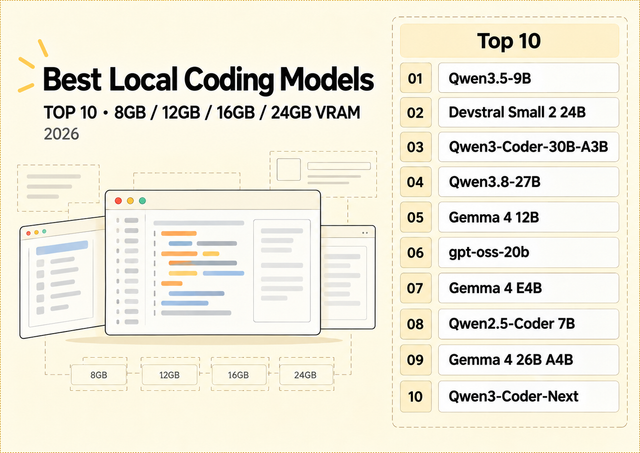
Best Local Coding Models for 8GB, 12GB, 16GB & 24GB VRAM
The best local coding model in 2026 depends less on the biggest model you can technically load and more on how much VRAM remains...
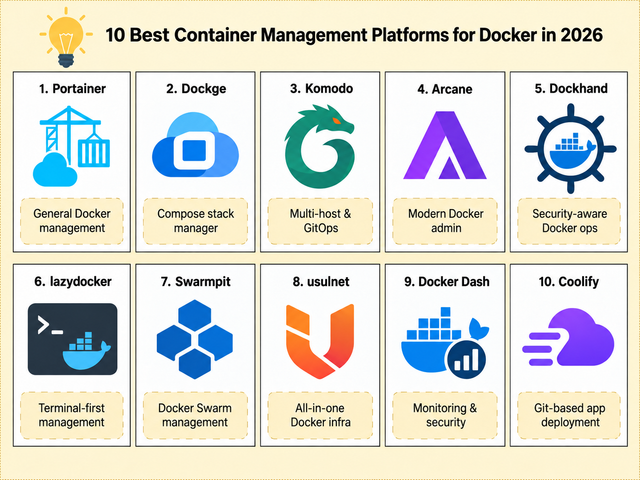
10 beste platformen voor containerbeheer voor Docker in 2026
Vergelijk 10 Docker-beheerplatforms voor Compose, beheer van meerdere hosts, GitOps, beveiliging, Swarm, monitoring en zelfgehoste implementatie.
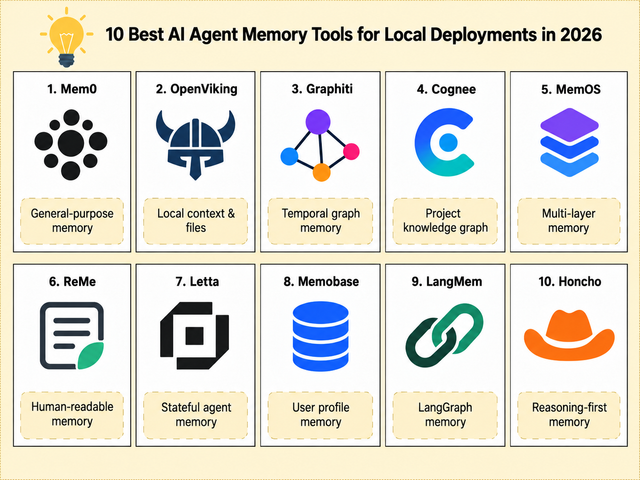
Top 10 AI-agentgeheugentools voor lokale implementaties in 2026
Vergelijk 10 AI-agentgeheugentools voor lokale implementatie, persistente context, bestanden, grafieken, gebruikersprofielen en agents met behoud van status.


