
Top 10 Local AI Web UI for Home Labs In 2026


A good local AI web UI turns a command-line model server into a private service that everyone in the home can actually use. The best options also preserve chat history, manage models, and add documents or tools without forcing every user to understand the infrastructure behind them.
Open WebUI is the strongest overall choice for most home labs, but it is not automatically the best interface for every job. LibreChat goes further for agents and MCP tools, AnythingLLM prioritizes document-based RAG, text-generation-webui exposes deeper inference controls, and Dify or Flowise make more sense when the goal is to build applications rather than simply chat. The comparison below starts with practical fit, so you can choose the smallest interface that solves your real use case.
Local AI Web UI Comparison
| Rank | Web UI | Best For | Local Model Connection | Multi-User | Setup Level |
|---|---|---|---|---|---|
| 1 | Open WebUI | Best overall home-lab interface | Ollama and OpenAI-compatible APIs | Yes | Easy–moderate |
| 2 | LibreChat | Agents, MCP, and power users | Ollama and multiple API endpoints | Yes | Moderate |
| 3 | LobeHub | Polished personal AI workspace | Ollama and broad provider support | With server deployment | Moderate |
| 4 | AnythingLLM | Private documents and turnkey RAG | Local and cloud LLM providers | Yes, in Docker edition | Easy–moderate |
| 5 | text-generation-webui | Model loading and inference control | Built-in inference backends | Limited | Moderate–advanced |
| 6 | Big-AGI | Multi-model comparison and research | Ollama, LM Studio, LocalAI, APIs | No native accounts in Open edition | Moderate |
| 7 | NextChat | Lightweight and responsive chat | OpenAI-compatible endpoints and LocalAI | Basic access code | Easy |
| 8 | SillyTavern | Roleplay, personas, and prompt control | Wide range of local model APIs | Primarily personal use | Moderate |
| 9 | Dify | Building and publishing AI apps | Local models through providers/plugins | Yes | Advanced |
| 10 | Flowise | Visual agents and LLM workflows | Ollama and other model nodes | Access controls available | Advanced |
The setup rating covers the interface and its supporting services, not model inference. Running a large local model may require far more RAM or GPU capacity than the web UI itself.
How We Ranked These Local AI Interfaces
We prioritized home-lab usefulness over feature count. Each interface was evaluated for local-model compatibility, Docker or self-hosting support, usability from other devices on the LAN, RAG and agent features, user management, maintenance burden, and how clearly the project documents its deployment.
Privacy also depends on configuration. A self-hosted interface can still send prompts to cloud APIs, search services, telemetry endpoints, or external tools if you enable them. For a truly local stack, keep the model endpoint, embeddings, vector database, speech services, and storage inside your network. The ZimaSpace private local LLM guide explains the full data path.
1. Open WebUI — Best Overall Local AI Web UI
Open WebUI is the safest default for a home lab because it combines an approachable chat experience with enough depth to remain useful as the setup grows. It connects directly to Ollama and OpenAI-compatible APIs, can operate offline, and supports multiple models without tying the interface to one inference engine.
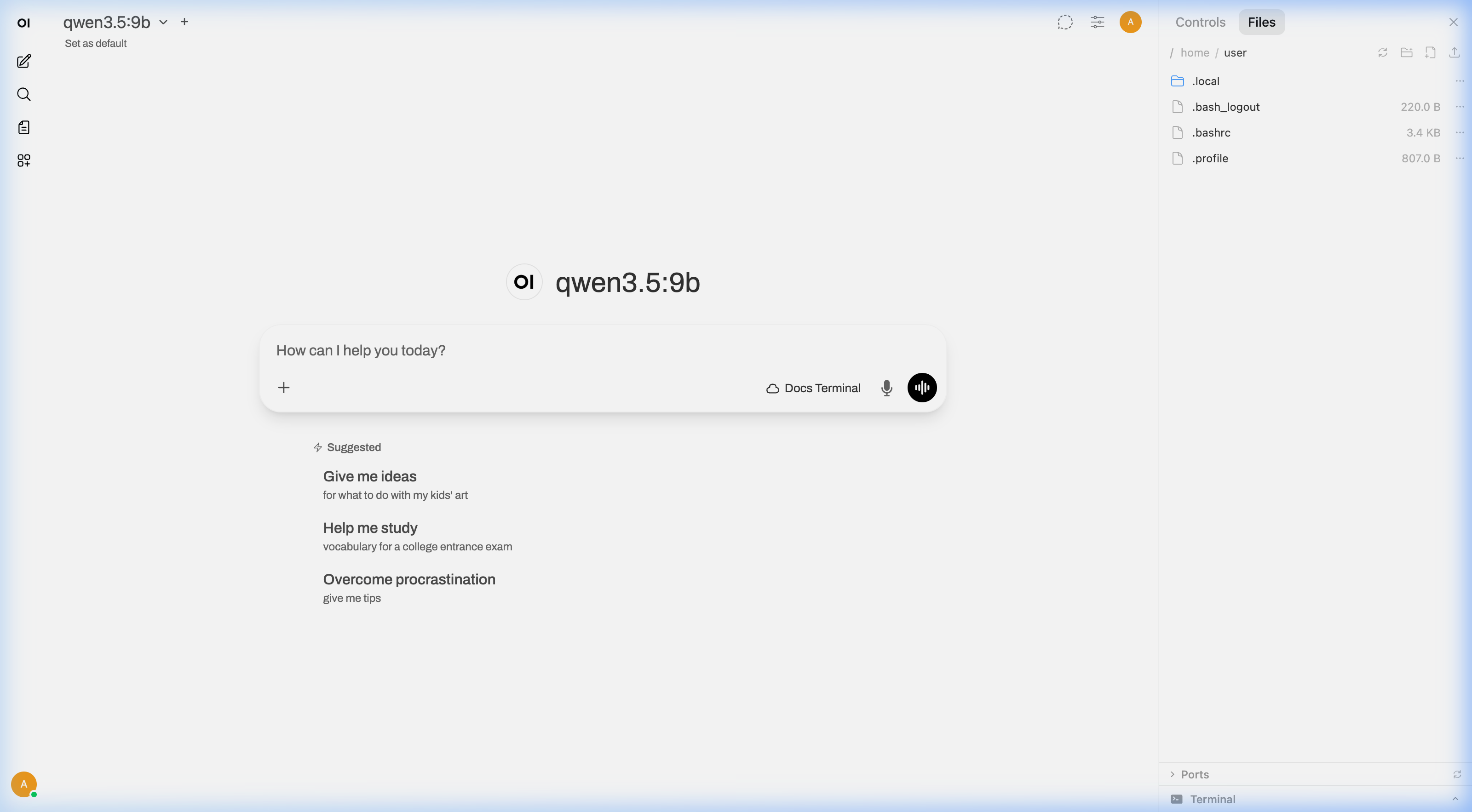
Its feature set includes file and image attachments, RAG, web search, code execution, tools, memory, multi-model chats, and user management. The main drawback is complexity: every enabled feature adds services, permissions, and possible network paths that need to be maintained.
- Best for: families, individual enthusiasts, and multi-user home servers.
- Choose it when: you want a ChatGPT-style interface that works now and can expand later.
- Watch for: Docker networking between Open WebUI and an Ollama service on another host.
2. LibreChat — Best for Agents and MCP Tools
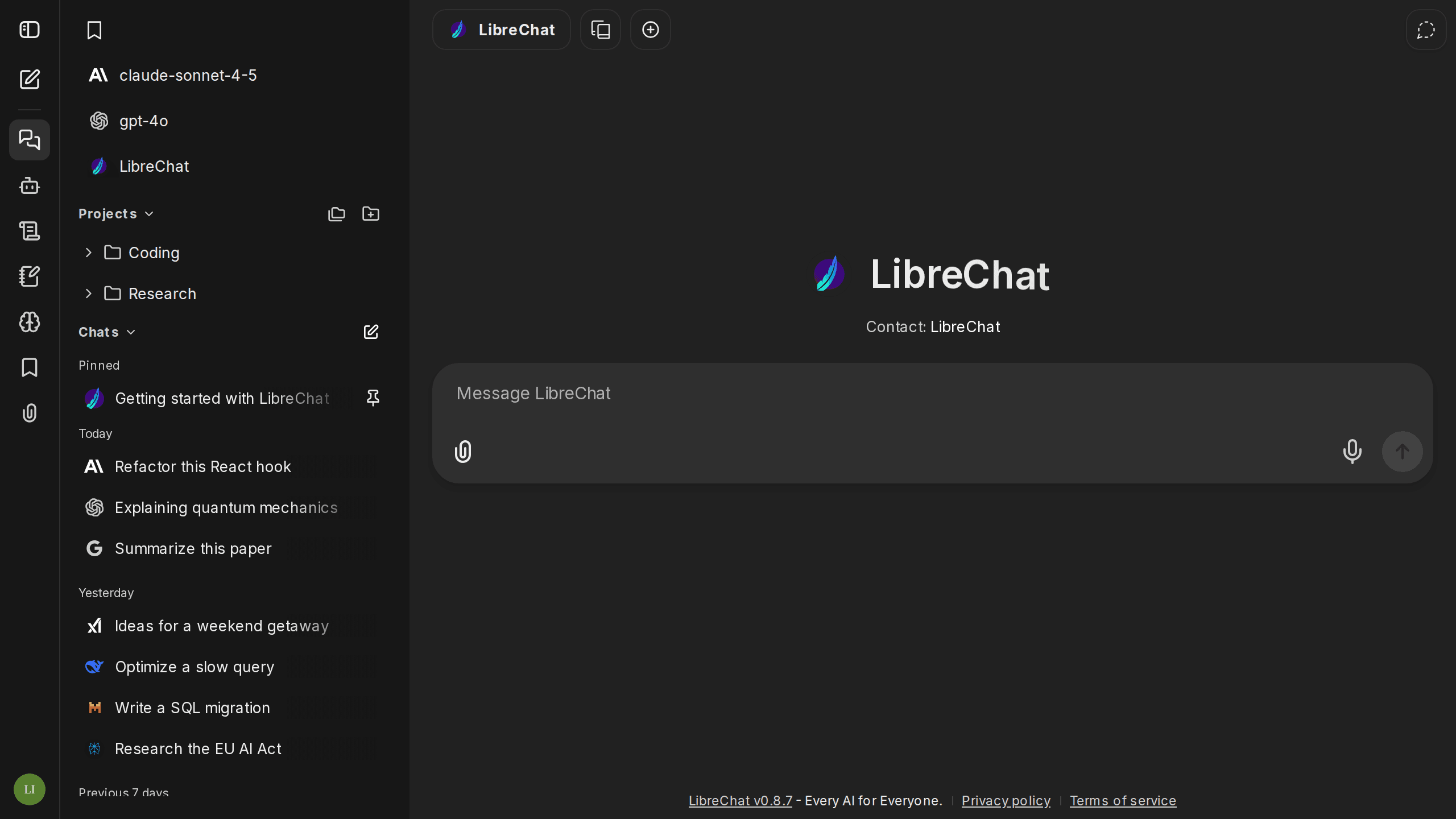
LibreChat is a strong fit for users who want local models and cloud models in one serious assistant interface. Its current feature set includes agents, RAG, multimodal chat, code execution, artifacts, web search, persistent memory, and extensive authentication options.
The standout feature is Model Context Protocol integration. MCP servers can be exposed directly in chat or attached to specific agents, which is useful for connecting a private assistant to files, databases, automation, or internal home-lab services.
- Best for: agent builders, developers, and advanced multi-user installations.
- Choose it when: tools and provider flexibility matter more than the simplest setup.
- Watch for: a larger configuration surface than lightweight chat-only interfaces.
3. LobeHub — Best Polished Personal AI Workspace
LobeHub, previously known as LobeChat, stands out for its refined interface and broad model-provider support. Its Ollama integration allows locally hosted models to appear inside the same modern workspace used for agents and provider-based models.
It also supports file upload and knowledge-base workflows, but the full server deployment requires more supporting infrastructure than a browser-only frontend. Choose it when presentation, agent organization, and a rich personal workspace matter more than minimal container count.
- Best for: users who value interface quality and organized AI assistants.
- Choose it when: you want local Ollama access without giving up a polished workspace.
- Watch for: differences between simple client deployments and full database-backed features.
4. AnythingLLM — Best for Private Documents and RAG
AnythingLLM focuses on turning private files into useful AI workspaces. It combines document ingestion, embeddings, vector storage, chat, and agents in one application, reducing the number of components a beginner must assemble independently.
The Docker edition supports browser access, multiple users, workspace permissions, and local LLM connections. It is a better first choice than a general chat UI when the core requirement is asking questions about manuals, notes, research, or household archives.
- Best for: document Q&A and turnkey local RAG.
- Choose it when: files are the center of the workflow.
- Watch for: embedding and vector-database choices, which affect retrieval quality independently of the chat model.
5. text-generation-webui — Best for Model and Inference Control
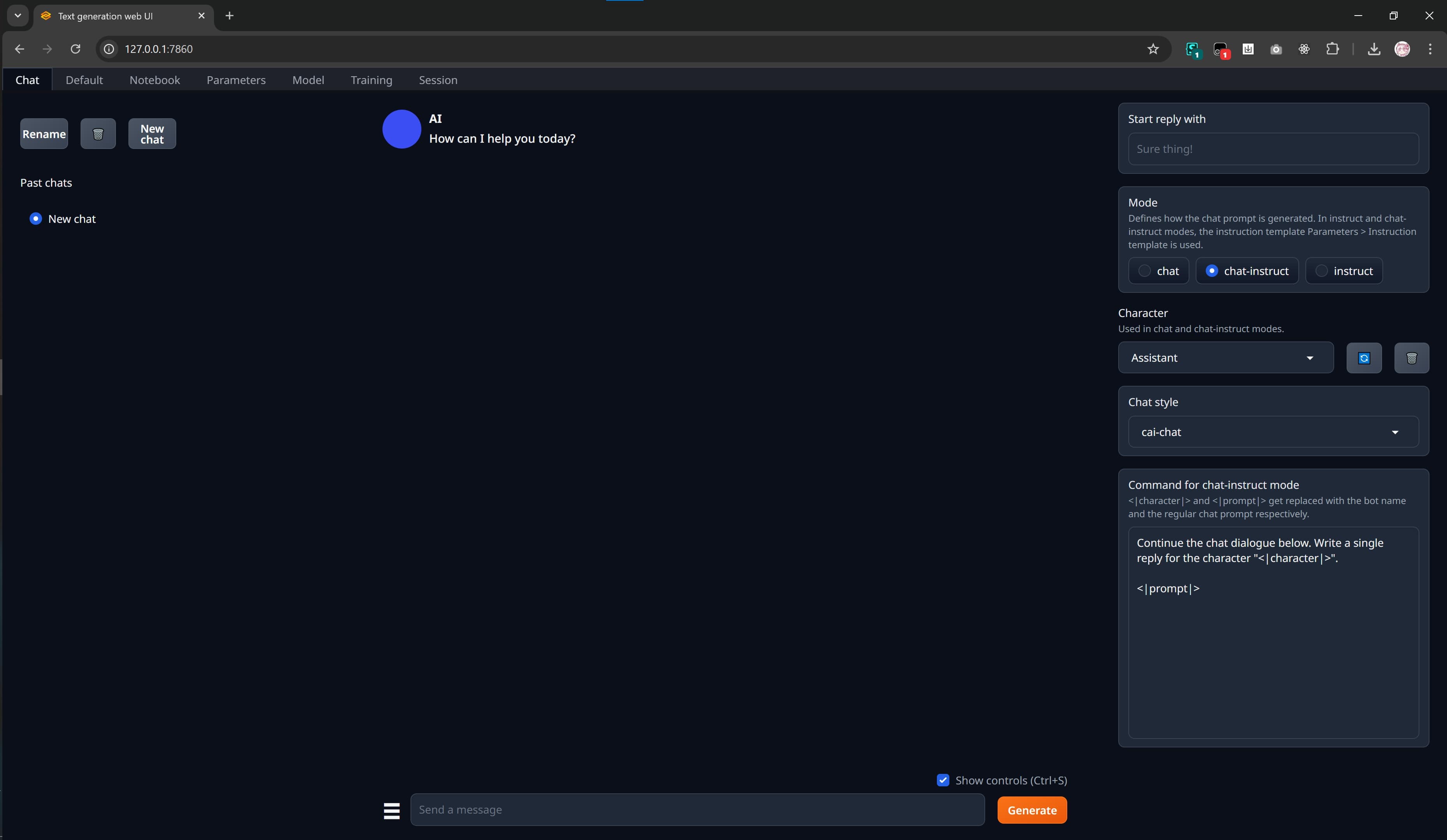
text-generation-webui is both a browser interface and a flexible local inference environment. It supports multiple backends, including llama.cpp, Transformers, ExLlama, and TensorRT-LLM, while exposing model loading, sampling, prompt templates, extensions, and an OpenAI/Anthropic-compatible API.
This makes it valuable for testing quantizations or tuning generation behavior before placing another frontend on top. It is less suited to a household portal because multi-user administration and turnkey knowledge management are not its main strengths.
- Best for: enthusiasts comparing loaders, formats, and generation settings.
- Choose it when: control over inference matters more than multi-user polish.
- Watch for: exposing a powerful model-management interface beyond the trusted LAN.
6. Big-AGI — Best for Multi-Model Comparison
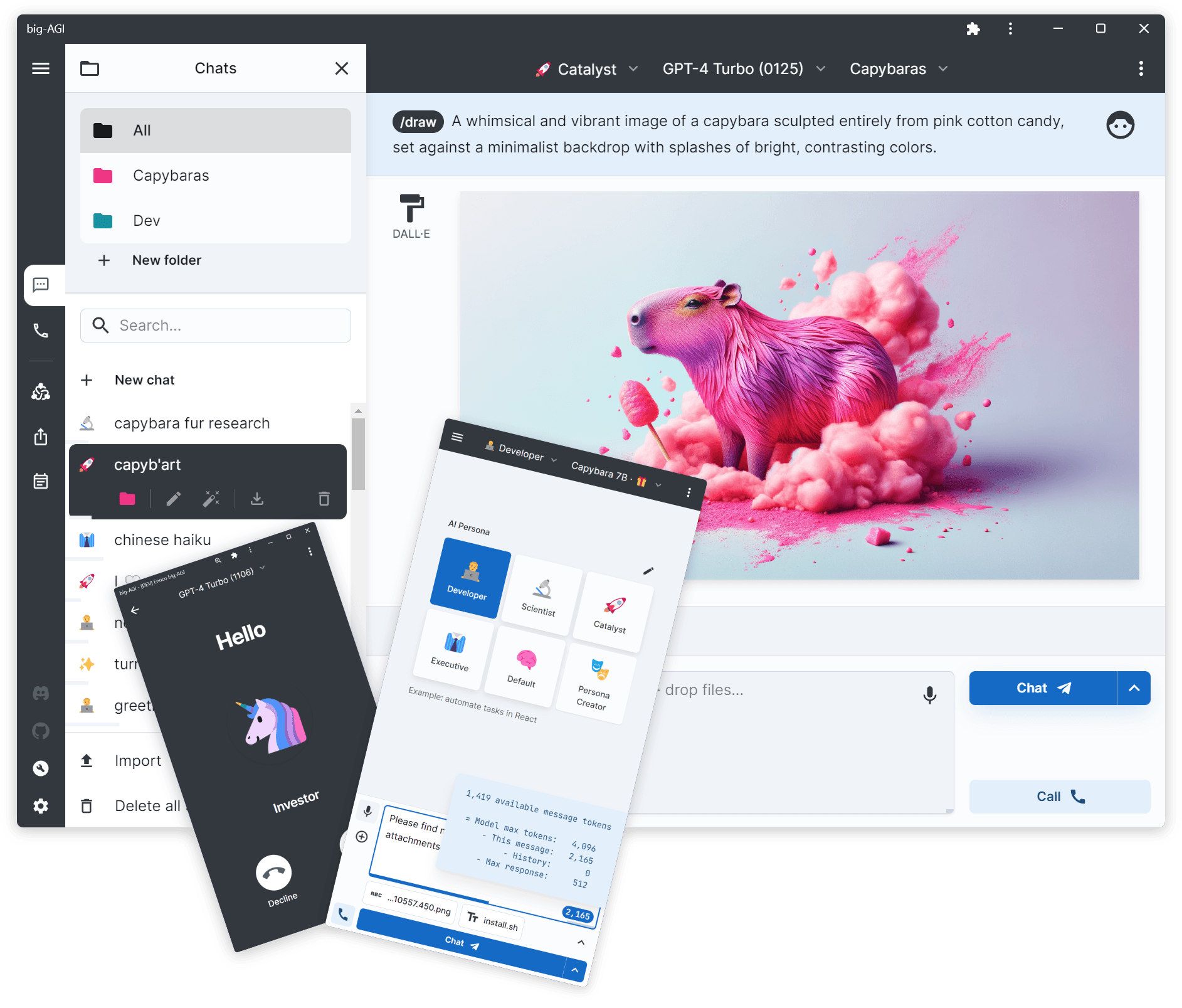
Big-AGI Open is built as a multi-model workspace rather than a single-provider chat clone. It can connect to Ollama, LM Studio, LocalAI, and numerous hosted providers, allowing local and cloud responses to coexist in one research-oriented interface.
Its comparison and synthesis workflows are useful when you want several models to approach the same problem. The self-hosted Open edition does not include native user accounts, so it fits an individual researcher better than a shared household deployment unless access is handled by a reverse proxy.
- Best for: research, model comparison, and hybrid local-cloud work.
- Choose it when: switching or comparing models is central to the workflow.
- Watch for: cloud providers breaking an otherwise local data path.
7. NextChat — Best Lightweight Local AI Interface

NextChat is a small, fast, responsive assistant interface that can be deployed with Docker or as a web application. It supports custom API base URLs, self-deployed models through compatible endpoints, prompt masks, streaming responses, PWA use, and optional MCP support.
It is an attractive choice when the home server should spend its resources on inference rather than a heavy frontend stack. Its access-code mechanism is simpler than full multi-user identity and permission management, so use a secure reverse proxy if multiple people or remote access are involved.
- Best for: low-overhead chat on phones, tablets, and older servers.
- Choose it when: speed and simplicity are more important than built-in RAG.
- Watch for: treating a shared access code as a complete security layer.
8. SillyTavern — Best for Personas and Prompt Control

SillyTavern is a locally installed browser interface aimed at users who want deep control over characters, personas, prompt construction, lore, generation settings, text-to-speech, and image-generation connections. It can connect to a wide range of local text-generation APIs.
Although best known for roleplay and creative writing, its Data Bank adds retrieval-based knowledge to prompts. The interface has a steeper learning curve and is primarily designed around personal use, but few alternatives offer the same degree of conversation and persona control.
- Best for: creative writing, roleplay, personas, and advanced prompting.
- Choose it when: controlling how prompts are assembled is essential.
- Watch for: configuration density and third-party extensions.
9. Dify — Best for Building Self-Hosted AI Applications
Dify is heavier than a typical chat frontend because it is an AI application platform. It provides visual orchestration, knowledge bases, agents, workflows, plugins, logs, and publishable web applications around local or remote models.
The official Docker Compose deployment starts numerous core and supporting services, so Dify is better suited to a capable home server than a small single-board system. Choose it when you want to design reusable family tools or internal applications, not merely replace a chat page.
- Best for: building, testing, and publishing AI apps.
- Choose it when: workflows, knowledge pipelines, and reusable interfaces justify the overhead.
- Watch for: container count, database backups, upgrades, and resource use.
10. Flowise — Best Visual Interface for AI Workflows
Flowise is a visual platform for assembling chatflows, agentflows, tools, retrieval components, and model connections. It supports self-hosted and air-gapped deployments and can connect to local models through components such as Ollama.
Flowise belongs on this list because its visual builder and embedded chat interfaces are useful in a home lab, but it is not the best general-purpose daily chat client. It earns its place when the interface is meant to design the assistant’s logic.
- Best for: visual prototyping of agents and RAG pipelines.
- Choose it when: you want to build flows without writing the entire application.
- Watch for: securing credentials, flow endpoints, and tool permissions.
Which Local AI Web UI Should You Choose?
- Choose Open WebUI for the best general home-lab experience.
- Choose LibreChat for MCP tools, agents, and advanced multi-provider use.
- Choose LobeHub for a polished personal workspace.
- Choose AnythingLLM when private documents and RAG are the priority.
- Choose text-generation-webui when you need direct control over model loading and inference.
- Choose Big-AGI to compare local and cloud models in one workspace.
- Choose NextChat for a lightweight chat surface.
- Choose SillyTavern for personas, roleplay, and prompt engineering.
- Choose Dify or Flowise when you are building an AI application or workflow.
A Practical Home-Lab Architecture
A reliable setup separates four layers: the web UI, the inference server, the data layer, and remote access. The interface can run in a small Docker container while Ollama, llama.cpp, or another runtime uses the GPU host. Documents, model files, databases, and backups can remain on a NAS, with a reverse proxy or private VPN controlling browser access.
This separation makes upgrades easier and prevents a frontend failure from affecting stored models or private files. It also lets a low-power server stay online around the clock while a GPU machine wakes only for demanding inference. The compact AI lab versus full AI NAS comparison shows how those roles can be divided.
Running a Local AI Web UI on Zima Hardware
ZimaBoard 2 is a practical always-on host for lightweight web UIs, reverse proxies, authentication, small databases, and orchestration. It can connect over the network to Ollama or another inference server with a discrete GPU. Small CPU models are possible, but its stronger role is coordinating services rather than replacing a high-end AI workstation.
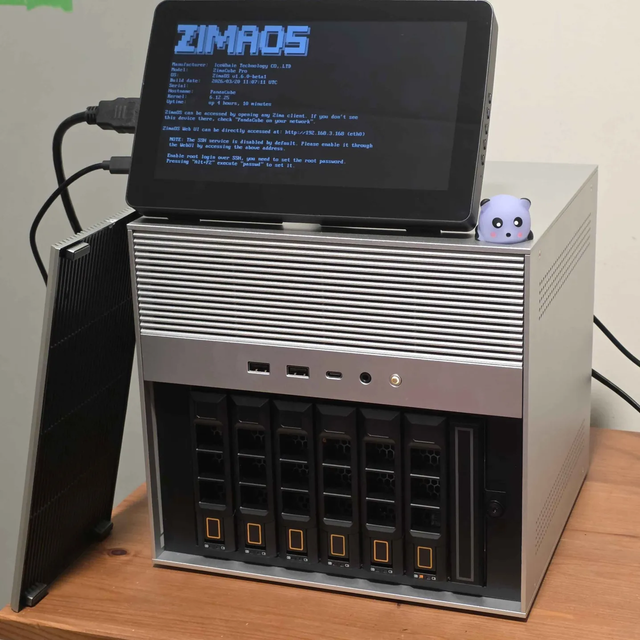
ZimaCube 2 adds expandable storage for model weights, knowledge bases, uploaded files, and backups. That makes it a natural data layer for Open WebUI, AnythingLLM, LibreChat, Dify, or Flowise. For a detailed example, see how a ZimaCube 2 AI NAS workflow combines storage with private search and assistant features.
Security Checklist Before Exposing the UI
- Do not forward the application port directly to the internet. Use a VPN or a reverse proxy with TLS and strong authentication.
- Create separate user accounts where supported. Do not share an administrator session across the household.
- Restrict model and tool endpoints. Ollama, databases, MCP servers, and code execution services should remain on trusted networks.
- Persist and back up application data. Chat history, vector stores, configuration, and uploaded documents should survive container replacement.
- Review outbound connections. Cloud models, web search, speech providers, plugins, and telemetry can send data outside the home lab.
- Update deliberately. Pin known-good container versions, read migration notes, and keep a rollback-ready backup.
If you are deciding between containers and direct installation, the Docker versus native local AI apps guide covers isolation, GPU access, upgrades, and troubleshooting.
Frequently Asked Questions
What is the best web UI for Ollama?
Open WebUI is the best default for most Ollama users because it offers straightforward connectivity, multiple users, RAG, tools, attachments, and an interface suitable for daily use. NextChat is lighter, while LibreChat is stronger for agents and MCP integrations.
Can a local AI web UI run on a different machine from the model?
Yes. The web UI can run on a low-power home server and connect over the LAN to Ollama, vLLM, LocalAI, or another compatible inference service on a GPU machine. This is often the most efficient home-lab design.
Does self-hosting the interface guarantee privacy?
No. Privacy depends on every configured endpoint. A local interface connected to a cloud model or external search provider can still transmit prompts and files. Audit model APIs, embeddings, tools, speech services, plugins, and logs.
Which interface is best for chatting with private documents?
AnythingLLM is the most focused turnkey option for document-based RAG. Open WebUI and LibreChat are better if document chat is one feature among many, while Dify and Flowise suit custom retrieval pipelines.
Do I need a GPU to host the web UI?
No. The UI itself normally runs on the CPU. A GPU is used by the model server, which may be on the same machine or another system. This separation allows an efficient server to host the interface continuously.
Final Verdict
Open WebUI is the best starting point for most local AI home labs because it balances ease of use, local-model support, RAG, tools, and multi-user access. Choose LibreChat for agent-heavy installations, AnythingLLM for private documents, text-generation-webui for inference control, and Dify or Flowise for application building. The right interface is the one that adds the capabilities you need without turning a private home service into an unnecessarily complex platform.

Recommended products


Tech & AI HUB
More to Read
Embedding Version Pinning: Why Query and Document Vectors Must Stay Compatible
A mechanism-first explanation of embedding version pinning, its shared-resource tradeoffs, three query-fanout FAQs, and a practical verification protocol.
Content-Addressed Model Storage: How Hashes Prevent Duplicate Weight Downloads
A mechanism-first explanation of content-addressed model storage, its shared-resource tradeoffs, three query-fanout FAQs, and a practical verification protocol.
Agent Compensation Actions: How Reversible Steps Limit Partial Workflow Failure
A mechanism-first explanation of agent compensation actions, its shared-resource tradeoffs, three query-fanout FAQs, and a practical verification protocol.


