


Winners Announced


All Valid Participants


Your NAS OS, Your Way
A simpler way to build your personal cloud, home server, and self-hosted workflow.
ZimaOS helps you turn your device into a personal space for files, media, apps, backups, remote access, and everyday self-hosting. Whether you use it for a homelab, family storage, Docker apps, or your own private cloud, every setup can look different and that's exactly what this campaign is about.
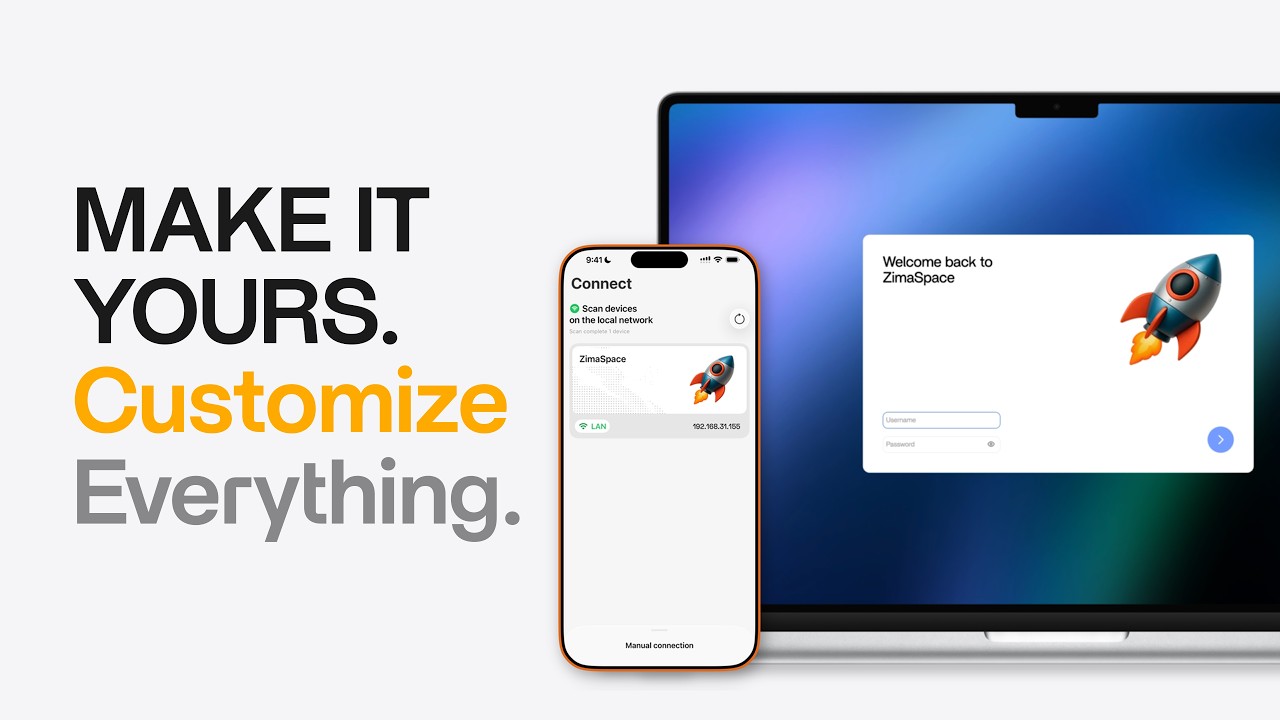
Introducing ZimaOS 1.6 & Zima Client 1.5: The NAS That Adapts to You
ZimaOS 1.6 brings more personalization and flexibility to your NAS, while Zima Client 1.5 makes remote access and management easier from your iPhone.
Personalized UI
Custom wallpaper, login screen, workspace layout, and device labels.
Flexible Storage Expansion
Manage USB storage devices and build RAID 0/1/5/6 your way.
All-New Mobile Experience
Redesigned UI, upgraded Files management, and a smoother photo backup experience.
Connect Your Way
Access your server using local IP, custom domain, public IP, or Magic DNS on Zima Client iOS.
A Quick Look at ZimaOS
From dashboards and apps to backups, remote access, and personal workflows, every setup can look different.

ZimaOS Feature Overview

Your ZimaOS, Everywhere
Community Entries
See what ZimaOS users are sharing on Reddit, real dashboards, app stacks, workflows, and setup stories from the community.
Entries shown here are for inspiration only. Winners are selected based on campaign rules and eligible Reddit posts.

Self-Hosted Media Stack with ZimaOS
A real ZimaOS setup for photos, Pi-hole, Jellyfin, *arr apps, ROMs, VPN-isolated downloads, and 8TB drive storage.
View on Reddit →
First Homelab with ZimaOS
A beginner-friendly ZimaOS setup for media hosting, ad blocking, Minecraft, backups, YouTube files, and learning new homelab projects.
View on Reddit →
College Student Homelab with ZimaOS
Docker containers for all my projects. Fast, reliable, and easy to manage.
View on Reddit →
ZimaOS to ZimaBoard 2 Build
Started with ZimaOS, then built a ZimaBoard 2 setup for NAS storage, Docker apps, AdGuard, Immich, Jellyfin, Tailscale, and future router experiments.
View on Reddit →
Family Apps & Minecraft with ZimaOS
A ZimaBlade setup for Minecraft servers, ebooks, audiobooks, Plex, OwnCloud, Mealie, and easy ZimaOS backups.
View on Reddit →
Private Local AI on ZimaBoard
A ZimaBoard setup running a local AI assistant trained on personal data, keeping private context, self-hosted services, and workflows under the user’s control.
View on Reddit →
Private Git & File Server on ZimaOS
A Dell PowerEdge R710 setup using ZimaOS as a private Git server, file server, ZVM/QEMU environment, and AI stress-testing machine.
View on Reddit →
Family Media & Homelab with ZimaOS
Started as a simple way to access media across devices, then grew into a family-friendly homelab with SMB sharing, Tailnet access, productivity services, and self-hosted media.
View on Reddit →
CasaOS to ZimaOS Home Server
Migrated from CasaOS to ZimaOS on an OptiPlex 5070 SFF, using it for Jellyfin, fast downloads, remote access, mobile photo backup, and family file sharing.
View on Reddit →
Two Weeks with ZimaOS
Moved from a Windows-based setup to ZimaOS for Jellyfin, Linkwarden, Nextcloud, Tailscale, Kubuntu VM, SMB shares, and always-on home server testing.
View on Reddit →
From Plex Server to ZimaOS Homelab
Started with an old Plex server, then moved from Ubuntu and CasaOS to ZimaOS for easier self-hosting, remote access, mobile app, DAS storage, Plex, Immich, Pi-hole, Tailscale, and ARR apps.
View on Reddit →
ZimaBoard 2 as a Quiet Home Server
A low-power ZimaBoard 2 setup for Jellyfin, Immich, Pi-hole, Uptime Kuma, SMB file storage, UPS backup, and future HDD expansion.
View on Reddit →Need Ideas? Start Here.
Your ZimaOS post doesn't need to be perfect. Share your real setup, workflow, apps, ideas, or favorite features - the community wants to see how you use it.

Show Your ZimaOS Desktop
Share your wallpaper, login screen, workspace layout, or drive labels.
My ZimaOS dashboard after customizing my workspace.

Tell Your Workflow Story
Show how ZimaOS helps with media, backups, remote access, local AI, or home server tasks.
How I use ZimaOS for family backups and remote access.

Share Your Daily Apps
Show the apps you run every day, like Plex, Jellyfin, Immich, Docker, Time Machine, or ZVM.
My ZimaOS app stack for media, backup, and self-hosting.

Share What You Want Next
Tell us your favorite feature, what should improve, or what you hope to see in future updates.
My favorite ZimaOS feature and what I'd love to see next.
Tip: Your post can be simple. A screenshot, a short setup story, or one useful idea is enough to join.
Rewards & Winner Selection
Share your ZimaOS setup on Reddit. The most upvoted eligible posts will win Zima gear and every valid participant can receive a thank-you reward.
ZimaBoard 2 1664
Awarded to the most upvoted eligible Reddit post.

ZimaBoard 2 832
Awarded to the second most upvoted eligible Reddit post.

ZimaBlade 7700
Awarded to the third most upvoted eligible Reddit post.

Choose ZimaOS Plus activation code or $30 Zima Gift Card
A thank-you reward for every valid entry.


How We Pick Winners
Winners are mainly selected by Reddit upvotes. To keep the challenge fair, all winning entries must pass Zima's eligibility review.
Important: Low-effort, duplicated, stolen, spammy, or suspiciously voted entries may be excluded.
A Few Simple Rules
Original Posts Only
Your Reddit post must be created by you.
Keep It Public
Your post must stay public during the campaign period.
Submit Before June 22
Submit your Reddit post link on this page before the deadline.
Keep It Relevant
Your post should be about your ZimaOS setup, workflow, favorite feature, or feedback.
Fair Play & Reward Notes
- Reposted, copied, or stolen content will be disqualified.
- Duplicate, low-effort, spam, or suspiciously voted entries may be excluded.
- Prizes may be subject to local import duties, taxes, or shipping restrictions.
- If selected or featured, we may ask for permission to share your post on Zima's official channels.
Frequently Asked Questions
-
All ZimaOS users worldwide are welcome! Whether you use ZimaBoard, ZimaBlade, ZimaCube, a mini PC, or any other x86 device, you're welcome to participate.
-
Absolutely. We'd love to see both advanced setups from experienced users and honest experiences from new users.
-
Yes. Each entry should be posted as a separate Reddit post. However, each participant can only win once.
-
Your post should include at least one screenshot or photo of your ZimaOS setup, along with a short description of how you use it. The more details you share, the better.
-
We recommend communities such as r/homelab, r/selfhosted, r/HomeServer, r/ZimaBoard, r/degoogle, or any other relevant community you like.
-
Yes. Video demos, screen recordings, and real hardware footage are all welcome.
-
We recommend blurring or cropping out sensitive information such as IP addresses, domain names, API keys, or private credentials. We want to see your ZimaOS story, not your private data.
-
Please submit your Reddit post link and your commonly used email address.
-
We encourage you to publish a new post during the campaign period, from May 22 to June 21. If you have a suitable post from the past month, you may also submit it, but please note this in the submission form.
-
The winners will be announced on June 26 and contacted via the email address submitted in the form.
-
Your email address will only be used for this campaign, including winner notifications and necessary follow-up. It will not be used for marketing without your consent.
-
Selected entries may be featured on Zima's official social media, website, or forum. We will credit your Reddit username when sharing your content.
-
For any other questions, please contact us at community@icewhale.org.


