
ZimaBlade Is Now ZimaBoard SE: What Changes and Which Kit to Choose


ZimaBlade is now ZimaBoard SE. The familiar compact x86 platform is joining the ZimaBoard family with a simpler lineup and a more complete package. New ZimaBoard SE units use the Intel Atom x7-E3950, include 8GB or 16GB of pre-installed DDR3L RAM and 64GB eMMC, and ship with ZimaOS Plus, a USB-C PD power adapter and a SATA-Y cable.
The practical difference is less assembly before your first home-server project. Choose the 864 for 8GB RAM or the 1664 for 16GB RAM; both use the same CPU. Starter Kit prices are US$159 and US$199 respectively. Choose the NAS Kit if you also want the 2-bay drive rack tray and 4K Mini DP cable. HDDs and SSDs are sold separately.
Why ZimaBlade Is Joining the ZimaBoard Family
We are consolidating the product lineup to support more stable availability, a more consistent experience and reliable long-term support. Community feedback also made the next step clear: keep the flexibility people value in a small x86 server, while making the package easier to understand and get running.
ZimaBoard SE carries forward the familiar ZimaBlade hardware platform. This update focuses on the available configurations, included storage, installed software and accessories. It is not a new processor generation. In particular, the earlier CPU configuration used in ZimaBlade 3760 will no longer be offered in the SE lineup; both SE memory options use the same four-core Atom x7-E3950.
ZimaBlade and ZimaBoard SE: What Changes?
| Area | Earlier ZimaBlade lineup | ZimaBoard SE |
|---|---|---|
| Product name | ZimaBlade | ZimaBoard SE, within the ZimaBoard family |
| CPU choices | Earlier model choices included the 3760 CPU configuration | One CPU: Intel Atom x7-E3950, 4 cores / 4 threads, up to 2.0 GHz |
| Memory setup | Package contents and memory installation depended on the selected bundle | 8GB or 16GB DDR3L RAM, pre-installed |
| Built-in storage | Earlier specifications depended on the model | 64GB eMMC across the SE lineup |
| Software at delivery | Earlier units and user installations may differ | ZimaOS v1.7.1 Plus pre-installed for the announced SE rollout |
| Essential accessories | Varied by board-only or bundle purchase | USB-C PD power adapter and SATA-Y cable included |
| Packaging | Original model and package choices | New packaging and complete kit configurations |
For existing owners, the rename does not change the hardware already in your hands. Your original model, memory, storage and installed operating system remain the reference for your machine. The updated contents above describe newly purchased SE kits, rather than an automatic upgrade to earlier units.
864 or 1664: Choose Memory for the Apps You Plan to Run
| Specification | ZimaBoard SE 864 | ZimaBoard SE 1664 |
|---|---|---|
| Starter Kit SKU | ZBB002-BK30864 | ZBB002-BK31664 |
| Processor | Intel Atom x7-E3950 | Intel Atom x7-E3950 |
| CPU configuration | 4 cores / 4 threads; up to 2.0 GHz | 4 cores / 4 threads; up to 2.0 GHz |
| Pre-installed RAM | 8GB DDR3L | 16GB DDR3L |
| Built-in storage | 64GB eMMC 5.1 | 64GB eMMC 5.1 |
| Pre-installed system | ZimaOS Plus | ZimaOS Plus |
| Direct storage | 2 × SATA 3.0 ports, with SATA power | 2 × SATA 3.0 ports, with SATA power |
| Expansion | PCIe 2.0 x4 | PCIe 2.0 x4 |
| Network | 1 × Gigabit Ethernet | 1 × Gigabit Ethernet |
| Display output | Mini DisplayPort 1.2 | Mini DisplayPort 1.2 |
| Starter Kit price | US$159 | US$199 |
| NAS Kit price | US$189 | US$229 |
The 864 is an accessible starting point for a focused set of lightweight services. Choose the 1664 when your intended applications need more memory or you expect to keep more services running together. Its extra RAM does not make the CPU faster. Media formats, simultaneous users, storage activity and background jobs still affect the experience.
Prices above are the listed USD prices checked on October 29, 2026, before temporary promotions, shipping and applicable taxes. Select the memory and kit options on the ZimaBoard SE product page to see the current price for your configuration.
Starter Kit or NAS Kit: Compare What Is in the Box
| Included item | Starter Kit | NAS Kit |
|---|---|---|
| ZimaBoard SE with selected RAM installed | Yes — 8GB or 16GB | Yes — 8GB or 16GB |
| 64GB eMMC and pre-installed ZimaOS Plus | Included | Included |
| USB-C PD power adapter | Included | Included |
| SATA-Y cable | Included | Included |
| 2-bay drive rack tray | Not part of the standard kit | Included |
| 4K Mini DP cable | Not part of the standard kit; launch gift eligibility may apply | Included |
| HDDs or SSDs | Not included | Not included |
Choose the Starter Kit if you want to begin with apps, reuse suitable drive mounting or build your own enclosure. The NAS Kit adds a convenient mounting option for a dual-drive storage project. It does not add the drives themselves or change the selected CPU and memory configuration.
The included adapter and SATA-Y cable support powering two compatible 3.5-inch SATA HDDs, so the drives do not need a separate power supply for that supported setup. Add suitable HDDs or SSDs when planning a larger photo library, media collection or backup destination; the built-in eMMC lets you start without buying a separate system drive.
A More Complete Start, With the Freedom to Build Your Own Server
For a first setup, the memory and operating system are already installed. Connect the device to your network and power, complete the initial ZimaOS setup and begin with the service you actually need. You can then add applications and storage as the project grows.
ZimaOS supports Docker-based apps for projects such as Home Assistant, Plex, Jellyfin and personal file services. Keep the workload appropriate to the hardware: several demanding tasks or heavy transcoding may call for a more powerful server. The open x86 platform also lets you install another compatible operating system, including Debian or Ubuntu; installation steps and hardware support vary by system.
The community already uses this hardware family in very different ways. Vladimir’s family-server story follows remote access and photo services across households. Julien’s Debian and Docker migration shows how similar hosts can simplify a larger service collection. Those stories describe earlier units and the owners’ custom software, rather than the default SE installation.
If your project needs more processing power, faster networking and greater expansion capability, compare ZimaBoard 2. ZimaBoard SE remains the accessible choice for everyday self-hosting, lightweight applications and compact personal-storage projects.
Launch Pricing and the Halloween Offer
The launch announcement includes US$15 off plus a free 4K Mini DP cable for eligible Halloween purchases. The Halloween sale runs October 26–November 1, 2026, Eastern Time. Offer eligibility and gifts are subject to availability.
Visit the product page for the applicable discount, then check the cart for any gift-redemption step before checkout. The NAS Kit already includes a 4K Mini DP cable as standard; a promotional gift should be considered separately from the normal kit contents. The configuration tables above show the listed kit prices before a temporary offer is applied.
Community Discussions Will Become Easier to Follow
Alongside the product update, we will work with the community moderators to improve the IceWhale Discord channel structure. The plan is to merge some chat channels and add forum-style channels so discussions and support issues are easier to organize, revisit and follow. We will share the detailed structure when it is ready.
FAQ
Is ZimaBoard SE a completely new generation of ZimaBlade?
It brings the familiar platform into the ZimaBoard family with a consolidated CPU choice, installed memory, 64GB eMMC, pre-installed ZimaOS Plus and essential accessories. The core platform remains largely unchanged; the complete out-of-box package is the main focus of the update.
Do existing ZimaBlade owners need to replace their machines?
A name change does not require a hardware replacement. Continue to use the specifications and software appropriate to your original unit. The revised RAM, storage and bundle contents apply to the new SE configurations.
Can I still buy an original ZimaBlade?
A limited number of original units remain available while stock lasts. Check the remaining original ZimaBlade configurations if you prefer an earlier model or package. Availability depends on the selected option.
Do I need extra storage before the first boot?
No separate system drive is required to start with the included 64GB eMMC and installed ZimaOS. Add compatible HDDs or SSDs for larger collections, media and backups; neither kit includes those drives.
Can I change the operating system or expand the hardware?
Yes. You can install another compatible operating system and use the two SATA 3.0 ports or PCIe 2.0 x4 interface for suitable storage and accessories. Check the compatibility and setup requirements of the operating system and expansion device you choose.
Is there a purchase quantity limit?
The announcement sets no per-customer purchase limit. Orders remain subject to stock availability.
When should I expect the order to arrive?
Orders typically dispatch within 72 hours, with estimated delivery 7–10 business days after dispatch. These are estimates, not a guaranteed arrival date.
How are shipping, taxes and import duties handled?
Shipping and applicable taxes are calculated for the destination and displayed at checkout. Any import duties or other local charges not included in the order total are the buyer’s responsibility.
Where can I ask another question?
Contact the ZimaSpace shop team at shop@icewhale.org for help with product or order questions.
Conclusion
ZimaBoard SE gives the familiar compact x86 server a clearer place in the ZimaBoard family and a more complete starting package. Choose 864 or 1664 for the memory your applications need, then select Starter Kit or NAS Kit for the accessories your build requires.
Thank you to the community for the feedback behind this update. Explore the ZimaBoard SE configurations, plan any additional drives and start with the home-server job you want to make easier.

Produtos recomendados
Centro de campanhas Zima
Mais para ler
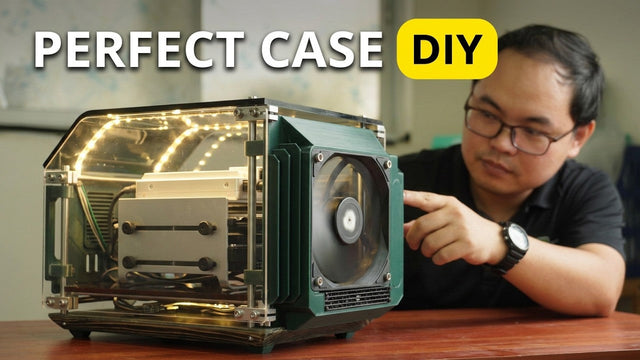
How The TKT Works Builds a Custom Acrylic Case for ZimaBoard 2
Follow The TKT Works’ custom ZimaBoard 2 case build, covering the rod frame, acrylic panels, front display, cable routing, and cooling considerations.
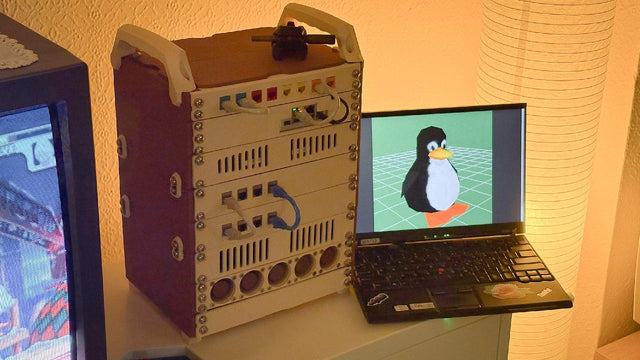
How kabuto Builds a Modular 10-Inch Homelab with ZimaBoard 2
Explore kabuto’s modular 10-inch homelab with ZimaBoard 2, printed patch panels, reused hardware, Immich, Nextcloud, and remote access through Tailscale.
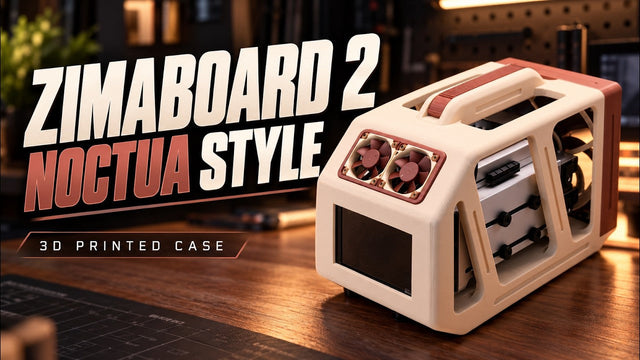
How Ariel Studio Builds a Noctua-Style ZimaBoard 2 NAS Case
Follow Ariel Studio’s ZimaBoard 2 NAS case build, from Noctua-inspired printed parts and airflow planning to a separate backup destination in ZimaOS.


