
Can a Home Server Run Continuous Camera AI Without a Discrete GPU?


Yes. A home server can run continuous camera AI without a discrete graphics card. The best compact setups usually rely on an integrated GPU for video decoding and, on supported Intel systems, OpenVINO inference on the iGPU or NPU. A Coral accelerator is another option. Pure CPU detection can work at small scale, but it is rarely the most efficient design for an always-on multi-camera system.
The key is to separate three workloads that are often lumped together as “camera AI”: decoding video, deciding which frames need detection, and running the neural-network detector. A discrete GPU is only one way to accelerate those layers.
Camera AI Is More Than the Object Detector
Camera stream
     |
     v
Video decode (H.264 / H.265)
     |
     v
Low-resolution detect frames
     |
     v
Object detector
     |
     +-- person / car / animal
     |
     v
Tracking + recording + events
If the CPU software-decodes several high-resolution streams before inference even begins, an efficient detector may not save the system. Hardware video decode can therefore matter as much as object-detection acceleration.
Frigate's current video decoding guidance strongly recommends using integrated or discrete GPU acceleration and supports Intel and AMD integrated graphics for that job.
An Intel iGPU Can Do More Than Display Graphics
Modern Intel processor graphics can decode common camera codecs and can also run OpenVINO inference on supported hardware. Frigate's object detector documentation supports OpenVINO on Intel GPUs, Intel NPUs, and CPUs.
That makes a low-power Intel home server particularly interesting:
Intel CPU package
  ├─ CPU cores -> Frigate / Home Assistant / database
  └─ iGPU      -> video decode + OpenVINO inference
No PCIe graphics card is required, and the system can keep the low idle power, compact enclosure, and available expansion slot that often matter in a NAS or home server.
How Much Can an iGPU Handle?
There is no universal camera count because workload depends on stream resolution, codec, frame rate, detection FPS, model choice, object activity, enrichments, and other services on the host.
Frigate's current recommended hardware page publishes reference inference times for several Intel iGPUs, including low-power N-series processors. Those numbers show that integrated graphics can deliver detector latency suitable for typical home workloads, but they should be treated as reference measurements rather than a guaranteed camera count.
| Factor | Lower Load | Higher Load |
|---|---|---|
| Detect stream | 640×360 / 5 fps | 1080p / high detection fps |
| Record stream | Direct copy | Transcoding |
| Camera count | 2–4 | 8–16+ |
| Model | Small detector | Large YOLO / transformer model |
| Extra AI | Object detection only | Face, plate, semantic search, embeddings |
The architecture determines more than the headline camera count. Use a high-quality recording stream for evidence and a smaller substream for detection whenever your cameras support it.

Why Pure CPU Detection Is Usually the Wrong Baseline
Frigate explicitly marks its TensorFlow Lite CPU detector as not recommended for general use and notes that OpenVINO CPU mode is often more efficient when no accelerator is available. That is an important distinction: “no discrete GPU” does not mean “force every AI operation through generic CPU code.”
A CPU-only experiment can still be useful for one or two cameras, low detection frequency, or proof of concept. Continuous multi-camera operation competes with everything else a home server may be doing—NAS services, containers, backups, Home Assistant, media indexing, and local AI.
Once sustained CPU utilization stays high, event latency rises, power use increases, and other services lose headroom.
What Other Accelerators Avoid a Discrete GPU?
| Acceleration Option | Best Use | Trade-off |
|---|---|---|
| Intel iGPU + OpenVINO | Compact x86 home server | Needs supported Intel graphics/drivers |
| Intel NPU | New Core Ultra systems | Hardware/driver availability |
| Coral Edge TPU | Efficient supported TFLite models | Model constraints and separate device |
| AMD iGPU decode | Video offload | Detector path depends on stack/model |
| CPU + OpenVINO | Fallback / small setups | Consumes general-purpose CPU |
OpenVINO's current system requirements list Intel HD, UHD, Iris, Arc, and NPU targets, illustrating how inference acceleration can live inside the processor package rather than on a discrete card.
Use Substreams to Separate Recording Quality From AI Cost
A 4K camera does not need 4K inference for every frame. Many NVR designs use:
Camera
  ├─ Main stream: 4K / high bitrate -> recording
  └─ Substream: 720p / lower fps   -> detection
The detector identifies an event from the cheaper stream while the NVR retains the original high-quality recording. This reduces decode bandwidth, memory traffic, and inference cost without sacrificing the stored evidence.
How Does Camera AI Fit Beside Home Assistant and NAS Workloads?
An always-on server often has to do more than video. It may host Home Assistant, backups, file sharing, a media library, and local inference.
ZimaSpace's analysis of Home Assistant's expanding local processing highlights this shared-resource boundary: local AI improves autonomy, but CPU, memory, accelerators, and storage queues still need explicit capacity planning.
Keep camera recordings on a storage tier designed for continuous writes. Keep the database, thumbnails, and application state on faster storage if practical. Avoid letting AI inference starve the NVR's ability to record reliably.
A Practical Sizing Method
- Start with one camera and confirm hardware video decode is actually active.
- Enable the intended detector and record its inference time.
- Add cameras using their low-resolution detect streams.
- Measure CPU usage during both quiet and busy scenes.
- Test simultaneous recording, playback, backup, and Home Assistant activity.
- Watch detection queue latency rather than only average CPU.
- Add face recognition, semantic search, or other enrichments one at a time.
Do not size from idle nighttime footage alone. Wind, rain, shadows, traffic, pets, and multiple people can create much busier detection periods.
When Does a Discrete GPU Become Worthwhile?
A discrete GPU makes more sense when you need larger models, many high-resolution streams, heavy vision-language analysis, multiple simultaneous AI enrichments, or enough headroom to serve local LLMs from the same accelerator.
It may also be the cleanest answer when the CPU's integrated graphics are unsupported or already saturated by transcoding. The point is not that a discrete GPU is unnecessary—it is that continuous camera AI can cross a surprisingly useful performance range before you need one.
FAQs
Can an Intel N100 run Frigate without a discrete GPU?
Yes, supported N-series Intel systems can use integrated graphics and OpenVINO. Real capacity still depends on stream settings, model choice, and other server workloads.
Can I use the CPU only?
For small tests, yes. For sustained deployments, Frigate recommends hardware-accelerated detector paths; OpenVINO CPU mode can be more efficient than the basic TensorFlow Lite CPU detector.
Do I need to run AI on the 4K stream?
No. A lower-resolution substream is commonly used for detection while the main high-resolution stream is recorded separately.
Final Verdict
A discrete GPU is optional for many home camera-AI deployments. A supported iGPU can offload video decoding and, on Intel platforms, run OpenVINO detection; an NPU or Coral can provide another efficient inference path. Build around low-resolution detect streams, measure queue latency under real activity, and reserve discrete graphics for workloads that actually exceed the integrated hardware's sustained headroom.

Recommended products

Tech & AI HUB
More to Read
Top 10 Local AI Web UI for Home Labs In 2026
Compare 10 self-hosted local AI web UIs for home labs, covering Ollama support, RAG, agents, multi-user access, setup effort, and ideal use cases.
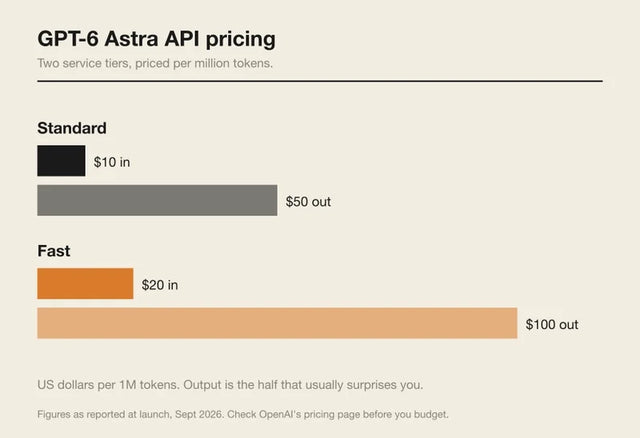
How Much Does GPT-6 Astra Cost Over Time? When Cloud AI Makes Sense vs Local AI
A practical GPT-6 Astra cost guide covering token usage, long-term AI workloads, cloud vs local tradeoffs, and why hybrid AI infrastructure matters.
GPT-6 Astra vs Local AI: Which Parts of an Agent Should Stay on Your Home Server?
GPT-6 Astra can stay in the cloud while your home server keeps files, memory, RAG, tools, permissions, and durable agent state local.


