
Can an AI Agent Safely Rename and Move Files on a Home NAS?


Yes—but the safe part must come from the file-operation layer, not from trusting the language model to “be careful.” An AI agent is useful for classifying messy downloads, standardizing filenames, or moving media into folders. It should not receive an unrestricted shell and then improvise destructive commands from natural language.
A strong design turns every change into a controlled transaction: plan → preview → constrained execute → verify → rollback. It also distinguishes a same-filesystem rename from a cross-filesystem move, because those operations have very different failure behavior.
Why Renaming Is Safer Than It Looks—and Moving Can Be Riskier
On Linux, a normal rename within the same mounted filesystem is a filesystem operation. The rename system call documentation explains that replacement of an existing destination can be atomic and that a normal rename does not work across different mounted filesystems.
That creates two very different cases:
SAME FILESYSTEM
/data/inbox/a.pdf
        |
        | rename
        v
/data/archive/a.pdf

CROSS FILESYSTEM
/pool1/a.pdf
   |
   | copy bytes + metadata
   v
/pool2/a.pdf
   |
verify destination
   |
delete source
Python's current shutil.move documentation makes the fallback explicit: when a direct rename cannot be used, the implementation may copy to the destination and then remove the source. That is no longer one atomic namespace change.
Never Let the Model Execute Arbitrary File Paths Directly
The model should produce a proposal such as:
{
  "operation": "rename",
  "source_id": "file-8c3e",
  "new_name": "2026-08-electric-bill.pdf"
}
It should not generate:
mv /mnt/nas/**/*bill* /whatever/the/model/decidedThe execution service can resolve file-8c3e to a path only after checking an allowlisted root, current file identity, destination policy, collisions, and user permissions.
This mirrors ZimaSpace's local agent trust-boundary model: the AI proposes intent; a deterministic component decides what is allowed to happen.
Use Stable File Identity Between Planning and Execution
A home NAS is not static. A sync client, family member, downloader, media scanner, or backup process may change a file after the agent inspected it.
Before executing, re-check:
- source path still exists;
- file size and modification time still match the plan;
- optionally, content hash still matches for sensitive jobs;
- destination has not appeared;
- source is still inside an approved root;
- resolved path has not escaped through a symlink.
If state changed, stop that item and re-plan. Do not make the execution layer “helpfully” guess what the model would have wanted.

Preview the Whole Batch Before Any File Changes
For multi-file cleanup, show a manifest:
| Source | Destination | Operation | Risk |
|---|---|---|---|
| IMG_8842.jpg | 2026-07-family-trip-01.jpg | Rename | Low |
| invoice.pdf | Finance/2026/invoice-042.pdf | Same-pool move | Low |
| movie.mkv | ArchivePool/Movies/movie.mkv | Cross-pool move | Medium |
| notes.txt | Existing notes.txt | Collision | Block |
Previewing catches semantic errors before filesystem safety even matters. The model might classify a tax form as a receipt or infer the wrong year from a document. A technically perfect rename can still be the wrong organizational decision.
Default to No-Overwrite Semantics
A file organizer should fail closed when the destination already exists. On Linux, renameat2() supports RENAME_NOREPLACE on supported filesystems. Higher-level applications can implement equivalent collision checks and unique-name policies.
Never let an autonomous cleanup job overwrite an existing file merely because two items received the same AI-generated title. Safer responses are:
- stop and ask;
- append a deterministic suffix;
- compare hashes and flag true duplicates;
- move the conflict to a review queue.
How Should Cross-Volume Moves Work?
Treat a cross-filesystem move as a small migration:
- copy to a temporary name on the destination;
- preserve required metadata;
- flush/close the destination;
- verify size and, when appropriate, a checksum;
- rename the temporary destination into its final name;
- only then remove the source;
- write the completed transaction to the journal.
If power fails before source deletion, you may have two copies rather than zero. That is the safer failure direction.
For large NAS batches, rate-limit these operations so an AI organization job does not saturate the same disks used by backups, media, or applications.
Make Every Batch Reversible
The simplest rollback mechanism is a journal that records old path, new path, file identity, timestamp, and result.
batch_id: organize-2026-09-03-01

001  /Inbox/a.pdf  -> /Bills/2026/a.pdf  OK
002  /Inbox/b.pdf  -> /Bills/2026/b.pdf  OK
003  /Inbox/c.pdf  -> collision           SKIP
Same-filesystem renames can often be reversed directly when no later operation reused the old name. For destructive or cross-volume jobs, snapshots or backups provide a stronger safety net.
The agent should never be able to delete the rollback journal as part of the same action scope.
Use a Quarantine Folder Instead of Deletion
If the workflow concludes a file is junk, duplicate, or obsolete, move it into a dated quarantine area rather than deleting it immediately. A retention job can purge items after a review window.
This design converts an irreversible classification mistake into a recoverable organizational mistake.
| Agent Decision | Safer Side Effect |
|---|---|
| Rename | No-overwrite rename |
| Move within pool | Atomic rename when supported |
| Move across pools | Copy → verify → final rename → delete source |
| Delete duplicate | Move to quarantine |
| Replace existing file | Require explicit approval |
Limit the Agent's Filesystem Scope
A photo organizer does not need access to application secrets. A document sorter does not need the Docker socket. Give each file tool only the path roots and operation types relevant to its job.
For a broader private workspace, ZimaSpace's private AI agent workspace shows why persistent data and tools belong behind explicit boundaries rather than one all-powerful process.
NAS File-Agent Safety Checklist
- Read-only discovery before write authority.
- Allowlisted path roots.
- Stable IDs instead of free-form paths where possible.
- Batch preview before execution.
- No-overwrite default.
- Symlink and path-traversal checks.
- Same-filesystem and cross-filesystem moves handled differently.
- Checksum verification for important cross-volume copies.
- Transaction journal outside agent write scope.
- Snapshot or backup before large reorganizations.
- Quarantine instead of immediate deletion.
- Count, byte, and time budgets per run.
FAQs
Is renaming a file atomic on a NAS?
It can be atomic when the server-side operation is a rename within the same filesystem and the underlying filesystem/protocol semantics support it. A client-side move between shares or mounts may instead become copy plus delete.
Can an agent organize thousands of files unattended?
It can after the policy has been tested, but large batches should use strict limits, reversible operations, collision handling, and sampling/review. Start with a small dry run.
Should the AI agent have shell access?
For routine file organization, a narrow file-operation API is safer than a general shell. The executor can expose only list, inspect, rename, move, and quarantine operations with explicit validation.
Final Verdict
An AI agent can safely rename and move files on a home NAS when the model is kept away from raw authority. Let it classify and propose; let a deterministic service validate, preview, execute, verify, and journal. Same-filesystem renames are the easiest case. Cross-volume moves require staged copy-and-verify logic. With rollback and quarantine built in, an AI organizer can be useful without turning one mistaken filename guess into permanent data loss.

Recommended products

Tech & AI HUB
More to Read
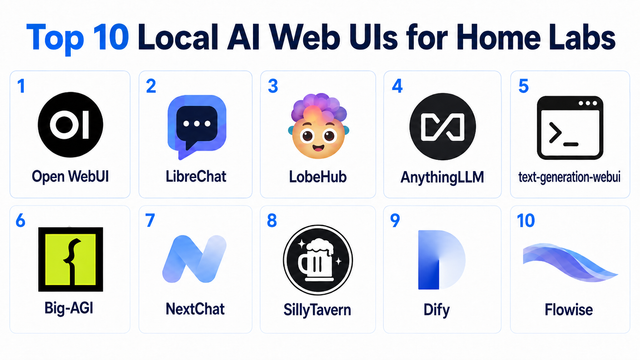
Top 10 Local AI Web UI for Home Labs In 2026
Compare 10 self-hosted local AI web UIs for home labs, covering Ollama support, RAG, agents, multi-user access, setup effort, and ideal use cases.
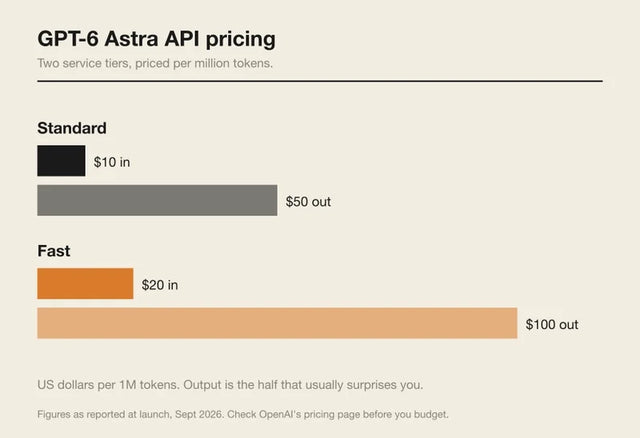
How Much Does GPT-6 Astra Cost Over Time? When Cloud AI Makes Sense vs Local AI
A practical GPT-6 Astra cost guide covering token usage, long-term AI workloads, cloud vs local tradeoffs, and why hybrid AI infrastructure matters.
GPT-6 Astra vs Local AI: Which Parts of an Agent Should Stay on Your Home Server?
GPT-6 Astra can stay in the cloud while your home server keeps files, memory, RAG, tools, permissions, and durable agent state local.


