
How Much Does GPT-6 Astra Cost Over Time? When Cloud AI Makes Sense vs Local AI


GPT-6 Astra can be affordable when it is used as a high-value reasoning tool, but the cost changes dramatically when it becomes an always-on AI system. Occasional research, coding assistance, and complex problem solving may create only moderate API usage. However, continuous workflows involving documents, automation, retrieval, and background tasks can create a very different long-term cost profile.
The key question is not only how much GPT-6 Astra costs per request. The more important question is which workloads actually need frontier-level reasoning and which workloads can be handled by local infrastructure. A practical AI setup often combines cloud intelligence with local storage, retrieval, automation, and processing instead of sending every task through the most expensive model.
How Much Does GPT-6 Astra Cost for Different Usage Patterns?
Official API pricing explains the cost of individual requests, but real-world AI usage depends heavily on workflow design.
A user who asks GPT-6 Astra a few times per week has a completely different cost pattern from an AI agent that runs continuously, processes files, checks services, or performs scheduled tasks.
| Usage Pattern | Typical Workflow | Cost Behavior |
|---|---|---|
| Occasional user | Research, writing, individual questions | Usually low |
| Developer workflow | Coding, debugging, architecture reviews | Medium |
| Personal AI assistant | Documents, reminders, automation | Higher |
| Always-on agent | Continuous monitoring and background tasks | Requires planning |
The same frontier model can therefore feel inexpensive or expensive depending on whether it acts as an occasional expert or becomes the foundation of an entire AI workflow.
The current GPT-6 Astra API specifications provide the official pricing, context limits, and supported capabilities. The purpose of this article is not to reproduce the pricing table, but to explain how those numbers change when applied to long-running AI systems.
How Do You Calculate Long-Term GPT-6 Astra API Costs?
A common mistake is calculating only the cost of a single prompt.
Long-term AI workloads usually include several cost factors:
- Input tokens: instructions, documents, retrieved information, and previous context.
- Output tokens: generated answers, code, reports, and summaries.
- Tool results: information returned from applications and external services.
- Repeated context: instructions and data sent again across multiple requests.
- Background tasks: scheduled automation and monitoring workflows.
A simple estimation model looks like this:
Monthly AI Cost

Input Tokens
+
Output Tokens
+
Tool Usage
+
Repeated Context
+
Background Workloads
For example, consider a lightweight AI workflow using:
- 100,000 input tokens per day
- 10,000 output tokens per day
Over 30 days:
- Input usage: 3 million tokens
- Output usage: 300,000 tokens
Using the current GPT-6 Astra pricing model, this represents approximately:
- 3 million input tokens × $10 per million tokens
- 300,000 output tokens × $50 per million tokens
The estimated monthly usage would be around $45 before additional tool calls or application-specific overhead.
This example is not a prediction of every user's bill. It demonstrates an important point: long-term AI costs are determined more by architecture and workload design than by the model price alone.
Does a Larger Context Window Make GPT-6 Astra More Expensive?
A larger context window improves what a model can understand at once, but it does not automatically create a better cost structure.
The expensive mistake is treating the context window as a replacement for information management.
For example, an inefficient workflow might repeatedly send:
- entire document collections,
- old conversations,
- historical logs,
- and unnecessary background information.
A more efficient approach is:
- Store information locally.
- Search and retrieve only relevant material.
- Send the selected context to GPT-6 Astra.
- Keep long-term data outside the model request.
This is why RAG remains important even with very large context windows. Retrieval is not only a solution for limited context. It is also a way to control relevance, privacy, and cost.
The relationship between context, memory, and local infrastructure is explored further in our article on GPT-6 Astra hybrid agent architecture.
Why Do Always-On AI Agents Change the Cost Calculation?
The biggest cost increase usually does not come from asking more difficult questions. It comes from repeating many small tasks continuously.
An always-on AI assistant may perform:
- daily summaries,
- document processing,
- service monitoring,
- photo organization,
- knowledge updates,
- calendar preparation,
- or scheduled research.
Each individual action may appear inexpensive. The total cost grows when the workflow runs hundreds or thousands of times per month.
The main cost pressure points are:
- Repeated instructions: sending the same information every time.
- Large file processing: repeatedly analyzing documents that rarely change.
- Automation frequency: running AI tasks more often than the value they provide.
- Unnecessary reasoning: using frontier intelligence for simple classification or filtering.
This is where local processing starts becoming valuable.
When Is Cloud AI Cheaper Than Running Local Models?
Cloud AI is often the better economic choice when the workload requires advanced reasoning but does not happen frequently.
Good examples include:
- complex technical decisions,
- advanced coding assistance,
- research synthesis,
- unfamiliar problem solving,
- high-value professional tasks.
In these cases, purchasing and maintaining expensive hardware only for occasional usage may not make financial sense.
The advantage of cloud AI is flexibility: users access frontier intelligence when needed without owning the entire infrastructure required to run it.
When Does Local AI Reduce Long-Term AI Costs?
Local AI becomes more attractive when workloads are repetitive, private, high-volume, or continuously running.
Examples include:
- document indexing,
- embedding generation,
- metadata extraction,
- classification,
- private file processing,
- local search preparation.
These tasks usually do not require the strongest available reasoning model every time.
A smaller local model can handle preparation work while GPT-6 Astra handles difficult decisions.
For users exploring larger local models, our guide on running larger local AI models explains why RAM, VRAM, and quantization become critical when moving beyond smaller models.
Why Hybrid AI Is Becoming the Practical Middle Ground
The most realistic long-term strategy is often hybrid AI.
Instead of asking whether everything should run locally or in the cloud, a better question is:
Which workloads deserve frontier intelligence, and which workloads should stay local?
| Workload | Recommended Approach |
|---|---|
| Complex reasoning | Cloud frontier model |
| Private files | Local storage |
| Large-scale indexing | Local processing |
| Routine classification | Local models |
| Advanced coding | GPT-6 Astra |
| Long-term memory | Local infrastructure |
The goal is not replacing GPT-6 Astra.
The goal is preventing GPT-6 Astra from handling workloads that do not require frontier reasoning.
This same local-first philosophy is discussed in our analysis of local-first AI agents, where persistent data and execution environments become increasingly important as AI systems become more capable.
Can a Home Server Reduce GPT-6 Astra Costs?
A home server does not need to replace GPT-6 Astra to provide value.
It can reduce unnecessary cloud usage by handling:
- private files,
- knowledge bases,
- retrieval indexes,
- automation workflows,
- local applications,
- backups,
- and repeated data processing.
This creates a more efficient division of responsibility:
- GPT-6 Astra: complex reasoning, difficult decisions, advanced problem solving.
- Home server: storage, memory, retrieval, automation, and routine processing.
A private AI assistant built around local storage follows the same idea: keep personal knowledge and long-term data close to home while using advanced models only when they provide meaningful value.
For example, a private NAS AI assistant can maintain searchable knowledge locally while allowing different models to handle reasoning tasks.
Does Buying Hardware Always Save Money Compared With GPT-6 Astra?
No. Local hardware and cloud AI solve different economic problems.
Local hardware requires:
- initial investment,
- electricity,
- maintenance,
- cooling,
- hardware upgrades.
Cloud AI requires:
- API spending,
- usage management,
- provider dependency.
| Scenario | Better Fit |
|---|---|
| Weekly research | Cloud AI |
| Daily coding assistance | Hybrid |
| Private document workflows | Local + Cloud |
| 24/7 AI assistant | Hybrid |
| Large repeated processing | Local AI |
The correct choice depends on workload frequency, privacy requirements, and how much automation you want to run continuously.
How Should You Design a Cost-Efficient GPT-6 Astra Workflow?
A cost-efficient AI system usually follows several principles:
- Use frontier models for tasks requiring advanced reasoning.
- Keep frequently accessed private data locally.
- Use retrieval instead of repeatedly sending large datasets.
- Process repetitive workloads locally when possible.
- Review automated tasks regularly.
- Separate storage, memory, and reasoning responsibilities.
The future of AI is unlikely to be entirely cloud or entirely local.
A more practical model is:
- Cloud models provide intelligence.
- Local infrastructure provides ownership.
- Hybrid workflows decide where each task belongs.
The smartest AI system is not the one using the strongest model everywhere. It is the one using the right level of intelligence for each workload.
FAQ: GPT-6 Astra Cost and Local AI
How much does GPT-6 Astra cost per month?
Monthly cost depends on token usage, context size, tool calls, and workflow frequency. Occasional usage can remain low, while always-on AI agents require more careful planning.
How do I calculate GPT-6 Astra API costs?
Estimate input tokens, output tokens, repeated context, tool results, and background tasks. Long-term AI costs depend on the complete workflow rather than one request.
Does GPT-6 Astra cost more for long conversations?
Long conversations can increase costs because more context may be included in requests. Retrieval and selective context management can reduce unnecessary token usage.
Does RAG reduce GPT-6 Astra costs?
Yes. RAG helps send only relevant information instead of repeatedly including large document collections or historical data.
Is GPT-6 Astra cheaper than running local AI?
It depends on usage. Cloud AI is often better for occasional advanced reasoning, while local AI can become more economical for repetitive, private, and high-volume workloads.
When should I use local AI instead of GPT-6 Astra?
Local AI is useful for tasks such as indexing, classification, preprocessing, private data handling, and offline workflows where frontier reasoning is unnecessary.
Can a home server reduce GPT-6 Astra API costs?
Yes. A home server can handle storage, retrieval, automation, and repeated processing so that GPT-6 Astra is used mainly for high-value reasoning.
Should I use GPT-6 Astra for an always-on AI assistant?
It depends on the workload. Always-on assistants usually work best with a hybrid design where cloud models handle difficult reasoning and local systems manage persistent data and routine operations.

Recommended products

Tech & AI HUB
More to Read
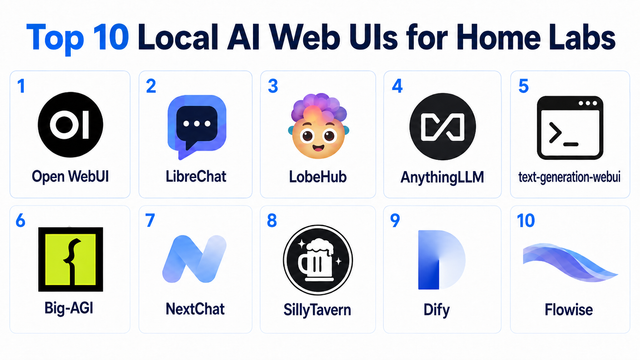
Top 10 Local AI Web UI for Home Labs In 2026
Compare 10 self-hosted local AI web UIs for home labs, covering Ollama support, RAG, agents, multi-user access, setup effort, and ideal use cases.
GPT-6 Astra vs Local AI: Which Parts of an Agent Should Stay on Your Home Server?
GPT-6 Astra can stay in the cloud while your home server keeps files, memory, RAG, tools, permissions, and durable agent state local.
How Many Users Can Home Assistant Support on a Small Home Server?
There is no universal user ceiling; capacity is the number of concurrent Home Assistant sessions that meet defined latency targets.


