
AI NAS Explained: Local Intelligence for Your Data


Quick Answer
An AI NAS is a network attached storage system that adds local intelligence to stored data. Instead of only saving files, serving folders, and handling backups, an AI NAS can index files, understand content, support semantic search, run private assistant workflows, and process selected AI tasks close to where the data lives.
That does not mean every NAS with an AI label is automatically useful. A practical AI NAS still needs strong storage fundamentals, suitable local compute, AI-aware software, clear privacy controls, and realistic workload boundaries. For many users, a traditional NAS remains enough for backup, file sharing, and media storage. AI NAS matters most when the user wants local data to become searchable, understandable, and usable by private AI workflows.
What Is an AI NAS?
A Simple Definition of AI NAS
An AI NAS is a NAS that combines local storage with AI-driven file understanding, search, automation, or assistant capabilities. The “AI” part should change how users organize, retrieve, analyze, or interact with stored data.
At the most basic level, a NAS stores files on a local network. An AI NAS adds an intelligence layer on top of that storage so files are not only saved but also indexed, tagged, searched by meaning, summarized, or used as context for local workflows.
The important boundary is not the label itself. The useful question is what actually makes a NAS an AI NAS, because some systems only add light AI features while others create a deeper local intelligence workflow around stored data.
What Local Intelligence Means for Stored Data
Local intelligence means the NAS can process, classify, or retrieve information from files within the user’s own storage environment. In many setups, that may include OCR, metadata extraction, media recognition, semantic indexing, document search, or private assistant workflows.
The value is not simply that AI exists somewhere in the system. The value is that the storage layer becomes more context-aware. Instead of relying only on filenames, folders, or manual tags, users can search and organize files based on content, meaning, objects, documents, or questions.
What AI NAS Does Not Mean
AI NAS does not mean every task runs entirely on the NAS in every configuration. It also does not mean the device can replace a dedicated GPU workstation, a cloud AI platform, or a full local AI server for every workload.
An AI NAS should still be judged as a NAS first. Backup strategy, storage reliability, permissions, networking, and long-term data management still matter. AI features are useful only when they improve real file workflows without weakening the storage foundation.
AI NAS vs Traditional NAS: What Changes?
Traditional NAS Stores and Serves Files
A traditional NAS is mainly a shared storage system. It centralizes files, supports backups, manages permissions, streams media, and makes data available across devices on a network.
For many homes, studios, and small teams, this is still enough. If the main need is file sharing, backup, media storage, or simple remote access, traditional NAS can remain the simpler and more efficient option.
AI NAS Adds File Understanding and Local Processing
AI NAS changes the role of storage by adding local indexing, AI-assisted analysis, and content-aware retrieval. The NAS is no longer only a passive file server; it becomes a system that can help interpret what is inside the files.
This is the core shift behind how AI NAS differs from traditional NAS: traditional NAS helps users store and access files, while AI NAS helps users find, understand, and reuse local data more intelligently.
| Dimension | Traditional NAS | AI NAS |
| Primary role | Store, share, and protect files | Store files and add local intelligence |
| Search model | Filename, folder, metadata, manual tags | Content-aware search, semantic search, OCR, AI tags |
| Data interaction | Browse, open, copy, sync | Ask, retrieve, summarize, classify, automate |
| Compute role | Mostly storage services and apps | Storage plus AI indexing, inference, or assistant workflows |
| Best fit | Backup, file sharing, media storage | Large searchable archives, private knowledge bases, AI-assisted local workflows |
Why the Category Boundary Matters
The category boundary matters because “AI NAS” can describe very different products or setups. Some systems may offer basic media recognition. Others may support local document search, embeddings, private assistants, or self-hosted AI tools.
A useful AI NAS should make stored data easier to understand or retrieve. If the AI feature does not affect search, organization, automation, or data interaction in a meaningful way, the label may be more marketing than architecture.
How to Think About AI NAS as a Local Intelligence Stack

The Storage and Compute Foundation
The Local Intelligence Stack explains how an AI NAS turns local storage into a private intelligence layer by combining data storage, local compute, file understanding, semantic retrieval, private assistance, trust control, and workload boundaries.
This framework is useful because AI NAS is not one feature. It is a stack of layers that must work together. Storage provides the data foundation, compute runs background jobs, software interprets files, and retrieval or assistant interfaces turn that context into something useful.
| Layer | What It Includes | What It Helps Users Understand |
| Data Foundation Layer | Files, folders, permissions, backups, media libraries, personal archives, shared storage | AI NAS still begins with reliable NAS fundamentals |
| Intelligence Boundary Layer | The difference between ordinary NAS, AI add-ons, and real local AI workflows | The AI label is useful only when it changes how data is used |
| File Understanding Layer | OCR, metadata, tags, embeddings, transcripts, object recognition, document parsing | Stored files need machine-readable context before AI search or assistants work well |
| Retrieval and Assistant Layer | Semantic search, local RAG, file Q&A, summaries, natural-language retrieval | Users interact with data by meaning, not only by folder structure |
| Local Trust and Control Layer | Local processing, privacy boundaries, access control, reduced cloud dependence | AI NAS value includes control over where data and context are processed |
| Workload and Reality Layer | CPU, RAM, GPU, NPU, storage speed, networking, software limits, maintenance | AI NAS must match real workloads instead of relying on vague AI branding |
The File Understanding and Retrieval Layers
The file understanding layer is where stored files become searchable context. It may involve extracting text from documents, generating tags, reading metadata, creating thumbnails, or preparing embeddings for retrieval.
The retrieval layer is where users experience the benefit. A user may search for a concept, ask about a document set, find a photo by description, or retrieve relevant files without remembering exact filenames.
The Assistant, Privacy, and Boundary Layers
The assistant layer extends AI NAS from search into interaction. Instead of only returning files, the system may help summarize documents, answer questions over local notes, or support a private knowledge base.
The privacy and boundary layers keep the concept realistic. Local processing can reduce cloud dependence, but the actual privacy outcome still depends on software design, permissions, remote access settings, and user configuration.
How Does an AI NAS Work?
Local Indexing Turns Files Into Searchable Context
An AI NAS usually starts by scanning local files and building an index. This index can include filenames, metadata, extracted text, media information, tags, and sometimes semantic representations of file content.
This is why how an AI NAS indexes and understands files is central to the category. Without indexing and content understanding, AI NAS features often remain shallow because the system has no structured context to retrieve.
OCR, Metadata, and Embeddings Help the NAS Understand Content
OCR can make scanned documents, screenshots, receipts, and image-based PDFs searchable. Metadata and AI-generated tags can help classify files by type, object, scene, topic, or other signals.
Embeddings are often used when a system needs to search by meaning rather than exact words. In many setups, this allows related documents, images, or notes to surface even when the user does not remember the original filename or wording.
Retrieval Connects Stored Data to Search and Assistant Workflows
Indexing alone is not the final user experience. Retrieval is what connects local context to search boxes, assistants, automation rules, or file workflows.
In practice, an AI NAS workflow often follows this order:
-
Files are stored, synced, uploaded, or generated on the NAS.
-
The system extracts text, metadata, tags, thumbnails, or other signals.
-
The extracted context is indexed for search or retrieval.
-
Users search, ask questions, or trigger workflows based on that context.
-
The NAS returns relevant files, summaries, or structured answers depending on the software layer.
What Core Capabilities Make an AI NAS Useful?
Semantic Search Across Local Files
Semantic search is one of the easiest AI NAS features for users to understand. Instead of searching only for exact filenames or keywords, users can search by meaning, description, or intent.
For example, a user may remember “the invoice from the camera project” but not the filename. In that case, semantic search in an AI NAS helps explain why natural-language retrieval can be more useful than folder browsing alone.
Private AI Assistant and Local RAG
A private AI assistant on a NAS uses local files as context for questions, summaries, or document workflows. This can be useful for PDFs, notes, research folders, meeting documents, manuals, or personal archives.
The key idea behind a private AI assistant on a NAS is that the assistant is tied to the user’s own stored data rather than a generic cloud knowledge base. In many cases, this overlaps with local RAG, where relevant local content is retrieved before the assistant generates an answer.
Smart Media, Document, and Camera Analysis
AI NAS can also support media and visual workflows. Common examples include recognizing objects in photos, grouping similar media, extracting text from images, or filtering camera footage by people, vehicles, or scenes.
Typical AI NAS capabilities may include:
-
Searching photos and videos by description.
-
Finding documents by extracted text or topic.
-
Grouping files with AI-generated metadata.
-
Supporting private Q&A over local documents.
-
Reducing low-value camera alerts with smarter event detection.
-
Helping teams or households manage large archives without relying only on manual folders.
Why Local AI Processing Matters in an AI NAS
Privacy and Data Control
Local AI processing matters because the data and the intelligence layer can stay closer together. Sensitive documents, family media, business files, or private knowledge bases may not need to be uploaded to an external service for every search, summary, or classification task.
This is the main reason why local AI processing matters in AI NAS discussions. The value is not only faster search or smarter tagging; it is also about controlling where files are processed and who can access the resulting context.
Local Processing vs Cloud Dependency
Local processing does not automatically mean zero cloud exposure. Remote access, third-party apps, sync settings, assistant integrations, and user permissions can still affect where data travels.
A more realistic view is that AI NAS can reduce cloud dependency for certain workflows. It can keep more indexing, search, media analysis, and document processing inside the user’s environment, depending on the software stack and configuration.
| Workflow | Local AI NAS Approach | Cloud AI Approach |
| Document indexing | Files can be processed near local storage | Files or extracted content may be uploaded |
| Photo recognition | Local media libraries can be analyzed on-device or on-network | Media may be processed by remote services |
| Private knowledge base | Local documents can remain under user-managed storage | Context may depend on external platforms |
| Maintenance | User manages hardware, software, permissions, and updates | Provider manages infrastructure and service behavior |
| Best fit | Privacy-sensitive, self-hosted, storage-heavy workflows | Convenience-first workflows with less local setup |
What Hardware and Software Does an AI NAS Need?
CPU, RAM, GPU, NPU, and Storage Speed
AI NAS hardware depends on workload. Basic indexing, OCR, and lightweight tagging may run on modest hardware, but local LLMs, large media libraries, fast embedding generation, or real-time analysis often need more memory and stronger acceleration.
The practical question is not whether every AI NAS needs a GPU or NPU. The better question is whether the hardware an AI NAS needs matches the tasks the user expects it to perform.
| Workload Type | Typical Hardware Sensitivity | Why It Matters |
| Basic file indexing | CPU, RAM, storage I/O | Determines how quickly files can be scanned and indexed |
| OCR and document parsing | CPU, RAM, sometimes acceleration | Affects processing speed for PDFs, scans, and screenshots |
| Semantic search indexing | CPU/GPU/NPU, RAM, storage speed | Embedding generation can become heavy on large archives |
| Local assistant workflows | RAM, CPU/GPU/NPU, model runtime | Model size and context handling affect usability |
| Media and camera analysis | GPU/NPU, storage throughput, networking | Visual workloads can be more demanding than text indexing |
AI-Aware Apps, Indexing Pipelines, and Model Runtimes
Hardware is only one part of AI NAS. The software layer determines whether the system can actually extract text, create tags, generate embeddings, search by meaning, or connect files to a local assistant.
A powerful NAS without good AI-aware software may still feel limited. A modest NAS with well-designed indexing and search tools may be useful for lighter workloads. The best fit depends on both the hardware envelope and the quality of the software pipeline.
When Is AI NAS Worth Considering?
Large Personal or Team File Archives
AI NAS becomes more valuable when files are large, messy, old, or hard to manually organize. This often includes photo archives, scanned documents, research folders, design assets, client files, video libraries, or shared team storage.
For smaller libraries, manual folders and traditional search may be enough. The more difficult it becomes to remember filenames, dates, or locations, the more useful local indexing and AI-assisted retrieval can become.
Private Knowledge Base and Document Workflows
AI NAS is worth considering when users want to ask questions across local documents, summarize file collections, or search notes and PDFs without moving everything into a cloud platform.
This does not require every user to run a large model locally. Some workflows only need indexing and retrieval, while others need a local assistant or RAG pipeline. The right setup depends on document volume, privacy expectations, performance needs, and maintenance tolerance.
Media, Camera, and Smart Home Scenarios
Media and camera workflows are common AI NAS use cases because images and videos are difficult to manage manually. AI can help identify scenes, people, objects, or events, depending on the application.
AI NAS may also fit smart home or self-hosted workflows where local data, automation, and privacy are important. Still, users should be realistic about power use, complexity, and whether a separate machine is better for heavier inference.
What Are the Limits and Misconceptions of AI NAS?
AI NAS Is Not Always Better Than Traditional NAS
AI NAS is not automatically better than traditional NAS. For simple backups, shared folders, media playback, and low-maintenance storage, traditional NAS may be simpler, cheaper, and easier to manage.
Common limits include:
-
AI indexing can take time on large libraries.
-
Search quality depends on software and indexing quality.
-
Local assistants may need more memory and compute than expected.
-
AI features can add setup and maintenance complexity.
-
Weak hardware may make advanced AI workflows feel slow.
-
Privacy still depends on configuration, apps, and access control.
AI NAS Is Not the Same as a Local LLM Server
A local LLM server is mainly focused on running models. An AI NAS is mainly focused on storing, indexing, managing, and retrieving local data, sometimes with assistant features layered on top.
These two setups can overlap, but they are not identical. In many cases, a traditional NAS plus a separate AI machine may be a better architecture for users who need heavy inference, frequent model experimentation, or dedicated GPU resources.
AI NAS Can Be Real and Still Overmarketed
AI NAS can be a real category when it provides local indexing, file understanding, semantic search, assistant workflows, or privacy-preserving processing around stored data. It becomes weaker when the AI label is vague, isolated, or unrelated to daily file workflows.
That is why the question of whether AI NAS is a real category or just marketing should be answered with practical tests rather than hype. A real AI NAS should make local data easier to understand, retrieve, or use.
How to Decide Whether You Need an AI NAS
Start With Your Data Problem
Start by identifying the problem in your data workflow. If your main issue is backup or file sharing, traditional NAS may be enough. If your issue is finding, understanding, summarizing, or organizing large local archives, AI NAS becomes more relevant.
A simple decision process can help:
-
Define the data problem: backup, search, media organization, document understanding, or private Q&A.
-
Estimate the size and complexity of your file library.
-
Decide whether local processing matters for privacy, control, or workflow reliability.
-
Match the AI task to realistic hardware and software requirements.
-
Compare AI NAS with traditional NAS plus a separate AI machine.
-
Choose the simplest architecture that solves the actual problem.
Match AI Tasks to Hardware and Maintenance
AI NAS is most useful when tasks and hardware are aligned. Lightweight search and indexing may be practical on modest hardware, while local LLMs, high-volume embeddings, and real-time media analysis can need stronger compute.
Maintenance also matters. AI features may require indexing time, updates, model management, permissions, app configuration, and occasional troubleshooting. Users who want zero-maintenance storage may prefer traditional NAS or cloud-based tools.
Consider Whether a Separate AI Machine Makes More Sense
For heavy inference, a separate AI machine can be the cleaner setup. The NAS can remain focused on reliable storage while the AI machine pulls data from it for model-heavy work.
AI NAS makes more sense when storage and intelligence should stay tightly connected. A separate AI machine makes more sense when performance, GPU flexibility, model experimentation, or thermal limits are more important than having everything inside the NAS.
Conclusion
AI NAS is best understood as local storage with an intelligence layer. It keeps the NAS foundation of files, permissions, backups, and shared access, then adds local indexing, file understanding, semantic retrieval, private assistant workflows, and privacy-aware processing.
The category is useful when AI changes how users find, understand, and reuse their own data. It is less useful when AI is only a label, a small add-on, or a feature that does not improve real file workflows. The right choice depends on the user’s data problem, privacy needs, hardware expectations, and willingness to manage local AI infrastructure.
FAQ
Is AI NAS just a marketing term?
Sometimes it can be. AI NAS becomes meaningful when it provides real local indexing, file understanding, semantic search, assistant workflows, or local processing around stored data. If the system only adds a vague AI label without changing how files are searched, organized, or used, the claim should be treated carefully.
Can I use a normal NAS and a separate AI machine instead?
Yes. For many advanced users, a traditional NAS plus a separate AI machine can be a strong setup because the NAS handles storage while the AI machine handles heavier inference. This can be especially useful when GPU flexibility, model experimentation, or high-performance local LLMs matter.
Do I really need a GPU or NPU for AI NAS?
Not always. Basic indexing, light OCR, and simple metadata workflows may run on CPU in many setups. GPU or NPU acceleration becomes more important for heavier workloads such as large-scale embeddings, local LLMs, media analysis, or real-time camera intelligence.
Is 16GB of RAM enough for basic AI NAS features?
It may be enough for basic NAS services and lighter AI features, depending on the software stack and workload. It may not be enough for larger local models, large document libraries, or multiple AI services running at the same time. RAM needs should be judged by workload rather than by the AI NAS label alone.
Where does ZimaCube 2 fit in an AI NAS workflow?
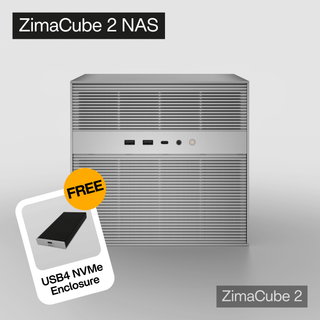
ZimaCube 2 AI NAS fits the kind of workflow described in this guide: local files remain the foundation, while indexing, self-hosted apps, media organization, private search, and AI-aware services can run closer to the data. It is most relevant for users who want a NAS to support more than backup and file sharing, especially when local control, expandable storage, and private data workflows matter.
That does not mean every user needs an AI NAS for simple storage. If your main goal is basic backup or shared folders, a traditional NAS may still be enough. But if you want your storage system to become part of a local intelligence stack for documents, media, self-hosted tools, and private AI experiments, ZimaCube 2 is a practical example of how AI NAS thinking can move from concept to real workflow.
What happens if AI indexing tags or retrieves the wrong files?
AI indexing is not perfect. Wrong tags, incomplete OCR, weak metadata, or poor retrieval can produce irrelevant results. A good AI NAS workflow should keep original files, folders, permissions, and manual search available so users are not fully dependent on AI output.
Should I care about AI NAS if I only use my NAS for backups?
Probably not as a priority. If your NAS is mainly for backup, file sharing, or media storage, traditional NAS features may matter more than AI. AI NAS becomes more relevant when you need to search, summarize, organize, or interact with large local archives.
Can AI NAS keep my files private without cloud uploads?
AI NAS can reduce cloud dependency by processing more data locally, but privacy is not automatic. It still depends on the software, remote access settings, permissions, third-party integrations, and how the system is configured. A well-designed local workflow can keep more sensitive data under user control, but users still need to manage access and security carefully.

Recommended products
AI HUB
More to Read
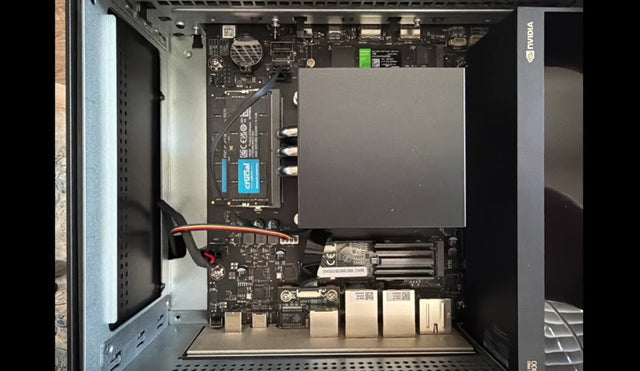
AI NAS for Private Document Search and Home Knowledge Bases
This guide explains how AI NAS can turn PDFs, receipts, bills, manuals, scans, and personal records into a private home knowledge base through OCR,...
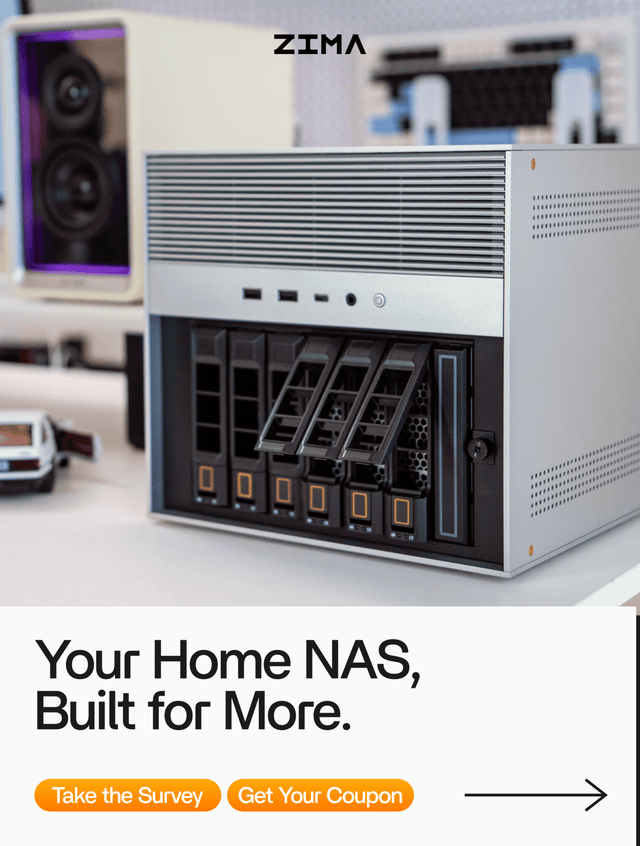
How AI NAS Helps Organize Family Photos and Videos
This guide explains how AI NAS helps organize family photos and videos through phone backup, local AI indexing, face grouping, semantic search, duplicate review,...
Is AI NAS a Real Category or Just Marketing?
This article explains whether AI NAS is a real category or just marketing, showing how to separate local AI processing, useful software, hardware fit,...


