
What Is a Private AI Assistant on a NAS?


Quick Answer
A private AI assistant on a NAS is a self-hosted assistant that connects to files stored on your local network storage and helps you search, summarize, and ask questions about them. Instead of manually uploading PDFs, notes, photos, or reports to a cloud chatbot, the assistant can use local indexing and retrieval to work with your own files more directly.
The key idea is not just “running a chatbot on a NAS.” A useful private NAS AI assistant depends on the foundation of private AI on local storage: file access, indexing, retrieval, a local or self-hosted model runtime, a chat interface, and permission controls working together.
What Is a Private AI Assistant on a NAS?
A private AI assistant on a NAS is a local or self-hosted AI system that uses files stored on a Network Attached Storage device as its knowledge source. It can help answer questions, summarize documents, retrieve relevant files, and sometimes organize media or support automation workflows.
It is best understood as an application layer on top of AI NAS infrastructure. The NAS stores the files; the indexing system makes those files searchable; the assistant retrieves relevant context; and the model generates a response based on that context.
It is a local assistant connected to your own files
The assistant is useful because it can access your own file library. That might include:
-
PDFs
-
Notes
-
Reports
-
Spreadsheets
-
Project folders
-
Photos and videos
-
Scanned documents
-
Personal or business archives
Without access to local files, the assistant is just a generic chatbot. With retrieval over your NAS data, it becomes a private knowledge interface.
It answers questions using stored documents, notes, media, and archives
A private NAS assistant can answer questions such as “What did this report say about Q3 revenue?” or “Which PDF mentioned the cancellation policy?” In a well-designed setup, it does not rely only on model memory.
Instead, it retrieves relevant files or chunks first, then uses that context to generate an answer. This is the basic reason RAG matters for private AI assistants.
It keeps more processing inside your home or office network
A private NAS AI assistant can reduce the need to upload sensitive documents to a cloud chatbot. This is especially relevant for financial records, client files, internal notes, family media, or research archives.
Local processing does not automatically mean perfect privacy. The actual privacy boundary depends on where models run, where embeddings are stored, whether external APIs are used, and how remote access is configured.
It works best when paired with local indexing and retrieval
The assistant needs a way to find relevant information before answering. That usually means OCR, parsing, chunking, embeddings, vector search, metadata, and permission-aware retrieval.
A local RAG pipeline is one common pattern. SitePoint describes local RAG as a setup where documents are retrieved from a local knowledge base and added to the prompt so the model answers from actual source material rather than only from its internal parameters: local RAG pipeline for private knowledge bases.
Why Run a Private AI Assistant on a NAS?
A NAS already stores the data many users care about. That makes it a natural place to build a local assistant if the goal is to search and summarize private files.
It lets you chat with your own data
The main value is file-grounded interaction. Instead of asking a general model a broad question, you can ask about your own reports, notes, project folders, photos, or documents.
For example, a user might ask:
-
“Summarize the main points from this folder of PDFs.”
-
“Find the client contract that mentions annual renewal.”
-
“Which notes discuss the server migration plan?”
-
“Show me documents related to last year’s tax records.”
The assistant becomes useful when it can retrieve and cite the right local context.
It reduces dependence on cloud AI uploads
Cloud AI tools are powerful, but they often require users to upload files or send prompts to external systems. For private documents, that may be unacceptable.
A NAS-based assistant can keep more of the workflow local. This is useful for users who want control over sensitive data, even if they still choose cloud tools for other tasks.
It can turn stored files into a private knowledge base
A private knowledge base is more than a folder. It is a searchable layer over your own data.
The assistant can use indexing, embeddings, and retrieval to connect related files. This is especially valuable when documents are spread across many folders, formats, and years.
It supports always-on local workflows
NAS devices are often designed to stay on. That makes them suitable for background indexing, file monitoring, and periodic re-indexing.
Always-on behavior matters because a private assistant becomes less useful if the index is stale. New documents, edited notes, or updated files should eventually become available to the assistant.
How a Private NAS AI Assistant Is Different From Cloud AI
A private NAS AI assistant and a cloud AI assistant can feel similar in the chat interface, but their architecture is different.
| Dimension | Cloud AI assistant | Private NAS AI assistant |
| File location | Files often need to be uploaded or connected to a cloud service | Files stay closer to local NAS storage |
| Model location | Runs on provider infrastructure | May run locally or through a self-hosted stack |
| Strength | Larger models, faster scaling, less local maintenance | More data control, local retrieval, private file workflows |
| Constraint | Data exposure and subscription/API dependency | Hardware limits, setup complexity, maintenance |
| Best fit | General reasoning, broad tasks, powerful model access | Private archives, local documents, controlled workflows |
Cloud AI depends on external servers and uploaded context
Cloud AI usually runs on remote infrastructure. That gives users access to large models, fast serving, and managed maintenance.
The trade-off is that file context often needs to leave the local environment, unless the user has a controlled enterprise setup or strict data-processing agreement.
Private NAS AI keeps files closer to local storage
A private NAS assistant can keep documents, embeddings, and retrieval closer to the storage layer. This is useful when data sensitivity matters.
However, “private” should be verified. If the assistant calls an external model API, uses cloud embeddings, or exposes the NAS over the internet, the privacy boundary changes.
Cloud models are usually larger and faster
Cloud models often have more compute, larger context windows, and better scaling than local NAS hardware. This can make them faster or more capable for difficult reasoning tasks.
A local NAS assistant may be good enough for summarization, retrieval, drafting, and simple Q&A. It may not match frontier cloud models for complex reasoning or high-concurrency workloads.
NAS-based assistants offer more control but more hardware limits
A NAS-based assistant gives users more control over storage, retrieval, and deployment. But it also makes the user responsible for hardware, updates, indexing, remote access, and troubleshooting.
This is the main trade-off: more control, but more ownership.

How to Think About the Private AI Assistant Stack
The clearest way to understand a NAS-based assistant is through the Private Assistant Stack. A private assistant is not just a chat window; it is a system that connects storage, retrieval, model inference, interaction, and trust controls.
| Layer | What it includes | What it helps users understand |
| Storage Access Layer | NAS folders, PDFs, notes, media files, permissions, file paths, backups | The assistant needs access to real local data before it can answer from your files |
| Retrieval Layer | OCR, indexing, chunking, embeddings, vector search, metadata | The assistant should retrieve relevant context before generating an answer |
| Local Model Layer | Ollama, LM Studio, local LLMs, CPU/GPU/NPU/RAM limits | The model generates answers, but speed and quality depend on hardware and model size |
| Interaction Layer | Chat UI, Open WebUI-style interface, file Q&A, summaries | Users experience the system as a private chat assistant |
| Trust and Security Layer | Permissions, provenance, remote access, backups, updates, auditability | Private AI still needs access control and answer verification |
Layer 1: Storage and file access
The storage layer is the foundation. The assistant needs access to the files it is supposed to help with.
This does not mean it should access everything. A good setup should preserve folders, paths, permissions, and user boundaries so the assistant only retrieves files it is allowed to use.
Layer 2: Indexing and retrieval
Indexing makes files searchable. Retrieval finds relevant chunks or documents when a user asks a question.
This layer often includes OCR for scanned files, chunking for long documents, embeddings for semantic search, and metadata for filtering. If this layer is weak, the assistant may retrieve the wrong context or miss important files.
Layer 3: Local model runtime
The model runtime is where generation happens. Tools such as Ollama or LM Studio are often used to run local models, while some users may connect to cloud models depending on privacy needs.
The model layer is limited by hardware. CPU-only setups can work for lighter tasks, while larger models and faster responses often need more RAM, VRAM, GPU, or NPU support.
Layer 4: Chat interface
The interface is where users ask questions and receive responses. A browser-based chat UI can make a private assistant feel similar to mainstream cloud AI tools.
Open WebUI’s RAG documentation describes how retrieved information from local or remote documents can be incorporated into chat context, and it also notes that chunking settings, embedding models, and context length affect RAG quality: Open WebUI RAG document interaction.
Layer 5: Permissions, security, and remote access
A private AI assistant needs trust controls. It should not answer from files the user should not see, and it should make it possible to verify where an answer came from.
Remote access also needs care. If users want to access the assistant outside the home or office, they should avoid exposing the NAS directly without proper security controls.
What Can a Private AI Assistant on a NAS Do?
A private NAS assistant is most useful when it works with local files that are too large, scattered, or sensitive for manual review.
Summarize PDFs, reports, and long documents
A common use case is summarizing long documents. The assistant can retrieve relevant sections and produce a concise summary.
This is useful for reports, manuals, papers, meeting notes, policies, and research folders. Accuracy depends on retrieval quality and whether the assistant has enough context.
Answer questions from local files
The assistant can help answer questions such as “Which report mentioned this requirement?” or “What does this folder say about warranty terms?”
The safest design is retrieval-first. The assistant should find relevant local files or passages before answering, instead of guessing from model memory.
Search photos, videos, and media libraries by description
If the NAS supports media indexing, the assistant may help users search photos or videos by description.
For example, a user might ask for a trip photo, a project screenshot, or a video segment. This depends on image recognition, OCR, transcription, and metadata quality.
Draft notes or emails using private context
A private assistant can draft content using local context. It might help create a project update, summarize meeting notes, or turn document findings into a draft email.
For sensitive workflows, users should still review outputs carefully. A local assistant can reduce data exposure, but it does not remove the need for human judgment.
Support smart home or automation workflows
Some users want a NAS-based assistant to act as a local automation hub. It might summarize camera events, support smart home routines, or reason over local logs.
This is more advanced than basic document Q&A. It requires reliable integrations, access control, and careful safety boundaries.
How Does RAG Help a NAS AI Assistant Answer From Your Files?
RAG, or Retrieval-Augmented Generation, helps an assistant answer from your own files by retrieving relevant context before the model generates a response.
The assistant retrieves relevant local files first
In a RAG workflow, the assistant does not start by generating an answer. It first searches the knowledge base.
That knowledge base may contain document chunks, OCR text, embeddings, metadata, and file paths. The goal is to find relevant context before the model writes.
Retrieved context grounds the answer
Retrieved context helps reduce unsupported answers. If the assistant has the right passages, it can answer from actual files rather than only from model memory.
This is especially important for private archives. Users usually want answers based on their documents, not a generic answer about the topic.
Chunking and embeddings help find the right passages
Long files are often split into chunks before embedding. Chunking helps the retrieval system find the most relevant section rather than treating a whole PDF as one unit.
Poor chunking can reduce answer quality. If a table, paragraph, or procedure is split badly, the assistant may retrieve incomplete context.
File provenance helps users verify answers
Provenance means showing where the retrieved information came from. This can include file names, paths, page numbers, timestamps, or document references.
This is critical for trust. If the assistant gives an answer from the wrong file, users need a way to check and correct it.
What Hardware Does a Private NAS AI Assistant Need?
Hardware needs depend on the workload. A lightweight assistant for small documents is very different from a multi-user assistant running large local models over a large knowledge base.
| Workload | Typical hardware pressure | Practical expectation |
| Light document Q&A | CPU, RAM, storage I/O | Can be feasible on modest hardware if the model and library are small |
| OCR and indexing | CPU/GPU/NPU, RAM, SSD speed | Initial indexing can take time on large libraries |
| Local LLM chat | RAM, VRAM, CPU/GPU speed | Smaller quantized models are more realistic for many NAS setups |
| Large RAG workflows | Context length, retrieval quality, memory, compute | Needs careful chunking, retrieval, and model selection |
| Multi-user assistant | Concurrency, memory, serving runtime | Often better on stronger hardware or a separate AI machine |
CPU-only setups can handle lighter tasks
CPU-only setups can handle lighter tasks such as small-model inference, simple document retrieval, or occasional summaries. They may be slow for large prompts, large libraries, or interactive multi-user use.
For many beginners, CPU-only is acceptable for testing. It may not be satisfying for daily heavy use.
GPU, NPU, RAM, and VRAM affect model speed and scale
GPU and VRAM often determine whether larger models can run interactively. RAM matters for services, indexes, and CPU-based inference. NPU support may help with some AI workloads, depending on software compatibility.
A benchmark-style discussion of local LLM deployments highlights a recurring lesson: hardware, context length, serving engine, and memory behavior can matter as much as model choice, especially for RAG workloads with long prompts and retrieved context: local LLM hardware and RAG performance limits.
Smaller local models are more realistic for many NAS setups
Many NAS-based assistants are better suited to smaller models, quantized models, or retrieval-heavy workflows where the model only needs to process relevant context.
A smaller model with good retrieval may be more useful than a larger model that runs slowly. For local NAS use, practical responsiveness often matters more than leaderboard scores.
Heavy AI workloads may need a dedicated AI machine
For heavy workloads, separating storage and inference can be more practical. The NAS stores files, while a workstation, mini PC, or GPU server runs the AI assistant.
This adds setup complexity, but it can improve speed, upgrade flexibility, and model capacity.
What Are the Privacy and Security Boundaries?
A private AI assistant is not private just because it runs near a NAS. Privacy depends on the full system design.
Local processing reduces cloud exposure
Local processing can reduce the need to upload private files to cloud AI systems. This is useful for business files, family records, media libraries, and sensitive personal documents.
However, users should check whether embeddings, model inference, remote access, or third-party plugins send data outside the local network.
Remote access must be configured carefully
Remote access is convenient, but it can introduce risk. Exposing a NAS or AI interface directly to the internet is usually not a good default.
A safer setup should use controlled access methods, strong authentication, updates, and limited permissions.
File permissions should control what the assistant can read
The assistant should not bypass file permissions. In a shared NAS, different users may have different access rights.
Permission-aware retrieval is essential. If the index ignores permissions, the assistant may leak information across users or teams.
Private AI still needs backups, updates, and access governance
Private AI does not remove traditional operational needs. The NAS still needs backups, software updates, user management, and monitoring.
The assistant also needs governance: who can query it, what it can access, how answers are verified, and how stale indexes are refreshed.
What Are the Limits of a Private AI Assistant on a NAS?
A private NAS assistant can be useful, but it has limits in speed, reasoning, setup complexity, and reliability.
It may not match the speed or reasoning of cloud AI
Cloud AI systems usually run on large managed infrastructure. A NAS-based assistant often runs smaller models on limited local hardware.
This does not make the NAS assistant useless. It simply means users should match expectations to the hardware and use case.
Setup and maintenance can become complex
A private AI assistant often includes multiple components: storage access, embedding model, vector database, local LLM runtime, chat UI, permissions, and remote access.
Each component can fail or need tuning. Community discussions around local LLMs often show that usefulness depends heavily on the user’s hardware, model choice, and tolerance for experimentation: community debate on mid-range local LLM hardware.
Poor indexing can lead to weak or incorrect answers
If the assistant retrieves the wrong file, the answer may be wrong. If the index is stale, the assistant may miss recent documents. If chunks are too small or too large, important context may be lost.
This is why answer verification matters. A useful assistant should provide file references, context snippets, or citations whenever possible.
AI NAS claims can be overmarketed
Not every “AI NAS” claim means the device can run a capable private assistant. Some systems may only provide light indexing, simple tagging, or cloud-connected AI features.
A better question is: what runs locally, what gets indexed, what model is used, what hardware is available, and how answers are grounded in files?
When Does a Private AI Assistant on a NAS Make Sense?
A private NAS AI assistant makes the most sense when the user has private files they frequently need to search, summarize, or ask questions about.
Personal document archives
Personal archives can include tax records, receipts, notes, scanned documents, manuals, and old PDFs. A private assistant can help find and summarize them without uploading them to a cloud chatbot.
Small business knowledge bases
Small businesses often store proposals, contracts, policies, client files, invoices, and meeting notes on shared storage.
A NAS assistant can help users retrieve information across those files, provided permissions and verification are handled carefully.
Research notes and PDFs
Research workflows often involve many PDFs, notes, drafts, and references. A private assistant can help summarize papers, find related notes, and retrieve key passages.
This works best when documents are well indexed and the assistant can show source context.
Creative media libraries
Creators may store photos, videos, scripts, briefs, and project files on a NAS. A private assistant can help search assets by description, summarize project notes, or locate related files.
Media workflows often need strong storage and indexing performance because the files are large.
Smart home and self-hosted workflows
Advanced users may connect a private assistant to smart home logs, camera events, or self-hosted services.
This can be useful, but it also increases complexity. Automation workflows need careful security and reliability boundaries.

FAQ
Can I run a private AI assistant on my NAS without sending files to the cloud?
Yes, if the model runtime, embeddings, vector database, and chat interface are configured locally. You still need to verify each component because some tools may call external APIs by default. For sensitive files, check where the model runs, where embeddings are stored, and whether remote services are involved.
Do I really need a GPU to run a private AI assistant on a NAS?
Not always. CPU-only setups can handle lighter tasks, smaller models, and basic retrieval workflows. A GPU becomes more important when you want faster responses, larger models, long-context RAG, media analysis, or multiple users.
Is a private NAS AI assistant the same as ChatGPT?
No. The interface may feel similar, but the architecture is different. ChatGPT is a cloud AI service, while a private NAS assistant is usually built around local files, local retrieval, and a self-hosted or locally controlled model stack.
What happens if the assistant gives an answer from the wrong file?
That usually means retrieval failed, indexing was stale, or the model interpreted the context incorrectly. The assistant should ideally show file provenance so users can verify the answer. For important decisions, always check the original document.
Should I run the AI assistant directly on the NAS or on a separate machine?
Run it directly on the NAS if the workload is light, the library is manageable, and you want a simple local setup. Use a separate AI machine if you need stronger GPU performance, larger models, faster inference, or more experimentation. Many practical setups treat the NAS as the storage layer and a separate machine as the inference layer.
What kind of AI NAS is a good starting point for a private AI assistant?
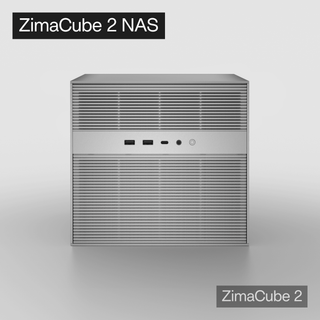
A good starting point is an AI NAS that is strong as local storage first, then flexible enough for indexing, self-hosted apps, retrieval workflows, and heavier AI experiments over time. For example, ZimaCube 2 AI NAS fits this kind of private assistant workflow because it is designed around personal cloud storage, media libraries, self-hosting, expansion, and local AI experimentation. It is not the only way to build a private NAS assistant, but it is a relevant option when you want your documents, media, retrieval layer, and AI workflows to stay close to the same local data.

Recommended products
Tech & AI HUB
More to Read

How Does a Secret Broker Give an AI Agent Credentials Without Exposing Them in Prompts?
Follow workload identity, policy, token issuance, request injection, redaction, expiry, and revocation through a secretless home AI agent architecture.

How Does a Tool Sandbox Contain AI Agent Side Effects?
See how isolation, capability gates, disposable state, egress control, quotas, and audit logs bound AI agent side effects without proving actions safe.

How Does Constrained Decoding Produce Schema-Valid JSON?
Understand schema compilation, token masking, parser state, supported subsets, latency, truncation, and why structural validity does not ensure correct values.


