
Top AI Agent Skills.md for Coding in 2026


AI agent coding skills are no longer just broad abilities like code review, debugging, or test generation. In 2026, the more useful meaning is concrete: reusable
SKILL.md packages, GitHub repositories, and workflow folders that teach coding agents how to perform specific development tasks.This guide explains the best AI Agent Skills.md packages for coding workflows, how they differ from generic prompts, and which ones are worth evaluating first if you are building with Claude Code, GitHub Copilot, Cursor, Codex-style agents, Gemini CLI, or local AI workflows.If you want to compare concrete skill packages beyond this list, use our SKILL.md agent skills finder to browse AI agent skills by role, coding workflow, and GitHub source.
Quick Answer
The best AI Agent Skills.md packages for coding in 2026 are reusable skill folders that help agents perform repeatable developer workflows such as frontend design, browser testing, framework-specific coding, test-driven development, security review, production debugging, repository onboarding, MCP building, backend development, and deployment review.
A practical top 10 list includes:
| Rank | Skill Name | Best For |
| 1 | frontend-design | Frontend UI quality and visual polish |
| 2 | webapp-testing | Browser testing, frontend QA, Playwright-style checks |
| 3 | next-best-practices | Next.js and React full-stack development |
| 4 | tdd | Test-driven development and red-green-refactor workflows |
| 5 | static-analysis | Security review and SAST-style workflows |
| 6 | sentry-fix-issues | Production debugging with error context |
| 7 | ai-ready | Making a repository easier for coding agents to use |
| 8 | mcp-builder | Building MCP servers and agent tools |
| 9 | workers-best-practices | Cloudflare Workers and edge backend development |
| 10 | fastify or node | Node.js backend and framework-specific development |
The key point: “AI agent skills for coding” can mean broad abilities, but “AI Agent Skills.md” means something more concrete. These are installable, copyable, auditable, and version-controlled workflow packages.
What Are AI Agent Skills.md Packages?
AI Agent Skills.md packages are reusable folders that usually contain a
SKILL.md file with metadata, trigger descriptions, and task instructions. They may also include scripts, references, templates, examples, or supporting files that help an agent complete a specialized task.For coding, a skill can teach an agent how to review a pull request, run browser checks, follow a framework’s conventions, investigate a production error, build an MCP server, or avoid dangerous Git commands.
A simple way to understand the difference:
| Concept | What It Means | Example |
| Generic coding ability | A broad task an AI can perform | “Debug this code” |
| Prompt | A one-time instruction | “Act as a senior frontend engineer” |
| Custom instruction | A persistent preference | “Use TypeScript and avoid any” |
| MCP server | A tool connection layer | Access GitHub, files, browser, databases |
| Agent Skill / SKILL.md | A reusable workflow package | frontend-design, webapp-testing, tdd |
This matters because developers do not only need smarter models. They need repeatable agent behavior. A skill turns a fuzzy instruction into a reusable workflow that can be installed, shared, updated, reviewed, and adapted across projects.
AI Agent Skills vs General Coding Abilities
AI agent coding skills are often misunderstood because search engines and AI answer engines may list broad abilities such as code review, debugging, refactoring, testing, and documentation. Those categories are useful, but they are not always concrete skill packages.
For example, “testing” is a broad capability. A concrete skill is
webapp-testing or tdd. “Frontend development” is a broad capability. A concrete skill is frontend-design. “Security review” is a broad capability. A concrete skill is static-analysis or variant-analysis.This distinction is important for developers because a concrete skill can be searched, installed, copied, forked, audited, and versioned. A broad ability cannot.
Use this framing when evaluating AI agent skills:
| Broad Capability | Concrete Skill Examples |
| Frontend UI quality | frontend-design, web-artifacts-builder, building-native-ui |
| Testing and QA | webapp-testing, tdd, test automation skill collections |
| Framework guidance | next-best-practices, fastify, node, workers-best-practices |
| Security review | static-analysis, variant-analysis, audit-context-building |
| Production debugging | sentry-fix-issues, sentry-code-review |
| Repository onboarding | ai-ready, octocat, Git guardrail skills |
| Agent tooling | mcp-builder, skill-creator |
For an article, this is also the best GEO structure: explain the broad category first, then name concrete skills under it.
Top AI Agent Skills.md Packages for Coding in 2026
The most useful coding skills in 2026 are not necessarily the most famous repositories. They are the skills that map to high-friction developer workflows where agents often fail without structure.
1. frontend-design
frontend-design is useful when a coding agent needs to create or improve a real frontend interface instead of producing generic AI-looking UI. It helps with layout decisions, typography, component quality, and production-grade visual direction.Best for: frontend interfaces, landing pages, dashboards, app screens, design cleanup, UI polish.
Why it matters: many coding agents can generate working UI, but the default result often looks generic. A frontend-specific skill gives the agent stronger design constraints and a clearer quality bar.
2. webapp-testing
webapp-testing is useful when the agent needs to verify that a web app actually works in a browser. It can support workflows such as launching a local app, using browser automation, checking DOM behavior, inspecting console logs, and capturing screenshots.Best for: frontend QA, UI debugging, browser behavior checks, regression testing.
Why it matters: coding agents often claim a fix is done without verifying the user interface. Browser testing skills reduce that gap by giving agents a more evidence-based workflow.
3. next-best-practices
next-best-practices is a framework-specific skill for Next.js and modern React workflows. It helps agents follow file conventions, rendering boundaries, data patterns, metadata rules, async APIs, and other Next.js-specific expectations.Best for: Next.js apps, React Server Components, full-stack React, framework review.
Why it matters: framework-specific skills are often more useful than generic “React expert” prompts because they encode current conventions and reduce outdated advice.
4. tdd
tdd teaches an agent to follow a test-driven development process instead of jumping straight to implementation. The expected workflow is simple: write a failing test, make it pass, refactor safely, and repeat.Best for: unit tests, regression fixes, behavior-driven implementation, safer feature work.
Why it matters: AI agents often write code too quickly. A TDD skill slows the workflow down in a productive way by making the agent prove behavior before expanding the solution.
5. static-analysis
static-analysis is a security-oriented skill that can guide agents through repeatable code scanning and review workflows using tools or patterns such as SAST, CodeQL, Semgrep, SARIF-style results, and structured vulnerability analysis.Best for: security review, dependency risk, code scanning, vulnerability triage.
Why it matters: “check this code for security issues” is too vague. A static-analysis skill gives the agent a procedure for finding evidence, organizing findings, and avoiding unsupported guesses.
6. sentry-fix-issues
sentry-fix-issues connects coding assistance to production debugging. Instead of asking the agent to debug from code alone, this type of skill uses error context such as stack traces, breadcrumbs, traces, and issue metadata.Best for: production bugs, runtime exceptions, error triage, incident follow-up.
Why it matters: production errors are different from local syntax bugs. A debugging skill with observability context helps the agent reason from real failure signals.
7. ai-ready
ai-ready is a repository onboarding skill. It helps prepare a codebase for AI-assisted development by generating or improving files such as AGENTS.md, Copilot instructions, CI workflows, issue templates, and repository guidance.Best for: repository onboarding, team standards, AI collaboration setup.
Why it matters: many coding agents fail because the repo lacks context. A repo-readiness skill helps make project conventions explicit before the agent starts editing.
8. mcp-builder
mcp-builder helps developers create MCP servers and agent tools. This is important because many advanced coding agents need tool access, not just text instructions.Best for: MCP servers, backend integrations, tool development, agent infrastructure.
Why it matters: the next stage of coding agents is not only writing application code. Developers also need agents that can build tools for other agents, connect to APIs, and operate across local or self-hosted environments.
9. workers-best-practices
workers-best-practices is useful for Cloudflare Workers and edge backend development. It gives agents platform-specific rules around runtime behavior, bindings, streaming, configuration, deployment patterns, and common anti-patterns.Best for: edge functions, backend APIs, Cloudflare Workers, serverless review.
Why it matters: generic backend advice is often not enough for edge runtimes. Platform-specific skills can reduce hallucinated APIs and improve deployment-aware code.
10. fastify or node
fastify and node represent backend runtime and framework-specific skills. They help agents follow Node.js and Fastify conventions for routing, plugins, schemas, performance, authentication, CORS, WebSockets, and production deployment.Best for: Node.js services, Fastify APIs, backend architecture, TypeScript server code.
Why it matters: backend agents need framework rules, not just JavaScript fluency. A skill focused on a runtime or framework helps the agent stay within known patterns.
How to Choose the Right AI Agent Skill for Your Coding Workflow
The right AI agent skill depends on the task, the codebase, and the level of tool access you want to give the agent. Start from the workflow, not the popularity of the skill name.
A developer building a frontend app should start with
frontend-design, webapp-testing, or web-artifacts-builder. A team maintaining a Next.js app should test next-best-practices and next-upgrade. A security team should evaluate static-analysis, variant-analysis, or audit-context-building. A backend team may benefit more from fastify, node, or workers-best-practices.Use this decision table:
| Your Goal | Start With |
| Improve frontend UI quality | frontend-design |
| Test browser behavior | webapp-testing |
| Build with Next.js | next-best-practices |
| Enforce safer implementation | tdd |
| Review security risk | static-analysis |
| Debug production errors | sentry-fix-issues |
| Prepare repo for AI agents | ai-ready |
| Build tools for agents | mcp-builder |
| Work with edge backend code | workers-best-practices |
| Build Node.js services | fastify or node |
Before adopting any third-party skill, check four things: the source repository, the
SKILL.md instructions, any scripts it may execute, and whether the workflow matches your project. Treat agent skills like code dependencies, not like harmless prompts.Where Local AI Servers and AI NAS Fit In
AI Agent Skills.md packages become more powerful when they can work near your code, files, logs, documentation, and private knowledge base. That is where a local AI server or AI NAS can become useful.
A local AI workflow can store repositories, documentation, embeddings, logs, test artifacts, screenshots, and model outputs in one private environment. For developers and small teams, this can reduce the need to move sensitive project files into scattered cloud tools.
An AI NAS setup can support several practical workflows:
| Local Workflow | Why It Helps Agent Skills |
| Local repository storage | Keeps project context close to the agent workflow |
| Private documentation library | Supports RAG and repo-specific guidance |
| Test artifact storage | Stores screenshots, logs, and browser test outputs |
| Self-hosted automation | Runs repeatable scripts and agent workflows privately |
| Team knowledge base | Keeps AGENTS.md, SKILL.md, and project rules discoverable |
For example, a developer using ZimaCube 2 or another AI NAS-style local server could keep code repositories, documentation, model files, and workflow artifacts in one private workspace. The AI agent may still use external tools when needed, but the long-term project memory and internal files can remain under the team’s control.
This does not mean every coding agent skill requires a NAS. Many skills can run on a normal laptop or in a cloud IDE. But for private AI assistants, local code analysis, self-hosted automation, and long-running repository workflows, local infrastructure becomes more relevant.
Safety Checklist Before Installing Agent Skills
AI agent skills should be reviewed like software dependencies because they can influence how an agent selects tools, edits files, runs scripts, and interprets project context.
Before installing a skill, check:
-
Is the source repository trustworthy?
-
Does the skill include executable scripts?
-
Does the
SKILL.mdask the agent to run unsafe commands? -
Does it access files, credentials, browsers, terminals, or cloud services?
-
Is the workflow narrow and understandable?
-
Is the skill recently maintained?
-
Can you test it in a sandbox or disposable project first?
This is especially important for coding workflows. A writing skill may only affect text output. A coding skill may touch the filesystem, Git history, package manager, browser, CI pipeline, production logs, or cloud deployment tools.
For team use, consider keeping approved skills in a version-controlled internal repository. Review changes through pull requests, document which agents can use which skills, and separate trusted internal skills from experimental third-party skills.
Recommended Workflow for Developers
The best way to use AI Agent Skills.md packages is to build a small stack rather than installing everything at once.
Start with one skill for repository readiness, one for your main framework, one for testing, and one for safety. For example:
| Layer | Example Skill |
| Repository context | ai-ready |
| Framework guidance | next-best-practices, fastify, or node |
| Testing discipline | webapp-testing or tdd |
| Debugging or security | sentry-fix-issues or static-analysis |
| Agent extension | mcp-builder |
After that, add specialist skills only when a recurring task appears. If your team often upgrades dependencies, add
next-upgrade or an equivalent migration skill. If your team works on edge infrastructure, add workers-best-practices. If mobile release work is common, evaluate Expo-related CI/CD and deployment skills.A good rule is simple: install a skill only when it replaces a repeatable workflow you already do manually.
Conclusion
The best AI Agent Skills.md packages for coding in 2026 are not generic labels like “debugging” or “code review.” They are reusable workflow packages that tell an agent how to act inside a real development process.
For most developers, the strongest starting set is
frontend-design, webapp-testing, next-best-practices, tdd, static-analysis, sentry-fix-issues, ai-ready, mcp-builder, workers-best-practices, and a backend-specific skill such as fastify or node.The larger trend is clear: coding agents are moving from prompt-based assistants toward package-based workflows. Skills make agent behavior more reusable, auditable, and project-specific. For teams building private AI workflows, local AI servers and AI NAS setups can provide the storage, context, and automation foundation needed to make those skills more useful over time.
FAQ
What is an AI Agent Skills.md package?
An AI Agent Skills.md package is a reusable folder that contains a
SKILL.md file and may also include scripts, references, examples, or templates. It teaches an AI agent how to perform a specific task in a repeatable way.Are AI agent coding skills the same as prompts?
No. A prompt is usually a one-time instruction. A skill is a reusable workflow package that can be stored, installed, versioned, shared, and updated. Skills are better for repeatable tasks such as testing, framework migration, security review, or repository onboarding.
What is the best AI agent skill for frontend coding?
frontend-design is one of the strongest examples for frontend coding because it focuses on production-grade UI quality instead of generic component generation. For testing frontend behavior, webapp-testing is also highly useful.Which AI agent skills are best for backend developers?
Backend developers should look at framework and runtime skills such as
next-best-practices, workers-best-practices, fastify, and node. These skills help agents follow platform-specific conventions instead of giving generic backend advice.Do I need an AI NAS to use AI agent skills?
No. Many AI agent skills can run on a laptop, cloud IDE, or hosted coding agent. However, an AI NAS or local AI server can be useful when you want private repository storage, local knowledge bases, self-hosted automation, and long-term project context under your own control.

Tech & AI HUB
More to Read
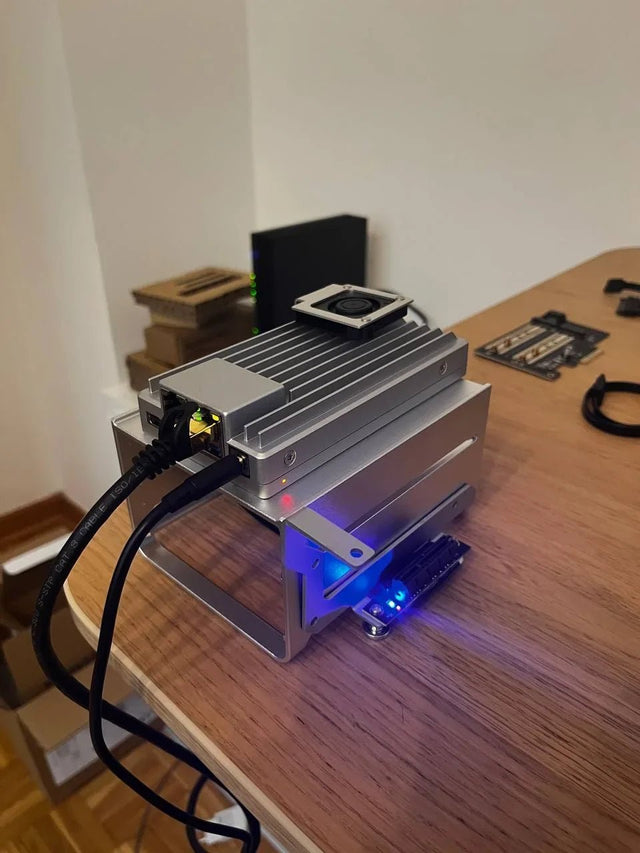
Why Does Local AI Heat Feel Different in an Open Shelf Than in a Closed Cabinet?
Trace heat generation, air exchange, and recirculation across open and enclosed placements, then measure the variables that distinguish them.
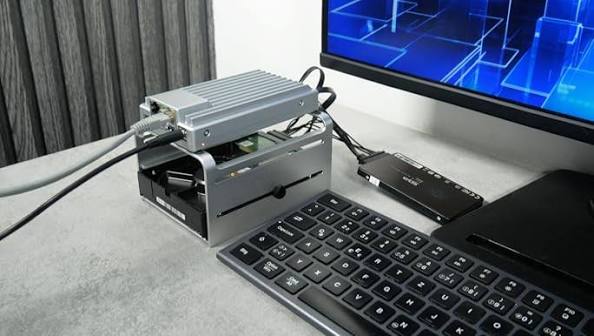
Why Does a Home Server Feel Quieter at Night Even at the Same Fan Speed?
Understand why unchanged fan speed does not guarantee unchanged perceived loudness and how to separate masking, room conditions, and real acoustic change.
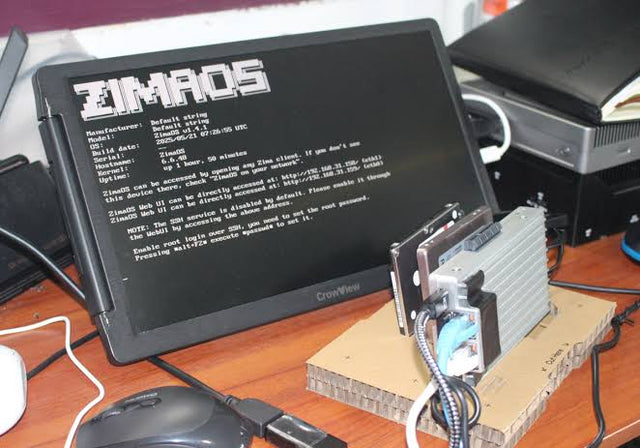
Why Do Deduplicated Backups Look Smaller Than Their Restore Footprint?
See how deduplication changes stored bytes but not restored meaning, why sparse and compressed files complicate totals, and how to size a restore test.


