
Zimaboard2 Unraid Server Retrofit: Say Goodbye to Over-Configuration, Low-Power 126TB Storage Array


I've been a computer and electronics enthusiast since childhood. In 2022, I started my Homelab journey with an old Dell Optiplex desktop and a 10TB hard drive. After several iterations, I finally completed the Unraid server retrofit using the Zimaboard2 1664. I replaced the previously over-configured Ryzen platform with a more suitable and power-efficient mini development board, while retaining the large-capacity 126TB storage array, achieving "precise adaptation" for a home server. This article will share the entire retrofit process and practical experience.
Initial Motivation for the Upgrade: Saying Goodbye to the Common Problem of Homelab Users – Over-Configuration of Hardware
My old Unraid server was practically fully equipped: a Ryzen 5 5600 processor, 32GB DDR4 memory, an X570 Taichi motherboard, and an Intel Arc A310 dedicated graphics card, paired with 6 x 18TB + 1 x 14TB hard drives, 2 x 18TB parity drives, a Corsair RM850x power supply, and a bequiet Silent Base 802 case. However, in actual use, I found that since I neither ran a large number of virtual machines nor deployed 20+ Docker applications, the performance of this Ryzen platform was completely wasted – a classic case of "high configuration, low utilization."
The Zimaboard2 1664, which I purchased through Kickstarter last year, impressed me deeply, from the team's updates during the crowdfunding phase to the build quality of the hardware I received. Its configuration better suits my actual needs for an Unraid server, and more importantly, it has lower power consumption, perfectly adapting to the 24/7 operation of a home server. This is the core reason why I decided to replace the platform.

Core Modification: Replacing Only the Core, Retaining Peripherals for a Low-Cost Upgrade
This modification took a minimalist approach, replacing only the core Ryzen platform with a Zimaboard2 1664, retaining all other hardware: LSI PCIe 2.0 x8 HBA, the original 9 hard drives + 2 parity drives, 1 x 4TB SATA SSD, as well as the power supply and chassis.
The modified hardware combination: Zimaboard2 1664 + LSI PCIe 2.0 x8 HBA + 6 x 18TB HDDs + 1 x 14TB HDD + 2 x 18TB Parity Drives + 1 x 4TB SATA SSD + Corsair RM850x + bequiet Silent Base 802.
This upgrade, which avoids a major overhaul, saves costs and eliminates the hassle of reconfiguring the storage array. A lightweight server upgrade is achieved simply by replacing the core hardware.

Two Major Challenges in the Upgrade: Software Migration and Hardware Layout
While the replacement seemed simple, two thorny issues arose during the actual operation, representing the biggest challenges of this upgrade.
The first was the software preparation for the Unraid system. Files from the cache disk needed to be migrated to the new hard drive. This process allowed no room for error; any mistake could lead to system corruption or data loss. I had to proceed cautiously step by step, repeatedly verifying paths and files, and ultimately completed the migration successfully without any problems.
The second challenge was the hardware layout and cable connections within the chassis. The Zimaboard2 is much smaller than the original motherboard. The redesign required ensuring all hardware could be placed reasonably within the main chassis, while also ensuring sufficient length for power and data cables to connect smoothly to various devices. Initially, I considered adding more hard drives to the bottom of the chassis, but considering power and data cable limitations, I ultimately abandoned this idea, aiming only for a compact and efficient hardware layout.
Minor Drawbacks After Modification: PCIe Bandwidth Limitation, No Impact on Daily Use
After the modification, due to my existing PCIe 2.0 HBA setup, the bandwidth is temporarily limited to 1GB/s, slightly increasing the time required for high-load operations such as parity checks and disk rebuilds. However, this issue only affects high-load operations; daily operation is perfectly fine. My primary use cases are media libraries and file sharing, which don't require high instantaneous bandwidth. Furthermore, this issue isn't a design flaw in the Zimaboard2 itself, but rather stems from my own HBA hardware, which can be resolved by replacing it with a PCIe 3.0 HBA.
126TB Storage Array Usage and Temperature Control Secrets: The Key to Low-Temperature Operation Lies in the Chassis
This 126TB high-capacity storage array (9 hard drives + 1 SSD) has two main uses: first, to build a Plex personal media library to store various audio and video resources to meet my daily viewing needs; and second, to serve as a network file sharing drive to store Windows system backups, personal files, etc., enabling unified data management for home devices.
Many friends are curious about why my Exos hard drives run 24/7 with temperatures well below 50°C. There's no special secret; the key is choosing the right case. The bequiet Silent Base 802 case I use not only has excellent ventilation but also comes with a built-in DC fan controller. More importantly, it provides ample spacing between the hard drives. Sufficient space allows for smooth airflow, preventing thermal dead zones, which is crucial for stable, low-temperature hard drive operation—more effective than simply adding more fans.

The Biggest Surprise After the Modification: Extremely Low Power Consumption, the Ideal State for a Home Server
If I had to pinpoint the most satisfying aspect of this modification, it would be the extremely low power consumption brought by the Zimaboard2 1664. UPS monitoring showed that the entire system consumed only 83W when running high-load operations like parity checking, and in standby mode, the power consumption was even lower, as low as 10-15W.
Compared to previous Ryzen platforms, the significantly reduced power consumption not only saves on electricity bills, but the lower power consumption also results in lower heat generation, making the server more stable. There's no need to worry about hardware failures caused by overheating, as it perfectly meets the long-term operating needs of a home server. This is the highlight that impressed me most about the Zimaboard2.

In Conclusion: Practicality Is the Core of a Home Server
This experience of using the Zimaboard2 1664 to upgrade an Unraid server made me deeply realize that the core of a home server is not "high configuration," but "precise adaptation." Say goodbye to excessive performance and choose hardware that better suits your usage scenario. This not only saves costs and reduces power consumption but also makes the server run more stably.
If I were to recommend the Zimaboard2 to a friend, I would only say one thing: You should have bought it two weeks ago! This is the most genuine endorsement. I also hope that my experience with this upgrade can provide some reference for fellow Homelab enthusiasts, and that everyone can build their own "perfect server."
Join the Community to Unlock More Useful Information!
Welcome to the IceWhale Discord community! We'll be releasing more detailed setup tutorials, user case studies, and product updates to help you easily navigate the digital world and find the perfect hardware platform for every passion.

Recommended products

Zima Campaign Hub
More to Read
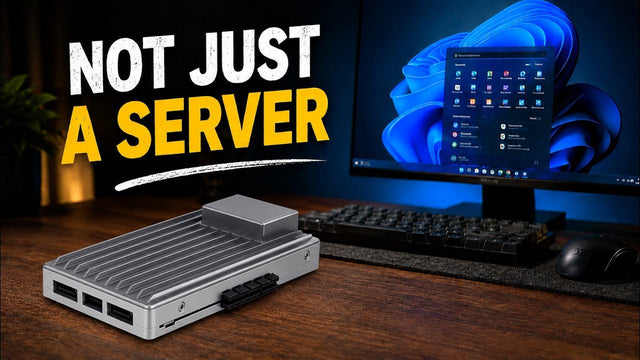
How SjslTech Turns ZimaBoard 2 Into a Windows 11 Desktop
See SjslTech install Windows 11 on ZimaBoard 2 and test 4K video, Office, DaVinci Resolve, Minecraft, light games, and power consumption.

How CYBERTECH 2099 Tests ZimaBoard 2 as a Personal NAS and Private Cloud
CYBERTECH 2099 tests ZimaBoard 2 as an approachable personal NAS and private cloud, covering the hardware, ZimaOS setup, Plex media streaming, low-power operation, and...

How Zero Noichi Runs Local AI on ZimaBoard 2 with a 32GB AMD MI50
See how Zero Noichi pairs ZimaBoard 2 with a refurbished 32GB AMD MI50 to run local AI, generate a website, and summarize documents.


