
Why Local AI Processing Matters in an AI NAS


Quick Answer
Local AI processing matters in an AI NAS because it keeps the intelligence close to the data. Instead of uploading private files, photos, videos, documents, indexes, or embeddings to an external AI service, the NAS processes them inside the user’s own device or local network.
That changes the value of a NAS from “centralized storage” to “private local intelligence.” In many setups, local AI processing can improve privacy, reduce dependency on cloud services, avoid repeated API costs, support offline workflows, and make large private archives searchable through semantic search, tagging, OCR, transcription, or local RAG.
The trade-off is that local AI is not unlimited. It works best for focused, repeatable, privacy-sensitive workloads such as media tagging, document search, background indexing, and lightweight local assistants. Heavy LLM inference, large context windows, multi-user real-time workloads, or model training may still require stronger hardware or a dedicated AI server.
What Does Local AI Processing Mean in an AI NAS?
Local AI processing in an AI NAS means that AI workloads run on hardware inside the NAS or within the user’s local network, instead of being sent to a remote cloud AI service. Those workloads can include file indexing, semantic search, face recognition, object detection, OCR, speech transcription, embeddings, summarization, or local RAG.
In a traditional NAS, the device mainly stores and serves files. In an AI NAS, the device can also understand, classify, search, and organize those files with machine learning. That is why local processing is central to why AI NAS is built around local intelligence: the storage layer and the intelligence layer are designed to work together, not as separate cloud-dependent services.
The key point is not that every AI NAS must run a large language model. The more practical idea is that common AI tasks can happen near the data, under the user’s control, with fewer privacy, latency, and connectivity compromises.
Why Local AI Processing Matters for Privacy, Security, and Data Control
Local AI processing matters because many NAS users store sensitive data: family photos, financial records, source code, business documents, client files, medical records, video archives, or private knowledge bases. If AI analysis requires cloud upload, the user no longer controls every stage of the data path.
On-device AI discussions often emphasize the same pattern: local inference can keep user data on the device, support offline features, reduce network latency, and avoid repeated cloud inference costs. The same logic applies to NAS, except the data volume is often much larger and more personal. on-device AI benefits and trade-offs
Your Files Stay Inside Your Own Network
The most direct privacy benefit is data residency. Your original files do not need to be uploaded to a third-party AI provider just to be indexed, tagged, searched, or summarized.
This matters for personal media libraries, business archives, legal files, and private source code. The more sensitive the data, the more important it becomes to know where the original file, generated metadata, embeddings, search index, and query history are stored.
Private Data Is Not Sent to Third-Party AI Services
Cloud AI tools often require data to leave the local environment before analysis can happen. That can be acceptable for low-risk content, but it becomes harder to justify for private images, client contracts, internal documents, or confidential project files.
Local AI processing reduces that exposure by keeping the AI pipeline inside the device or local network. In many cases, the NAS can perform indexing, tagging, or retrieval without sending raw files to an external model provider.
Local Processing Reduces Cloud Training and Data Monetization Risks
Some users worry less about storage and more about what happens after upload: whether their data is logged, retained, used for model improvement, exposed to third-party systems, or analyzed beyond the original request.
Local AI does not automatically solve every privacy issue. Access controls, encryption, user permissions, and backup policies still matter. But it does reduce one major category of risk: private files and AI-generated context do not need to be transmitted to a remote AI service for routine processing.
Local AI Processing vs Cloud AI Processing in a NAS
Local and cloud AI can both be useful, but they solve different problems. Cloud AI often offers access to larger models, broader reasoning ability, and scalable compute. Local AI is usually stronger when privacy, offline access, predictable cost, and direct access to private archives are more important.
| Dimension | Local AI Processing in an AI NAS | Cloud AI Processing |
| Data location | Files and generated indexes can stay on the NAS or local network | Files or extracted content may need to be uploaded |
| Compute location | AI tasks run on local CPU, iGPU, NPU, GPU, or nearby local server | AI tasks run on remote infrastructure |
| Privacy profile | Lower exposure to third-party AI services | Depends on provider policies, retention settings, and compliance terms |
| Latency | Often lower for local indexing and retrieval because data is nearby | Can be affected by upload speed, API response time, and network conditions |
| Cost model | Hardware and electricity cost are more predictable | API, subscription, token, or usage-based costs may scale with workload |
| Offline use | Many tasks can continue without internet | Cloud-dependent features usually stop when connectivity is unavailable |
| Model capability | Limited by local hardware and model size | Can access larger models and larger context windows |
Where the Data Is Stored
In a local AI NAS workflow, the file archive, thumbnails, extracted text, embeddings, and metadata can remain on the NAS. This is especially important because AI-generated metadata may reveal more than users expect.
For example, a photo is sensitive, but a face-recognition index can also be sensitive. A PDF is sensitive, but its extracted text, summary, and embedding vectors may also expose the document’s meaning.
Where the AI Model Runs
A cloud AI workflow sends data or prompts to a remote model. A local AI workflow runs the model on the NAS, on an attached device, or on another trusted machine in the same network.
The distinction matters because the model location determines the data path. If the AI model runs locally, routine analysis can happen without uploading every file, image, clip, or document to a remote endpoint.
Who Controls Indexes, Embeddings, and Search History
AI search is not only about files. It also creates additional layers of information: embeddings, tags, transcripts, summaries, object labels, face clusters, search logs, and user queries.
In cloud workflows, some of that context may be processed outside the user’s environment. In local workflows, the user can keep more control over how indexes are built, updated, deleted, backed up, and permissioned.
What Changes When the Internet Goes Down
Cloud AI depends on connectivity. If the internet is down, cloud-based search, chat, transcription, tagging, or summarization may stop working.
A local AI NAS can continue many background tasks offline, depending on the software stack and model availability. This is useful for home labs, creators, small offices, remote locations, or users who want basic intelligence features without constant external service access.
The Four Control Layers That Explain Local AI in an AI NAS
A useful way to understand the value of local AI is The Local Trust Stack. This framework explains local AI processing as a transfer of control from cloud services back to the user’s own storage environment.
| Local Trust Stack Module | What It Includes | What It Helps Users Understand |
| Data Residency Control | Files, metadata, thumbnails, indexes, embeddings, search logs, and private media stay inside the device or local network | Privacy is not only about original files; AI-generated data about those files also matters |
| Compute Boundary Control | Indexing, OCR, tagging, transcription, semantic search, and lightweight inference run on local hardware | The core difference is where the “thinking” happens |
| Context Ownership Control | Local embeddings, RAG indexes, folder context, photo libraries, and document archives remain under user control | The AI-readable context can be as sensitive as the source files |
| Operational Independence Control | AI features can work without constant internet access, third-party APIs, token billing, or cloud uptime | Local AI improves reliability and cost predictability for repeated tasks |
| Workload Fit Boundary | Local AI is best for focused, repeatable, privacy-sensitive workloads | Local AI has limits and does not turn every NAS into a general-purpose AI server |
Data Control: Files, Metadata, and Indexes Stay Local
Data control starts with the original file, but it does not end there. AI systems often create previews, thumbnails, labels, embeddings, transcripts, clusters, summaries, and searchable indexes.
If those secondary artifacts leave the user’s environment, privacy risk can still exist even when the original file remains stored on the NAS. A strong local AI design should keep both the data and the AI-derived context under local control.
Compute Control: AI Tasks Run on Local Hardware
Compute control means the NAS or local machine performs the AI task directly. Depending on the workload, this may use CPU, integrated GPU, NPU, discrete GPU, or hardware acceleration exposed through the software stack.
Not every workload needs the same hardware. Background photo tagging and OCR may tolerate slower processing, while interactive local LLM chat or real-time video analysis may require stronger acceleration.
Context Control: The AI Understands Your Own Archive
Context control is where AI NAS becomes different from basic storage. A local RAG system, for example, can retrieve relevant chunks from private documents and use a local model to answer questions based on that archive.
This is powerful because the AI is not answering from generic internet knowledge alone. It can work with the user’s actual folders, files, history, labels, and document collections without requiring those materials to be uploaded to a public model provider.
Access Control: Search and Automation Work Without External Services
Access control means the user can define who can search, view, summarize, or automate specific data. In a NAS environment, this should connect to file permissions, user accounts, folders, shared libraries, and application-level access rules.
Local AI processing does not replace access control. It makes access control more important because AI search can surface information across large archives faster than manual browsing.
What AI Tasks Actually Benefit From Local Processing?
Local AI is most useful when the workload is private, repeated, data-heavy, or latency-sensitive. It is less compelling when the data is public, the task is occasional, or the best result requires a very large cloud model.
Common local AI NAS workloads include:
-
Semantic search across documents, PDFs, notes, and archives
-
Photo and video tagging for private media libraries
-
Face recognition and people grouping inside local photo apps
-
OCR for scanned documents and receipts
-
Local RAG for private knowledge bases
-
Background indexing and metadata generation
-
Security camera event filtering
-
Transcription for local audio or video files
Semantic Search Across Private Documents
Traditional file search often depends on filenames, folder structure, or exact keyword matches. Semantic search uses embeddings to represent meaning, which allows users to search by concepts instead of exact terms.
For a NAS, this is especially valuable because many users store years of documents, project files, PDFs, invoices, drafts, or notes. Local semantic search allows those archives to become searchable without uploading every file to a cloud AI service.
Photo and Video Tagging Without Cloud Uploads
Photo libraries are one of the strongest use cases for local AI. They often contain family members, locations, private events, documents, screenshots, and personal memories.
Immich’s facial recognition documentation shows how local media systems can use machine learning services to process preview images, generate face embeddings, group similar faces, and index those embeddings for fast search. Immich facial recognition workflow
Security Camera Filtering and Event Detection
Security footage can create a large volume of low-value video. Local AI can help filter events by detecting people, vehicles, pets, or motion patterns, depending on the software and hardware setup.
This is a strong local use case because camera footage is often private and continuous. Sending all footage to a cloud service may be expensive, bandwidth-heavy, or undesirable from a privacy perspective.
Local RAG for Private Knowledge Bases
Local RAG combines retrieval with generation. The system first searches a local index of relevant documents, then passes retrieved context to a local or trusted model to generate an answer.
In an AI NAS context, this can turn a storage archive into a private knowledge base. The practical value depends on document quality, chunking, embedding model, retrieval accuracy, model capability, and access control.
Background Indexing and File Organization
Many local AI tasks do not need real-time speed. A NAS can process files in the background after upload, gradually building indexes, thumbnails, tags, transcripts, and search metadata.
This background model fits storage-heavy setups well. The NAS can remain quiet and efficient most of the time, then perform heavier work during scheduled windows or when new media is added.
Why Local AI Processing Improves Speed, Cost Predictability, and Offline Reliability
Local AI processing can improve the practical user experience because the data and compute are closer together. Instead of uploading a large media library or document archive to remote servers, the NAS can process the files directly where they live.
This does not mean local AI is always faster than cloud AI. A high-end cloud model may outperform local hardware for complex reasoning. But for repeated local indexing, search, tagging, and retrieval, avoiding network transfer can make the workflow more predictable.
Local Data Avoids Upload Bottlenecks
Large NAS libraries can contain hundreds of gigabytes or terabytes of media and documents. Uploading those files for AI analysis can become slow, costly, or impractical depending on internet speed and provider limits.
Local processing avoids that bottleneck by moving computation closer to the storage layer. This is especially useful for 4K video archives, raw creative files, security footage, and large document repositories.
Repeated AI Tasks Avoid Per-Token or API Costs
Cloud AI costs often scale with usage. If a workflow repeatedly tags photos, transcribes clips, summarizes documents, or answers questions over a private archive, API or subscription costs can become harder to predict.
Local AI shifts the cost model toward hardware, electricity, and maintenance. That does not make it free, but it can make repeated workloads easier to budget, especially when the same files are processed many times.
Smart Features Can Keep Working Offline
Offline reliability matters when AI features are part of daily file management. A local NAS can continue selected tasks during internet outages as long as the necessary models and services are already installed.
This is useful for home offices, remote production setups, privacy-conscious users, and local-first workflows. The user experience depends on whether the NAS software actually supports offline model execution rather than simply wrapping cloud APIs.
When Local AI Processing Matters Most in an AI NAS
Local AI processing matters most when the data is private, the archive is large, the task repeats often, and the user wants control over where analysis happens.
A simple decision flow can help:
-
Identify the data type: personal photos, business documents, code, video, camera footage, or general files.
-
Decide whether the data is safe to send to a third-party AI service.
-
Estimate how often the AI task will run.
-
Check whether the task can tolerate background processing or needs real-time performance.
-
Match the workload to available hardware and software.
-
Decide whether the NAS should run the workload directly or coordinate with a separate AI machine.
Sensitive Personal Photos and Family Archives
Family photo libraries are private by default. They may include children, home locations, documents, travel records, and social relationships.
Local AI can provide face grouping, object tagging, scene recognition, and search without requiring every image to be uploaded to a cloud photo service. For many users, that privacy trade-off is the main reason local processing matters.
Business Documents, Source Code, and Client Files
Business files often contain confidential context that should not be sent to external AI services without clear policy approval. Source code, contracts, meeting notes, design drafts, invoices, and client deliverables can all contain sensitive information.
A local AI NAS can support private indexing and retrieval for these assets. However, businesses still need role-based access, audit practices, backup policies, and clear rules about who can query which data.
Large Media Libraries That Are Too Big to Upload
Video editors, photographers, creators, and small studios often store large files that are impractical to upload repeatedly. Local processing is useful when the AI task is closely tied to those assets, such as transcription, shot search, tagging, proxy workflows, or project retrieval.
In these cases, storage performance, network speed, and local compute all matter. A slow NAS may store the files safely but still struggle with demanding real-time AI tasks.
Self-Hosted Workflows Like Immich, Jellyfin, or Home Assistant
Self-hosted users often prefer local control over media, automation, and smart home data. AI NAS workflows can fit naturally with tools for local photo management, media servers, home automation, and private search.
The key is to keep expectations realistic. Local AI is often strongest when it enhances a specific self-hosted workflow rather than trying to replace every cloud AI feature at once.
What Local AI Processing Does Not Solve
Local AI processing is useful, but it should not be treated as a magic label. A NAS with a few smart features is not automatically a powerful AI server, and a powerful AI server is not automatically a good NAS.
The practical question is whether the device has the right balance of storage reliability, compute, memory, networking, software maturity, and power behavior for the workload.
It Does Not Turn Every NAS Into a General-Purpose AI Server
A storage-focused NAS may handle file sharing, backups, media serving, and lightweight indexing very well. That does not mean it can run large models, long-context chat, real-time transcription, or multi-user inference smoothly.
For local LLMs, memory is often the first constraint. The provided local LLM hardware guidance suggests that approximate RAM or VRAM needs vary sharply by model size and quantization. local LLM hardware requirements
| Model Size | Approx. Q4_K_M RAM/VRAM | Approx. Q8_0 RAM/VRAM | CPU-Only Practicality |
| 1B | ~1.5 GB | ~2 GB | Often viable |
| 3B | ~3 GB | ~4.5 GB | Viable at moderate speed |
| 7B | ~6 GB | ~9 GB | Marginal for interactive use |
| 13B | ~10 GB | ~16 GB | Often slow without acceleration |
| 30B+ | ~20 GB+ | ~35 GB+ | Usually impractical for typical NAS setups |
These numbers are workload-dependent, but they show the boundary clearly: local AI search and tagging are different from running large interactive LLM workloads.
It Does Not Remove Hardware Limits
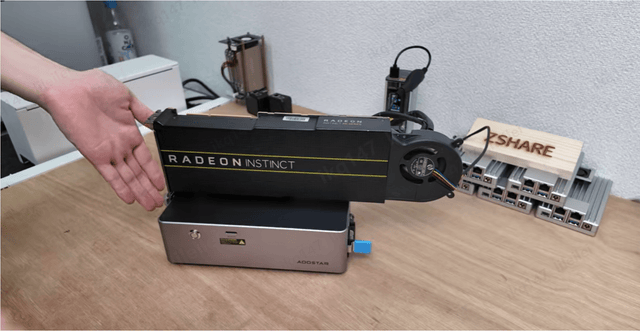
Local AI still depends on CPU, GPU, NPU, RAM, VRAM, storage speed, thermal design, and software support. A model that fits in memory may still feel slow if the system lacks acceleration or is already busy with storage tasks.
For storage-heavy setups, the NAS also has to remain reliable and efficient. Running heavy inference continuously on the same box can increase power draw, heat, noise, and contention with normal file-serving workloads.
It Does Not Replace Good Backup and Access Control Practices
Local AI protects against some cloud exposure risks, but it does not protect against drive failure, accidental deletion, ransomware, weak passwords, exposed services, or poor permission design.
A private AI index can also become a sensitive asset. If one account can search across folders it should not access, AI search may expose information faster than manual browsing would.
It May Not Be Useful If Your Files Are Already Well Organized
Some users already have well-managed folders, careful naming conventions, curated media libraries, and search habits that work. For them, AI tagging or semantic search may add limited value.
Local AI is most useful when manual organization breaks down: large archives, mixed file types, old projects, duplicate media, vague filenames, scanned documents, or users who want natural-language search across private data.
Common Misconceptions About Local AI Processing in an AI NAS
The AI NAS category can be confusing because vendors, homelab users, creators, and developers often mean different things by “AI.” Community discussions often reflect this tension: some users want a quiet storage appliance, while others want a storage-heavy inference server. AI NAS category confusion in community discussions
A useful boundary is this: an AI NAS should combine storage and local intelligence, but it does not need to replace every dedicated AI workstation.
Local AI Does Not Always Mean Running a Huge LLM
Many useful NAS AI tasks do not require a large language model. Face grouping, object detection, OCR, speech-to-text, thumbnail analysis, duplicate detection, and metadata extraction may use smaller specialized models.
This matters because users often evaluate AI NAS through the lens of LLM size alone. In practice, a smaller focused model may be more useful for daily file management than a large model that barely runs on the device.
AI NAS Is Not the Same as Cloud AI With Local Storage
A NAS that stores files locally but sends all AI tasks to the cloud is not providing the same privacy or offline benefits as local AI processing. The data may live on the NAS, but the intelligence still depends on external compute.
This distinction is central to evaluating claims around AI NAS. The question is not only “Does it have AI features?” but “Where does the AI processing happen, and where are the generated indexes stored?”
More AI Features Are Not Always Better
A long feature list can be less valuable than a few reliable local workflows. For many users, practical features such as photo tagging, document search, transcription, and private RAG matter more than broad but shallow AI demos.
AI features should also be optional and transparent. Users should be able to understand what is being processed, where models run, what metadata is created, and whether features can be disabled.
A Dedicated AI Server Can Still Make Sense for Heavy Workloads
For demanding inference, model experimentation, large context windows, or multi-user workloads, a separate AI server may be more practical. The NAS can remain focused on reliable storage while the AI machine pulls data over the network.
This split can make sense when performance, GPU expansion, power draw, or cooling requirements exceed what a storage appliance should handle. It is not a rejection of AI NAS; it is a boundary between storage-first intelligence and compute-first inference.
How to Decide Whether Local AI Processing Is Worth It for Your NAS
Local AI processing is worth it when it solves a real data problem without creating a bigger hardware, maintenance, or power problem. The best use cases are usually private, repeated, and closely tied to files already stored on the NAS.
Use these judgment criteria before prioritizing local AI:
-
The data is private enough that cloud upload is uncomfortable or prohibited.
-
The archive is large enough that manual search or tagging is inefficient.
-
The task repeats often enough to justify local hardware use.
-
The workflow can tolerate background processing when real-time speed is not available.
-
The software clearly explains where models run and where indexes are stored.
-
The hardware is strong enough for the intended model size and concurrency.
What Kind of Data Are You Protecting?
Start with the sensitivity of the data. Family photos, medical files, client documents, code repositories, financial records, and legal materials are stronger candidates for local AI than public files or low-risk content.
The more sensitive the data, the more important it becomes to keep original files, extracted text, embeddings, and search history inside the local environment.
What AI Tasks Will Run Repeatedly?
Repeated tasks are where local AI often makes the most sense. Photo tagging, document OCR, semantic indexing, video transcription, and security camera filtering can run many times across large libraries.
Occasional one-off tasks may not justify local setup complexity. In those cases, a carefully governed cloud tool may still be practical if the data is not sensitive.
How Much Do You Depend on Cloud Services Today?
Cloud dependence can show up as subscriptions, API calls, upload requirements, rate limits, model availability, or connectivity needs. If a core file workflow breaks when the internet is down, local AI may improve resilience.
That does not mean every workflow should be fully offline. Hybrid setups can still work well: local processing for private routine tasks, cloud AI for occasional complex reasoning or large model tasks.
Are Your Hardware Resources Enough for the Workload?
Hardware requirements depend on model size, quantization, acceleration, context length, concurrency, and latency expectations. A NAS that is excellent for storage may not be suitable for interactive LLM inference.
For most beginners, the safer approach is to match tasks to hardware rather than chase the largest model possible. Lightweight indexing, OCR, tagging, and retrieval can be more realistic starting points than trying to run a large general-purpose assistant on underpowered storage hardware.
FAQ
Can I disable all the AI stuff if I do not trust it?
A well-designed AI NAS should make AI features optional, especially for privacy-sensitive users. If you do not trust a feature, you should be able to disable indexing, tagging, cloud-connected services, or model downloads.
The more important question is whether the system clearly explains what it processes and where the results are stored. AI that cannot be inspected, paused, or limited is harder to trust in a private storage environment.
Do I really need a dedicated GPU for local AI processing in an AI NAS?
Not always. Basic indexing, OCR, face detection, photo tagging, or small-model tasks may run on CPU, iGPU, NPU, or modest acceleration depending on software support and library size.
A dedicated GPU becomes more important for interactive LLMs, larger models, real-time video analysis, multi-user workloads, or tasks that need high throughput. For many storage-heavy users, background processing on efficient hardware may be more practical than always-on high-power inference.
Is local AI on a NAS only useful for photo recognition?
No. Photo recognition is one of the clearest use cases, but it is not the only one. Local AI can also support semantic document search, OCR, transcription, security camera filtering, duplicate detection, local RAG, and metadata extraction.
That said, photo and media workflows are often easier to understand because users can immediately see the benefit of face grouping, object labels, and searchable private libraries.
What happens if my internet goes down while the NAS is indexing files?
If the AI models and required services are already installed locally, many indexing tasks can continue without internet. The NAS can keep processing files, updating metadata, or building search indexes inside the local network.
If the system depends on a cloud model or external API, those features may pause or fail until connectivity returns. This is why “local AI processing” should mean local execution, not just local storage with cloud intelligence.
Should I use a dedicated AI server and leave the NAS as just storage?
For heavy inference, large models, GPU expansion, or multi-user AI workloads, a dedicated AI server can be the better choice. The NAS can remain a stable, efficient storage layer while the AI server accesses files over a fast local network.
For focused NAS-native tasks such as background tagging, OCR, private search, and media organization, keeping AI inside the NAS can be simpler and more private. The right answer depends on workload intensity, power budget, hardware limits, and how much maintenance you are willing to handle.
Is ZimaCube 2 a good example of an AI NAS for local AI processing?
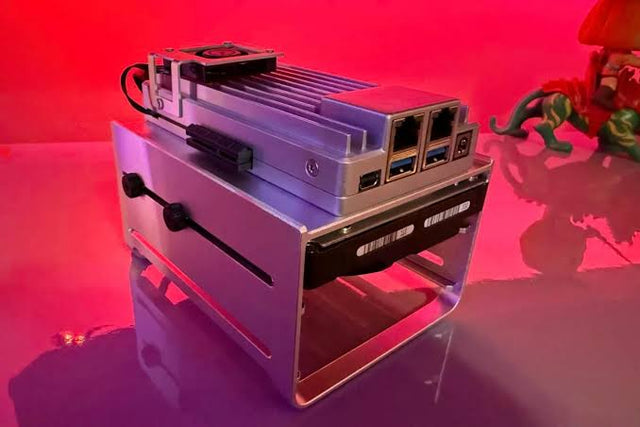
Yes, ZimaCube 2 AI NAS is a relevant example when discussing local AI processing because it combines personal cloud storage, expandable local infrastructure, and home-server flexibility in one device. For users who want private file search, media organization, self-hosted apps, or local AI experiments, the key value is not just storage capacity, but having a local system where data, indexes, and AI workflows can stay closer to the user’s own environment.

Tech & AI HUB
More to Read
What Causes an AI Agent Planner to Repeat Steps It Already Completed?
Trace repeated planner steps through state persistence, completion evidence, tool-result parsing, context retention, retries, replanning, and stop conditions.
What Causes Permission Errors Only Inside AI Agent Subprocesses?
Compare parent and child identity, filesystem view, environment, capabilities, security policy, and executable path to diagnose subprocess-only denial.
What Causes CPU Saturation When Hardware Transcoding and Video AI Run Together?
Trace CPU saturation across codec offload, pixel conversion, frame copies, AI preprocessing, audio, subtitles, storage, and process scheduling.


