
Wi-Fi 8 vs 10GbE for a Home NAS: Will Wireless Finally Replace Ethernet?


Wi-Fi 8 may replace the Ethernet cable for more laptops, but it is unlikely to replace Ethernet at the core of a serious home NAS network. Its biggest opportunity is at the wireless edge: giving mobile clients faster, steadier access without forcing them onto a cable. The NAS, switch, and access points are a different problem.
The important catch is that a router's aggregate wireless capacity, a client's PHY rate, and actual SMB file-transfer speed are three different numbers. Wi-Fi 8 is also still developing under IEEE P802.11bn, so the first 2026 hardware should be viewed as early-generation equipment—not proof that 10GbE has suddenly become obsolete.
Can Wi-Fi 8 Replace 10GbE for a Home NAS?
Wi-Fi 8 can increasingly replace Ethernet between a NAS and mobile clients, but a wired multi-gigabit connection still makes more sense between the NAS and the rest of the fixed network.
The difference comes down to what each endpoint needs.
A laptop benefits from mobility. It moves between rooms, may not have a built-in Ethernet port, and often needs high speed only while transferring files, backing up, or working from shared storage.
A NAS normally sits in the same location every day. It may simultaneously serve laptops, phones, media players, backups, applications, and other servers. There is little advantage in moving that stationary traffic onto shared wireless airtime when a cable is available.
| Device or Workload | Wi-Fi 8 | 10GbE Ethernet |
|---|---|---|
| Laptop accessing NAS | Strong fit | Best when maximum consistency matters |
| Phone or tablet | Natural choice | Usually impractical |
| Fixed workstation | Convenient | More predictable |
| NAS uplink | Little mobility benefit | Natural fit |
| Backup server | Possible | Better for long transfers |
| Multiple simultaneous users | Excellent access layer | Strong shared backbone |
If you are still choosing the wired side of the network, the practical differences between 2.5GbE vs 10GbE NAS depend on storage speed, concurrent clients, and how often large transfers actually saturate the link.
The better mental model is therefore not “Wi-Fi 8 versus Ethernet.”
WIRELESS EDGE

Laptop
Phone
Tablet
Mobile workstation
       |
       v
    Wi-Fi 8


WIRED CORE

Access Point
Switch
NAS
Home Server
       |
       v
Multi-Gig Ethernet
Wi-Fi 8 may replace Ethernet at the edge without replacing Ethernet at the core.
Why Does Wi-Fi 8 Look Faster Than 10GbE on Paper?
The confusion starts when wireless platform capacity is placed beside the number printed on an Ethernet port.
Qualcomm's current Wi-Fi 8 F8 networking platform lists up to 23Gbps of peak wireless capacity. A 10GbE port, meanwhile, has a nominal line rate of 10Gbps.
It is tempting to compare them like this:
Wi-Fi 8 platform
23 Gbps

vs

10GbE
10 Gbps

23 > 10

Therefore Wi-Fi 8 is faster?
That conclusion mixes two different measurements.
An access-point-class Wi-Fi platform can distribute traffic across bands, radios, spatial streams, and multiple devices. Its total wireless capacity is not the amount of bandwidth one laptop receives while opening a large file from one NAS.
A 10GbE link is much narrower in definition: it is one wired Ethernet connection with a nominal 10Gbps line rate.
So the meaningful comparison is not 23 versus 10.
It is the complete end-to-end path.
What Is the Difference Between Wi-Fi Capacity, PHY Rate, and NAS Speed?
Wi-Fi capacity describes the wider wireless system, PHY rate describes the client's physical radio link, and NAS throughput describes the application result after every other bottleneck has been included.
ACCESS POINT CAPACITY
       |
       |  many radios / clients
       v
     23 Gbps class
       |
       X
       |
       | not the same as
       v
CLIENT PHY RATE
       |
       | one client radio
       v
    11.6 Gbps class
       |
       X
       |
       | not the same as
       v
TCP / SMB THROUGHPUT
       |
       v
REAL NAS FILE COPY
Qualcomm's Wi-Fi 8 F8 networking platform provides the network-side example, while its FastConnect 8800 provides the client-side example.
The distinction is critical because Wi-Fi marketing numbers become less useful the closer the user gets to a real file-transfer question.
How Fast Can One Wi-Fi 8 Client Actually Connect?
Qualcomm's FastConnect 8800 is a useful high-end reference point. It uses a 4×4 radio architecture, supports channels up to 320MHz, and advertises a peak Wi-Fi rate of 11.6Gbps.
But Qualcomm explicitly defines that number as the maximum physical-layer, or PHY, rate in its FastConnect 8800 specifications.
The raw arithmetic is simple:
11.6 Gbit/s ÷ 8
=
1.45 GB/s
But that does not mean a laptop will copy files from a NAS at 1.45GB/s.
Actual file throughput must also absorb:
- Wi-Fi MAC and protocol overhead,
- shared airtime,
- signal quality,
- interference,
- retransmissions,
- TCP/IP overhead,
- SMB or another file protocol,
- encryption,
- the access point's wired uplink,
- the NAS CPU and NIC,
- the storage pool,
- and the client's own SSD.
10GbE needs the same caveat.
Ten gigabits divided by eight gives a raw conversion of 1.25GB/s, but that is not a guarantee of 1.25GB/s SMB throughput either. The same slowest-component rule explains why apparent 10GbE NAS bottlenecks can remain even after the network port itself has been upgraded.
Neither PHY rate nor Ethernet line rate is the same thing as application throughput.
Why Is Wi-Fi 8 More About Reliability Than Peak Speed?
Wi-Fi 8 is unusual because its central story is not another dramatic jump in maximum theoretical Wi-Fi speed.
The IEEE project behind it is P802.11bn, formally described as Ultra High Reliability.
TP-Link's current Wi-Fi 8 material illustrates the change clearly: both Wi-Fi 7 and Wi-Fi 8 are listed with a maximum theoretical PHY rate of 46Gbps at the standard level. Wi-Fi 8 instead adds mechanisms aimed at making performance more predictable under poor signal, interference, congestion, roaming, and coverage-edge conditions.
The company's Wi-Fi 8 technical overview highlights features such as:
- Extended Long Range,
- Distributed Resource Units,
- Non-Primary Channel Access,
- Dynamic Subband Operation,
- Multi-AP coordination,
- better operation under interference,
- and smoother roaming.
Qualcomm describes the same broader UHR goals in terms of improving difficult real-world conditions. Its Wi-Fi 8 UHR overview cites IEEE scope targets including at least 25% higher throughput in challenging signal conditions, 25% lower 95th-percentile latency, and 25% fewer dropped packets in scenarios such as AP transitions.
Those are design targets, not guarantees that every Wi-Fi 8 router or NAS transfer improves by exactly 25%.
The larger point is more useful:
Wi-Fi 8 is trying to make bad wireless conditions less bad.
Why Does Reliability Matter More Than Peak Speed for NAS Transfers?
A large NAS transfer exposes instability that a short web download may hide.
Downloading a small page or image can finish before interference, roaming, congestion, or changing signal strength becomes noticeable.
A 200GB backup may run long enough to encounter all of them.
Imagine two connections:
CONNECTION A

Fast
Fast
Fast
Fast
Fast
Fast

Stable enough to finish predictably


CONNECTION B

Very fast peak
Fast
Slow
Fast
Retry
Pause
Fast again

Higher peak,
less predictable transfer
A NAS user doing large SMB copies, photo imports, backups, synchronization, or creator workflows may prefer Connection A even if Connection B wins a short benchmark.
That is where Wi-Fi 8 can matter more than another theoretical-speed headline.
If it delivers more consistent performance at range, under interference, and while roaming, wireless storage access becomes easier to trust for longer jobs.
Where Could Wi-Fi 8 Replace an Ethernet Cable?
The strongest replacement case is the cable between an access point and a mobile client.
A laptop that moves around the house does not benefit from being permanently tethered to one wall port. If its wireless connection becomes fast and predictable enough, the inconvenience of a USB-C or Thunderbolt Ethernet adapter becomes harder to justify.
| Client Workload | Wi-Fi 8 Potential |
|---|---|
| Family photo access | Excellent fit |
| Media playback | Excellent fit |
| Laptop backup | Strong fit |
| General SMB access | Strong fit |
| Occasional large transfers | Strong potential |
| Mobile creator workflow | Potentially strong |
| Fixed high-performance workstation | Ethernet still attractive |
| Latency-sensitive storage traffic | Ethernet remains safer |
The better Wi-Fi becomes, the fewer client devices need their own wired connection.
But that does not mean the storage system behind them should become wireless too.
Why Should the NAS Itself Usually Stay Wired?
A NAS is almost the ideal Ethernet device.
It is stationary.
It normally runs 24/7.
It frequently serves more than one client.
And long-running storage jobs value predictability more than mobility.
A wired NAS also keeps one large source of network traffic off the wireless medium.
Consider a wireless laptop reading from a wired NAS:
NAS
 |
Ethernet
 |
Access Point
 |
Wi-Fi
 |
Laptop
Only the final client segment consumes Wi-Fi airtime.
If both the NAS and laptop communicate wirelessly, the architecture may require wireless resources on both sides of the storage path, depending on network topology and implementation.
For a device that never moves, that tradeoff rarely produces a meaningful advantage.
Could Wi-Fi 8 Make 10GbE More Important?
Yes. This is the counterintuitive part: faster Wi-Fi can increase the value of a fast wired backbone.
Today, a fast NAS may sit behind a wireless client that cannot consume all of its network bandwidth.
FAST NAS
   |
 10GbE
   |
 Router
   |
Wi-Fi client
   |
   X

Bottleneck:
wireless access
Improve the wireless side enough and the bottleneck moves deeper into the path.
FAST CLIENT
    |
 Wi-Fi 8
    |
FAST ACCESS POINT
    |
  2.5GbE
    |
   NAS

Bottleneck:
wired NAS path
The Wi-Fi did not remove the bottleneck.
It moved it.
That shift is important because every high-speed wireless client eventually needs a wired or otherwise fixed path to the storage, internet connection, or server it is trying to reach.
If several clients become multi-gigabit capable at the same time, the shared backbone becomes even more important.
What Happens If Wi-Fi 8 Connects to a 2.5GbE NAS?
For traffic going to that NAS, the 2.5GbE segment remains a hard network ceiling even if the wireless connection can go faster.
Wi-Fi 8 Laptop
      |
      | fast wireless
      v
Access Point
      |
      | 2.5GbE
      v
     NAS
No amount of additional wireless capacity can make the data cross that 2.5GbE NAS link faster than the link itself allows.
That still does not mean the user automatically needs 10GbE.
A NAS with one modest HDD may not even sustain enough disk throughput to fully use 2.5GbE. A household that mainly stores photos and streams movies may never notice the network ceiling.
Multiple fast clients, SSD-backed storage, large backups, high-bitrate creator workloads, and virtualization can change that calculation. If this is the decision point in your network, the dedicated 2.5GbE vs 10GbE NAS comparison goes deeper into that wired upgrade threshold.
The correct question is therefore not:
“Does Wi-Fi 8 require 10GbE?”
It is:
“Has Wi-Fi stopped being my slowest link?”
What Would a Wi-Fi 8 and 10GbE Home NAS Network Look Like?
A hybrid architecture makes more sense than replacing one technology with the other.
             MOBILE CLIENTS

 Laptop       Laptop       Tablet
    \            |           /
     \           |          /
          Wi-Fi 8 AP
              |
              |
            10GbE
              |
            Switch
          /    |     \
       10GbE  10GbE  2.5GbE
         |      |       |
        NAS  Workstation Home Server
         |
     HDD / SSD Pool
Each technology gets the role where it has the strongest advantage.
Wi-Fi provides mobility.
Ethernet provides predictable fixed transport.
The access point can serve multiple mobile clients while its wired uplink prevents the rest of the network from becoming an artificial choke point.
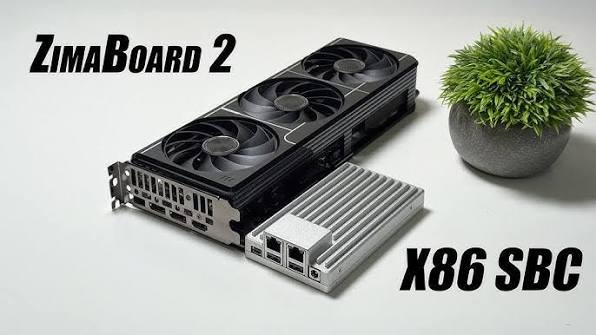
A fixed creator workstation can stay on 10GbE. A lower-bandwidth home server can remain on 2.5GbE. For example, ZimaBoard 2 networking starts with dual 2.5GbE while its PCIe expansion leaves room for a 10G NIC when the workload eventually justifies one.
The NAS backbone can be sized according to actual storage demand rather than the Wi-Fi logo on the router.
What Happens When Several Wi-Fi 8 Clients Access the NAS?
Aggregate wireless capacity becomes more meaningful when multiple clients are active, but this is also where the NAS uplink matters most.
Laptop A ──┐
           |
Laptop B ──┼── Wi-Fi 8 AP ── Ethernet ── NAS
           |
Laptop C ──┘
Suppose several fast clients read large files simultaneously.
They may occupy different wireless resources, but all NAS traffic still converges on:
- the AP uplink,
- the switch,
- the NAS NIC,
- and the same storage pool.
This is precisely why a large aggregate Wi-Fi number should not be interpreted as one client's transfer speed.
But it also explains why high wireless capacity can make 10GbE useful even when no individual laptop consistently reaches 10Gbps.
Several multi-gigabit clients can consume a 10GbE backbone together.
Will HDDs or SSDs Become the Next Bottleneck?
Very possibly. Once the network gets faster, storage limitations become easier to see.
The real NAS data path looks more like this:
HDD / SSD
    |
Filesystem / RAID
    |
CPU + Memory
    |
PCIe
    |
NAS NIC
    |
Switch
    |
AP
    |
Wi-Fi Client
    |
Client SSD
A bottleneck anywhere in that chain caps the final transfer.
A single HDD can be slower than a multi-gigabit network connection. A RAID array may deliver strong sequential reads but weaker mixed workloads. Parity calculations, encryption, small files, snapshots, containers, and simultaneous users can all change storage performance.
An NVMe-backed NAS can move the bottleneck farther toward networking, but then the client's own storage may become the next limit. If transfers remain disappointing even after the network looks fast, check the wider set of NAS performance bottlenecks before assuming another network upgrade will fix the problem.
Faster Wi-Fi does not create infinite NAS performance. It reveals whichever bottleneck was hiding behind the old wireless one.
Is Wi-Fi 8 Good Enough for Editing Video From a NAS?
Wi-Fi 8 could make wireless editing much more practical, especially for creators who use laptops and value mobility.
But editing workloads care about more than the highest transfer number recorded during one benchmark.
A real project may involve:
- multiple video streams,
- large source files,
- high-bitrate intraframe codecs,
- scrubbing,
- proxies,
- cache files,
- background exports,
- and other users accessing the NAS.
The exact network requirement depends much more on codec, bitrate, multicam use, and concurrent editors than on the word “4K.” The dedicated NAS speed for 4K editing breakdown covers those workload-specific bandwidth decisions.
A mobile editor may decide that slightly less predictable throughput is worth the freedom to work anywhere in the house or studio.
A fixed editing workstation sitting two meters from a network switch has a different tradeoff. If it consistently needs high storage throughput for hours at a time, plugging in 10GbE remains the simpler performance decision.
For a single editor who prioritizes direct local speed, the choice may also extend beyond Ethernet to NAS vs DAS workflows, especially when collaboration is less important than one workstation's active project performance.
A storage platform built around shared projects can then prioritize capacity, centralized access, and fast client paths. ZimaCube 2 creator storage is one example of that broader creator-oriented architecture.
So Wi-Fi 8 does not make wireless editing and wired editing identical.
It makes the wireless option more credible.
Does Wi-Fi 8 Eliminate Wired Backhaul for Mesh Wi-Fi?
No. Better wireless coordination reduces the pain of wireless mesh, but wired backhaul still has an architectural advantage when cabling already exists.
A wireless mesh may need radio resources both for client traffic and for communication between access points, depending on the design.
With wired backhaul:
Wi-Fi Client
     |
     v
Mesh Node
     |
 Ethernet
     |
     v
Main Switch
     |
     v
NAS
the fixed inter-node traffic moves off the wireless medium.
Wi-Fi 8's Multi-AP coordination and reliability work can make wireless multi-AP environments better, especially where running cables is difficult.
But if Ethernet already reaches the access-point locations, faster Wi-Fi does not create a strong reason to disconnect it.
Should You Build 10GbE Now or Wait for Wi-Fi 8?
If your NAS and primary workstation are fixed devices, waiting for Wi-Fi 8 is usually the wrong reason to postpone useful Ethernet infrastructure.
The upgrades solve different problems.
| Current Situation | More Sensible Priority |
|---|---|
| NAS and workstation already near Ethernet | Build the wired path |
| Several fixed high-speed systems | Consider 10GbE |
| Main NAS client is a mobile laptop | Wi-Fi 8 is worth watching |
| House is difficult to cable | Wi-Fi 8 becomes more valuable |
| Wi-Fi 7 already works well | No urgent upgrade required |
| NAS storage cannot saturate 2.5GbE | Fix storage bottleneck first |
| 2.5GbE is saturated by multiple clients | Faster backbone may help |
If the decision is specifically whether the wired backbone has crossed the point where 10GbE pays off, use the 2.5GbE vs 10GbE NAS guide rather than treating Wi-Fi 8 itself as the reason to upgrade.
There is also a useful lifespan difference.
A home's structured Ethernet cabling and switch topology can survive several wireless generations.
Wi-Fi 6 AP
    ↓
Wi-Fi 7 AP
    ↓
Wi-Fi 8 AP
    ↓
Future AP

All can still use
the same wired backbone.
The access layer changes more frequently than the fixed network underneath it.
Is Wi-Fi 8 Finalized in 2026?
No. Wi-Fi 8 consumer hardware is beginning to arrive while IEEE P802.11bn is still moving through the standards process.
IEEE's current working-group status shows P802.11bn at Draft 2.0. Its published timeline currently places later final approval milestones in 2028. The IEEE 802.11 project timeline should therefore be treated as the authoritative reference rather than assuming the standard is already finished.
At the product level, TP-Link announced its first Archer 8 router platform in May 2026 and says the router is scheduled for an October 2026 launch. Its broader roadmap currently lists Deco 8 for Q1 2027, followed by additional Wi-Fi 8 devices later in 2027.
The Archer 8 announcement also emphasizes that final specifications and regional availability may vary.
That makes 2026 a classic early-adopter period.
Buyers need to distinguish between:
- the current IEEE draft,
- vendor-specific implementations,
- the router's supported features,
- the capabilities of actual client devices,
- and the eventual final standard.
Should You Buy Wi-Fi 8 Just for Faster NAS Access?
Probably not if your existing Wi-Fi 6E or Wi-Fi 7 network already handles the workload reliably.
Wi-Fi 8 becomes more interesting when the problem is:
- poor performance at the edge of coverage,
- unstable mesh roaming,
- congestion from many devices,
- weak uplink performance,
- latency spikes,
- or inconsistent multi-gigabit wireless access.
If the real problem is instead a 1GbE NAS port, a slow HDD pool, an overloaded NAS CPU, or a fixed workstation that could easily use Ethernet, replacing the wireless router may not solve it.
If the symptom is simply that the NAS feels slow and the bottleneck is not yet known, the NAS performance bottlenecks checklist is a better starting point than buying either Wi-Fi 8 or 10GbE immediately.
Network upgrades work best when they target the actual bottleneck rather than the newest standard.
What Should You Upgrade First: Wi-Fi, Ethernet, or NAS Storage?
Start with the part of the complete path that is limiting the workload today.
| Observed Problem | Likely Area to Check First |
|---|---|
| Fast beside AP, slow in another room | Wi-Fi coverage |
| All clients stop near 1Gbps | NAS / switch Ethernet |
| One client is fine, several are slow | Shared network or storage capacity |
| 2.5GbE network but HDD transfers remain slow | Storage pool |
| Fast NAS, fixed workstation | Consider 10GbE |
| Fast NAS, mobile laptops | Fast wired core + better Wi-Fi |
| Mesh performance collapses between rooms | AP placement / backhaul / Wi-Fi |
This avoids a common upgrade mistake:
buying the component with the largest number instead of fixing the component that actually slows the workflow.
Wi-Fi 8 vs 10GbE: Which Should a Home NAS Use?
Use Wi-Fi 8 where mobility matters and Ethernet where predictable fixed transport matters.
| Situation | Wi-Fi 8 | 10GbE |
|---|---|---|
| Laptop accessing NAS | Strong choice | Best for maximum consistency |
| Phone or tablet | Clear choice | Impractical |
| Desktop beside switch | Good | Better fit |
| NAS uplink | Little mobility benefit | Better fit |
| Large backup jobs | Potentially fast | More predictable |
| Mobile creator | Very useful | Optional |
| Fixed creator workstation | Capable | Safer choice |
| Several wireless users | Strong access layer | Strong backbone |
| VM or storage-sensitive traffic | Possible | Preferred |
Wi-Fi 8 therefore does not make Ethernet obsolete.
It changes where Ethernet provides the most value.
For years, Wi-Fi was often the obvious bottleneck between a fast NAS and a laptop. As client radios become faster and Wi-Fi becomes more reliable under congestion, at range, and while roaming, that bottleneck can move deeper into the system.
It may become the access-point uplink.
Then the switch.
Then the NAS NIC.
Then the HDD or SSD pool.
Faster Wi-Fi does not remove bottlenecks. It moves them.
That leads to the most important conclusion for a home NAS:
The faster wireless clients become, the more valuable a fast wired backbone can become.
The likely future is therefore not an all-wireless home server rack.
It is a hybrid network: Wi-Fi 8 for devices that move, and Ethernet for infrastructure that does not.
FAQ: Wi-Fi 8 vs 10GbE for a Home NAS
Is Wi-Fi 8 faster than 10GbE?
Not in a directly comparable sense. Wi-Fi 8 access-point platforms may advertise aggregate wireless capacity above 10Gbps, while 10GbE describes one 10Gbps Ethernet link. Aggregate wireless capacity is not the throughput available to one NAS client.
Can one Wi-Fi 8 device connect above 10Gbps?
Some high-end client platforms advertise PHY rates above 10Gbps. Qualcomm's FastConnect 8800 lists up to 11.6Gbps peak PHY rate. That is a physical-layer link rate, not guaranteed TCP, SMB, or NAS file-transfer throughput.
Does 11.6Gbps Wi-Fi mean 1.45GB/s NAS transfers?
No. Dividing 11.6Gbps by eight gives a raw bit-rate conversion of 1.45GB/s, but actual NAS throughput is reduced or limited by Wi-Fi overhead, interference, TCP, SMB, AP uplinks, NAS networking, storage performance, and the client itself.
Why is Wi-Fi 8 focused on reliability?
IEEE P802.11bn is the Ultra High Reliability project. Wi-Fi 8 is targeting better performance under interference, weak signals, congestion, roaming, and other difficult real-world conditions instead of focusing only on a higher maximum theoretical PHY rate.
Should a NAS connect directly over Wi-Fi 8?
If Ethernet is readily available, a stationary NAS still has little reason to use Wi-Fi as its primary network connection. Wiring the NAS also leaves wireless airtime available for mobile clients.
Will a 2.5GbE NAS bottleneck Wi-Fi 8?
For traffic going to that NAS, the 2.5GbE Ethernet segment remains a maximum network link in the path. Whether it becomes the real bottleneck depends on the NAS storage, client, and workload. The broader 2.5GbE vs 10GbE NAS decision depends on whether the rest of the system can actually exceed that ceiling.
Do I need 10GbE because I buy Wi-Fi 8?
No. Many homes will remain well served by 2.5GbE. 10GbE becomes more attractive with fast storage, several simultaneous multi-gigabit clients, large backups, creator workflows, or other workloads that can actually consume the extra bandwidth.
Is Wi-Fi 8 good for editing video from a NAS?
It could be a strong option for mobile creator workflows. A fixed workstation that requires predictable high throughput for long sessions may still benefit more from 10GbE Ethernet. The actual requirement should be based on NAS speed for 4K editing rather than resolution alone.
Does Wi-Fi 8 remove the need for wired mesh backhaul?
No. Wi-Fi 8 improves multi-AP reliability and coordination, but wired backhaul still prevents inter-AP traffic from competing for wireless airtime when Ethernet is available.
Is Wi-Fi 8 finalized in 2026?
No. IEEE P802.11bn is still in development. The working group reached Draft 2.0 in 2026, with later final approval milestones currently projected for 2028.
Should I wait for Wi-Fi 8 before installing 10GbE?
Not if the devices that need 10GbE are stationary and already limited by their wired network. Ethernet infrastructure and Wi-Fi upgrades solve different layers of the network and can complement each other.
What is the best network design for a Wi-Fi 8 home NAS?
A strong starting point is Wi-Fi 8 for laptops, phones, tablets, and other mobile clients, backed by multi-gigabit Ethernet between access points, switches, NAS devices, servers, and fixed high-performance workstations.

Recommended products


Product Comparisons
More to Read
Can Home Assistant Replace openHAB for Whole-Home Device Control?
Home Assistant can replace openHAB only when every essential device and automation passes a parallel migration and rollback test.
Mini PC vs Single-Board Server vs NAS for Home Assistant
Pick an SBC for a small efficient appliance, a mini PC for flexible headroom, or a NAS only when shared-host operations are already mature.
How to Choose Between a Dedicated Home Assistant Server and a Shared App Host
Choose dedicated hosting for simpler failure isolation; choose a shared host when isolation, maintenance windows, and recovery are proven.


