
Low-Power Home Server Guide for Always-On Services


A low-power home server should be chosen by measured idle draw, the services that wake it, and the storage that must remain available—not by processor labels alone. The safest default is a small platform that handles the normal 24/7 load with headroom, then moves bursty media, indexing, or backup work into scheduled windows. More hardware is justified only when consolidation removes another always-on device or a real workload exceeds the smaller tier.
Define the Services That Truly Need to Stay On
Always-on does not mean every application must work at full speed all day. DNS filtering, Home Assistant, a small dashboard, file synchronization, and backup coordination usually spend long periods waiting. Media conversion, photo indexing, game servers, and local AI can create short or scheduled bursts instead of a constant baseline.
The ZimaSpace guide to the first three home server services provides a useful starting scope. Buyers should list which services must answer instantly, which can run overnight, and which can remain off until requested. That duty cycle determines whether low idle power or peak performance deserves more weight.
Reusing an old PC is still a valid test when it is stable and already owned. The self-hosting beginner baseline explains why discovering the first useful stack should happen before buying for an imagined homelab.
The first decision output is a service schedule. Choose a minimal always-on tier when most work is lightweight and interactive. Choose more compute only when several services must run together or when scheduled jobs cannot finish within an acceptable window.
Measure At-the-Wall Power Instead of Trusting TDP
Processor TDP, power-adapter rating, and maximum load are not the same as actual 24/7 consumption. Memory, storage, network interfaces, USB devices, power-supply efficiency, firmware settings, and operating-system idle states all affect the draw seen at the wall.
A real-world project using smart-plug power monitoring shows the value of recording actual consumption instead of estimating from component labels. Measure idle, normal household use, backup or indexing load, and peak startup over several days.
Low idle power can coexist with useful burst performance when the platform reaches deep sleep states and attached devices allow it. One documented low-idle server build also shows why motherboard, firmware, expansion cards, and peripherals matter alongside the CPU.
Choose from measured averages, not the lowest screenshot. A server that idles efficiently but wakes constantly because of poorly scheduled jobs may consume more energy than a slightly higher-idle system that finishes work quickly and returns to sleep.
Count Drives, Cooling, and Network Devices in the Power Budget
Storage can dominate a compact server’s energy use. Each additional HDD adds idle and startup draw, and drive spin-up can create a short peak that affects power-supply and UPS sizing. SSDs reduce mechanical draw and noise but may cost more per terabyte, so the right choice depends on capacity and access pattern.
A practical review of home NAS power costs explains why drive behavior belongs in the ownership calculation. Fewer larger drives can reduce the number of motors and ports, while more drives may be justified by capacity, performance, or redundancy needs.
Aggressive spin-down is not automatically the best answer. Frequent background access can cause repeated wake cycles and frustrating delays, while some users prefer drives to remain stable during active periods. An XDA account of NAS drive spin-down problems is a reminder to test the real access pattern rather than applying one power-saving setting universally.
Include the switch, router, external drive enclosure, UPS overhead, and cooling fans when comparing architectures. Consolidating two servers into one can save energy, but adding a multi-bay enclosure and faster network switch may erase part of the gain.

Balance Memory and Compute Headroom Against Idle Efficiency
Too little memory can create repeated disk activity, application restarts, and slow indexing, while excessive memory and expansion hardware may raise idle draw without improving the daily workload. The correct tier is the smallest configuration that keeps normal services responsive and scheduled jobs predictable.
For ordinary containers, shared files, DNS, and home automation, an 8GB-class system can be enough. More memory becomes useful when several databases, media services, photo indexing, virtual machines, or camera analysis overlap. The low-power rural server route shows how local workload value can remain high even when internet-dependent features are limited.
Do not consolidate critical and experimental services only to save a few watts. The 24/7 household appliance model explains how always-on ownership adds updates, permissions, recovery, and household dependence.
Choose the smaller platform when the normal service set fits comfortably and heavy work can be scheduled. Choose more memory or CPU when overlapping workloads create visible latency, missed backup windows, or constant high utilization that prevents the system from returning to an efficient idle state.
Preserve Reliability While Reducing Energy Use
Low power is valuable only when the server remains available and recoverable. An undersized power supply, unstable storage adapter, insufficient cooling, or aggressive sleep configuration can create failures that cost more time and energy than they save.
Use reliable boot storage, monitor temperatures, reserve free capacity, and confirm that services restart after outages. The ZimaSpace guide to frequent power outage planning helps connect server draw with realistic UPS runtime and clean shutdown.
Fanless hardware can reduce noise and fan power, but the enclosure still needs enough airflow for sustained load and attached drives. The quiet NAS buying path is useful when low-power equipment will share a bedroom or home office.
Choose efficiency settings that the workload can tolerate. Scheduled backups, quiet hours, sensible CPU power management, and measured drive policies are safer than disabling cooling or forcing deep sleep on services that must answer immediately.
Match the Hardware Tier to the Always-On Workload
For one or two light services, the ZimaBlade 3760 Starter Bundle is the budget-first route when the buyer wants memory and power included. Choose the ZimaBlade 7700 Starter Bundle when more Docker services, light media work, multitasking, or a small DIY NAS already belong in the plan. Both are designed for low-power always-on use; the difference is workload headroom.
Choose ZimaBoard 2 when the server needs the faster Intel N150 platform, integrated memory and boot storage, dual 2.5GbE, and more room for applications and expansion. The 832 fits everyday apps and a first NAS, while the 1664 is better for more containers, media, indexing, or a first virtual machine.
Do not choose a multi-bay platform only to achieve a “server” look. More drives, interfaces, and cooling add power. Move to larger storage hardware when capacity, redundancy, or consolidation genuinely replaces other always-on devices. HDDs and SSDs remain separate purchases in storage-oriented kits.
Choose the smallest measured tier that completes the normal workload with recovery headroom. Upgrade when the smaller system stays busy, misses scheduled work, lacks required storage or networking, or prevents consolidation of another device—not merely because a higher benchmark is available.
FAQ
Does a lower CPU TDP guarantee lower idle power?
No. Actual idle draw depends on the complete platform, firmware, memory, storage, network hardware, peripherals, and whether the operating system can enter efficient idle states.
Should an always-on NAS spin down its hard drives?
Only when the drives remain inactive long enough to justify it. Frequent background access can create repeated wake cycles and delays, so test the real workload before enabling aggressive spin-down.
Can a low-power server still handle media and backups?
Yes, when most media can Direct Play and heavy backups or indexing are scheduled. Multiple conversions, several virtual machines, or large active storage workloads may require a higher tier.

Recommended products

Buying Guide
More to Read
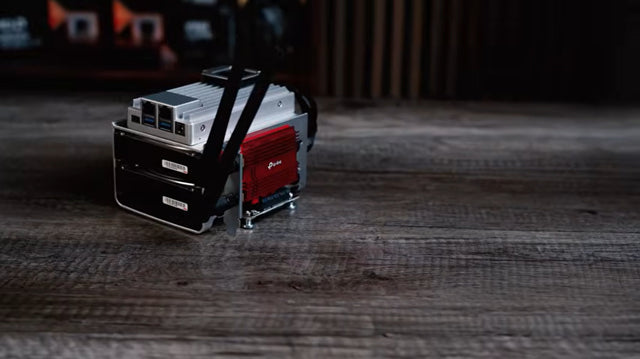
Used Enterprise Server Noise and Power Risk Guide
A used enterprise server is a bargain only when measured noise, idle power, parts, and placement costs fit the home for its full service...
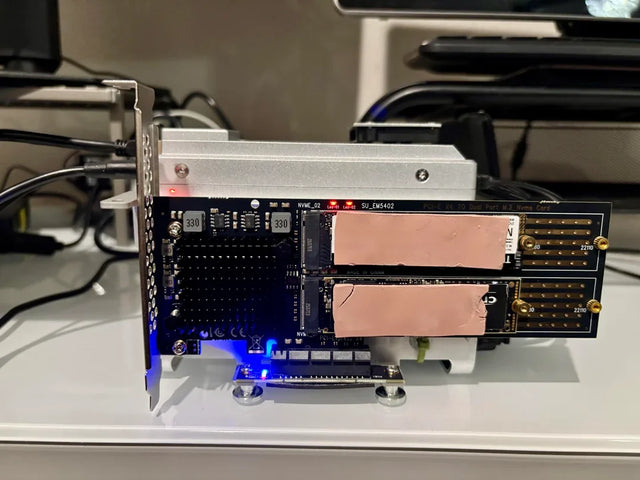
Fanless Home Server Thermal Risk Assessment
A fanless server is safe only when sustained workload and hot-room tests leave thermal margin without hidden throttling or storage heat.
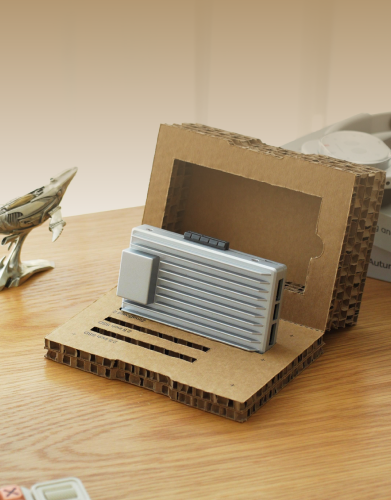
Drive Bay Expansion Risk Assessment for a Value NAS
A value NAS is expansion-ready only when its pool rules, power budget, rebuild plan, and total enclosure cost pass before purchase.


