
Mini PC Expansion Risk Guide for First-Time Buyers


A mini PC is a safe first purchase when its current specification already handles the main workload and its documented expansion covers one realistic next step. Do not buy a low base configuration on the assumption that every M.2 slot, memory module, USB port, or external GPU path can be upgraded independently later.
Separate replaceable parts from permanent limits
List the processor, memory type, memory slots, maximum supported capacity, boot storage, secondary storage positions, network controllers, wireless card, and external interfaces. Mark each component as soldered, socketed, internally accessible, or external-only.
A removable cover does not guarantee a supported upgrade. Check module dimensions, single- or double-sided SSD clearance, heatsink space, memory rank and speed support, available mounting screws, and whether opening the chassis affects warranty service.
Reject the candidate when a permanent limit already conflicts with the expected workload. A lower purchase price does not compensate for soldered memory that is already near capacity or a single occupied storage slot with no migration plan.
Audit lanes, ports, power, and physical fit
Two connectors can share one controller, PCIe lane group, or thermal zone. Verify the electrical link width and generation of each M.2 slot, USB4 or Thunderbolt capabilities, network port speeds, and whether simultaneous devices reduce bandwidth.
Check the power brick rating and the power available to USB devices, storage, and accessories. An external enclosure, 10GbE adapter, and bus-powered SSD can turn a simple mini PC into several heat sources and power dependencies.
Use the table to convert each planned upgrade into a pass-or-fail purchase gate.
| Decision area | Pass requirement | Stop condition |
|---|---|---|
| Memory | Socket count, maximum capacity, module type | Fail if the current fixed capacity is too small |
| Storage | M.2 size, lanes, thermals, free slots | Price migration and removed drives |
| External devices | Controller sharing, power, cables | Test simultaneous sustained load |
Price the complete expansion path
Add memory replacement, SSDs, enclosure, power supply, adapters, switch ports, cables, cooling accessories, and any duplicated parts removed during the upgrade. A barebones system may also require an operating-system license and installation time.
Compare that total with a larger mini PC, small tower, or compact server that includes the needed interfaces directly. Expansion is worthwhile only when it preserves the size or power advantage without creating a fragile chain of adapters.
A related ZimaSpace beginner home-server checklist places expansion behind workload, storage, networking, and recovery requirements.
An independent mini PC review shows how slot dimensions, heatsink clearance, memory layout, and included components can change the practical upgrade ceiling.

Buy only after a representative upgrade test
Before the return window closes, install or connect the most important planned upgrade and run sustained storage, network, and CPU workloads together. Monitor link speed, resets, throttling, SSD temperature, fan behavior, and sleep or reboot recovery.
Keep the mini PC when the base configuration is already sufficient, the first expansion is documented and stable, and replacement parts are standard. Choose a larger platform when several future upgrades compete for one slot, port, power budget, or cooling path.
The purchase passes when every critical next step has a compatible part, known cost, safe installation path, and measured result. If the plan depends on undocumented adapters or replacing most of the original configuration, buy the correct tier now.

Recommended products

Buying Guide
More to Read
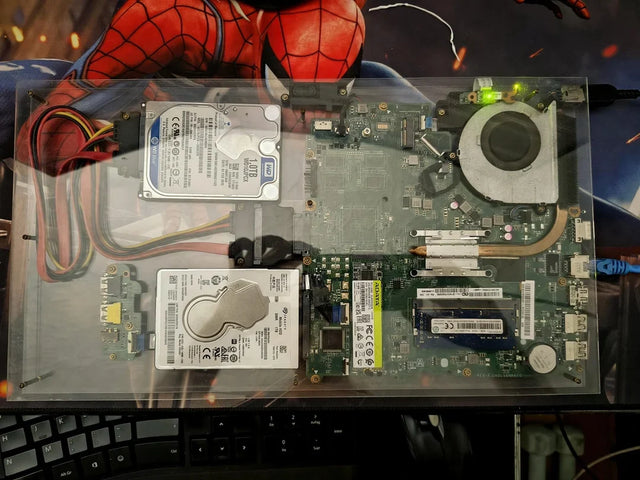
Family Photo Migration Risk Guide Before Buying a NAS
Buy a photo NAS after exports preserve originals and metadata, duplicates are classified, staging fits, and rollback keeps the source intact.
Password Vault Server Availability Risk Guide
Self-host a password vault only when cached access, independent recovery credentials, tested restores, and another operator prevent outage-driven lockout.
Home Server Lock-In Risk Assessment Before Purchase
A home server is portable when data, metadata, identities, apps, backups, and configuration can move without the original vendor’s hardware or cloud service.


