


配送
- Orders are usually arranged within 72 hours after payment (holidays excluded)
- Delivery to most countries takes around 8–10 business days
- Questions about the product or shipment? Contact shop@icewhale.org or reach us via the online chatbox
お支払い方法


保証とサポート
- 2 years for deliveries within the EU
- 1 year for all other regions
受け取り可能状況を読み込めませんでした
高性能のホームまたはオフィス用ファイアウォールを、わずか数分で構築できます。
クリエイター、セルフホスティングユーザー、ITプロフェッショナル向けに設計されたオールインワンバンドル、ZimaBoard 2 (832) Firewall Kitでネットワークを自在に管理しましょう。コンパクトなサイズながら高いパフォーマンスを実現します。
同梱内容
-
ZimaBoard 2 - Intel N150 クアッドコアプロセッサー、デュアル2.5GbEイーサネットポート、デュアルSATA IIIポート、8GB/16GB LPDDR5x RAM、32GB/64GB eMMC、ZimaOSプリインストール。
-
PCIe x4 - 4ポート 2.5 Gイーサネットアダプター(Intel I226チップセット) - ZimaBoard 2を、パワフルなマルチポートルーターまたはファイアウォールにアップグレードできます。
-
12 V / 5 A電源アダプター - 安定した効率的な電力供給を実現します。
-
SATA Y字ケーブル - ログやローカルストレージ用のHDD/SSDを簡単に増設できます。
-
冷却ファン - ネットワークに最大負荷がかかっても、システムを適切な温度に保ちます。
優れた特長
-
pfSense、OpenWRT、OPNsense、ZimaOSなどをすぐに実行できます。
-
高度なルーティングやマルチLAN構成に対応する、最大4× 2.5 GbEの接続。
-
静音性に優れたファン冷却で、24時間365日の連続稼働に対応。
-
コンパクトな設計で、デスク、ラック、ミニラボなど、あらゆる環境に設置できます。
最適な用途
- ホームラボ用ファイアウォールまたはルーター
- VPNゲートウェイまたはリモートアクセスハブ
- セキュアなIoTエッジデバイス
- ネットワークテストとパケットキャプチャ
ZimaBoard 2 832および1664モデルは出荷準備が整いました。NAS環境をぜひアップグレードしてください。早めに確保して、ZimaBoard 2でネットワークを強化する先駆けとなりましょう。
Customer Reviews
Used to run my selfhosted services with docker on my Synology NAS for years and decided I needed more powerful and dedicated hardware for this purpose with lower power consumption...
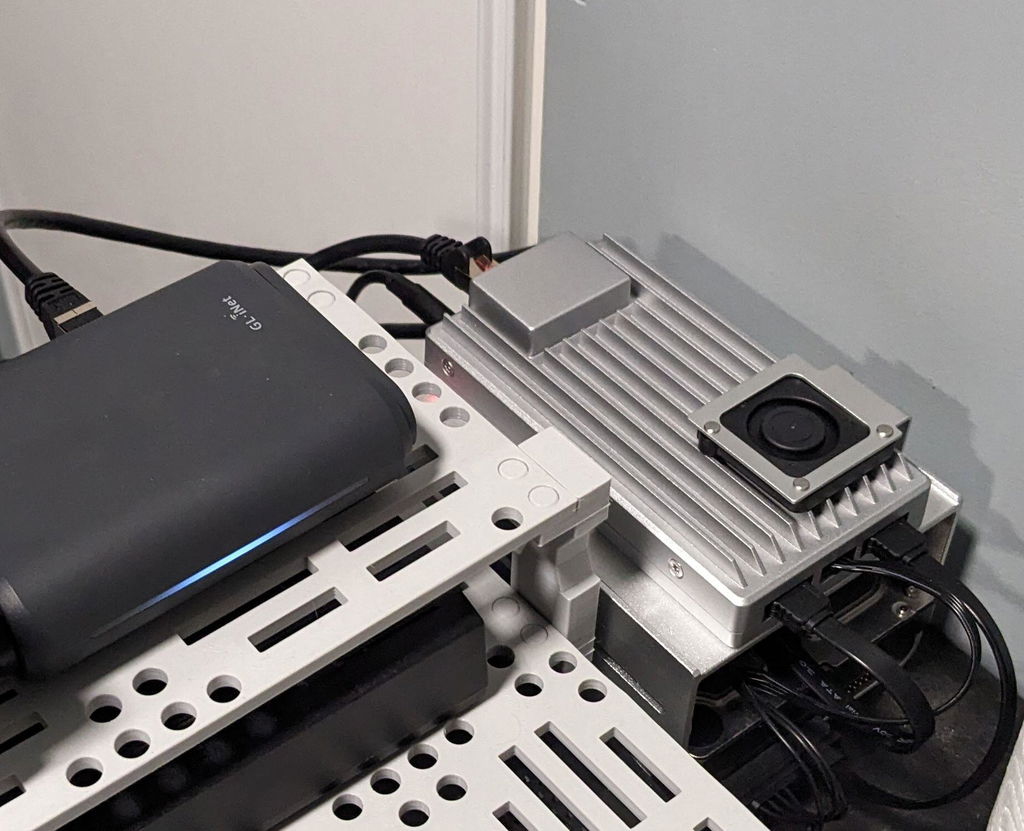
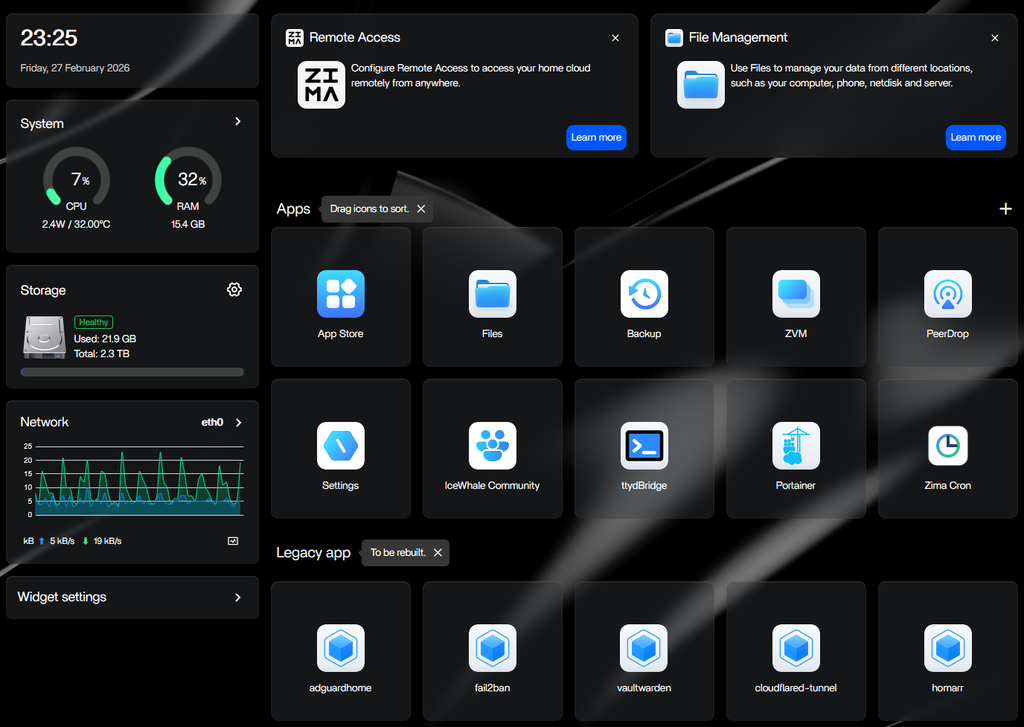
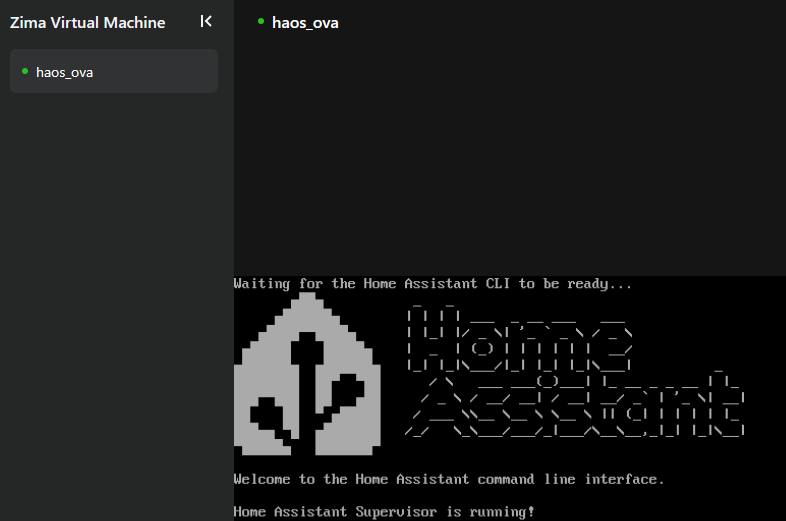
Now my Zimaboard 2 1664 (with 2TB 3.5" SATA HDD and 250GB 2.5" SATA SSD) is running my password manager, mediacenter, local DNS + adblocker, home assistant (fully managed in ZVM) and is much snappier than my 8 years old NAS and with very low power budget compared to my NAS.
Home Assistant and password manager are made available externally with cloudflare tunnel (cloudflared docker container).
Every container managed as stack in portainer (installed from the Zima appstore)
Perfect selfhosting device for me ... poweful but power efficient.
Not a single second of regret, would buy again (to build a cluster?).
Little trick/tip it you want your VM to auto start on zimaboard reboot ... can be achieved with the following commands in ttybridge :
sudo virsh list --all (to get your vm id/name)
then :
sudo virsh autostart (to set your vm to autostart when your zimaboard reboots)
Reviews in Other Languages
カートは現在空です。
ショッピングを始める-

 ZimaBoard SE – 簡単に使えるホームサーバー 開始価格: $159.00 USD /
-

 ZimaBoard 2 - 大きなアイデアを実現するミニホームサーバー 開始価格: $339.00 USD /
-

 ZimaCube 2 パーソナルクラウド ホームNAS 開始価格: $799.00 USD /


