
What Can a Low-Power Home Server Replace in a Shared Student Apartment?


A low-power server can replace several small always-on services in a shared student apartment, but only after the household defines ownership, privacy, cost sharing, and what happens when the device or internet connection fails.
The practical test is not whether an app installs. Each replacement must work from every intended device, preserve individual accounts, stay within memory and storage limits, and have a fallback that does not depend on the same server.
Inventory the subscriptions and devices it might consolidate
List cloud file storage, laptop backups, media playback, shared calendars, Git hosting, test databases, DNS filtering, download automation, and smart-home bridges. Record who uses each service and whether its data is personal or shared.
Measure current storage, monthly growth, simultaneous users, upload speed, and the hours when the service matters. A local server can improve LAN access but cannot create fast remote performance on a slow apartment connection.
Choose one shared anchor service and at most two supporting services for the first month. If nobody owns updates and recovery, even a technically light service is operationally too heavy.
Test each replacement against a real limitation
Local file and media services can reduce repeated subscription or device sprawl, while Git, preview apps, DNS filtering, and small databases can move off personal laptops. Automatic backups can run while laptops travel or sleep.
Do not replace off-site backup, emergency document access, university collaboration tools, or services that require guaranteed public uptime with a single apartment box. A server stolen, flooded, misconfigured, or disconnected with the router can lose every local role at once.
Use the table to decide whether a role should move, remain hosted, or use both.
| Decision area | Assessment | Boundary |
|---|---|---|
| Files, media, Git, DNS | Often replace locally | Test users and capacity |
| Laptop and phone backups | Use local plus off-site | One server is not the last copy |
| Guaranteed public collaboration | Keep hosted | Apartment uptime is limited |
Protect roommate boundaries and shared operations
Give every resident a separate account and private storage area. Keep the administrator role limited, document who can see logs and backups, and never make participation a condition for ordinary internet access.
Agree on electricity, drive, and replacement costs before moving important data. Schedule noisy disks, backups, scans, and reboots; place the device where ventilation and physical access do not disrupt the room.
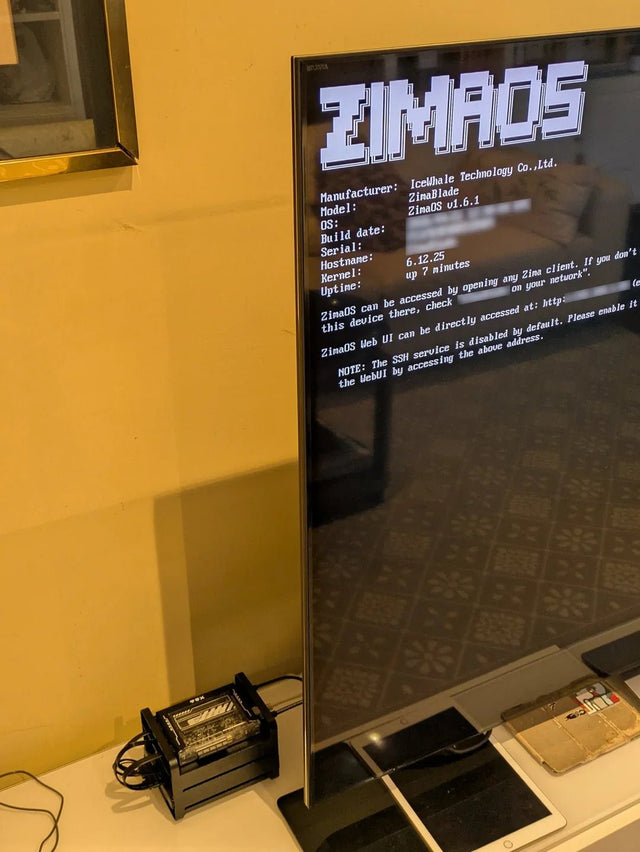
A related ZimaSpace shared-room server planning article covers footprint, heat, noise, storage, and cable boundaries.
An independent home-server replacement example illustrates local files, photo backup, NAS sharing, and private remote access on modest hardware.

Run a month-long replacement test before cancelling anything
Operate the candidate service in parallel with the existing option. Test several devices, a router reboot, a power interruption, remote access, low disk space, account removal, and recovery from an independent backup.
Monitor memory, storage growth, temperature, network use, failed jobs, and administrator effort. If the service needs frequent manual intervention during exams, the consolidation has moved cost rather than removed it.
Keep the server role when all intended users can access it, privacy boundaries hold, restores work, and the apartment accepts the outage model. Keep cloud or another provider for off-site safety, collaboration, and services whose availability the household cannot operate.

Recommended products

NAS & Server Setup
More to Read
Why Do Computer Science Students Benefit From a Separate Linux Lab Machine?
A separate Linux machine helps when projects need persistent services or safe failure; a laptop VM remains better for portable, resettable coursework.
A Student Homelab Setup for Coding Classes, Cybersecurity Labs, and Media Storage
Separate stable services from disposable security labs so one student server can support classes and media without exposing coursework or household data.
How to Build a Dorm-Room Home Server Without Taking Over the Only Desk
A dorm server should fit one small, quiet, low-power service boundary with contained cables, private access, and recovery outside the room.


