
A Student Homelab That Can Move From Dorm Room to First Apartment


A student homelab should survive a new room, router, internet provider, desk, and power layout without rebuilding every service. Portability comes from stable definitions and protected data more than from a handle on the chassis.
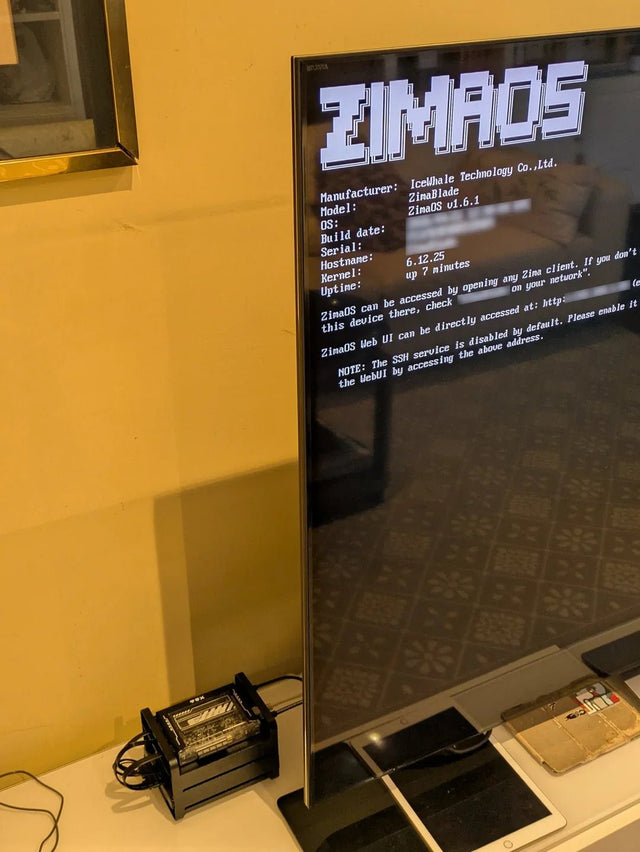
Use one compact compute node, one deliberate storage tier, a small number of services, and network names that do not depend on the dorm’s addressing. Back up application state outside the server, label every component, and document shutdown and startup so the first apartment adds space instead of forcing a rescue project.
Choose a portable physical boundary
Prefer hardware that one person can safely power down, cable, carry, and place on a ventilated shelf. Count the server, drive enclosure, switch, UPS, adapters, and spare cables as one system; loose power bricks and unsupported disks undermine portability.
Use SSD storage for the boot and active application layer when capacity allows. Put bulk media or archives on a contained, independently backed-up storage device that can be disconnected and packed separately.
Avoid a rack, multiple experimental nodes, or long cable runs until the apartment workload justifies them. The portable lab should still fit on a temporary desk while the permanent network is being built.
Make services independent of the room network
Give services stable local DNS names and store addressing, port mappings, firewall rules, and container definitions in version-controlled configuration. Do not embed the dorm router’s subnet throughout application databases and bookmarks.
Use a private VPN for approved remote access when residence policy permits. Keep a local console or direct recovery path because dorm and apartment internet may use different inbound filtering, CGNAT, device registration, or client isolation.
Use the migration map to decide what must remain stable and what can change at the new address.
| Scenario | Better fit | Decision boundary |
|---|---|---|
| Physical system | One carryable compute and storage boundary | Avoid cable and adapter sprawl |
| Network identity | DNS names and documented rules | Room subnet may change |
| Data and recovery | Off-device verified backup | Do not pack every copy together |
Separate portable configuration from protected state
Version Compose files, service versions, mount definitions, DNS records, and a package inventory. Back up databases, uploads, Git repositories, secrets, encryption keys, and app configuration with the consistency method each service requires.
Keep at least one current copy outside the equipment being moved. A server and its USB backup packed in the same bag share loss, impact, and theft risk, even if the two copies use different disks.
A related ZimaSpace homelab storage topology separates replaceable boot, active app-data, and growing bulk-storage roles.
An independent homelab moving account illustrates why teardown, network changes, and the rebuild sequence deserve advance planning.

Run the move as a controlled migration
Before departure, stop write-heavy applications, create final verified backups, export configuration, photograph cabling, label both ends, record drive slots, and shut down cleanly. Carry keys and recovery instructions separately from encrypted hardware.
At the apartment, establish power, ventilation, router access, DNS, time, and storage mounts before starting applications. Bring up identity, databases, and core storage before dependent media, dashboards, runners, or preview services.
Validate one local client, one remote client, a representative file, a database-backed app, scheduled backups, and reboot recovery. Expand only after the portable baseline works on the new network.

Recommended products

NAS & Server Setup
More to Read

Can a Dorm Server Run Quietly Enough for Sleep, Study, and Video Calls?
Yes—a dorm server can stay unobtrusive when hardware is low-power, storage vibration is controlled, heavy jobs are scheduled, and noise is tested in the...

How to Share One Home Server With Roommates Without Sharing Accounts or Private Files
Give every roommate a named identity, private storage, and only the shared roles they need; keep administration, backups, and offboarding separate.
Why Do Computer Science Students Benefit From a Separate Linux Lab Machine?
A separate Linux machine helps when projects need persistent services or safe failure; a laptop VM remains better for portable, resettable coursework.


