
Home Server Buying Guide for Self-Hosting Beginners


A beginner should buy the smallest home-server platform that can run the first one to three useful services, keep their data understandable, and recover after an experiment goes wrong. Reusing a stable old PC is the rational no-cost baseline; a low-cost always-on board is better when the goal is learning with a few light apps; and a more integrated server platform becomes worthwhile when several services, built-in memory and boot storage, faster networking, or greater compute and expansion headroom are already part of the plan. Do not buy for an imagined future homelab before you can name the first jobs, data paths, and maintenance responsibilities.
Choose the First Jobs Before Choosing the Hardware
Self-hosting beginners often start with an application list, but hardware is easier to size when the first jobs are clear. Automatic computer backup, a shared folder, ad blocking, Home Assistant, a personal dashboard, and a small media library create different storage and availability expectations even when all of them can run in containers.
One experienced self-hosting guide recommends a storage-network-application order because later services depend on the first two layers being understandable. That order is useful for buyers: decide where persistent data will live, how devices will reach the server, and only then how many applications the hardware should host.
The ZimaSpace guide to the first three services turns that planning into a bounded first stack. A beginner who cannot yet choose three recurring jobs should keep the old computer or postpone the purchase. A buyer who already knows the server must back up two laptops, run Home Assistant, and host a shared library has enough information to compare hardware.
The first decision output is a workload sentence, not a CPU model: “one light network service,” “three household applications with backups,” or “storage-first NAS plus several apps.” That sentence determines whether the correct candidate is reused hardware, an entry board, a compact app-first server, or a multi-bay NAS.
Keep Reused Hardware as a Real Baseline
An old desktop, mini PC, or laptop can be the cheapest way to learn Linux, containers, file permissions, and local networking. It is a good baseline when the machine is reliable, has enough memory, can stay connected by Ethernet, and does not contain important personal work that will be interrupted by experiments.
Before reusing it, check the same server hardware factors that apply to a new purchase: storage, power, networking, physical space, and whether building or buying is the better fit. A free machine can become expensive if it needs several USB enclosures, replacement storage, more memory, or excessive power to perform a simple 24/7 job.
Move to dedicated hardware when the old system sleeps unexpectedly, travels with its owner, has fragile external storage, lacks stable Ethernet, or must remain a daily desktop. Dedicated hardware also becomes easier to justify when household members depend on the service and maintenance can no longer wait for the primary computer to be free.
Keep the reused machine when experimentation is the main goal and failure has little consequence. Buy a server-first device when the workload needs predictable power, direct storage, a fixed network identity, or quieter always-on operation. The upgrade trigger is loss of operational freedom, not the moment a benchmark says the old CPU is slow.
Size CPU, Memory, and Storage Around the Service Type
Light services such as ad blocking, a dashboard, file synchronization, or a small web application can run on modest hardware. Photo indexing, media conversion, several databases, virtual machines, and local camera analysis create higher memory, storage-I/O, or acceleration requirements. Count the services that will run together and identify the heaviest one rather than adding unrelated “recommended specs.”
For beginners, containers are usually the simpler growth path when the plan is several Linux applications on one operating system. Virtualization becomes more useful when multiple operating systems, stronger boundaries, or disposable labs are already real needs. The ZimaSpace Docker-versus-Proxmox path helps prevent buying VM-oriented hardware for a container-only first stack.
A practical beginner guide recommends a one-service start and gradual expansion. That is also a hardware rule: 8GB-class systems can be reasonable for a few ordinary applications, while 16GB provides more room for multiple containers, media services, indexing, or a first virtual machine. More memory is useful only when the workload can use it; it does not replace a clean data and backup layout.
Storage shape matters as much as capacity. An app-first server can use a reliable SSD for the operating system and application state while connecting one or two protected data drives. A storage-first NAS needs the bays, cooling, and replacement path for the expected pool. Choose the compute tier from simultaneous services, then choose the storage platform from the data that must survive them.

Separate Boot, Application State, Shared Data, and Backups
A beginner-friendly server should make four locations easy to explain: where the system boots, where containers or virtual machines keep state, where users store files, and where recoverable copies live. Putting everything on one boot drive simplifies the first hour and complicates the first failure.
The ZimaSpace guide for a first month without Linux uses recoverability rather than command-line skill as the readiness test. That is the right purchase lens. A beginner benefits more from replaceable boot storage, clear data mounts, and an exportable configuration than from a faster processor with no recovery plan.
Backups are not an optional feature added after the fun applications. One self-hosting overview states that backups are mandatory because accidental deletion, failed drives, ransomware, and other events can affect the only copy. Reserve another device or offsite destination in the budget before buying additional compute.
Experiments should also have a smaller failure radius than family data. The ZimaSpace guide to stable and lab zones shows why test containers should not receive unrestricted access to the whole storage pool. Buy enough memory and storage to separate roles, but do not confuse one machine with independent recovery.
Keep Networking and Remote Access Boring at First
The first server should work reliably on the local network before it is reachable from outside the home. Ethernet is the safer baseline for a fixed server because it provides a stable path for backups, file access, and administration. Wi-Fi can be useful for testing, but it adds another variable when the beginner is learning whether a problem belongs to the app, host, router, or client.
One gigabit Ethernet is enough for many first services. Pay for 2.5GbE when the plan already includes frequent large backups, shared media, fast local storage, or several clients that can use the path. Dual Ethernet ports matter when the server will become a firewall, router, bridge, or segmented network appliance; they are not automatically useful for a single dashboard or ad blocker.
Remote access changes the ownership burden. Strong credentials, updates, a firewall, and a safer remote-access method matter more than opening a port because a tutorial says so. Beginners who only need private access should prefer a managed tunnel or VPN-style path over exposing each new service directly while they are still learning accounts and permissions.
Choose ordinary networking for an ordinary first stack: one wired connection, fixed local identity, and local testing. Buy faster or additional ports only when the planned role requires them. A hardware feature is valuable when it removes a known constraint, not when it creates a more complicated first project.
Match the Product and Package to Beginner Tolerance
The useful hardware paths are different. Reused hardware is best for a no-cost experiment. ZimaBlade is the lower-cost, more DIY path for learning and lightweight always-on services, while ZimaBoard 2 adds a faster Intel N150 platform, integrated memory and eMMC storage, dual 2.5GbE, and more compute and expansion headroom. A multi-bay NAS belongs later unless large protected storage is already the first requirement.
For a budget-first beginner testing a few light services, choose the ZimaBlade 3760 Starter Bundle when keeping the entry cost low matters and you want memory and power included. Choose the ZimaBlade 7700 Starter Bundle when the plan expands to more Docker services, media workloads, multitasking, or a small DIY NAS. Both ZimaBlade models are designed for low-power always-on use; the distinction is workload headroom, not whether the device can run 24/7.
Choose ZimaBoard 2 when the buyer needs the faster Intel N150 platform, integrated RAM and eMMC storage, dual 2.5GbE, dual SATA, and more room to expand. The 832 model fits everyday applications and a first NAS; the 1664 model is the better match for more containers, media services, indexing, a first virtual machine, or longer-term growth. SATA and PCIe alone are not the upgrade boundary because ZimaBlade also exposes native storage and expansion options.
Select the package by checking its actual contents rather than applying one rule to every product. ZimaBlade Board Only requires the buyer to supply compatible memory and power, while its Starter Bundles are the easier trial route. The ZimaBoard 2 base package already includes the power adapter, SATA Y-cable, and cooling fan. A Mini NAS Kit adds storage-mounting and expansion accessories, but storage drives are not included, so compatible HDDs or SSDs must be purchased separately. Current pricing should come from the live product card rather than evergreen body copy.
Verify the First-Year Ownership Plan Before Checkout
Before buying, write down the first three services, total protected data, expected drive count, local users, remote-access requirement, backup destination, acceptable downtime, and who will maintain updates. Confirm the exact package contents for the selected product: ZimaBlade Board Only and Starter Bundle have different accessory requirements, the ZimaBoard 2 base package already includes its power adapter and core cables, and Mini NAS Kits do not include HDDs or SSDs.
Also decide what happens after the first failure. The buyer should know how to reinstall the system, restore application state, reconnect shared data, and recover an accidentally deleted file. If those steps depend on the same boot drive or the same chassis surviving, the system is not yet a recoverable first server.
The correct beginner purchase is the least complicated platform that supports a useful first stack and a visible growth trigger. Reuse a stable computer for exploration, choose an entry bundle for light services, and buy a server-first platform when storage, networking, several applications, or household availability are already real requirements. Spend on recovery and clarity before buying capacity for applications that have not been chosen.

Recommended products

Buying Guide
More to Read
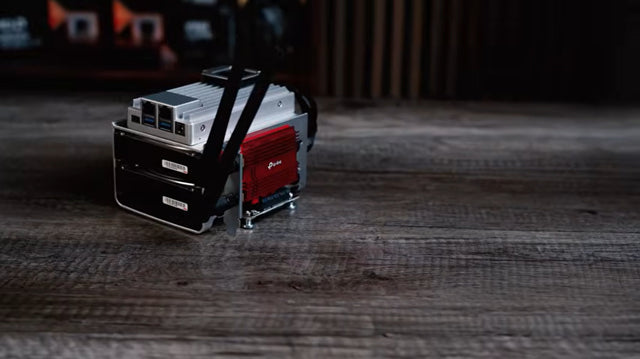
Used Enterprise Server Noise and Power Risk Guide
A used enterprise server is a bargain only when measured noise, idle power, parts, and placement costs fit the home for its full service...
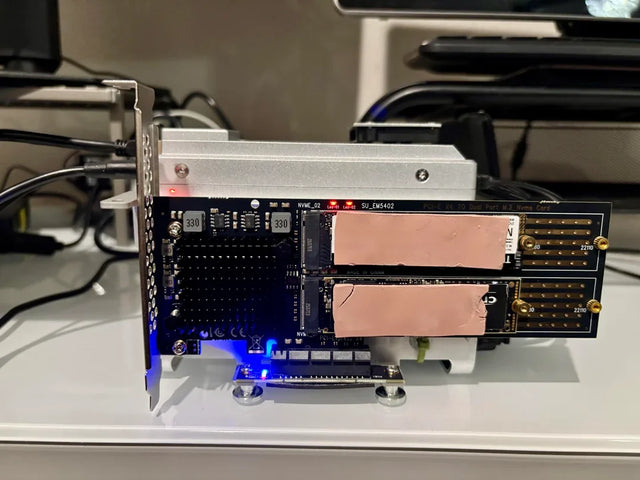
Fanless Home Server Thermal Risk Assessment
A fanless server is safe only when sustained workload and hot-room tests leave thermal margin without hidden throttling or storage heat.
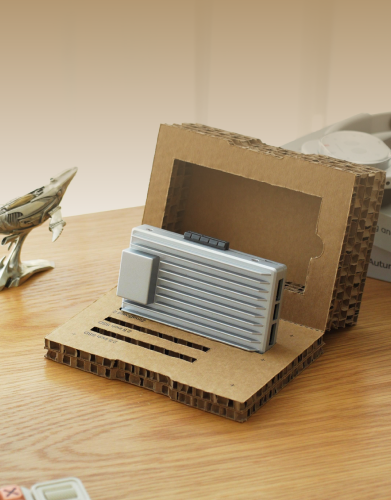
Drive Bay Expansion Risk Assessment for a Value NAS
A value NAS is expansion-ready only when its pool rules, power budget, rebuild plan, and total enclosure cost pass before purchase.


