
Family Photo Migration Risk Guide Before Buying a NAS


A NAS is ready for a family photo migration only when it can hold the source export, a normalized working copy, the managed library, and an independent backup at the same time. Capacity alone is not enough: the migration must preserve originals, dates, locations, edits, albums, and paired media without deleting the source too early.
Inventory the archive before sizing the NAS
Count files and bytes by source, year, owner, and media type. Separate originals, edited variants, screenshots, shared-album copies, thumbnails, RAW files, videos, Live Photo pairs, and cloud exports with JSON or XMP sidecars.
Record which metadata lives inside the media and which exists only in a sidecar or cloud database. Capture time, time zone, location, description, favorites, albums, faces, and edit history may not travel through an ordinary file copy.
Do not use the visible cloud-library size as the sole capacity input. Include temporary export archives, extraction overhead, duplicate review, previews, indexes, snapshots, backup retention, and future phone growth.
Define canonical originals and duplicate policy
Choose which file is authoritative when the same image appears as an original, edited copy, compressed share, burst, or repeated export. File names alone are weak evidence because exports can rename duplicates or split paired components.
Use cryptographic hashes to identify byte-identical files, then review visually similar but non-identical items separately. Preserve meaningful edits and higher-quality originals until the family agrees which variants can be removed.
Use the migration table to decide what must be preserved, transformed, or reviewed.
| Decision area | Pass requirement | Stop condition |
|---|---|---|
| Originals and edits | Preserve separately until reviewed | Do not deduplicate by filename |
| Dates and locations | Pair or embed sidecar metadata | Validate across devices and years |
| Rollback | Keep source plus independent backup | Retire cloud only after restore tests |
Test the photo application with a representative sample
Build a sample across years, devices, users, formats, edited variants, sidecars, time zones, and paired media. Import it into the intended NAS photo application and inspect the timeline, map, albums, video playback, Live Photos, permissions, search, and downloads.
Measure indexing time, CPU and memory pressure, thumbnail growth, and client behavior. A migration can fit on disk yet leave the NAS overloaded for days or make browsing slower than the family will accept.
A related ZimaSpace photo sidecar workflow explains how capture dates and other metadata can remain outside the media file.
An independent photo migration analysis documents sidecars, albums, Live Photos, duplicates, and validation steps in a cloud-to-NAS move.

Buy only with staging capacity and rollback
Keep the cloud library, export archives, and original local folders unchanged until file counts, hashes, dates, representative albums, paired assets, permissions, backups, and restores all pass. Synchronization is not a safe rollback when deletion can propagate.
Choose a NAS that supports the required users, app workload, storage growth, snapshots, and an independent backup destination. If the purchase budget covers only the primary disks, delay migration rather than treating RAID as the second copy.
The purchase passes when a sample survives export, normalization, import, browsing, download, and restore; the full process has enough temporary space; and every excluded duplicate is explained by a manifest.

Recommended products

Buying Guide
More to Read
Password Vault Server Availability Risk Guide
Self-host a password vault only when cached access, independent recovery credentials, tested restores, and another operator prevent outage-driven lockout.
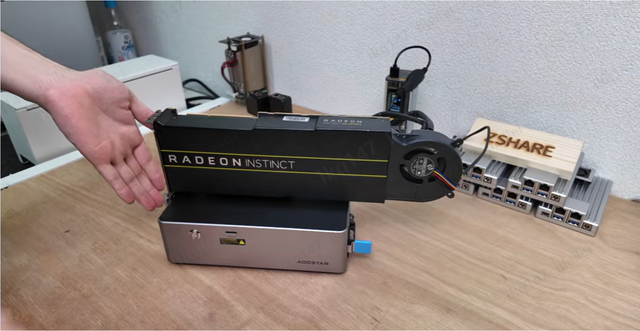
Mini PC Expansion Risk Guide for First-Time Buyers
Buy a mini PC after confirming replaceable parts, shared bandwidth, and whether the complete expansion path remains stable and affordable.

Home Server Lock-In Risk Assessment Before Purchase
A home server is portable when data, metadata, identities, apps, backups, and configuration can move without the original vendor’s hardware or cloud service.


