
AI NAS for Home Security Cameras and Local Video Intelligence


Quick Answer
An AI NAS can help home security cameras by turning raw camera feeds into local video intelligence. Instead of only recording hours of footage or triggering alerts from every moving shadow, it can use local object detection, event rules, zones, masks, and storage workflows to identify people, vehicles, animals, packages, and other relevant activity.
The main benefit is not just local recording. It is the ability to filter noise, review important clips faster, reduce cloud dependence, and keep more control over where footage is processed and stored. This makes camera intelligence one of the more practical AI NAS use cases at home, especially for households that want fewer false alerts and more private video workflows.
AI NAS does not automatically make cameras private, accurate, or maintenance-free. Camera firmware, network access, storage layout, hardware acceleration, retention rules, and remote viewing choices still matter.
What Does AI NAS Mean for Home Security Cameras?
From Passive Video Storage to Local Video Intelligence
A traditional NAS can store camera recordings, but it usually behaves like a passive video archive. It saves files, keeps footage for a set retention period, and lets users review clips later.
An AI NAS adds a local intelligence layer. It can help detect objects, classify events, filter alerts, create searchable clips, and integrate video events with home automation systems.
For home security, this changes the workflow from “record everything and review later” to “record, detect, filter, and surface what matters.” The goal is to reduce manual review and make camera footage more useful.
How AI NAS Differs From Cloud Smart Cameras
Cloud smart cameras usually send video, metadata, alerts, or event processing through a provider’s platform. This can be convenient, but it often depends on subscriptions, cloud access, app support, and vendor policies.
A local AI NAS setup keeps more of the workflow under user control. Camera streams can be recorded locally, object detection can run on local hardware, and alerts can be managed without uploading every event to a third-party service.
The trade-off is maintenance. Local systems require more planning around hardware, software, network isolation, updates, storage, and remote access.
What AI NAS Does Not Automatically Solve
AI NAS does not guarantee perfect security. Object detection can miss events, misclassify objects, or perform worse in poor lighting, bad angles, rain, glare, or low-quality streams.
It also does not automatically make cameras private. A camera may still contact vendor servers unless network access is controlled.
A good camera AI workflow should be treated as a layered system: reliable camera streams, local detection, useful filtering, controlled access, and a sensible storage plan.
Why Traditional Home Camera Workflows Create Too Much Noise
Motion Detection Triggers Too Many False Alerts
Traditional motion detection often reacts to pixel changes. This can include wind, rain, insects, shadows, headlights, tree branches, flags, reflections, or camera noise.
For users, the result is alert fatigue. If a camera sends too many irrelevant notifications, people stop trusting the alerts.
Object detection improves the workflow by asking a better question: not only “did something move?” but “is the moving thing a person, car, pet, package, or another object I care about?”
Cloud Cameras Add Privacy and Subscription Concerns
Cloud cameras are convenient, but they can create concerns around recurring fees, remote processing, account dependence, vendor access, and long-term platform support.
Some users are comfortable with this trade-off because cloud systems are easy to install and usually have polished mobile apps. Others prefer local control, especially for cameras covering homes, children, driveways, garages, entrances, or private indoor areas.
AI NAS is most relevant when users want smarter detection without making cloud processing the default path for every video event.
Long Video Timelines Make Events Hard to Review
Continuous recording creates another problem: too much footage. Even a few cameras can generate long timelines that are difficult to review manually.
AI video intelligence can help by converting long recordings into events, clips, summaries, or searchable moments. This makes it easier to find when a package arrived, when a person entered a zone, or when a vehicle appeared.
The practical value is time saved. A useful AI NAS camera workflow should reduce both false alerts and manual video scrubbing.

How to Think About AI NAS as a Local Video Intelligence Pipeline
The Local Video Intelligence Pipeline explains how an AI NAS turns raw home camera feeds into useful local security intelligence through capture, detection, filtering, review, storage, and privacy control.
| Pipeline Layer | What It Includes | What It Helps Users Understand |
| Capture Layer | IP cameras, RTSP streams, local NVR recording, timestamps, continuous or event-based recording | AI NAS first needs reliable camera feeds and local recording before detection or review can work |
| Detection Layer | Person detection, vehicle detection, pets, animals, packages, object classes, model inference | AI NAS analyzes frames to identify meaningful objects and events, not just motion |
| Filtering Layer | Event rules, zones, masks, confidence thresholds, notification rules, false alert reduction | Useful camera AI depends on filtering out irrelevant motion before alerts are sent |
| Review Layer | Clips, timelines, searchable events, daily summaries, anomaly review, playback UI | The goal is to make important moments easier to find without scrubbing hours of video |
| Compute and Storage Layer | CPU, GPU, NPU, Edge TPU, hardware acceleration, SSD for recent footage, HDD for retention | Real-time camera AI can stress NAS hardware, so processing and storage need planning |
| Privacy and Preservation Layer | Local processing, VLANs, camera firmware behavior, remote access, access control, retention rules, backups | Local AI is only private and reliable when network, permissions, and storage policies are controlled |
Capture: Camera Streams and Local Recording
The capture layer starts with camera streams. Many local NVR workflows depend on IP cameras that provide stable local streams, often through RTSP.
Reliable capture matters because AI detection cannot fix unstable video input. If camera streams drop, stutter, or rely only on vendor cloud access, the local workflow becomes weaker.
A good setup separates recording needs from detection needs. Some systems record continuously, while others save clips based on detected events or retention rules.
Detection: People, Vehicles, Animals, Packages, and Motion Zones
The detection layer analyzes frames or regions of frames to identify meaningful objects. Common home security classes include people, vehicles, pets, animals, and packages.
This is different from basic motion detection. A moving tree branch and a person approaching the door both create motion, but they should not trigger the same level of attention.
Detection quality depends on camera placement, stream quality, model choice, lighting, and hardware acceleration.
Filtering: Event Rules, Confidence Thresholds, and False Alert Reduction
Filtering turns raw detections into useful alerts. A system may detect many objects, but only some should create a notification, clip, or review item.
Typical filtering controls include:
-
Zones for areas that matter, such as a driveway or front porch
-
Masks for persistent false positives in fixed locations
-
Object classes, such as person, car, dog, or package
-
Confidence thresholds
-
Time-based alert rules
-
Required zones before notifications or recordings are created
Good filtering is what makes local video intelligence practical. Without it, AI detection can still produce too many events.
Retrieval: Clips, Timelines, Search, and Daily Summaries
Retrieval is the review layer. Instead of scrolling through a full day of footage, users can review clips, filtered events, timelines, and sometimes summaries.
For home users, this is often the difference between “I have recordings” and “I can find what happened.” A local AI NAS should make events easier to locate, not just store more video.
A practical review workflow might look like this:
-
Camera streams are recorded locally.
-
Motion or activity determines where detection should run.
-
Object detection identifies people, vehicles, pets, packages, or other classes.
-
Zones and rules decide whether the event matters.
-
Relevant clips are saved with timestamps and metadata.
-
Recent footage stays fast to access, while older recordings follow retention rules.
Preservation: Storage Tiers, Retention, Backup, and Privacy Controls
Preservation covers what happens after detection and review. Camera footage can grow quickly, so storage tiers and retention policies are important.
Recent clips may benefit from SSD or cache storage for faster playback and UI responsiveness. Older recordings may move to HDD storage or be deleted based on retention rules.
Not all footage needs the same protection. Routine recordings may have short retention, while important clips may need backup or export.
What AI NAS Can Detect in Home Camera Footage
People, Familiar Faces, and Unknown Visitors
Person detection is one of the most common use cases for local camera AI. It can help distinguish a person from shadows, trees, headlights, or random motion.
Some systems may also support familiar-face workflows, but this should be treated carefully. Face-related features depend on model quality, camera angle, lighting, distance, and privacy expectations.
For home security, basic person detection is often more practical than trying to identify every individual perfectly.
Vehicles, Packages, Pets, and Animals
Vehicle detection can help with driveway, garage, and street-facing cameras. Package detection can be useful for front doors, porches, and delivery zones.
Pet and animal detection can reduce confusion between people and harmless movement. It can also help users understand whether alerts are caused by a dog, cat, wildlife, or another animal.
These detections are most useful when tied to zones. A car passing on the street may not matter, while a vehicle entering the driveway may.
Unusual Motion, Zones, and Time-Based Events
Not every useful event is a simple object class. Users may care about activity in a specific zone, at a specific time, or after a certain duration.
For example, motion near a gate at night may matter more than motion on a sidewalk during the day. A person in the driveway may matter more than a person walking past the property line.
AI NAS camera workflows should combine object detection with location and time context. This is what turns raw detection into useful local intelligence.
How Local Video Intelligence Reduces False Alerts
Object Detection Filters Wind, Shadows, and Random Motion
Object detection helps reduce false alerts because the system can ignore many kinds of movement that do not match objects of interest. Wind, shadows, trees, rain, and insects may create motion, but they are not necessarily security events.
Frigate describes itself as a complete local NVR designed for Home Assistant with AI object detection, using OpenCV and TensorFlow for real-time local detection on IP cameras. It also notes that recommended detectors are strongly recommended and CPU detection should generally be used only for testing.
The important point for AI NAS users is that detection should be selective. Running object detection everywhere all the time can waste resources, while targeted detection can make alerts more useful.
Zones and Masks Help Focus on Important Areas
Zones and masks help refine what should create an event. Frigate’s mask documentation distinguishes motion masks from object filter masks and warns that masks are narrow tools, not a general way to hide areas from detection. It also notes that zones with required zones are often the better tool when users only want alerts in specific areas.
This distinction matters. A motion mask may stop motion in an area from triggering detection, but it does not necessarily prevent objects from being detected there if detection starts elsewhere.
For many home setups, the best pattern is to define where alerts matter. A camera can still observe a sidewalk, but only create a review item when a person enters the porch or driveway zone.
Event Summaries Reduce Manual Video Scrubbing
Event summaries and clips help users review what matters without watching long timelines. A system that records all day but cannot surface key moments still creates work for the user.
Useful summaries may include detected people, vehicles, packages, zones, times, and short clips. The exact features depend on the software stack.
The goal is not to replace human review entirely. It is to reduce the number of irrelevant moments users must inspect.
Local AI NVR vs Cloud Security Camera Systems
Local Processing Keeps More Video Under User Control
A local AI NVR can process more video on hardware the user controls. This may reduce dependence on cloud detection, cloud storage, and vendor subscriptions.
Local processing is especially valuable for users who care about private footage, indoor cameras, children, garage cameras, or areas that reveal home routines.
However, local processing still requires correct setup. A local NVR does not automatically control camera firmware behavior, outbound network access, or remote viewing paths.
Cloud Systems Are Easier but Depend on Provider Rules
Cloud camera systems are often easier to install. They usually provide mobile apps, remote viewing, cloud notifications, and automatic updates.
The trade-off is dependence. Users may rely on subscription plans, provider servers, internet connectivity, and vendor-defined retention or privacy policies.
For many households, the decision is not purely technical. It is a trade-off between convenience, privacy control, cost, maintenance, and reliability.
Hybrid Setups Can Balance Convenience and Privacy
Some users may choose a hybrid approach. For example, they might record locally while still using a vendor app for some remote features, or use local AI for important cameras and cloud cameras for less sensitive areas.
Hybrid setups can be practical, but they should be intentional. Users should know which video streams, alerts, or metadata leave the home network.
The safest hybrid design usually separates sensitive cameras from convenience-first cameras and applies different access rules to each.
What Hardware Does AI NAS Need for Camera AI?
CPU, GPU, NPU, and Edge TPU Roles
Camera AI uses different hardware for different tasks. The CPU may handle stream management, motion analysis, container workloads, database activity, and general NAS services. A GPU, NPU, Hailo, Coral, OpenVINO, or other detector may handle object detection more efficiently.
Frigate’s hardware documentation explains that detectors are optimized devices for running inference efficiently and that offloading object detection to a detector can reduce CPU load. It also states that the Coral is no longer generally recommended for new Frigate installations except in low-power or limited-hardware cases, while Frigate supports multiple detector types across Hailo, Coral, OpenVINO, Nvidia, ROCm, Apple Silicon, Jetson, Rockchip, and other platforms.
| Component | Typical Role in Camera AI | Practical Boundary |
| CPU | Stream handling, motion analysis, container services, database activity | Can become overloaded by high-resolution streams or many cameras |
| GPU | Video decoding, object detection, or acceleration depending on software support | Useful only when supported drivers and containers are configured correctly |
| NPU | Efficient inference on supported platforms | Software support varies by platform and model |
| Edge TPU / AI accelerator | Low-power object detection in supported workflows | May not help with video decoding or storage writes |
| SSD / cache | Recent footage, database files, clips, fast review | Can reduce UI lag but must be planned for write load |
| HDD / array | Longer retention and bulk recording storage | Better for capacity, but not always ideal for high-churn recent footage |
Hardware planning should start with camera count, stream resolution, detection FPS, retention needs, and whether the NAS is also doing backups, media services, or other workloads.
Why Multiple Camera Streams Can Overload a NAS
Multiple camera streams create both compute and storage pressure. The NAS may need to decode video, track motion, run detection, write recordings, maintain databases, serve playback, and preserve other NAS functions.
Higher resolution and frame rate increase the amount of data that must be parsed. Even when an AI accelerator helps with detection, it may not help with video decoding or storage writes.
This is why some users separate detection streams from recording streams. A lower-resolution substream may be used for detection, while a higher-quality stream is saved for recordings.
When Recent Footage Should Stay on SSD Before Moving to HDD
Recent footage is frequently accessed for alerts, thumbnails, timelines, and review. SSD or cache storage can make this experience more responsive.
Older recordings may not need the same speed. They can often move to HDD storage or follow retention rules, depending on how long users want to keep footage.
Community discussions around Frigate and unRAID often show users debating dedicated recording drives, cache pools, SSDs, surveillance HDDs, and separate machines because camera workloads create constant writes and active database activity.
This is community experience rather than a universal rule. The useful takeaway is that camera storage should be planned differently from ordinary file storage.
What Software Makes AI NAS Useful for Home Cameras?
Local NVR Software and RTSP Camera Streams
A local AI camera workflow usually needs NVR software, camera streams, recording rules, detection settings, and a review interface. RTSP streams are common because they allow the NVR to connect directly to compatible IP cameras.
The software should support stable recording, event review, local detection, retention rules, and integration with the user’s preferred home automation tools.
The best software choice depends on camera compatibility, operating system, hardware acceleration support, and how much configuration the user is willing to maintain.
Object Detection Models and Hardware Acceleration
Object detection models are what turn video frames into detected classes such as person, car, dog, cat, or package. Hardware acceleration determines how efficiently those models can run.
For AI NAS users, the key question is not only whether a model exists. It is whether the software supports the hardware path, the model format, and the camera workload.
A system with unsupported acceleration may fall back to CPU or perform poorly. A modest system with well-supported acceleration may feel better than a more powerful system with poor software support.
Home Automation Integrations and Alert Rules
Home automation integration can make local camera AI more useful. A detection event can trigger lights, notifications, automations, or dashboards.
Alert rules should be specific. A person in the driveway after midnight may deserve a notification, while a person walking past a public sidewalk may not.
Good software lets users combine object type, zone, time, and confidence into practical rules.
When Should Camera AI Run Outside the NAS?
Use the NAS for Storage When Video Processing Is Too Heavy
A NAS is often strongest as reliable storage. If camera AI workloads make the NAS slow, hot, unstable, or difficult to maintain, it may be better to keep the NAS focused on recording and retention.
This is especially true when the same NAS also handles backups, family files, media libraries, or self-hosted apps.
A storage-first NAS can still be part of the AI workflow. It may store recordings while another local device handles detection or transcoding.
Use a Separate AI Box for Multi-Camera Detection or Transcoding
A separate AI box can make sense for multi-camera detection, heavy transcoding, or GPU/NPU workloads. This box can mount NAS storage over the local network while handling compute-intensive tasks separately.
This design has a practical benefit: NAS maintenance does not necessarily stop camera recording or detection if the camera system is isolated correctly.
It also allows users to choose hardware based on workload. Storage hardware and AI inference hardware do not always need to be the same machine.
Keep Camera Workloads Isolated From Critical Backups
Camera workloads are different from backups. They can involve constant writes, high churn, temporary clips, databases, thumbnails, and retention cycles.
Mixing camera recordings with critical backups without planning can create performance and reliability issues. Users should decide which footage is routine, which clips are important, and which data needs backup.
For many homes, only selected clips or alert events need long-term protection. Continuous recordings may follow shorter retention rules.
Privacy and Security Boundaries for Local Camera AI
Local Processing Does Not Automatically Mean Private Cameras
Local AI reduces cloud dependence, but it does not automatically make a camera private. Cameras may still contact vendor services, depend on cloud apps, or expose remote access features.
Privacy depends on the full path: camera firmware, network access, DNS, firewall rules, NVR design, app settings, remote viewing, user permissions, and backups.
A local AI NAS is one part of the privacy design. It should not be treated as the whole design.
Camera Firmware, Remote Access, and Phoning-Home Risks
A Reddit discussion about an IP camera “phoning home” shows a common self-hosting concern: users may store and view video locally while still noticing outbound connections from the camera. The discussion centered on isolating cameras, blocking outbound access, using local NVR access, and understanding that vendor-app remote viewing may break if cloud access is blocked.
This supports a practical boundary: local recording does not guarantee local-only behavior. Users may need VLANs, firewall rules, allowlists, VPN-based remote access, or cameras that support true local operation.
Blocking internet access can also affect firmware updates or vendor app features. Privacy choices often involve trade-offs.
Access Control Matters for Clips, Alerts, and Shared Users
Camera footage can reveal routines, home layouts, visitors, children, vehicles, and private activity. Access control should be treated seriously.
Users should decide who can view live feeds, review clips, change alert rules, export footage, or access remote viewing.
For families, shared access should be limited to the right people and cameras. Not every user needs admin access to every clip or system setting.
How to Judge Whether AI NAS Is Worth It for Home Security Cameras
Use AI NAS When False Alerts Waste Time
AI NAS is worth considering when false alerts make the camera system hard to trust. If users receive too many notifications from wind, shadows, trees, insects, or passing traffic, object detection and zone-based filtering can help.
The practical test is whether the system reduces review time. If local detection surfaces the right clips faster, the workflow is working.
This is especially useful for front doors, driveways, garages, side yards, and package delivery areas.
Use AI NAS When Local Privacy Matters More Than Cloud Convenience
AI NAS is also useful when local processing and local storage are priorities. Users who do not want every detection, thumbnail, or clip processed through a cloud provider may prefer a local NVR workflow.
However, privacy-focused users should be ready to manage network design. Cameras, NVR software, remote access, and storage rules all need attention.
Local privacy is a system design choice, not a single toggle.
Keep a Simpler NVR When Basic Recording Is Enough
Not every home camera setup needs AI. If users only need basic recording and rarely review footage, a simpler NVR may be enough.
AI adds configuration and maintenance. It requires hardware planning, model support, detection tuning, and storage policies.
A good decision rule is simple: use AI NAS when detection, filtering, privacy, or event review solves a real problem. Keep it simpler when basic recording already meets the need.
Common Misconceptions About AI NAS for Home Cameras
AI Detection Is Not the Same as Perfect Security
AI detection can reduce noise, but it does not guarantee full security. It can miss events, classify objects incorrectly, or perform inconsistently under poor conditions.
A camera system should still use good placement, lighting, retention, access control, and backup practices.
AI is best understood as an event-filtering and review tool. It should not be treated as a complete security guarantee.
A NAS CPU Alone May Not Be Enough for Real-Time Video AI
Some users assume a NAS CPU can handle camera AI because it already stores the footage. That may be true for small or low-activity setups, but it is not guaranteed.
Real-time video AI can involve decoding streams, detecting motion, running inference, writing clips, managing databases, and serving playback. Multiple high-resolution cameras can increase load quickly.
Hardware acceleration is useful only when the software supports it correctly. Otherwise, a more powerful CPU or separate AI device may be needed.
More Cameras Do Not Always Mean Better Coverage
Adding more cameras can increase visibility, but it can also increase false alerts, storage use, network traffic, and processing load.
Better coverage often comes from camera placement, zones, lighting, and detection tuning rather than simply adding more streams.
A smaller number of well-placed cameras may produce better intelligence than many poorly configured ones.
What Are the Limits of AI NAS for Local Video Intelligence?
Detection Accuracy Depends on Models, Lighting, Angles, and Cameras
Detection accuracy depends on the full visual pipeline. Low light, glare, rain, insects, motion blur, bad camera angles, and low-resolution detection streams can all reduce quality.
Model choice also matters. Some detectors and models work better for certain object classes, input sizes, and hardware platforms.
Users should tune detection based on real footage. Test in daylight, night, rain, and typical activity conditions before trusting alerts fully.
Hardware Acceleration Depends on Software Support
Hardware acceleration is not automatic. A GPU, NPU, or accelerator must be supported by the NVR software, container runtime, drivers, operating system, and model format.
An unsupported accelerator may provide little benefit. A supported but poorly configured accelerator may still leave the CPU doing heavy work such as video decoding.
This is why hardware planning should follow the software stack. Choose hardware that the intended NVR and detector path can actually use.
Storage, Retention, and Backup Still Need Planning
Camera storage is high-churn data. Continuous recording, clips, snapshots, databases, and thumbnails can create ongoing writes and storage growth.
Retention rules should define how long to keep routine footage, important clips, and alert events. Backup rules should define what is worth protecting.
A practical storage plan often separates recent review speed from long-term retention. SSD or cache may help recent footage, while HDD capacity may suit older recordings.
FAQ
Can I run Frigate or local camera AI directly on my NAS?
Yes, in many setups, Frigate or similar local camera AI software can run directly on a NAS that supports the required containers, hardware access, and storage configuration. This works best when the camera count, stream resolution, and detection workload are modest.
For heavier multi-camera setups, the NAS may be better used as storage while a separate device handles detection or transcoding. The right choice depends on workload and hardware support.
Do I really need a GPU, NPU, or Coral TPU for home camera detection?
Not always, but some form of supported acceleration is often useful for real-time detection. CPU-only detection may be acceptable for testing or very light workloads, but it can become inefficient with multiple cameras.
A detector, GPU, NPU, or other accelerator can reduce CPU load when properly supported. The best option depends on the software, camera count, model type, and host hardware.
Is motion detection enough, or should I use object detection?
Motion detection may be enough if users only need basic recording or broad activity awareness. It is simpler, but it often creates more false alerts.
Object detection is better when users want alerts for specific classes such as people, cars, animals, or packages. The best workflow often combines motion detection, object detection, zones, and alert rules.
What happens if my cameras try to phone home even when I use local storage?
Local storage does not necessarily stop a camera from contacting vendor servers. A camera may still use cloud services for app access, updates, telemetry, or remote viewing.
Users who want stricter privacy often isolate cameras on a VLAN or subnet, block outbound access, and use local NVR or VPN-based remote viewing. This can improve control, but it may also affect vendor app features or firmware updates.
Should I process camera footage on the NAS or on a separate AI machine?
Process footage on the NAS when the workload is small, the NAS has supported acceleration, and camera tasks do not affect storage reliability. This keeps the system simpler.
Use a separate AI machine when detection, decoding, or recording creates too much load. In that setup, the NAS can remain reliable storage while the AI machine handles real-time video processing.

Recommended products
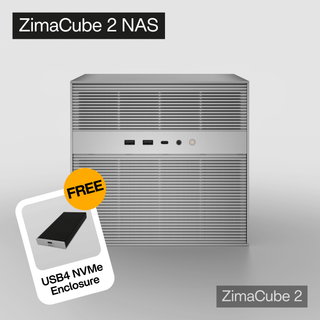
AI HUB
More to Read
When Should Home AI Workloads Run Outside the NAS?
This guide explains when home AI workloads should run outside the NAS by comparing light indexing, OCR, photo tagging, and scheduled automation with heavier...
AI Agent Skills for Indie Hackers in 2026
This guide explains the best AI agent skills for indie hackers, from frontend design and web app testing to Supabase, webhooks, Sentry, Cloudflare, MCP,...
2026 Top AI Agent Skills for Local AI Workflows
This guide explains the best AI agent skills for local AI workflows, from SKILL.md packages and local RAG skills to MCP tools, Ollama-based agents,...


