
2026 Top AI Agent Skills for Document Search and RAG


AI agent skills for document search and RAG help AI agents work with files, knowledge bases, PDFs, reports, manuals, research notes, and private document libraries in a more structured way. Instead of asking an AI model to “summarize this file” once, a document search skill can define how the agent should extract text, run OCR, chunk content, create embeddings, search retrieved context, cite sources, and build a repeatable retrieval workflow.
This guide explains the 2026 best AI agent skills for document search and RAG, how they fit into a practical knowledge workflow, and how creators, developers, researchers, and small teams can use them with local storage or an AI NAS.
Quick Answer
The best AI agent skills for document search and RAG are reusable
SKILL.md packages or GitHub-hosted workflows that help agents process documents, build knowledge bases, run semantic search, and generate grounded answers from retrieved evidence.| Rank | AI Agent Skill | Best For | Source |
| 1 | PDF extraction, OCR, table extraction, PDF manipulation | pdf document processing skill | |
| 2 | docx | Word documents, reports, briefs, structured text files | docx document skill |
| 3 | MinerU Document Explorer | Agent-native document parsing, search, and MCP tool workflows | MinerU Document Explorer agent skill |
| 4 | rag-implementation | Chunking, embeddings, vector databases, hybrid search | rag-implementation skill |
| 5 | rag-blueprint | Deploying, configuring, and troubleshooting RAG systems | NVIDIA RAG Blueprint skill |
| 6 | document-rag-pipeline | Building document knowledge bases from PDFs and folders | document-rag-pipeline skill |
| 7 | qdrant-vector-search | Production vector search and semantic retrieval | qdrant-vector-search skill |
| 8 | chroma | Local vector search and open-source RAG experiments | Chroma RAG skill |
| 9 | OpenRAG-Skill | Evidence-first RAG from supplied source material | OpenRAG evidence-first skill |
| 10 | book-to-skill | Turning books, PDFs, and folders into reusable agent skills | book-to-skill document workflow |
For most users, the best starting stack is simple: use a document extraction skill, a RAG implementation skill, a vector search skill, and an evidence-control skill. That gives the agent a complete workflow from files to grounded answers.
What Are AI Agent Skills for Document Search and RAG?
AI agent skills for document search and RAG are reusable workflow packages that teach an agent how to work with documents and retrieved knowledge. They can help with reading files, extracting text, detecting scanned pages, running OCR, splitting content into chunks, generating embeddings, searching a vector database, and answering questions with source-grounded context.
A normal prompt might say:
“Search these documents and answer my question.”
A better agent skill defines the process:
-
Identify the file types.
-
Extract text and tables.
-
Run OCR if needed.
-
Split the content into useful chunks.
-
Store chunks with metadata.
-
Create embeddings.
-
Search relevant chunks.
-
Rerank or filter results.
-
Answer with citations or evidence.
-
Say when the source material is incomplete.
That is the difference between “AI document chat” and a real RAG workflow.
| Layer | What It Does |
| Document processing | Reads PDFs, Word files, scans, reports, manuals, and tables |
| Ingestion | Converts files into searchable text and metadata |
| Chunking | Splits long documents into retrieval-friendly pieces |
| Embedding | Converts text into vector representations |
| Vector search | Finds semantically relevant passages |
| Hybrid search | Combines keyword search and vector search |
| Reranking | Improves retrieval quality before answering |
| Grounded answer generation | Produces answers based on retrieved evidence |
| Evaluation | Checks whether retrieval is accurate and complete |
For document-heavy teams, this is more useful than asking an LLM to rely on memory. RAG is about giving the agent the right source material at the right time.
Best AI Agent Skills for Document Search and RAG
The best skills depend on your document type and workflow. A researcher may need PDF extraction and evidence control. A developer may need RAG architecture and vector search. A small business may need a local document knowledge base. A creator may need to turn books, notes, and PDFs into reusable workflows.
1. pdf
The
pdf skill is useful whenever your knowledge base includes PDF files. It can support tasks such as extracting text and tables, working with scanned files, merging or splitting documents, rotating pages, filling forms, extracting images, and applying OCR to make scanned files searchable.Best for:
-
Research papers
-
Product manuals
-
Contracts
-
Reports
-
Scanned documents
-
Downloadable guides
-
Knowledge-base PDFs
For RAG, PDF handling is often the first bottleneck. If the extraction is bad, retrieval quality will also be bad. A PDF skill helps the agent treat document processing as a structured step rather than a casual summary request.
2. docx
The
docx skill is useful for Word documents, briefs, reports, internal documentation, standard operating procedures, and client-facing deliverables. Many private knowledge bases are not made of clean web pages. They are made of Word files, exported documents, and team reports.Best for:
-
Internal reports
-
Meeting notes
-
Client briefs
-
Research drafts
-
SOP documents
-
Policy documents
-
Knowledge-base source files
For document search, this skill matters because RAG systems need clean source material. Word documents often include headings, tables, formatting, comments, and repeated sections. A document skill can help preserve structure before the content enters a retrieval pipeline.
3. MinerU Document Explorer
MinerU Document Explorer is useful for more advanced document parsing and search workflows. It ships with an agent skill that teaches AI agents how to use its tool suite, including decision trees, usage patterns, and best practices across MCP tools.
Best for:
-
Large document libraries
-
Technical PDFs
-
Scientific or enterprise documents
-
Knowledge extraction
-
Document search tools
-
Agent-native document workflows
This kind of skill is useful when simple file summarization is not enough. It gives the agent a more operational way to interact with document parsing, indexing, and search tools.
4. rag-implementation
The
rag-implementation skill is a practical skill for building RAG and semantic search systems. It covers core RAG decisions such as vector database selection, chunking strategies, embedding models, retrieval optimization, hybrid search, and debugging retrieval quality.Best for:
-
Building RAG applications
-
Semantic search
-
Vector database selection
-
Chunking strategy
-
Embedding model choice
-
Retrieval quality debugging
-
Hybrid search design
This is one of the most important skills for developers because it moves the workflow beyond “connect a vector database.” A good RAG system depends on many design choices, and this skill helps the agent reason through them.
5. rag-blueprint
The
rag-blueprint skill is designed for deploying, configuring, troubleshooting, and managing RAG systems. It is useful for users who want a more complete RAG environment rather than a small local experiment.Best for:
-
RAG deployment
-
RAG configuration
-
Ingestion workflows
-
Observability
-
Troubleshooting
-
Query rewriting
-
Guardrails
-
Service management
This skill is useful when RAG becomes infrastructure. Once a knowledge system has ingestion, search, APIs, evaluation, and monitoring, agents need operational instructions, not just coding suggestions.
6. document-rag-pipeline
The
document-rag-pipeline skill is focused on turning document collections into searchable knowledge bases. It covers PDF text extraction, OCR for scanned documents, chunking with overlap, vector embeddings, SQLite full-text search, and semantic similarity search.Best for:
-
Searchable document libraries
-
PDF folders
-
Technical standards
-
Internal knowledge bases
-
Local document search
-
Small-team RAG systems
This is a good example of a complete document workflow. It connects the boring but important steps: extract, chunk, embed, store, search, and answer.
7. qdrant-vector-search
The
qdrant-vector-search skill is useful for production-oriented vector search. Qdrant is often used when teams need fast nearest-neighbor search, filtering, hybrid search, and scalable vector storage.Best for:
-
Production RAG
-
Vector similarity search
-
Semantic retrieval
-
Metadata filtering
-
High-performance document search
-
Scalable knowledge bases
For teams moving beyond prototypes, the vector database matters. A Qdrant-focused skill can help agents understand when to use vector search, how to structure metadata, and how to think about retrieval performance.
8. chroma
The
chroma skill is useful for local development, smaller RAG projects, and open-source experiments. It focuses on embeddings, metadata, vector search, full-text search, and document retrieval.Best for:
-
Local RAG experiments
-
Notebook workflows
-
Small knowledge bases
-
Open-source prototypes
-
Developer testing
-
Self-hosted semantic search
This is a good starting point for creators, developers, and researchers who want to test RAG without building a large production system first.
9. OpenRAG-Skill
OpenRAG-Skill is useful when the source material is already available in the chat or working context. It focuses on evidence-first answering, source-grounded reasoning, and refusing when the record is incomplete.
Best for:
-
Evidence-controlled answers
-
Research notes
-
Source-grounded summaries
-
Document Q&A
-
Internal review workflows
-
Citation-sensitive writing
This kind of skill matters because RAG quality is not only about search. It is also about answer discipline. A good agent should know when the retrieved evidence is strong enough and when it is not.
10. book-to-skill
book-to-skill is useful for turning a book, PDF, folder, or document collection into a reusable agent skill. Instead of repeatedly uploading the same long material, the knowledge becomes part of a reusable skill workflow.Best for:
-
Technical books
-
Long PDF guides
-
Training materials
-
Internal handbooks
-
Course notes
-
Reference folders
-
Reusable knowledge assets
This is especially useful for teams that repeatedly ask agents about the same source material. A document can become a skill, and the skill can become part of a repeatable workflow.
How to Build a Document Search and RAG Skill Stack
A good document search and RAG stack should not start with too many tools. Start with the document type, then add retrieval, then add evaluation.
A practical stack looks like this:
| Workflow Layer | Suggested Skill |
| PDF extraction and OCR | |
| Word document handling | docx |
| Advanced document parsing | MinerU Document Explorer |
| RAG system design | rag-implementation |
| RAG deployment | rag-blueprint |
| Local document knowledge base | document-rag-pipeline |
| Production vector search | qdrant-vector-search |
| Local vector search | chroma |
| Evidence control | OpenRAG-Skill |
| Turning documents into skills | book-to-skill |
The best order is:
-
Start with file extraction.
-
Add structure and metadata.
-
Choose a chunking strategy.
-
Select a vector store.
-
Test retrieval quality.
-
Add citation rules.
-
Store the workflow as a repeatable skill.
For a small team, the first goal should not be a perfect enterprise RAG system. The first goal should be a reliable workflow that can answer questions from your own documents without inventing unsupported claims.
You can also use the AI Agent Skill Finder to compare AI agent skills by role and workflow when you want to go beyond this list.
Where ZimaCube 2 Fits Into Private RAG Workflows
Document search and RAG become much more useful when the documents are close to your own storage, private files, project folders, and long-term knowledge base. This is where an AI NAS can fit naturally into the workflow.
If you use ZimaCube 2 AI NAS, you can use it as a local workspace for storing source documents, PDFs, research libraries, transcripts, project notes, embeddings, retrieval outputs, and AI-generated summaries.
A private RAG workflow may look like this:
| Local Asset | How RAG Skills Can Use It |
| Research PDFs | Extract text, chunk sections, and answer questions |
| Technical manuals | Build a searchable support knowledge base |
| Meeting notes | Search decisions and action items |
| Product documents | Create internal Q&A and onboarding workflows |
| Video transcripts | Turn long-form content into searchable text |
| Client files | Keep sensitive documents in a controlled local environment |
| Team knowledge base | Combine SOPs, docs, and historical notes |
This does not mean every RAG workflow requires an AI NAS. A laptop or cloud drive may be enough for simple experiments. But for users who care about private storage, local knowledge bases, media archives, self-hosted automation, and long-term AI workflows, an AI NAS can become the foundation for document search.
The key benefit is control. Instead of scattering files across many cloud tools, you can keep your document library, search index, and AI workflow artifacts closer to your own infrastructure.
Safety Checklist Before Using RAG Skills
AI agent skills for document search and RAG should be reviewed carefully. They may read private files, process sensitive documents, run scripts, connect to vector databases, call APIs, or generate answers that look authoritative.
Before using a third-party skill, check:
-
Who maintains the repository?
-
Does the skill include executable scripts?
-
Does it upload documents to external services?
-
Does it access private folders or credentials?
-
Does it store embeddings locally or in the cloud?
-
Does it explain how citations or evidence are handled?
-
Does it say when retrieved evidence is incomplete?
-
Can you test it with non-sensitive files first?
-
Can you remove or audit generated indexes later?
-
Does it match your privacy requirements?
For sensitive documents, treat RAG skills like software dependencies. Do not install unknown skills directly into a private knowledge base. Test them in a sandbox, inspect the
SKILL.md, and review any scripts before giving the agent access to real files.This is especially important for private RAG because the risk is not only hallucination. The risk is also accidental data exposure, poor access control, weak retrieval quality, or unverified answers that appear more certain than the evidence supports.
Conclusion
AI agent skills for document search and RAG turn document work into reusable workflows. Instead of uploading files again and again, users can build skills that extract, index, retrieve, cite, and reuse knowledge more reliably.
The best starting skills depend on your goal. Use
pdf and docx for file handling, MinerU Document Explorer for advanced document parsing, rag-implementation for RAG design, rag-blueprint for deployment, document-rag-pipeline for local knowledge bases, qdrant-vector-search or chroma for vector search, OpenRAG-Skill for evidence-first answering, and book-to-skill for turning source material into reusable agent workflows.For private document libraries, an AI NAS such as ZimaCube 2 can provide the local storage foundation for RAG experiments, long-term knowledge bases, and self-hosted AI workflows. The goal is not just faster search. The goal is a more trustworthy way to let AI agents work with your own knowledge.
FAQ
What are AI agent skills for document search?
AI agent skills for document search are reusable workflows that help agents read, extract, index, search, and summarize documents such as PDFs, Word files, reports, manuals, transcripts, and internal knowledge-base files.
What is the difference between document search and RAG?
Document search usually means finding relevant files or passages. RAG goes further by retrieving relevant context and using it to generate a grounded answer. A strong RAG workflow includes ingestion, chunking, embeddings, retrieval, reranking, and evidence-aware answer generation.
Which AI agent skill should I use first for RAG?
Start with the file type. If your knowledge base is mostly PDFs, start with
pdf. If you want to build the retrieval system itself, start with rag-implementation. If you need local vector search, try chroma; for more production-oriented vector search, consider qdrant-vector-search.Can AI agent skills help reduce hallucinations in document Q&A?
Yes, but only if the skill is designed around evidence. Skills such as OpenRAG-Skill focus on source-grounded answers and refusing when the record is incomplete. Good RAG skills should make the agent show what source material supports the answer.
Do I need an AI NAS for document search and RAG?
No. You can test RAG on a laptop or cloud environment. However, an AI NAS such as ZimaCube 2 can be useful if you want private document storage, local knowledge bases, media archives, self-hosted automation, and long-term AI workflows around your own files.

AI HUB
More to Read
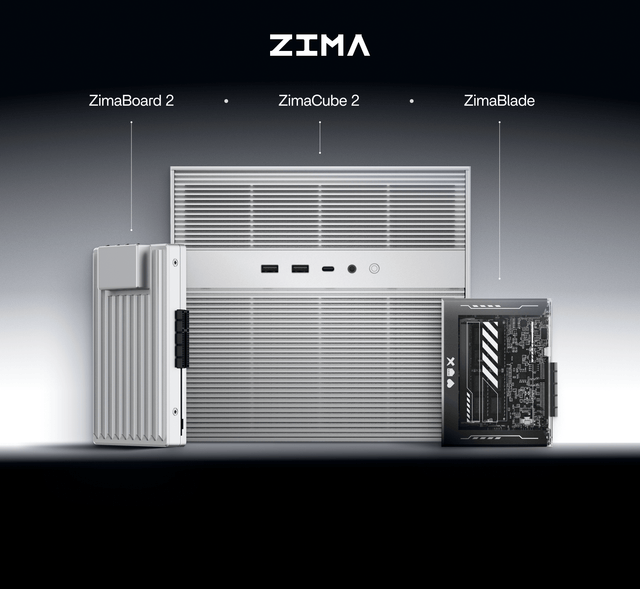
2026 AI Agent Skills for Local Knowledge Bases
A practical guide to AI agent skills for local knowledge bases, covering RAG, PDFs, vector search, private document workflows, and ZimaCube 2 AI NAS...
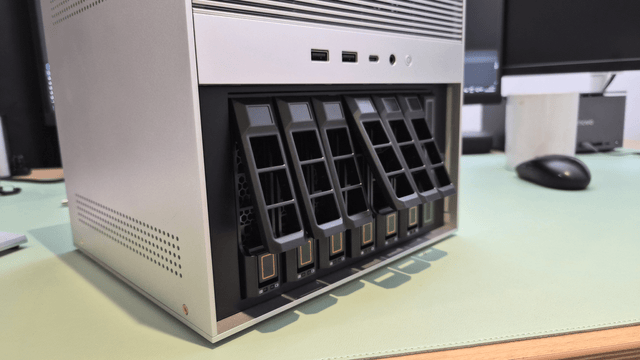
2026 Best AI Agent Skills for Content Creators
A practical guide to the best AI agent skills for content creators in 2026, covering research, writing, SEO, slides, PDFs, media workflows, and AI...
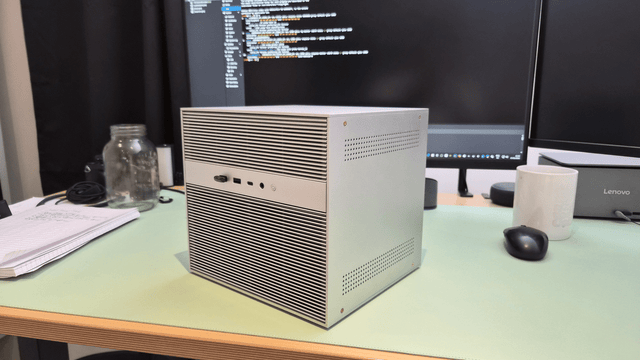
Top 10 Open-Source AI Agent Skills on GitHub
Top 10 open-source AI agent skills on GitHub, including frontend-design, webapp-testing, TDD, security analysis, MCP building, and AI NAS workflows.


