
World Usability Day 2026: Make Home Technology Easier to Use


World Usability Day 2026 falls on November 12, with the theme “Designing a Sustainable Future with Ethical AI.” For a household, that starts with a practical question: can the people who depend on your technology actually use it? A family photo library, a shared folder, or an AI assistant succeeds when someone can complete a useful task, understand the result, and recover from a mistake.
You do not need to redesign an entire app to make a difference. Watch someone find a document, share a photo, or check an AI answer without your help. The pauses and wrong turns will tell you where to begin. This guide turns the event's theme into a small, repeatable usability check for your home digital life.
What Is World Usability Day 2026 About?
World Usability Day brings attention to making technology easier for people to use. The official event directory lists local and online activities for November 12. Individual organizers set their own schedules, so check the listing before joining a workshop or talk.
The 2026 theme statement connects AI design with human dignity, inclusion, and environmental responsibility. Those ambitions become easier to examine when you connect them to an observable action. Can a user tell that AI produced a suggestion? Can they decline it? Does the system explain what information it needs?
At home, these questions apply to ordinary tools as much as to experimental AI. A backup interface that hides failures, a photo app that makes sharing permissions unclear, and a chatbot that conceals its sources all create avoidable uncertainty. Usability helps you find that uncertainty before it becomes a lost file or an accidental disclosure.
Why Is a Working System Sometimes Hard to Use?
The person who built a system has knowledge that everyone else lacks. You know which address opens the dashboard, which folder holds the originals, and why a service takes a minute to start. A family member may see three similar app icons and no obvious next step. Technical availability and successful use are different things.
A useful test begins with a goal, not a feature tour. Ask someone to find last year's tax document or send one album to a relative. Do not tell them which menu to open. Observe where their expectation differs from the interface, and record the moment rather than explaining it away.
Consider the whole journey. A clear dashboard cannot compensate for a confusing login, a missing password recovery route, or a share link that expires without explanation. Include the device people normally use, their usual network, and the instructions they can actually find. Your laptop on the administrator's account is rarely a representative test.
Which Everyday Tasks Should You Test First?
Choose tasks with a clear finish line and a meaningful consequence if they fail. The following examples are a starting point, not a scoring standard. Replace them with the jobs your household actually needs to complete.
| Task | What success looks like | What to observe |
|---|---|---|
| Find a family document | The correct version opens without administrator help. | Search terms, confusing names, and wrong folders. |
| Share a photo album | Only the intended people receive the intended content. | Whether access, download rights, and expiry are understood. |
| Restore a test file | A disposable file returns to a known location and opens. | Whether the user can identify a backup and a restore destination. |
| Ask an AI assistant about a document | The answer points to material the user can check. | Missing sources, unclear uncertainty, and unsupported claims. |
| Recover from a mistake | The user finds a safe way back without making the problem worse. | Error wording, undo options, and access to help. |
Record whether the person finished, how long it took, and where they needed help. A small household test does not establish a universal completion-time target. Its value is in comparing the same task before and after a change, with enough context to explain the difference.
If access is the problem, start with the basics in our file-sharing guide for different devices. Adding another app may only create another place to get lost.
How Can You Run a Small Usability Test at Home?
Use disposable files and a normal user account. Explain that you are testing the setup, not the person. Ask permission before recording a screen or taking notes about personal information, and avoid using real financial or medical records as test material.
- Write one task in plain language. “Find the holiday album and share it with me” leaves room to observe how someone thinks.
- Let the person try. Ask what they expect to happen if they become stuck. Avoid pointing to the correct button immediately.
- Note the obstacle. Record the label, screen, or step that caused confusion, along with the device and account used.
- Change one thing. Rename a folder, simplify the landing page, or clarify a permission description.
- Repeat the task. Check whether the change helped and whether it introduced a new problem elsewhere.
Keep a short record: task, outcome, obstacle, proposed change, and retest result. One observation is a useful clue, not proof that every user has the same difficulty. Include different household members when possible, especially someone who uses a smaller screen or an assistive tool.
Stop a test if someone is about to expose private information or delete important data. The goal is to learn safely. For destructive actions, use a demonstration folder with a known backup and agree on the boundaries before starting.
What Makes an AI Feature Understandable and Controllable?
An AI answer can sound confident while being wrong. A usable assistant should make the scope of its task clear: what it can search, what it cannot see, and whether it is answering or taking an action. Users need a way to inspect relevant sources and challenge a result.
For a household document assistant, test a question whose answer is present, one whose answer is absent, and one involving two similar versions. Check whether the system identifies the right document and admits when it cannot answer. A polished response is not enough if it combines an old address with a current invoice.
Separate low-risk suggestions from consequential actions. Summarizing a test document and deleting an archive should not share the same approval path. Before an agent changes files, the person should be able to understand the proposed change and the available recovery route. A confirmation full of unfamiliar paths may still be unusable.
Our media and information literacy guide explains why checking the original evidence matters. Keeping an AI service local changes where processing can happen; it does not automatically make its answers reliable or its interface clear.
How Do Accessibility and Sustainability Change the Checklist?
Usability testing should include people with different access needs. Start with readable text, visible keyboard focus, clear labels, and feedback that does not depend only on color. Try the interface with a keyboard and at a larger text size. If someone uses a screen reader or another assistive tool, include their actual workflow rather than guessing what it is like.
The W3C's designing for web accessibility tips provide a useful starting checklist. These checks help reveal barriers; a quick home test is not a complete accessibility audit or a claim of WCAG conformance.
Sustainability also needs an observable question. Are duplicate AI jobs running because users cannot tell whether the first one finished? Is a service always on even though it is needed once a week? Does a complicated migration cause people to abandon working hardware? Simplifying a workflow can remove unnecessary work, but any energy or environmental claim still needs evidence.
Measure the actual system if power use matters: idle behavior, workload duration, and how often the task runs. Do not assume that local AI, a smaller enclosure, or fewer clicks automatically produces a lower environmental footprint. Hardware manufacturing, utilization, and the electricity supply also matter.
Where Can a Home Server or NAS Help?
A home server can give shared files and services a consistent place to live. It is most helpful when people have one understandable entry point, appropriate accounts, and a clear distinction between personal and shared content. A server with ten unexplained apps may be harder to use than a simple shared folder.
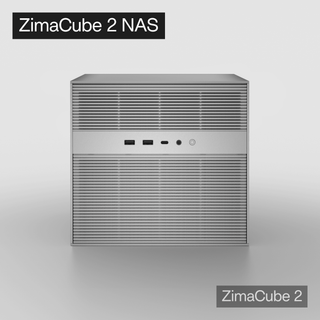
If you are planning a dedicated shared storage system, ZimaCube 2 is one option to evaluate for that role. Begin with the number of users, storage needs, applications, and maintenance responsibilities. Hardware capacity does not establish whether a photo app is accessible, an AI model fits, or a restore procedure works.
Apply the same test to any platform you choose: can a normal user find a file, understand who can access it, and ask for help without becoming an administrator? Keep routine user access separate from system management. Write a short household guide that names the entry point, explains the shared folders, and identifies who handles updates.
Recovery deserves its own test. Follow our backup strategy guide when planning independent copies. A usable restore screen is valuable only when a suitable backup exists and can actually be read.
A World Usability Day Checklist You Can Finish This Week
You can participate without launching a new project. Choose one existing service and improve one task that repeatedly causes trouble. Keep the scope small enough to retest before calling the change finished.
- Ask someone which digital task they regularly avoid or need help completing.
- Observe that task using safe test material and their usual device.
- Record one barrier in language another person can understand.
- Make one reversible change and check that access permissions still work.
- Retest, update the household instructions, and keep the result for the next review.
A useful result might be an album name that people recognize, an error message that explains the next step, or a restore guide that someone besides its author can follow. Those improvements are modest, but they solve real problems. Repeat the process when you add a new device, app, or AI feature.
Make Everyday Technology Easier to Trust
The most useful outcome of World Usability Day is a change people can feel in an ordinary task. They find what they need, understand what the system is doing, and know how to recover when something goes wrong. That is a practical foundation for discussing ethical AI and sustainable digital services.
Start with a question someone in your household already asks: where is my file, who can see this, or what happens if I click here? Make the answer clearer, test it with the person who needs it, and keep improving from there.
FAQ: World Usability Day 2026
When is World Usability Day 2026?
It is Thursday, November 12, 2026. Local and online organizers publish their own event times and registration details through the official event directory.
What is the theme for World Usability Day 2026?
The theme is “Designing a Sustainable Future with Ethical AI.” You can explore it at home by checking whether AI tools explain their scope, make uncertainty visible, and allow people to control consequential actions.
Can I test usability without a professional UX team?
Yes. Observe someone completing a specific, safe task, record where they struggle, make a small change, and retest. This reveals practical issues, although a small informal test does not replace professional research or an accessibility audit.
Does running AI locally make it more ethical or easier to use?
Local processing can support particular data-control goals, depending on configuration. Ethics, accessibility, answer quality, permissions, and energy use still require separate evaluation. The location of the model alone does not settle those questions.
Do I need to buy a home server to participate?
No. You can improve a folder structure, sharing workflow, or backup instruction on equipment you already own. Consider dedicated hardware when an actual shared-storage or service requirement justifies it.
Cover photo: tribesh kayastha / Unsplash. An illustrative workspace photograph, not a World Usability Day event photograph.

Recommended products
Zima Campaign Hub
More to Read
SC26 2026: What Supercomputing Can Teach a Home AI Lab
Preview SC26 in Chicago, November 15–20, 2026. Explore practical lessons for local AI memory, storage, networking, benchmarks, and home-lab planning.
America Recycles Day 2026: Before You Recycle an Old Computer
Prepare an old PC for America Recycles Day: assess reuse, verify backups, sanitize storage, handle batteries, and choose an electronics recycler.

From an Xbox 360 Shell to a Proxmox Backup Server
A college project grew into a recycled-hardware homelab, an Xbox 360 enclosure and a separate backup server. Follow the original builder's journey.


