


Local Storage vs Network Storage for Plex: Which Is More Reliable?


Local storage is usually more reliable for the Plex application-data path and simpler media deployments, while network storage becomes the better choice when shared capacity and independent storage management justify the extra network and mount dependencies.
Compatibility Gate: Separate App Data From Media Storage
Do not treat every Plex path as interchangeable. The live database and metadata are latency-sensitive application state, while bulk media can often be served successfully from a network share if the mount is stable and the Plex process has consistent access.
A media-server layout can keep write-heavy application state local while using network storage for bulk media, reducing latency and mount-risk exposure for app data; that is the baseline to establish for local-versus-network Plex storage.
Local Storage Wins on Simplicity and Failure Isolation
Local disks remove DNS, network, remote mount, and share-authentication dependencies from the media path. Automatic change detection is also more likely to behave predictably when the operating system can observe local filesystem events directly.
When measuring local-versus-network Plex storage, a consistent SQLite backup should come from a safe backup or snapshot workflow rather than an uncontrolled copy of active database files during writes.
Network Storage Wins on Shared Capacity and Role Separation
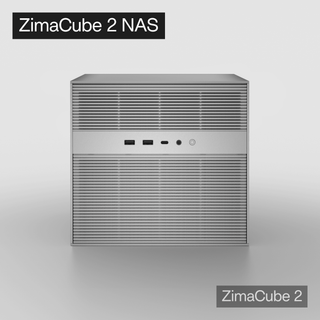
A NAS can centralize large media capacity, backups, and multi-device access while the Plex compute host remains small or replaceable. This is attractive when storage already serves other household workflows.
At the failure boundary for local-versus-network Plex storage, nAS storage adds shared capacity and centralized access, but networking, backups, and mount availability become part of the service path.

Use a Hybrid Layout Instead of Forcing One Storage Type
A common middle path is local persistent app data plus networked bulk media. That keeps the Plex database away from a fragile remote mount while preserving the capacity and independent management benefits of a NAS for movies and TV.
A two-bay versus four-bay NAS comparison also helps keep client behavior separate from server-side compute and storage limits during testing.
Conditional Verdict and Flip Conditions
Choose local media storage when you want the fewest dependencies and the server has enough bays and backup options. Choose network media storage when shared capacity, independent storage growth, and existing NAS infrastructure outweigh the added mount and network complexity.
The verdict flips if the network share cannot stay mounted through restart, if permissions are unstable, or if local expansion becomes the larger operational risk. De-weight raw throughput once both paths can sustain the media bitrate; reliability then depends more on state and failure handling.
- Keep Plex app data on a stable persistent path
- Test network mounts across a full host reboot
- Verify Plex permissions on newly created media
- Choose storage by failure domain and expansion needs, not peak speed alone

Recommended products
Product Comparisons
More to Read

Ripple-65B vs Qwen3.8-27B for Local Coding: What Fits Your Machine?
Compare local hardware and runtime choices for Ripple-65B Preview and Qwen3.8-27B, with a controlled test plan for coding agent workloads.
LFM2.5-24B-A2B vs DeepSeek API: Which Fits Your Home Server Agent Workflow?
Compare LFM2.5-24B-A2B local inference with the DeepSeek API for home-server agents: privacy boundaries, hardware, maintenance, quality, and costs.

Granite Speech 5.0 vs Cloud Transcription: Privacy, Hardware, and Accuracy Compared
Compare local Granite Speech 5.0 with cloud transcription for audio privacy, setup, hardware, accuracy, maintenance, and NAS archive workflows.


