
Self-Hosting Day 2026: Why September 25 Belongs to the Self-Hosting Community


September 25, 2026 marks the first Self-Hosting Day: a day for people to show what they host, explain why they built it, and help someone else discover what running your own services can make possible.
Hosted by ZimaSpace and r/minilab, with projects including AdGuard, Emby, PhotoPrism, OpenClaw, Karakeep, and Blinko, the event celebrates more than servers. It is about the growing number of people taking a more active role in where their files, applications, media, AI tools, and personal data live.
What Is Self-Hosting Day 2026?
Self-Hosting Day is a community event created to celebrate self-hosted software, home servers, personal clouds, homelabs, and the people building them.
The first Self-Hosting Day falls on September 25, 2026. The 2026 community event accepts eligible stories through October 25, with winners scheduled to be announced on October 30. Full participation details, prizes, and rules are available on the official Self-Hosting Day 2026 event.
| Self-Hosting Day 2026 | Details |
|---|---|
| Date | September 25, 2026 |
| Submission period | September 25–October 25, 2026 |
| Hosted by | ZimaSpace and r/minilab |
| What to share | A real self-hosting setup, project, lesson, or story |
| Who can participate | Self-hosters of all experience levels, including beginners |
| Results | October 30, 2026 |
That broad definition is intentional. Self-hosting does not require a server rack or a complicated cluster. A small computer running one useful application, an old PC turned into a personal cloud, or a home server handling photos and backups can all be valid starting points.
Why Does Self-Hosting Need a Day of Its Own?
Self-hosting was once closely associated with Linux enthusiasts, server racks, networking experiments, and people willing to spend a weekend debugging their own infrastructure.
That picture is now incomplete.
Today, a home server might store family photos, stream a media library, block unwanted domains, back up laptops, run smart-home services, save research, or provide access to private AI tools.
The bigger change is not simply that more software can run locally. It is that more parts of everyday digital life can now operate on infrastructure the user controls.
That brings self-hosting into conversations about privacy, data ownership, subscriptions, AI, personal cloud storage, smart homes, media, and long-term access to digital information. Self-Hosting Day gives those otherwise separate use cases a common place to meet.
What Does Self-Hosting Actually Mean in 2026?
Self-hosting does not necessarily mean disconnecting from the internet or replacing every cloud service.
In practical terms, it means operating an application or service on infrastructure you control or administer rather than depending entirely on a third-party hosted platform. That infrastructure might be a NAS, mini server, reused PC, homelab, or even a rented server that you manage yourself.
Many useful setups are hybrid. Files can remain local while remote access keeps them available outside the home. A local AI workflow can keep private documents on a home server while using an external model for selected tasks. Backups can combine local storage with an off-site copy.
The point is not isolation. It is having more control over where applications run, where primary data lives, and how the pieces connect.
| Digital need | Self-hosted approach |
|---|---|
| File storage | Personal cloud or NAS |
| Photos and videos | Private photo library |
| Movies and music | Media server |
| Network filtering | Local DNS and ad blocking |
| Bookmarks and research | Self-hosted knowledge tools |
| Notes | Self-hosted note apps |
| AI | Local models, RAG, or self-hosted agents |
| Home automation | Local smart-home services |
Self-hosting also comes with responsibility. Updates, authentication, backups, storage health, remote access, and security become things you need to understand rather than tasks hidden behind a SaaS provider.
For many self-hosters, that tradeoff is exactly the point: the system can be understood, changed, migrated, repaired, and expanded over time.
Seven Ways People Are Self-Hosting Their Digital Lives
The projects involved in Self-Hosting Day show how broad the category has become. Self-hosting is not one workload. It is an infrastructure choice that can support very different parts of everyday digital life.
1. Filtering Ads and Trackers Across the Network
Network-level filtering is one of the easiest self-hosting projects to understand. Tools such as AdGuard Home can filter DNS requests across multiple devices from one service.
It is also a practical beginner project for learning local IP addresses, DNS, containers, dashboards, and always-on services without needing much storage or compute.
2. Running a Personal Media Server
Software such as Emby can organize and stream video, music, and photos stored on your own server.
Media hosting quickly introduces many of the building blocks used elsewhere in a homelab: storage organization, user accounts, remote access, metadata, transcoding, permissions, and backups. For many people, it is the first workload that gives a home server a permanent job.
3. Building a Private Photo Library
Keeping photos on your own disks solves where the original files live, but folders alone do not provide timelines, albums, search, or a convenient way to explore years of images.
Platforms such as PhotoPrism add that application layer. A broader home server consolidation can take the same idea further by combining photo storage, shared files, and media services without treating them as one inseparable system.
4. Hosting AI Tools on Personal Infrastructure
AI has created a newer reason to keep an always-on server at home. A self-hosted setup might run smaller local models, private document search, AI interfaces, automation tools, or agents connected to selected local services.
Projects such as OpenClaw reflect this shift toward AI systems where users have more control over the runtime, tools, and data available to the assistant.
Large models still often need cloud or dedicated GPU compute, so hybrid setups can be more practical. A home server for local AI can keep documents, indexes, apps, and storage local while heavier inference runs elsewhere when necessary.
5. Saving Personal Knowledge and Research
Bookmarks, articles, PDFs, screenshots, and notes often end up scattered across different services. Karakeep is an example of a self-hosted tool designed to make that material easier to save, organize, and rediscover.
Unlike a short-lived experiment, a personal knowledge archive becomes more valuable as years of useful information accumulate.
6. Keeping Notes in a Service You Operate
Notes can contain project ideas, work records, technical references, and personal writing that would be difficult to rebuild if a service disappeared.
Projects such as Blinko show that self-hosting does not have to begin with storage infrastructure. It can begin with one everyday application and a desire to control where its data lives.
7. Building a Personal Cloud Around Several Services
Many homelabs grow gradually. A DNS blocker is followed by file storage, backups, photos, media, monitoring, remote access, automation, and perhaps AI.
At that point, the machine is no longer hosting one application. It has become a small personal infrastructure layer. If you already have spare hardware, an old PC personal cloud guide is one practical example of how that journey can begin without buying an entire rack of new equipment.
You Do Not Need a Huge Homelab to Start
Server-rack photos can make self-hosting look more complicated than it needs to be.
r/minilab, one of the hosts of Self-Hosting Day, focuses specifically on what people can build with modest and low-power devices. A useful server might be a mini PC, reused office computer, small NAS, Raspberry Pi, or another machine capable of staying online reliably.
A sensible starting point is one application with one clear purpose:
- Want network-wide filtering? Start with a DNS service.
- Want control over family files? Start with shared storage and backups.
- Want to organize a personal movie collection? Try a media server.
- Want your photo archive on your own storage? Build a photo library.
- Want to learn containers? Deploy one useful Docker app and understand how its storage and networking work.
- Want to experiment with local AI? Start with a model and workload your existing hardware can realistically handle.
A small server doing one job reliably is often a better first self-hosting experience than installing twenty services at once.
Why Real Self-Hosting Stories Matter
Hardware specifications can tell you how many CPU cores a server has, how much memory it supports, and how fast its network interface is. They rarely answer the question that brings someone into self-hosting:
What could I actually do with this?
A real setup answers that much better.
A story about replacing a cloud photo workflow reveals how storage, applications, remote access, and backups fit together. A small low-power build shows what can be accomplished without enterprise hardware. A failed deployment can be useful because it exposes a problem another self-hoster is likely to encounter later.
For example, a compact NAS build can show how someone balanced storage density, power, thermals, and physical space in a way a specification table cannot. An AI-assisted homelab story can show how self-hosted AI fits into an actual server workflow rather than existing as a standalone demo.
That is why “Your Server. Your Story.” works as more than an event slogan. The server is the infrastructure. The story explains why it exists.
What Should You Share for Self-Hosting Day?
A useful self-hosting story does not need to be a complete homelab tour. It only needs enough context for another person to understand the problem, the setup, and what you learned.
- What you self-host and which applications you actually use
- What hardware runs the setup
- Why you started self-hosting
- What cloud service, manual process, or limitation you wanted to replace
- A problem your server solved
- A mistake or failure that changed the way you built the system
- A migration or upgrade that taught you something
- A backup or recovery lesson
- A low-power or small-space build
- A useful application other people may not know about
- What you would do differently if you started again today
The best examples connect technology to a real reason for using it. A private cloud build story, for example, becomes much more useful when it explains the original problem, storage choices, uptime experience, and lessons learned rather than simply listing hardware.
Photos and screenshots can help, but complexity is not the goal. A first server running one useful application can be as relevant as a multi-node homelab if the experience behind it helps someone else.
How to Join Self-Hosting Day 2026
Self-Hosting Day falls on September 25, while the 2026 submission period continues through October 25.
To participate, share one real self-hosting story in the official r/minilab event thread. It can cover what you built, why you started, something you learned, or a challenge you solved. Beginners are welcome, and owning ZimaSpace hardware is not required.
The event focuses on authentic community contributions. Spam, plagiarism, duplicate entries, AI-generated entries, and purely promotional submissions are not eligible under the official rules.
You can review participation details, prizes, deadlines, and the official submission link on the Self-Hosting Day campaign page, or join the wider conversation in the ZimaSpace Community discussion.
September 25 Is About Making Self-Hosting Visible
Home servers do most of their best work quietly.
A backup server runs overnight. A DNS service answers requests in milliseconds. A photo server holds years of family memories. A home automation system can perform hundreds of actions without anyone thinking about the machine underneath it.
Sharing those systems makes the invisible part visible.
It shows beginners that self-hosting does not require enterprise hardware. It gives experienced builders new ideas. It helps useful open-source projects get discovered. And it documents the problems, tradeoffs, and lessons that polished product pages rarely show.
People self-host for different reasons: privacy, ownership, lower dependence on subscriptions, learning, experimentation, or simply because they want a photo library, media server, personal cloud, AI tool, or smart home that works the way they choose.
September 25 gives those different motivations one day to share.
If one person's setup helps someone else realize that self-hosting can begin with one small machine and one useful application, Self-Hosting Day has already done something valuable.
Frequently Asked Questions About Self-Hosting Day 2026
What is Self-Hosting Day?
Self-Hosting Day is a community event launched in 2026 to celebrate people running their own applications, home servers, storage, personal clouds, homelabs, and other self-hosted services.
When is Self-Hosting Day 2026?
Self-Hosting Day is September 25, 2026. The associated community event accepts eligible submissions through October 25, with winners scheduled to be announced on October 30.
What counts as self-hosting?
Self-hosting generally means operating an application or service on infrastructure you control or administer instead of relying entirely on a third-party hosted service. Examples include personal clouds, media servers, photo libraries, DNS filtering, note apps, home automation, backups, and AI tools.
Do I need a server rack to start self-hosting?
No. A mini PC, NAS, reused computer, Raspberry Pi, or other low-power device can be enough for many self-hosted applications. Starting with one useful service is often easier than building a large homelab immediately.
Can beginners join Self-Hosting Day 2026?
Yes. Beginners are welcome. A first server, first self-hosted app, first migration, or useful lesson from an early mistake can all become valuable stories for other people getting started.

Aanbevolen producten

Zima Campagnecentrum
Meer om te lezen

Cybersecurity Awareness Month 2026: Hoe veilig is jouw digitale leven thuis?
Gebruik Cybersecurity Awareness Month 2026 om vijf lagen van je digitale thuisomgeving te controleren: identiteit, apparaten, netwerk, gegevens en herstel.

Hoe SjslTech een R36S-cloudgamingserver bouwt met ZimaOS
SjslTech vergelijkt drie manieren om een R36S-gamelibrary via SMB te hosten: een Windows-pc, ZimaOS op een ZimaBlade en een andere R36S-handheld. In de handleiding...
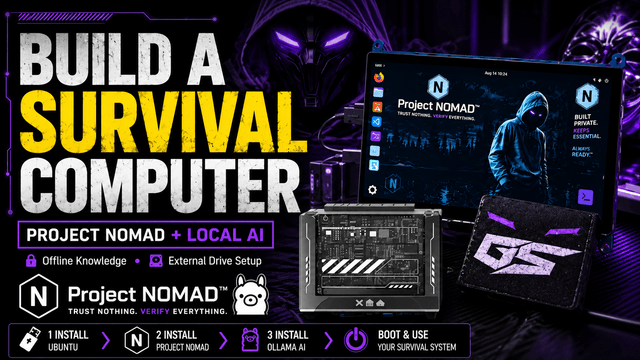
Hoe GhostStrats met Project NOMAD een offline overlevingscomputer bouwt
GhostStrats combineert ZimaBlade, Ubuntu, een externe opstartschijf en Project NOMAD om een draagbare offline kennisserver te creëren. Zijn project laat zien hoe je lokaal...


