


The KaRack: ZimaCube Pro Storage and a ZimaBoard 832 in One Rack


Thank you to u/cfouche for sharing the KaRack, a compact homelab that gives an original ZimaCube Pro a place beside smaller computers and dedicated networking equipment. The Cube is identified as the NAS and virtualization host, while a ZimaBoard 832 with two SSDs sits elsewhere in the rack. The project brings an existing collection into a more deliberate physical arrangement.
The original KaRack post dates from August 2024. Its hardware inventory is detailed, but the creator explicitly says the software organization is still being developed. The photographs therefore show an assembled homelab with room for the operating plan to mature.
A NAS Opens a New Stage in an Existing Homelab
The creator describes having used the smaller machines before building this rack. That gives the word “first” a useful context: the new step is bringing storage and several roles together in a physical system, rather than encountering self-hosting for the first time.

A dedicated storage host changes the questions a builder can ask. Instead of deciding only where an application runs, there is now a separate question of where its important data belongs. A rack can make the hardware easier to locate, but the relationship between machines still needs to be documented.
That is a useful way to read this stage of the project. The physical structure creates an inventory that can be inspected. The next layer is to describe the services and dependencies that inventory is meant to support.
The Hardware Inventory Gives Each Layer a Starting Point
| Component | Configuration or role in the source |
|---|---|
| Original ZimaCube Pro | 32 GB RAM, two 12 TB HDDs, five 256 GB NVMe SSDs; NAS and virtualization host |
| ZimaBoard 832 | Two 512 GB SSDs; individual workloads not specified |
| Banana Pi BPI-R4 | Router running OpenWrt |
| Raspberry Pi 5 | 8 GB RAM, dual 256 GB NVMe setup; intended for DNS, VPN and related services |
| MikroTik CRS310-8G+2S+IN | Managed switching, identified with SwOS |
| Minisforum GK41 | Additional compact computer in the rack |
The matching hardware references are the original ZimaCube Pro Personal Cloud and the original ZimaBoard. The story preserves those product generations and the owner's installed memory, rather than replacing them with a current-generation specification.
The inventory also has an important limit: it does not identify the Cube's hypervisor or storage operating system. Naming a machine a virtualization host does not establish how its disks are assigned, which guests are running or how they are recovered.
Shared Furniture Ideas Become a Custom Rack
The creator credits u/JoselAzagra as an inspiration and describes using IKEA Hutten pieces as spacers with cut eight-unit rack rails. The result combines familiar furniture materials with rack-mounted hardware rather than relying on a conventional full-height equipment cabinet.
In the images, light outer surfaces and wooden supports frame the darker rails and devices. Equipment is concentrated toward the lower part, while open space remains higher up. The arrangement gives the rack a recognizable place in a furnished room.
For someone borrowing the idea, the practical starting point would be measurements of the actual enclosure and equipment. Device depth, connector clearance and access to mounting screws matter alongside the nominal rack width. A photograph can explain an arrangement without supplying the dimensions needed to reproduce it.
Our LEGO ZimaBoard 2 rack story offers another example of adapting a familiar material to server organization. The common lesson is to fit the structure around the components and the way they will be maintained.
The ZimaBoard Remains a Distinct Part of the Layout

The close view helps distinguish the small board-and-drive assembly from the larger storage host. Those are separate physical resources, even though the post does not assign every smaller machine a final software job.
For a reader developing a similar system, that is a good point to write a short service inventory. It could record the owner of each service, the location of its persistent files and the network resources it requires. A spare-looking computer should acquire a defined task before it becomes another machine to update without a clear reason.
The quiet ZimaCube and ZimaBoard household setup provides a useful companion case: its owner explains the reason for giving smart-home work a separate host. The KaRack source leaves more of that allocation open.
Routing, Switching and Household Services Have Different Jobs
Several network-related devices appear in this inventory, so it helps to distinguish their functions. A router connects network paths, a switch connects local Ethernet devices, and services such as DNS provide another layer that applications depend on. Putting them in one rack makes their location clearer without making their jobs interchangeable.
The official OpenWrt project describes a customizable Linux system for embedded devices. The MikroTik SwOS documentation describes managed switching and its configuration features. Those references help explain the software categories named in the hardware list.
The source does not publish a completed network diagram or VLAN policy. For another builder, a useful next drawing would identify which device routes traffic and which machines depend on the DNS and VPN host. That would make the effect of a restart easier to predict.
Several Drives Still Need an Explicit Storage Plan
The Cube's mixture of hard drives and NVMe devices creates options, but the source does not establish a particular pool, mirror, cache or backup policy. Those roles should follow the workload and recovery requirements rather than be inferred from the connectors available.
A useful planning record would separate the files people actively use, the state needed to rebuild applications and the copies kept for recovery. Where virtualization is involved, it should also identify which host or guest owns each storage location.
This gives the unfinished software stage a clear next milestone: produce a map that connects the hardware inventory to actual services and data. Once that exists, future additions can answer an identified need rather than simply occupy empty rack space.
FAQ
Which Cube generation appears in this build?
The creator identifies the original ZimaCube Pro. The post predates the later Cube generation.
Does the post specify a hypervisor?
No. It identifies virtualization as a role while leaving the software arrangement unfinished.
Are the SSDs documented as a cache?
No. The inventory lists devices and capacities without establishing that storage policy.
Is there a complete rack assembly plan?
The creator credits an earlier inspiration and explains the main construction approach. The photographs are not a measured assembly manual.
Conclusion
The KaRack captures the point where a collection of small systems becomes an organized homelab. Its next step is to make the operating plan as legible as the hardware inventory: assign the services, describe their dependencies and connect storage choices to a recovery method. The physical arrangement gives that work a clear place to begin.
Welcome to the ZimaSpace community! Share your setup, ask questions, and explore practical build guides, real user stories, and product updates with fellow self-hosters.

Zima Campaign Hub
More to Read
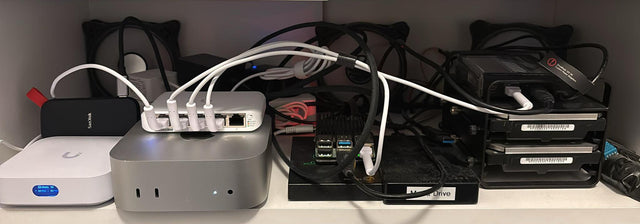
A ZimaBlade TrueNAS Storage Host in a Shelf-Sized Apartment Homelab
An apartment homelab puts ZimaBlade TrueNAS storage beside a Raspberry Pi, Mac mini and automated fans, with two 14 TB disks and a separate...
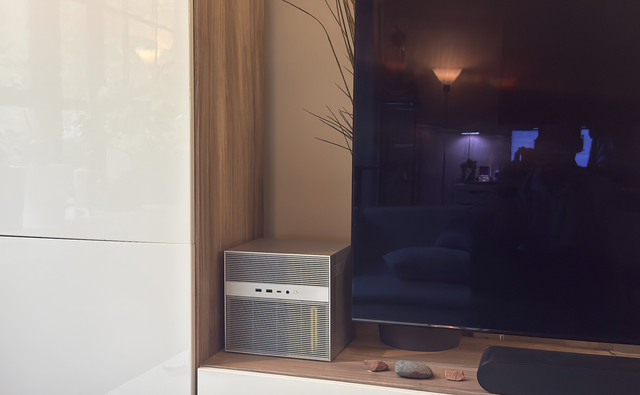
From Rack Servers to a Living-Room ZimaCube 2 Homelab
A ZimaCube 2 Pioneer participant consolidates containers, GitHub Actions runners and mixed storage beside the TV, with an owner-reported UPS test.

A ZimaBoard SE NAS with an RTX 3060 and USB Database Storage
A ZimaBoard SE owner combines an RTX 3060, hard drives and USB database storage for Immich and Plex after a replacement-unit experience.


