
Building a ZimaBoard 2 PVE Homeserver Cluster


When x86 architecture meets dual 2.5G Ethernet ports and 16GB of RAM, my home server finally achieves enterprise-level virtualization capabilities.
As a software developer and system administrator, my pursuit of a better home server has never stopped. From the initial Raspberry Pi 3B to the ZimaBoard series, my home lab has undergone a transformation in its technical architecture. Today, I want to share how I built a Proxmox virtualization platform that approximates an enterprise-level environment using ZimaBoard 2.
Architecture Upgrade: From ARM-Limited to x86 Full-Stack Freedom
My Homelab journey initially began with a Raspberry Pi 3B, primarily used to deploy basic services such as Pi-hole and OpenVPN. However, the software compatibility limitations of the ARM architecture gradually became apparent, and performance bottlenecks became increasingly prominent.
Until a friend recommended the ZimaBoard 1, this product instantly met my needs: the ZimaBoard 1's x86_64 architecture offers broader software compatibility, coupled with excellent CPU performance, 8GB of RAM, SATA interfaces, and a dual Ethernet design, allowing me to decisively abandon the Raspberry Pi, migrate all services to the ZimaBoard 1, and deploy even more extended services.
Subsequently, I also purchased a ZimaBlade through crowdfunding and placed it at my parents' home as an off-site backup device, further improving my storage backup solution.
When the ZimaBoard 2 was released, its upgraded configuration, including 16GB of RAM, a high-performance N150 processor, and dual 2.5Gbps Ethernet, made me, who prioritizes a more efficient homelab experience, choose to upgrade without hesitation, becoming a user of the ZimaBoard 2 16GB version. From the stable experience of the ZimaBoard 1 to the off-site backup capabilities of the ZimaBlade, the reliable performance of the Zima series products has given me complete trust in the brand.

Professional Deployment: Building a Proxmox Virtualization Cluster
I configured the ZimaBoard 2 as a Proxmox VE node, a crucial strategic decision. As an enterprise-grade virtualization platform, Proxmox provides complete virtual machine and container management capabilities, and the hardware specifications of the ZimaBoard 2 perfectly meet its minimum operating requirements.
My architecture consists of three layers:
- Hardware Layer: ZimaBoard 2 as the compute node, connected to a ZFS image storage pool consisting of 2 x 2TB HDDs.
- Virtualization Layer: Proxmox VE provides LXC containers and KVM virtual machine management.
- Service Layer: Various application services are deployed in a tiered manner.
Particularly noteworthy is the storage design—I used ZFS not only for its data integrity protection but also for its deep integration with Proxmox. ZFS's snapshot functionality, combined with Proxmox Backup Server, achieves sub-second recovery capabilities.


Service Orchestration: Enterprise-Level Service Deployment Practices
On ZimaBoard 2, I implemented fine-grained service orchestration:
Security Layer:
Authelia provides unified authentication
Vaultwarden manages cryptographic assets
Role-based access control policies
Infrastructure Layer:
Pi-hole acts as a DNS layer for ad filtering
The health check system monitors service status
Network isolation and firewall policies
Application Layer:
n8n automates workflows
Forgejo provides a private Git repository
Team collaboration platform supports remote work
Most impressively, the backup strategy is a three-tiered protection system: local ZFS snapshots, a Proxmox Backup Server on the same network, and a remote ZimaBlade, truly achieving the 3-2-1 backup principle (3 copies of data, 2 different storage media, and 1 off-site backup).
To ensure stable operation, I customized a dedicated chassis for my ZimaBoard 2 and dual hard drives, equipped with 120mm fans. By using a USB-to-12V adapter for fan speed control, I’ve managed to effectively cool both the drives and the host, maintaining optimal operating temperatures. I also shared a few photos of this custom ZimaBoard chassis on social media—feel free to check out the build details and cooling setup if you're interested!


ZimaBoard 2's Core Advantages: Small Size, Big Improvements
In my opinion, the biggest highlight of the ZimaBoard 2 is that while retaining the compact size of the original, it has upgraded almost all key configurations. A faster CPU, more memory, and a 2.5Gbps high-speed network port. The extra memory allows me to deploy more services, and they run faster. The high-speed network also greatly improves backup efficiency! There are improvements in all aspects, and I really like it!
Besides performance improvement, I also think it strikes a particularly good balance in terms of power consumption, noise, and price. It's compact and doesn't take up much space, runs quietly without fans, and is affordable. Whether you're a beginner or an experienced home lab enthusiast, it's easy to get started.
A One-Sentence Recommendation for a Friend:
Friends often ask me what equipment they should choose if they want to get started with a home lab. I shared my experience without hesitation: "If you want to step into the world of home labs, the ZimaBoard 2 is the perfect starting point. It's small, powerful, affordable (or at least not expensive), and quiet—with just one ZimaBoard 2, you can deploy and host numerous services without worrying about performance, noise, or power consumption."

Unlock Your Home Lab's Potential
Ilopmar's story perfectly demonstrates the flexibility of the ZimaBoard 2—whether you're a seasoned administrator looking to expand your lab or a beginner just starting out with self-hosting, it can handle it all. From upgrading from Raspberry Pi to ZimaBoard, and then to a professional backup solution built on Proxmox, his experience proves that this small but powerful device allows you to achieve more in your home lab.
Thank you, Ilopmar, for sharing your journey with the IceWhale community! If you have your own ZimaBoard story—from a quick out-of-the-box deployment to a complex, customized solution like Ilopmar’s—we would love to hear from you. Your insights don't just inspire other creators; they directly help us optimize future Zima products. We invite you to send your submissions to community@icewhale.org and showcase your unique build!
To keep the conversation going and unlock even more valuable content, join the IceWhale Discord community. It is the best place to find real-world user experience stories, expert Homelab deployment tips, and exclusive product benefits. We can't wait to see what you're building!

Recommended products

Zima Campaign Hub
More to Read
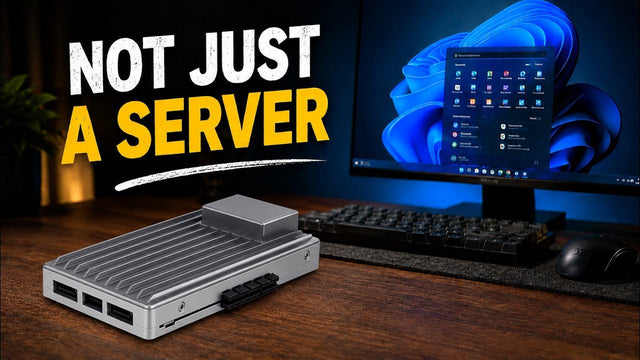
How SjslTech Turns ZimaBoard 2 Into a Windows 11 Desktop
See SjslTech install Windows 11 on ZimaBoard 2 and test 4K video, Office, DaVinci Resolve, Minecraft, light games, and power consumption.

How CYBERTECH 2099 Tests ZimaBoard 2 as a Personal NAS and Private Cloud
CYBERTECH 2099 tests ZimaBoard 2 as an approachable personal NAS and private cloud, covering the hardware, ZimaOS setup, Plex media streaming, low-power operation, and...

How Zero Noichi Runs Local AI on ZimaBoard 2 with a 32GB AMD MI50
See how Zero Noichi pairs ZimaBoard 2 with a refurbished 32GB AMD MI50 to run local AI, generate a website, and summarize documents.


