
Home Assistant Update Behavior: Why Schema and Cache Changes Affect Startup


Home Assistant can start slowly after an update because schema migrations, cache rebuilding, and integration reinitialization add one-time work before normal operation.
A routine restart mostly rereads familiar configuration and opens existing data, but a version change can alter those assumptions. Core may upgrade the Recorder schema, invalidate generated artifacts, load changed dependencies, or make integrations rebuild internal state. The delay is often temporary, yet a stalled migration, slow disk, or incompatible integration can turn expected first-start work into a real outage.
An Update Can Change the Persistent Data Contract
Home Assistant versions do not always interpret stored data identically. When Recorder tables, indexes, registries, or integration storage formats change, startup must transform the old representation before every consumer can safely use the new one.
Operators have documented upgrades that remained in database conversion for long periods, showing why schema conversion work is part of startup rather than an unrelated background task.
The cost grows with the amount of affected data and the number of indexes rewritten. A restart with no version change skips this conversion, so comparing it with the first boot after an update hides the changed workload.
Cache Invalidation Repeats Work That Restarts Usually Reuse
Caches encode assumptions about code, frontend bundles, dependencies, and previously fetched data. An update can invalidate those artifacts deliberately, forcing the server, browser, proxy, or integration to download, parse, compile, or decode them again.
A post-update case that appeared stuck while loading data illustrates how post-update initialization can overlap with integration initialization and make the first usable screen lag behind process launch.
Later starts may look faster because the rebuilt artifacts and filesystem pages are warm. That improvement proves only that repeatable work was avoided; it does not establish that the new version needs fewer resources under steady load.
Storage Latency Multiplies Migration and Rebuild Time
Schema changes and cache creation perform many reads, writes, syncs, and metadata operations. A healthy SSD may finish quickly, while an SD card, nearly full disk, busy virtual volume, or remote database can stretch the same logical work across many minutes.
A failed upgrade report traced the visible startup problem to database migration, demonstrating that migration failure evidence must be correlated with database and storage logs rather than judged from the splash screen alone.
CPU can remain modest while storage queue depth rises. If the database reports no migration and the disk stays responsive, storage amplification is not the explanation; integration setup or network timeouts become stronger candidates.

Expected Delay Ends Where Progress Stops or Data Is Unsafe
A long first start can be legitimate when logs show a named migration advancing and free space remains stable. Repeated crashes, an unchanged migration step, database corruption messages, or a full volume are different conditions because waiting no longer reduces uncertainty.
A Recorder migration failure case shows that repeated migration failure may require recovery from a valid backup instead of repeated restarts that add more writes to a damaged store.
This is the failure boundary: monitor measurable forward progress, but stop the process when errors repeat, capacity is exhausted, or the documented upgrade path has failed. Preserve the database and logs before attempting repair.
Measure the First Start Separately From Steady State
Record the pre-update database size, free space, version, shutdown time, and normal restart baseline. During the update, capture timestamps for process start, migration messages, integration completion, first dashboard response, and stable control.
The related post-upgrade reprocessing explains why existing data may be processed again, giving each timestamp a concrete mechanism instead of treating the whole interval as generic boot time.
Accept the update when the one-time stage completes, a second restart returns near baseline, history is readable, and a harmless local action works. Roll back or restore only when progress has stopped or integrity checks fail; do not use a slow but advancing first start as the sole rollback signal.

Recommended products

Tech & AI HUB
More to Read
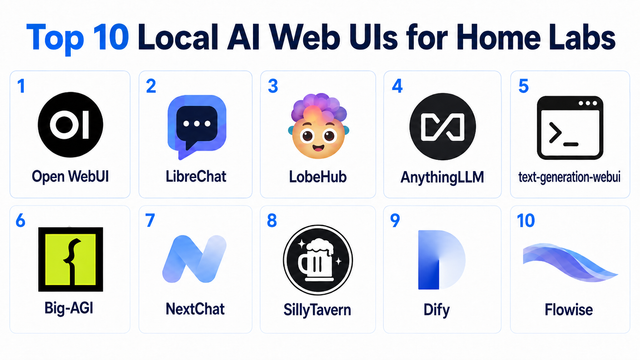
Top 10 Local AI Web UI for Home Labs In 2026
Compare 10 self-hosted local AI web UIs for home labs, covering Ollama support, RAG, agents, multi-user access, setup effort, and ideal use cases.
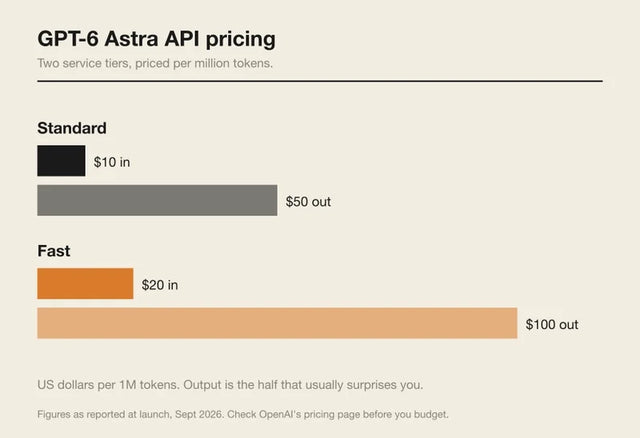
How Much Does GPT-6 Astra Cost Over Time? When Cloud AI Makes Sense vs Local AI
A practical GPT-6 Astra cost guide covering token usage, long-term AI workloads, cloud vs local tradeoffs, and why hybrid AI infrastructure matters.

GPT-6 Astra vs Local AI: Which Parts of an Agent Should Stay on Your Home Server?
GPT-6 Astra can stay in the cloud while your home server keeps files, memory, RAG, tools, permissions, and durable agent state local.


