
I Bought AI to Save Time. Then I Started Working Around Its Limits.


At 11:47 p.m., I opened my laptop again. My AI credits were about to expire.
I’d put my toothbrush back in the cup and plugged in my phone. I was ready for bed. Then I checked the usage page and saw that a pack of credits I’d paid for expired at midnight.
I stood there for a few seconds. I’ve already paid for them. I might as well use them.
So I took a folder I’d set aside for the next afternoon and dragged it into the chat. It was a batch of project notes. All I wanted was a rough outline. I gave myself half an hour.
The next time I looked at the clock, it was two in the morning.
The next day, I sat down with a cold coffee and the actual work I’d meant to do. I kept coming back to the same question. Was I using AI to save time, or was I giving up my time so I could use all the AI I’d paid for?
At first, every subscription made sense
I freelance. I build websites, write proposals, and sort through the piles of material clients send me before a project starts. Pretty soon I was opening an AI tool for all three. It could give me a first draft, help me understand an error, or turn half a page of notes into something I could actually work with.
The first subscription was an easy decision. Then I paid for Codex because I was using it enough to justify it. I kept another tool around for the days I hit the cap halfway through a job. There were a few top-ups and the occasional API bill, too.
I’d told myself I’d keep the whole thing under $200 a month. When I finally added it up, I was already over.
I could live with the bill if the tools helped me deliver on time. The bit that got to me was paying for all of them and still wondering whether I could finish a job tomorrow afternoon.
I started budgeting prompts like billable hours
Monday was for sorting requirements. Tuesday was for coding. Wednesday needed some room for client changes. I made a spreadsheet with a row for each tool and columns for what I had left and when I expected it to reset.
It looked like I had things under control. In practice, I was sitting down to a second set of decisions before I could even open the work. Should I send the whole brief now? Could this revision eat the rest of my usage? Should I save Codex for the last pass?
Once I split a job between two tools to stretch what I had left. I pasted in the brief again, explained what I’d already tried, and pulled up the same diff. By the time the second tool was caught up, I’d lost the thread myself.
Another time, a response just sat there. I couldn’t tell whether waiting would get me an answer or whether a retry would use more of what I had left.

A client asked if I could get a revision back that day. I looked over at the reset time in my Codex usage dashboard before I typed, “I’ll do my best.” I could explain a tricky change to a client. I had no idea how to explain that I was checking a usage meter before giving them a delivery time.

Even a reset started to feel like a deadline
I got into the habit of checking for reset updates in the morning, around lunch, and once more before I logged off. Someone on X had their usage back. Someone else was still waiting. One time, Tibo explained that a caching change had made long Codex sessions use up allowance faster. The team rolled it back and reset usage.

Whenever my usage came back, I’d look for something to do with it. Once I pulled a weekend project forward to Friday night because I could finally run it. Another night, I told my family I’d be at dinner after I sent one last prompt.
One prompt became two. Then I needed to check the output. I found something I wanted to change, so I sent it back.
By the time I got to the table, dinner was cold. Nobody had asked me to work late. I’d just got so used to watching the meter that putting the laptop away while I still had room felt like wasting something.
I’d started picking jobs based on what would use up the credits
One evening I looked at my task list and saw something important I’d been putting off for three days. I’d just spent two hours cleaning up a batch of material I didn’t need until later in the week. It was an easy thing to throw at the tool while I had credits to use.
I pushed my chair back. If I was running low, I moved things to tomorrow. If I got more usage, I pulled them back to tonight. I’d started letting the meter decide which job came first.
What I’d liked about AI in the first place was being able to try an idea while it was still fresh. Lately, half my ideas ended up with the same note next to them. Try again after the reset.
I found a different starting point in the CasaOS community
I was looking for a better way to organize project files when I got into CasaOS and self-hosting threads. People were running smaller models on their own machines and giving them one job at a time. Some kept the files and the tools that processed them on the same server. That’s where I started looking at ZimaCube 2.

I went through my recent work and made a short list of things I’d try locally first.
- Turn a folder of rough notes into an outline.
- Draft replies to the same kinds of email I answer every week.
- Pull a few fields out of text I’ve already prepared.
- Draft a short script I can run and check myself.
- Do a first pass on routine copy.
None of those jobs sounds like much on its own. They come up all week, though. And they were using some of the same allowance I wanted available when a tricky repo change came up.
For the first time, I had to work out what hardware I needed
With a subscription, I knew where the upgrade button was. Now I was trying to work out how much memory a model would need, how much of it had to fit in GPU memory, and whether I’d be fine waiting a little longer for a background job. I started looking through the ZimaCube 2 configurations with actual jobs in mind.
Learning to run a model locally took longer than opening another account. A container wouldn’t start, so I read the logs. One model gave me an outline I couldn’t use, so I tried a smaller chunk of the source material and changed what I was asking for. I still ran into jobs that were slow.
At least I had something concrete to look at. Was I using the wrong model for the job? Had I fed it too much at once? Was I hitting a hardware limit? Each answer gave me a better idea of what to try before spending more money.
One evening I was scrolling through YouTube when I came across a video by Zero to MVP. He was running small models on a ZimaCube 2. One pulled text out of images, and he used others to summarize and translate. I’d spent all that time reading about hardware, and here was someone showing the kind of work I could actually picture doing on it. That sent me looking for other setups, including a private assistant and a NAS that could work with photos and documents.

Zima User Says

Small models. Everyday work.
Explores compact models on ZimaCube 2 for OCR, article summaries and file translation—giving specific, repeatable jobs their own local workflow.

A private cloud, with an AI layer.
Combines Nextcloud and a locally hosted Alpha AI assistant on ZimaCube 2, bringing project files and a customized assistant into one self-managed environment.

Give stored information a new role.
Experiments with an AI NAS on ZimaCube 2: photo labels, document extraction and natural-language search. An evolving creator project, with further tuning still part of the work.
I kept the first few jobs that worked locally
I kept using cloud tools for the work where they earned their place. If I was deep in a hard coding problem or needed to reason through a messy project, I still reached for them.
For notes, text extraction, and a first rewrite, I started trying a local model first. I checked the result against the original. Some jobs took longer than I expected, and the important ones still needed a careful read. But when a job ran entirely on my own hardware, it didn’t draw from my Codex allowance.
That changed a small part of how I started work. If all I wanted was an outline from a batch of notes, I could open the folder and start there. I didn’t have to open a usage page first.
What made it feel worth it was a very ordinary shutdown
One evening I finished a proposal and saw a few things still sitting on my list. I was tired. They could wait.
I saved the file. I closed the laptop. It didn’t occur to me to see if any of my accounts had reset or to find some notes I could run through a tool before bed.
I’d finished what I meant to finish. For the first time in a while, that was a good enough reason to stop.
Give the everyday work somewhere else to run

If you’ve ever reopened the laptop because your usage came back, start with whatever you sat down to do that night. Maybe it was a folder of notes or a batch of documents you could check in one sitting. Pick a job you do often enough to notice when it can run locally, and keep the cloud tools you still reach for when the work gets harder.
- Standard for files and occasional CPU-based AI. Start here if your main job is storing project files and you only want to try small models for tasks like outlines or simple text extraction. Check that the model fits in memory and that CPU speed suits the job.
- Pro for a busier home server with room to expand. Pick this if you’ll run several self-hosted apps alongside storage, or if you want to choose your own compatible GPU later. The Pro ships without a dedicated GPU.
- Creator Pack (SKU ZCU084-R2) for regular GPU-backed local AI. Pick this if running compatible models on the server is a priority from day one. It comes with an NVIDIA RTX PRO 2000 with 16 GB of VRAM and 64 GB of system memory. Check your model and workload against that configuration.

Recommended products
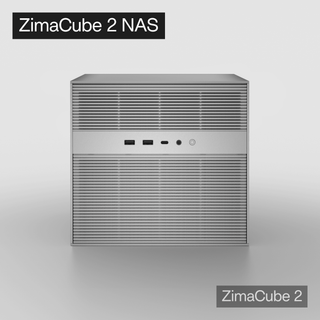
Zima Campaign Hub
More to Read
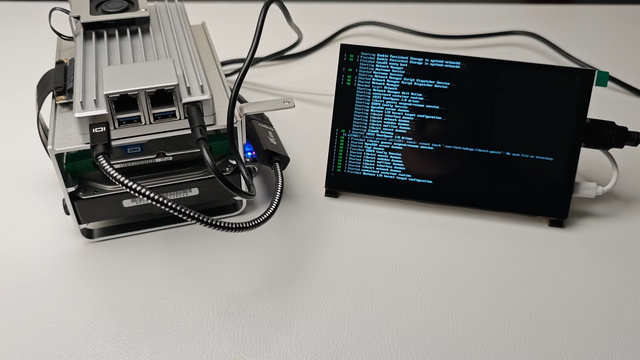
I Shut Down My PC. The Music Stopped, Too.
When shutting down my PC stopped the music, I moved my media library, shared files, and backup jobs to a ZimaBoard 2 1664 home...

SC26 2026: What Supercomputing Can Teach a Home AI Lab
Preview SC26 in Chicago, November 15–20, 2026. Explore practical lessons for local AI memory, storage, networking, benchmarks, and home-lab planning.
America Recycles Day 2026: Before You Recycle an Old Computer
Prepare an old PC for America Recycles Day: assess reuse, verify backups, sanitize storage, handle batteries, and choose an electronics recycler.


