
Gemini Agentic Video Uses Up to 88% Fewer Tokens—What It Means for AI NAS and Private Media Search


Gemini Agentic Video changes video AI by letting the model decide which moments deserve attention instead of processing an entire video at a fixed sampling rate. Google reports that its tested workloads can use up to 88% fewer tokens, cost up to 66% less, and improve quality by up to 7%. The important shift is not simply cheaper video analysis: Gemini can search the timeline, inspect a promising moment, then look again at higher detail when the question requires it.
For a NAS holding years of surveillance footage, family videos, meetings, or creator archives, that does not mean Gemini can suddenly “watch” the entire library locally. Gemini still runs in Google's cloud. The more interesting architecture is to narrow a large private archive locally, then give a multimodal model only the clips or time ranges that deserve deeper inspection. In other words, the infrastructure problem becomes turning storage-scale video into query-scale context.
What Is Gemini Agentic Video Understanding?
Gemini Agentic Video Understanding is a video-processing mode that lets Gemini actively navigate a video instead of loading frames at one fixed rate in a single pass.
Google introduced the capability on September 1, 2026. Its launch announcement initially covered Gemini 3.7 Flash, 3.6 Flash, and 3.5 Flash-Lite; Google's current developer documentation also lists Gemini 3.8 Flash among models supporting agentic video processing.
According to Google's Agentic Video Understanding announcement, the model combines reasoning with native video tools to search, scan, and inspect relevant portions of frames, audio, and transcripts.
| Processing Mode | How It Watches Video | Best Fit |
|---|---|---|
| Static | Samples frames at a fixed rate, 1 FPS by default, and places them into context in one pass | Short or predictable clips |
| Agentic | Dynamically navigates the timeline and loads only relevant frames, transcript, or audio | Long video and queries targeting specific moments |
The distinction is important because the model is no longer a passive viewer.
It can ask an internal version of: Where should I look next?
Why Is Watching Video at a Fixed 1 FPS Inefficient?
Static video processing is simple and predictable. Gemini samples the video at a fixed frame rate—1 frame per second by default—and processes those sampled frames together with the audio.
That works well when the video is short. It becomes much less attractive when the input lasts an hour or several hours.
STATIC VIDEO PROCESSING

Video
  |
  v
Fixed 1 FPS sampling
  |
  v
Frame 1
Frame 2
Frame 3
Frame 4
...
  |
  v
Large context
  |
  v
Model
  |
  v
Answer
Google's current Gemini token documentation gives a useful example: a one-hour lecture that may require roughly 1.08 million tokens under high-resolution static processing might use around 108,000 tokens with agentic processing, depending on the question and content.
That difference exists because most questions do not require every second of a video.
If the user asks, “What conclusion did the speaker reach about storage costs?”, the useful evidence may occupy 90 seconds in an hour-long presentation.
Processing the other 58 minutes does not automatically make the answer better.
Why Can Fixed Frame Sampling Still Miss Important Events?
Token consumption is only half the problem. Fixed sampling can also look at the wrong moments.
Consider a security camera recording in which someone places a package on a porch between two sampled frames:
00:10.0
Empty porch
    |
    |  package placed here
    |
00:11.0
Package on porch
A 1 FPS view may capture the state before and after the action while missing the action itself.
Google specifically highlights sub-second moment retrieval as one of Agentic Video's new capabilities. The model can identify a promising time range and resample that window more densely rather than applying a high frame rate to the entire recording.
This type of targeted inspection is especially relevant to locally stored security-camera events and recordings, where one useful event may occupy only seconds inside hours of footage.
The principle is simple:
Spend more visual bandwidth where the answer is likely to be.
How Does Gemini Decide Which Parts of a Video to Watch?
Agentic Video turns video understanding into an iterative process. Instead of committing to one sampling strategy before reasoning begins, Gemini can change how it inspects the input as the task develops.
Google describes the system as choosing what to watch, at what speed, and through which modality.
USER QUERY
    |
    v
Reason about what evidence is needed
    |
    v
Navigate video timeline
    |
    +---------------------+
    |          |          |
    v          v          v
Transcript   Audio      Frames
    |          |          |
    +----------+----------+
               |
               v
      Relevant moment found?
               |
          +----+----+
          |         |
         No        Yes
          |         |
          v         v
 Search again   Inspect deeper
               Higher FPS
               Higher detail
                    |
                    v
                  Answer
This creates a loop closer to investigation than ordinary multimodal prompting.
A transcript may first reveal roughly where a subject is discussed. Frames can then verify what appeared on screen. If a rapid visual event matters, the model can inspect that narrow section at a higher frame rate.
The modality itself becomes part of the reasoning decision.
Why Can Agentic Video Use Up to 88% Fewer Tokens?
Agentic Video saves tokens by avoiding media that does not contribute to the answer. It does not simply compress the entire video by 88%.
Google's current pricing notes say token consumption is variable because it depends on what the model dynamically loads. Query complexity, video content, and sampling depth all affect the result.
| Google-Reported Result | Meaning |
|---|---|
| Up to 88% fewer tokens | Selective loading can dramatically reduce the media placed into model context |
| Up to 66% lower analysis cost | Lower token usage can reduce total cost, but not at a one-to-one ratio |
| Up to 7% quality improvement | Dynamic inspection can also recover evidence static sampling misses |
These are Google's results across its tested video workloads, not fixed guarantees for every input.
The current Gemini API pricing notes explicitly say Agentic Video token counts depend on content loaded by the model rather than simply the full duration of the source video.
A difficult question that makes the model revisit many sections may consume much more than a simple query asking for one specific moment.
Why Does 88% Fewer Tokens Not Mean 88% Lower Cost?
Agentic Video still performs reasoning and navigation. It may inspect transcripts, load frames, resample a segment, and produce a final answer.
That is why Google's highest reported token reduction is 88%, while its highest reported analysis-cost reduction is 66%.
The token bill can include several kinds of work:
- the original text prompt,
- navigation reasoning,
- dynamically loaded transcript,
- frames loaded for inspection,
- audio loaded when needed,
- and the final generated response.
The goal is therefore not zero processing. It is to spend processing where it has the highest information value.
What Can Agentic Video Find That Static Analysis May Miss?
Google emphasizes several workloads where adaptive temporal inspection matters more than simply reducing tokens.
| Use Case | Why Agentic Inspection Helps |
|---|---|
| Sub-second moment retrieval | Revisits tight time windows that a 1 FPS sample may miss |
| Needle-in-a-haystack search | Searches multi-hour recordings without loading every moment equally |
| Anomaly detection | Resamples suspicious periods at higher FPS |
| Counting fast actions | Can rewatch activity at different sampling rates |
| Video editing | Can locate precise visual transitions and event boundaries |
These capabilities are especially relevant to security cameras, sports footage, tutorials, meeting archives, screen recordings, and creator media.
In each case, the useful moment may be tiny compared with the total duration of the asset.
Is Agentic Video Always Better Than Static Processing?
No. Short videos can still be better candidates for static processing.
Google's optimization guidance says static mode may provide faster time to first token for latency-sensitive clips under roughly five minutes because agentic processing has to reason, navigate, and perform internal tool round trips before generating an answer.
| Situation | Better Starting Point |
|---|---|
| 30-second product clip | Static |
| Short clip where response latency matters most | Static |
| 90-minute lecture | Agentic |
| Find one event in hours of footage | Agentic |
| Inspect rapid action around one timestamp | Agentic |
| Simple summary of a short video | Static may be sufficient |
The useful lesson is not “agentic processing replaces static video.”
It is that video-processing strategy can now adapt to the workload.
Does Gemini Agentic Video Replace Video RAG?
No. Query-time video navigation and persistent video retrieval solve different problems.
Gemini Agentic Video starts with a video input and decides which parts of that input deserve closer inspection. A Video RAG system typically starts one stage earlier: it helps determine which videos or segments from a much larger collection should reach the multimodal model at all.
| Video RAG | Agentic Video Understanding |
|---|---|
| Indexes a persistent collection | Investigates supplied video at query time |
| Retrieves candidate videos or segments | Decides how to inspect those candidates |
| May use transcripts, OCR, metadata, embeddings | Dynamically uses transcript, audio, and frames |
| Useful across very large archives | Useful for deep reasoning over selected media |
The distinction is supported by research on long-video understanding.
LongVideoBench research on hour-long video reasoning contains 3,763 videos and 6,678 human-annotated questions across 17 categories. Its authors frame the core challenge as retrieving and reasoning over detailed multimodal information from long inputs.
That wording is important: retrieve and reason, not simply “fit the video in context.”
How Is Video RAG Different From Simply Giving Gemini a Long Video?
Video RAG becomes particularly useful when the collection is much larger than one recording.
VideoRAG research on extremely long video collections explores this problem across a benchmark containing more than 160 videos totaling over 134 hours.
The proposed system combines textual knowledge grounding with multimodal retrieval rather than expecting one model invocation to ingest the entire library.
That suggests a useful two-stage architecture:
STAGE 1
PERSISTENT VIDEO RETRIEVAL

Video archive
     |
     v
Transcripts
Metadata
Scenes
OCR
Embeddings
Timestamps
     |
     v
Candidate videos
Candidate time ranges

          |
          v

STAGE 2
AGENTIC VIDEO INSPECTION

Selected segment
     |
     v
Navigate
Rewatch
Change FPS
Inspect audio / transcript / frames
     |
     v
Deep answer
The two layers complement each other.
Retrieval decides which video to inspect; agentic video understanding decides how deeply to inspect it.
Why Should Large Video Libraries Search Before Deep AI Analysis?
A personal media server may hold 20 TB of video. A security archive can grow much larger. Yet a user's question may ultimately depend on eight seconds of footage.
That difference changes the architecture.
The multimodal model should not have to become the index for the entire archive.
Instead:
50 TB VIDEO ARCHIVE
        |
        v
Searchable local index
        |
        v
20 candidate videos
        |
        v
3 candidate time ranges
        |
        v
45 seconds of relevant video
        |
        v
Deep multimodal reasoning
The exact numbers are illustrative, but the principle scales.
The infrastructure problem is turning storage-scale video into query-scale context.
As the archive grows, this selection layer becomes more important, not less. Our guide to AI NAS hardware for indexing, media processing, and large local datasets explains why the storage, active SSD tier, network, and AI compute should be sized as separate resources rather than treated as one generic AI requirement.
What Would an AI NAS Video Pipeline Look Like?
An AI NAS that indexes and understands stored media does not need to run Gemini itself to contribute useful intelligence. It can handle the persistent and repetitive work closest to the original media.
A practical hybrid architecture could look like this:
NAS VIDEO ARCHIVE
Original videos
        |
        v
LOCAL PROCESSING
File metadata
Transcripts
Scene boundaries
Timestamps
OCR
Thumbnails
Object tags
Embeddings
        |
        v
LOCAL SEARCH
        |
        v
Candidate video
Candidate time range
        |
        v
POLICY / USER DECISION
        |
        +--------------------+
        |                    |
        v                    v
LOCAL MODEL          CLOUD MODEL
                           |
                           v
                  Gemini Agentic Video
                           |
                           v
                  Deep video reasoning
This is an architecture pattern, not an announced Google integration with NAS products.
The advantage is that storage, indexing, and model reasoning no longer need to happen on the same machine.
A multi-drive personal cloud NAS such as ZimaCube 2 can remain the durable media layer. A local CPU or GPU can generate metadata. A cloud multimodal model can be reserved for questions where its stronger temporal reasoning is worth the transfer and API cost.
For a split setup, a compact local indexing and preprocessing server such as ZimaBoard 2 can also run storage-adjacent services without requiring the high-power inference machine to stay active for every background job.
Should Video Metadata and AI Indexes Live Next to the Original Files?
They do not have to, but keeping the searchable layer close to the archive can simplify several parts of a private-media workflow.
| Local Data Layer | Why Keep It Near the Archive? |
|---|---|
| File metadata | Easy to regenerate and update when media changes |
| Transcripts | Can be searched without reopening every video |
| Scene timestamps | Provide direct paths back to original footage |
| Thumbnails | Enable lightweight visual browsing |
| Embeddings | Support semantic retrieval across the collection |
| OCR text | Makes signs, slides, interfaces, and captions searchable |
Stable paths also matter. If the index says an event occurred in camera-02/2026-09-01.mp4 at 18:41:12, the retrieval system needs a dependable way to find that original asset later.
For long-lived media collections, the index and the archive are therefore closely related even when they are technically stored in separate databases or volumes.
The same storage split appears in self-hosted photo and video systems. For example, our Immich hardware guide for photo and video libraries separates bulk originals from latency-sensitive database, thumbnail, machine-learning, and video-processing workloads.
What Is a Hot, Warm, and Cold Video AI Architecture?
Large video archives also do not need every piece of data stored at the same processing level.
A useful design separates three tiers:
| Tier | Contents | Priority |
|---|---|---|
| Cold archive | Original 4K footage, old recordings, surveillance archive | Capacity and durability |
| Warm AI index | Transcripts, timestamps, thumbnails, OCR, embeddings, tags | Searchability |
| Hot working set | Candidate clips, temporary crops, high-FPS segments | Fast AI analysis |
COLD
20 TB original media
        |
        v
WARM
Searchable metadata + indexes
        |
        v
HOT
Relevant 10–60 second clip
        |
        v
AI MODEL
This architecture keeps expensive analysis focused on a tiny fraction of the original data.
It also avoids rebuilding the same basic metadata every time a new question arrives.
The warm and hot tiers usually need far less capacity than the original video archive, but they can benefit from responsive SSD storage for databases, thumbnails, embeddings, indexes, and temporary clips. On an expandable home server, PCIe to NVMe SSD expansion for active AI indexes and caches can keep this working data separate from bulk HDD storage.
Can Gemini Agentic Video Analyze Private NAS Footage Without Uploading It?
No. Gemini Agentic Video itself is a cloud capability, so video content Gemini analyzes has to become accessible to Google's service.
Google currently supports several video-input paths, including uploaded media, Cloud Storage registration, inline data for small inputs, and public YouTube URLs.
The Gemini video processing documentation recommends the Files API for many larger or reusable media inputs.
Files uploaded through the Gemini Files API are stored for 48 hours before automatic deletion, according to Google's current documentation.
That is very different from saying the footage stays inside the home network.
Google's current paid-tier API pricing documentation also states that paid-tier data is not used to improve its products by default. Developers should still evaluate retention, logging, regional, organizational, and compliance requirements before sending sensitive recordings to an external service.
How Can a Private Video Archive Use Cloud AI More Selectively?
A hybrid workflow can reduce how much private media needs external processing.
The first pass can remain local:
- identify the file,
- search the transcript,
- filter by camera or date,
- detect motion or scene changes,
- retrieve candidate timestamps,
- and generate a short candidate clip.
This kind of separation follows the same principle discussed in our guide to keeping storage-adjacent AI processing close to private data: the NAS can remain a stable data layer even when heavier inference happens somewhere else.
Only then does the workflow decide whether cloud reasoning is necessary.
PRIVATE VIDEO ARCHIVE
        |
        v
LOCAL SEARCH + FILTER
        |
        v
Relevant segment found
        |
        v
Does this question require
stronger multimodal reasoning?
        |
    +---+---+
    |       |
   No      Yes
    |       |
    v       v
 Local   Approved clip
 answer       |
              v
        Gemini Agentic Video
This does not make Gemini local. It makes the data boundary narrower.
Instead of treating an entire private archive as potential cloud context, the system can decide which media deserves escalation.
When Should Video Analysis Stay Local vs Go to Gemini?
The right answer depends on privacy, difficulty, scale, hardware, and how much multimodal reasoning the task requires.
| Video Task | Likely Starting Point |
|---|---|
| Search transcript for a phrase | Local |
| Filter footage by date or camera | Local |
| Generate thumbnails | Local |
| Basic motion detection | Local |
| Create embeddings for a private archive | Local |
| Find a semantically relevant video | Local retrieval can be strong |
| Interpret a complex sequence of events | Advanced multimodal model |
| Locate a subtle sub-second action | Agentic video analysis may help |
| Reason across visuals, speech, and temporal order | Advanced multimodal model |
| Highly sensitive security footage | Keep local unless external processing is explicitly acceptable |
For camera-heavy deployments, the decision is especially important because continuous recording and real-time detection create different workloads. Our guide to private NVR storage and local video intelligence covers the storage and always-on detection side separately from cloud multimodal reasoning.
The goal is not to maximize either local or cloud processing.
It is to use the cheapest and safest layer capable of solving each part of the task.
Does Gemini Agentic Video Change What an AI NAS Should Do?
Yes—but not by turning the NAS into a machine that has to understand every frame with the largest possible multimodal model.
The more scalable role is to make the media collection navigable by AI.
That means preserving originals while maintaining:
- searchable transcripts,
- time-aligned metadata,
- scene indexes,
- OCR,
- embeddings,
- thumbnails,
- permissions,
- and reliable links back to source footage.
This is the broader role described by an AI NAS as a local intelligence layer for stored data: storage remains the foundation, while indexes and AI services make that storage easier to search, understand, and reuse.
Once that layer exists, the reasoning model becomes replaceable.
Today it might be Gemini Agentic Video. Another workflow might use a local multimodal model. A future system may combine several models depending on privacy, cost, or accuracy.
The archive should not have to be rebuilt for every model.
This is the same architectural lesson emerging across other forms of AI data: the model does not need all of the user's information. It needs the smallest correct piece of information for the current task.
For text, that may mean a handful of retrieved documents.
For agent memory, it may mean a small set of structured knowledge files.
For video, it may mean twelve seconds hidden inside fifty terabytes of recordings.
Gemini Agentic Video is important because it moves multimodal reasoning closer to that model. Instead of treating video as one giant block of context, the system can actively decide where attention is worth spending.
For large private media libraries, the next step is even more important:
the multimodal model should not become the index. It should become the investigator that arrives after the index has narrowed the search.
FAQ: Gemini Agentic Video, AI NAS, and Private Media Search
What is Gemini Agentic Video Understanding?
It is a Gemini video-processing mode that dynamically navigates a video's timeline instead of processing all sampled frames in a single static pass. The model can selectively inspect transcript, audio, and visual frames and increase sampling detail when a promising segment needs closer analysis.
How many fewer tokens does Gemini Agentic Video use?
Google reports up to 88% fewer tokens on its tested long-form video workloads. This is not a fixed reduction. Actual token use depends on the video, query complexity, and how much content the model chooses to inspect.
Does 88% fewer tokens mean Gemini Agentic Video is 88% cheaper?
No. Google reports analysis-cost reductions of up to 66%. Agentic processing still uses tokens for navigation, reasoning, dynamically loaded video content, and the final output.
Is Gemini Agentic Video more accurate than static video processing?
Google reports quality improvements of up to roughly 7% across its tested benchmarks. The benefit is especially relevant when the model needs to find brief events or specific evidence inside long recordings.
What frame rate does Gemini normally use for video?
Gemini's default static video-processing mode samples visual frames at 1 FPS. Developers can configure different rates, while Agentic Video can dynamically change how densely it inspects particular sections.
Is Agentic Video better for short clips?
Not always. Google's guidance says static processing may provide faster time to first token for short, latency-sensitive videos because agentic mode adds navigation and reasoning steps before answering.
Does Gemini Agentic Video replace Video RAG?
No. Video RAG can index and retrieve candidates from a large persistent archive. Agentic Video can then investigate a selected video or segment more deeply. Retrieval decides what to inspect; agentic video reasoning decides how to inspect it.
Can Gemini Agentic Video run directly on a NAS?
No. Gemini Agentic Video is currently a Google-hosted capability. A NAS can store and index the original media, but content sent to Gemini must become accessible to Google's cloud service.
How long does Gemini keep uploaded video files?
Google's current Files API documentation says uploaded files are stored for 48 hours. Developers working with sensitive footage should review the latest API, logging, retention, and data-use policies before uploading media.
What should an AI NAS store besides the original videos?
A searchable media layer may include transcripts, timestamps, thumbnails, OCR text, scene boundaries, object or event tags, embeddings, and other metadata that lets an AI system retrieve relevant clips without repeatedly processing the entire archive.
Do video AI indexes need SSD or NVMe storage?
Not every video archive needs NVMe for its original media. Bulk footage can remain on capacity-oriented storage, while frequently accessed databases, thumbnails, embeddings, indexes, and temporary working clips can benefit from a faster SSD or NVMe tier. The appropriate storage layout depends on library size, indexing activity, and concurrent workloads.
Should surveillance footage be analyzed locally or in the cloud?
Sensitive footage is a strong candidate for local filtering, indexing, and basic analysis. Cloud processing may be useful for harder multimodal questions when the user or organization explicitly accepts the external data transfer and applicable retention policies.
What is the best architecture for a very large AI video library?
A scalable design separates the original archive, a persistent searchable metadata layer, a small hot working set of candidate clips, and the multimodal reasoning model. This turns a large stored collection into a much smaller amount of query-relevant context.

Recommended products

Tech & AI HUB
More to Read
Top 10 Local AI Web UI for Home Labs In 2026
Compare 10 self-hosted local AI web UIs for home labs, covering Ollama support, RAG, agents, multi-user access, setup effort, and ideal use cases.
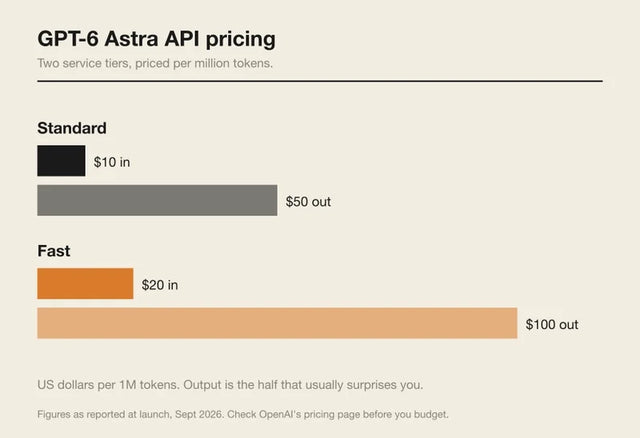
How Much Does GPT-6 Astra Cost Over Time? When Cloud AI Makes Sense vs Local AI
A practical GPT-6 Astra cost guide covering token usage, long-term AI workloads, cloud vs local tradeoffs, and why hybrid AI infrastructure matters.
GPT-6 Astra vs Local AI: Which Parts of an Agent Should Stay on Your Home Server?
GPT-6 Astra can stay in the cloud while your home server keeps files, memory, RAG, tools, permissions, and durable agent state local.


