
Top 10 Self-Hosted AI Search Tools in 2026


Self-hosted AI search is no longer just “run a Perplexity clone on Docker.” In 2026, the category now spans web answer engines, private document search, deep-research agents, enterprise knowledge search, and local search backends.
The right choice depends on what you actually want to keep under your control: the search query, the model, your files, the embeddings, the search index, or the entire retrieval pipeline. These 10 tools cover the main ways to build that stack yourself.
What Does “Self-Hosted AI Search” Actually Mean?
A self-hosted AI search tool can mean several different things.
| Search Type | What It Searches | Typical Architecture |
|---|---|---|
| Web answer engine | The live web | Search backend + LLM + citations |
| Private knowledge search | Documents, notes, drives, apps | Ingestion + embeddings + retrieval + LLM |
| Deep research agent | Multiple web searches over time | Search → reflect → search again → synthesize |
| Search backend | Multiple conventional search engines | Meta-search API feeding an AI layer |
The distinction matters because running the web interface on your own server does not automatically make the whole search workflow private.
You might self-host the frontend while still sending queries to a commercial LLM and a hosted search API:
Browser
   |
Self-Hosted Search UI
   |
   +--- Cloud LLM
   |
   +--- Hosted Search API
Or you can move almost the entire stack onto your own infrastructure:
Browser
   |
Self-Hosted AI Search
   |
   +--- SearXNG
   +--- Ollama
   +--- Local Embeddings
   +--- Local Search Index
   +--- Private Files
That second architecture is where self-hosted AI search becomes especially relevant to a local knowledge base. Search is no longer only about finding pages on the internet; it can also become the retrieval layer for documents, research archives, project files, and private operational data.
How We Ranked the Best Self-Hosted AI Search Tools
This is not a GitHub-star leaderboard, and these tools do not all solve the same search problem.
The ranking focuses on seven practical factors: how completely the stack can be self-hosted, the quality of its search and retrieval architecture, support for local models, citation and source grounding, private-data search, deployment difficulty, and current project relevance in 2026.
We also distinguish between “self-hosted” and “fully local.” A tool may be installed on your server while still calling OpenAI, Anthropic, Tavily, Brave, Exa, or another external provider. That can still be useful, but it is a different privacy model from Ollama + local embeddings + a self-hosted search backend.
Top 10 Self-Hosted AI Search Tools at a Glance
| Rank | Tool | Search Type | Web Search | Private Files | Local LLM | Best For |
|---|---|---|---|---|---|---|
| 1 | Vane | Web answer engine | Yes | Yes | Ollama | Self-hosted Perplexity-style search |
| 2 | Morphic | Web answer engine | Yes | Yes | Ollama | Generative search UI |
| 3 | Onyx | Enterprise knowledge search | Yes | Yes | Ollama, LiteLLM, vLLM | Team and company search |
| 4 | Khoj | Personal knowledge + web search | Yes | Yes | Local / compatible APIs | Personal second brain |
| 5 | SurfSense | Research workspace | Yes | Yes | Ollama, LM Studio | Connected research workflows |
| 6 | Open WebUI | AI workspace + search | Yes | Yes | Ollama | Adding search to an existing local AI UI |
| 7 | Local Deep Researcher | Deep research agent | Yes | Limited | Ollama, LM Studio | Iterative local research |
| 8 | RAGFlow | Document / RAG search | Secondary | Yes | Self-hosted model options | Complex private document search |
| 9 | AnythingLLM | Private document search | Secondary | Yes | Ollama, LM Studio, LocalAI | Easy local document Q&A |
| 10 | SearXNG | Meta-search backend | Yes | No | Not applicable | Private search backend for local AI |
1. Vane — Best Overall Self-Hosted AI Search Engine

Vane, formerly known as Perplexica, is one of the most direct answers to the question “What can I self-host instead of Perplexity?”
It combines a search backend with an LLM answer layer and returns grounded responses with cited sources. The current project supports local inference through Ollama as well as hosted providers including OpenAI, Anthropic Claude, Google Gemini, and Groq.
Its search layer is powered by SearXNG, which means Vane does not need to depend on one commercial search API. The recommended Docker image can even bundle SearXNG with the application, while a slim deployment can point at an existing SearXNG instance elsewhere on your network.
Vane also separates search behavior into modes for speed, balanced use, and deeper research. It can search general web results, discussions, and academic sources rather than treating every query identically.
User Question
     |
     v
    Vane
     |
 +---+----+
 |        |
SearXNG  Ollama
 |        |
Web      Local LLM
 +---+----+
     |
Cited Answer
This is why Vane ranks first: it matches the classic AI-search use case closely while still giving self-hosters control over both search and inference.
Best for: users who want a private, self-hosted Perplexity-style answer engine with citations and Ollama support.
Trade-off: web search still requires outbound internet access, and using cloud LLM providers changes the privacy model even if the Vane application itself is running locally.
2. Morphic — Best Self-Hosted AI Search for Generative UI

Morphic overlaps with Vane on the surface: both can combine web search with LLM-generated answers, citations, Docker deployment, Ollama, and SearXNG.
The difference is presentation and interaction.
Morphic describes itself as an AI-powered search engine with a generative UI. Instead of restricting every answer to plain markdown, the interface can stream richer components such as image-supported sections, grids, headings, and other structured result blocks.
Its current search layer supports SearXNG, Tavily, Brave, and Exa. Model selection can use OpenAI, Anthropic, Google, Ollama, Vercel AI Gateway, or OpenAI-compatible providers.
The Docker setup is unusually convenient because Docker Compose can bring up Morphic, PostgreSQL, Redis, and SearXNG together. That makes it one of the better choices for someone who wants a complete local search application without assembling every service by hand.
Best for: users who want a polished Perplexity-style search experience with richer generated interfaces and flexible search providers.
Trade-off: the stack is heavier than a minimal Vane deployment because the full experience includes PostgreSQL, Redis, authentication, history, and additional application services.
3. Onyx — Best Self-Hosted AI Search for Teams and Company Knowledge

Onyx belongs in a different category from Vane and Morphic.
Its central question is not “What does the web say?” It is:
“What does our organization already know?”
Onyx combines hybrid retrieval, RAG, deep research, agents, web search, and a large connector ecosystem. It can index information from internal applications and repositories while also searching the live web when necessary.
The project supports more than 50 indexing connectors and can connect to tools such as Slack, Google Drive, GitHub, Jira, Confluence, and other team systems. Its Community Edition covers core chat, RAG, agent, and action features, while larger organizations can add enterprise identity and governance features.
It also supports self-hosted model infrastructure such as Ollama, LiteLLM, and vLLM rather than forcing all search results through one hosted LLM.
Slack -------\
Drive --------\
GitHub --------> Onyx ----> Search / RAG / Deep Research
Confluence ---/
Web ----------/
This is much closer to a self-hosted Glean-style search layer than a simple Perplexity clone.
Best for: teams that want one search and answer layer across company documents, apps, repositories, and the web.
Trade-off: Onyx is significantly more platform than a single user needs if the goal is only private web search.
4. Khoj — Best Personal AI Search for Web and Private Files

Khoj occupies the personal version of the space Onyx targets for organizations.
It combines private documents, web information, semantic search, agents, and personal knowledge into a self-hostable “second brain” style environment.
The search architecture is more serious than a simple vector lookup. Khoj's documentation describes a two-stage retrieval flow where a bi-encoder retrieves candidate documents and a slower cross-encoder reranks them for the current query.
That matters because good AI search is not only about generating embeddings. Retrieval quality depends on finding enough candidates and then ranking the most relevant evidence before the LLM sees it.
Khoj can use local search models and OpenAI-compatible endpoints, including Ollama-compatible setups, which makes it suitable for a personal private knowledge system.
Best for: individuals who want to search notes, files, documents, and the web from one self-hosted personal AI workspace.
Trade-off: it is designed more around personal knowledge and assistant workflows than organization-wide enterprise indexing and permissions.
5. SurfSense — Best Self-Hosted AI Research Workspace

SurfSense is better understood as a connected research workspace than as another search box.
The self-hosted platform can connect information sources, build searchable knowledge, and support workflows around research, notes, automations, and agents. Its current documentation includes connectors for services such as Notion, Slack, Google, Jira, and other external knowledge sources.
It also documents local-model connections through Ollama and LM Studio, allowing the application layer and inference layer to remain under user control.
That makes SurfSense especially interesting when “search” is only one step in a longer workflow:
Collect Sources
      |
Index Knowledge
      |
Search / Ask
      |
Generate Notes
      |
Run Automation
      |
Continue Research
Best for: researchers and knowledge-heavy teams that want search, connected sources, notes, and automation in one self-hosted workspace.
Trade-off: if you only want fast web answers with citations, Vane or Morphic is simpler and more focused.
6. Open WebUI — Best Way to Add Search to an Existing Local AI Stack

Open WebUI is not primarily a search engine, and that distinction should be explicit.
Its strength is that many local-AI users already run it as the interface in front of Ollama or other model servers. For those users, adding search inside the existing AI workspace can be more practical than deploying a separate search application.
Open WebUI currently supports web search through a wide range of providers, including SearXNG, Brave, DuckDuckGo, Tavily, Exa, Kagi, Perplexity, Jina, Bing, and several other engines.
Its official SearXNG integration guide shows how a separate local SearXNG container can become the search layer for Open WebUI.
The same application also supports local RAG over uploaded documents and document libraries, so a user can combine web retrieval and private-file retrieval inside one interface.
Best for: users who already run Ollama + Open WebUI and want to add self-hosted web search without moving to a dedicated answer engine.
Trade-off: because Open WebUI is a general AI workspace, search behavior depends heavily on model tool-calling, context size, retrieval settings, and how the selected search provider is configured.
7. Local Deep Researcher — Best Fully Local Deep Research Agent

Local Deep Researcher shows where AI search is heading beyond one-query answer engines.
The project uses a local LLM through Ollama or LM Studio to generate a search query, collect web results, summarize them, identify remaining knowledge gaps, create another query, and repeat the cycle before generating a final cited report.
Question
   |
Generate Search
   |
Search Web
   |
Summarize
   |
Find Knowledge Gaps
   |
Search Again
   |
Repeat
   |
Final Cited Report
Search can use DuckDuckGo by default, with optional SearXNG, Tavily, or Perplexity integrations.
This makes it different from Vane or Morphic. Those tools are optimized around interactive search and answer UX. Local Deep Researcher is optimized around iterative investigation.
Best for: research questions where one search is unlikely to surface enough evidence and the agent should deliberately search again after identifying gaps.
Trade-off: repeated search and summarization cycles are slower and more compute-intensive than a normal answer engine, especially when the LLM is running locally.
8. RAGFlow — Best for Complex Private Document Search
RAGFlow is not primarily trying to compete with Perplexity.
It is a retrieval platform for turning complex private data into reliable context for LLMs.
The current project combines end-to-end RAG with document parsing, orchestrated ingestion pipelines, agent workflows, MCP support, and data synchronization from sources such as Confluence, S3, Notion, Discord, and Google Drive.
That makes it a better fit for questions such as:
“How do I search thousands of PDFs, office files, internal documents, and connected knowledge sources with reliable retrieval?”
rather than:
“What happened on the web today?”
RAGFlow also keeps evolving as an agent context layer. In 2026 it added an official skill for accessing RAGFlow datasets through OpenClaw, illustrating how document search is moving from isolated RAG chat toward reusable agent infrastructure.
For a deeper look at this layer, the ZimaSpace guide to document search and RAG breaks the workflow into extraction, chunking, embeddings, vector search, reranking, and evidence-aware answer generation.
Best for: larger document libraries and teams that need serious ingestion, parsing, retrieval, and knowledge workflows.
Trade-off: RAGFlow is much heavier than a simple local document-chat application and is overkill if your knowledge base is only a few folders.
9. AnythingLLM — Best Easy Self-Hosted Search for Private Documents

AnythingLLM sits at the more approachable end of private AI search.
It can ingest documents, build workspaces, create embeddings, retrieve relevant context, show source citations, and connect to local or cloud models without requiring users to assemble a RAG stack from separate components.
Local model support includes Ollama, LM Studio, LocalAI, and llama.cpp-compatible models. The embedding layer can also remain local, and the project supports multiple vector databases including LanceDB, Chroma, Qdrant, Weaviate, Milvus, and PGVector.
AnythingLLM's self-hosted privacy terms are unusually explicit: documents, histories, workspace settings, and embeddings remain on infrastructure managed by the user, and the application can operate air-gapped when local model and vector components are selected.
This makes it a natural bridge between “chat with my documents” and a more complete local AI workflow.
Best for: users who want a simple local document-search and RAG application without managing a more complex retrieval platform.
Trade-off: it is easier to deploy than RAGFlow or Onyx, but that simplicity also means it is not the strongest choice for organization-wide indexing or advanced research orchestration.
10. SearXNG — Best Private Search Backend for Local AI
SearXNG is the odd one out because it is not an AI answer engine.
It is a self-hosted metasearch engine that aggregates results from as many as 272 search services while avoiding user tracking and profiling.
That makes it one of the most important infrastructure components in the self-hosted AI search ecosystem.
Vane can use SearXNG. Morphic can use SearXNG. Open WebUI can use SearXNG. Local Deep Researcher can use SearXNG.
Its role is simple:
User Query
    |
SearXNG
    |
Raw Search Results
    |
Local LLM
    |
Cited AI Answer
Self-hosting the search backend separates the retrieval layer from the answer layer. You can change LLMs without changing the search engine, or change answer applications while keeping the same search infrastructure.
Best for: users who want a private Google-like metasearch backend that can feed Vane, Open WebUI, Morphic, research agents, or custom local-AI applications.
Trade-off: SearXNG does not summarize, reason, or generate cited answers by itself. It needs an AI layer above it if you want a Perplexity-style experience.
Which Self-Hosted AI Search Tool Should You Choose?
| If You Want... | Start With | Why |
|---|---|---|
| A private Perplexity alternative | Vane | Focused self-hosted web answer engine with SearXNG and Ollama |
| A richer generative search interface | Morphic | Generative UI plus flexible search providers |
| Search across team knowledge | Onyx | Large connector ecosystem plus hybrid search and RAG |
| Search personal files and the web | Khoj | Personal knowledge search with local retrieval |
| A connected research workspace | SurfSense | Search, sources, notes, connectors, and automations |
| Add search to an Ollama chat stack | Open WebUI | Pluggable search inside a familiar local AI interface |
| Multi-step web investigation | Local Deep Researcher | Searches, reflects, identifies gaps, and searches again |
| Complex enterprise document retrieval | RAGFlow | Advanced ingestion and RAG architecture |
| Easy private document Q&A | AnythingLLM | Local-first app with built-in document pipelines and vector stores |
| A private search backend | SearXNG | Reusable metasearch layer for many AI applications |
Vane vs Morphic: Which Self-Hosted Perplexity Alternative Is Better?
Vane and Morphic are the two most direct choices if your mental model is “I want Perplexity, but on my own server.”
| Area | Vane | Morphic |
|---|---|---|
| Main focus | Privacy-focused AI answering engine | AI search with generative UI |
| SearXNG | Core search path | Supported and bundled in Docker Compose |
| Ollama | Yes | Yes |
| Cloud models | Yes | Yes |
| Files | Yes | Yes |
| Citations | Yes | Yes |
| Search modes | Speed, Balanced, Quality | Quick, Adaptive |
| Best fit | Focused private answer engine | Search UX and richer result presentation |
Choose Vane when the priority is a focused private answer engine with a straightforward SearXNG + Ollama architecture.
Choose Morphic when the search interface itself matters and you want richer generative result components, history, authentication, and a more application-like experience.
Onyx vs Khoj vs AnythingLLM for Private Knowledge Search
All three can search private information, but they target very different deployments.
| Area | Onyx | Khoj | AnythingLLM |
|---|---|---|---|
| Primary user | Team / organization | Individual | Individual or small team |
| Connected apps | Extensive connector ecosystem | Personal knowledge sources | Document/workspace oriented |
| Web search | Strong | Available | Secondary to document search |
| Retrieval depth | Hybrid search + agentic RAG | Bi-encoder + reranking | Built-in RAG pipeline |
| Local models | Yes | Yes | Yes |
| Best fit | Company-wide knowledge | Personal second brain | Easy private document Q&A |
Choose Onyx when information is spread across many team applications and permissions matter.
Choose Khoj when the knowledge belongs primarily to one person and the goal is a searchable private memory and research environment.
Choose AnythingLLM when the priority is getting a local document-search workflow running quickly with minimal infrastructure work.
Web Search vs Private Knowledge Search
One of the most common mistakes in this category is treating web search and private RAG as interchangeable.
They solve different retrieval problems.
| Question | Best Retrieval Layer |
|---|---|
| What happened today? | Live web search |
| What does our internal policy say? | Private document search |
| What changed in this project? | Connected app / repository search |
| What does the latest research say? | Deep research + web / academic search |
| What did I write about this six months ago? | Personal knowledge search |
A mature AI search stack increasingly combines both:
               Web
                \
Private Files ----> Retrieval Layer ----> LLM ----> Cited Answer
                /
Connected Apps
This is why products such as Onyx, Khoj, SurfSense, and Open WebUI are becoming broader than traditional RAG applications.
Which Self-Hosted AI Search Tools Can Run With Ollama?
Several tools on this list can move the LLM inference layer onto Ollama or another local model server.
| Tool | Local Model Path | Typical Local Search Stack |
|---|---|---|
| Vane | Ollama | Vane + SearXNG + Ollama |
| Morphic | Ollama / compatible providers | Morphic + SearXNG + Ollama |
| Onyx | Ollama, LiteLLM, vLLM | Onyx + connectors + local model |
| Khoj | Local / OpenAI-compatible endpoints | Khoj + local retrieval + local model |
| SurfSense | Ollama, LM Studio | SurfSense + connectors + local model |
| Open WebUI | Ollama | Open WebUI + SearXNG + Ollama |
| Local Deep Researcher | Ollama, LM Studio | Research agent + search backend + local model |
| AnythingLLM | Ollama, LM Studio, LocalAI | AnythingLLM + local embeddings + local vector DB |
The important qualification is that local inference does not make live web search offline.
A stack such as:
Vane
 |
SearXNG
 |
Ollama
can keep the LLM, search orchestration, history, and application data on your hardware, but SearXNG still has to reach external search services when you ask about the live internet.
A truly air-gapped setup only works for knowledge already stored locally, which is where AnythingLLM, RAGFlow, Khoj, and other private-document systems become more relevant.
How to Build a Self-Hosted AI Search Stack With SearXNG and Ollama
For a home lab, one of the cleanest architectures is to separate search, inference, and storage:
Browser
   |
AI Search App
Vane / Morphic / Open WebUI
   |
+--+-------------------+
|                      |
SearXNG              Ollama
|                      |
Live Web             Local LLM
|
Internet

Private Storage
PDFs / Notes / Docs / Cache / Indexes
This separation gives you flexibility. You can replace Vane with Morphic without replacing SearXNG. You can upgrade the model running in Ollama without rebuilding the search application. You can keep your document archive and indexes on persistent storage even as the application containers change.
That architecture maps naturally to a local AI homelab, where storage, Docker services, search indexes, vector databases, and model runtimes can live on the same server or be separated across the LAN.
A lightweight server can host search and retrieval continuously while a more powerful GPU machine runs the LLM:
Always-On Server            GPU Workstation
      |                           |
 AI Search App                  Ollama
 SearXNG                         vLLM
 Vector DB                        |
 Documents  <------ LAN ---------+
This can be more practical than forcing every service onto one oversized box.
How Much Hardware Does Self-Hosted AI Search Need?
The search application itself is usually not the most demanding part of the stack.
Resource use comes from several different layers:
| Layer | Main Resource | Why It Matters |
|---|---|---|
| Web search | Network + CPU | Queries and parses multiple external sources |
| LLM inference | RAM / VRAM | Generates answers and research summaries |
| Embeddings | CPU / GPU + RAM | Indexes private documents |
| Vector database | RAM + storage | Stores and searches embeddings |
| Document parsing | CPU + storage | Processes PDFs, office files, OCR, and metadata |
| Search history / cache | Storage | Persists conversations, results, and research state |
A simple Vane + SearXNG setup can run on much less hardware than a large RAGFlow deployment indexing millions of document chunks.
The model is usually the biggest variable. If you use a hosted model, the search server can remain relatively lightweight. If Ollama runs a larger local reasoning model, RAM and accelerator requirements rise quickly.
AnythingLLM's current guidance illustrates this split well: the application itself can be lightweight, while a better local-model experience benefits from more memory and GPU capacity. The same principle applies across most of this list.
Self-Hosted Does Not Automatically Mean Private
This is the most important privacy check in the entire category.
Running the application in Docker is only one layer.
| Layer | Question to Ask |
|---|---|
| Search backend | Who receives the web query? |
| LLM | Where are prompts and retrieved passages processed? |
| Embeddings | Does document text leave the server during indexing? |
| Vector database | Where are semantic indexes stored? |
| Connected apps | Which external services can the search platform access? |
| Telemetry | What usage information leaves the instance? |
| Search history | Where are queries and generated answers stored? |
For private-document search, the embedding layer is particularly easy to overlook.
A workflow can use a local LLM but still send every chunk of a private PDF to a cloud embedding API. That is not equivalent to a fully local RAG stack.
If privacy is the goal, inspect the full path:
Document
   |
Parser
   |
Embedding Model
   |
Vector DB
   |
Retriever
   |
LLM
   |
Answer
The ZimaSpace guide to local knowledge bases goes deeper into why storage, embeddings, vector search, and evidence rules all matter when the goal is long-term private search rather than one-off file chat.
AI Search Is Becoming Deep Research
The biggest change in 2026 is that search is becoming iterative.
The old AI-search flow was:
Question
   |
Search once
   |
Summarize
   |
Answer
The new research flow increasingly looks like:
Question
   |
Search
   |
Read
   |
Identify Missing Evidence
   |
Search Again
   |
Compare Sources
   |
Refine Question
   |
Search Again
   |
Synthesize
   |
Cited Report
Local Deep Researcher makes this pattern explicit, but the same direction is visible in Onyx deep research, research-oriented workspaces such as SurfSense, and the “quality” or adaptive modes appearing in modern answer engines.
This shift matters for self-hosting because deep research is more demanding than ordinary search. It produces more search requests, more retrieved text, longer contexts, more model calls, and larger research state.
The payoff is that a local AI search server can become more than a private Google replacement. It can become an always-on research layer over both the public web and your own data.
Other Self-Hosted AI Search Tools Worth Watching
Farfalle remains worth monitoring as an open-source AI search project with SearXNG, Ollama, LiteLLM, and agent-oriented search support. It overlaps heavily with Vane and Morphic, which is why it did not take a primary Top 10 slot.
There are also increasingly specialized tools for academic search, code search, enterprise connectors, vector search, and NotebookLM-style workspaces. The category is broadening quickly enough that “best AI search engine” is becoming less useful than asking which retrieval problem you actually need to solve.
Final Verdict
Choose Vane if you want the most direct self-hosted Perplexity-style search experience with SearXNG and Ollama.
Choose Morphic if you care about a richer generative search interface and a more application-like deployment.
Choose Onyx if the real search target is company knowledge spread across many tools and repositories.
Choose Khoj if you want a personal search layer over private files and the web.
Choose SurfSense when search is part of a broader research, notes, connectors, and automation workflow.
Choose Open WebUI if you already have an Ollama-based local AI stack and simply want to add web search and local RAG to the interface you already use.
Choose Local Deep Researcher when the task needs repeated search, reflection, and evidence gathering rather than one fast answer.
Choose RAGFlow when private document parsing, ingestion, retrieval quality, and larger-scale RAG matter more than web-search UX.
Choose AnythingLLM for the easiest path to private document search with local models, local embeddings, and built-in RAG.
Choose SearXNG when you want to own the web-search backend itself and feed that search layer into multiple local AI applications.
The most useful self-hosted AI search stack is therefore not necessarily one application. It is often a modular system where search, retrieval, inference, private storage, and citations can evolve independently.
FAQ
What is the best self-hosted AI search engine in 2026?
Vane is one of the strongest overall choices for a self-hosted Perplexity-style answer engine because it combines cited web answers, SearXNG, Docker deployment, and local inference through Ollama. Morphic is a strong alternative when the search interface and generative UI matter more.
What is the best open-source alternative to Perplexity?
Vane and Morphic are two of the closest open-source self-hosted alternatives. Vane focuses on privacy-oriented answering with SearXNG and local models, while Morphic emphasizes generative UI and flexible search providers.
Is Perplexica still active?
The project previously known as Perplexica has moved forward as Vane. Users looking for the current version should evaluate Vane rather than relying on older Perplexica installation guides.
Can I run AI web search completely offline?
No, not if you need current information from the live web. You can keep the AI model, application, history, and search orchestration local, but a web search backend still needs internet access to retrieve current pages or search-engine results. Fully offline search is possible only over data already stored locally.
Can I use SearXNG with Ollama?
Yes. SearXNG provides search results while Ollama provides local LLM inference. Applications such as Vane, Morphic, Open WebUI, and Local Deep Researcher can sit between them and turn search results into AI-generated answers.
Which self-hosted AI search tool is best for private documents?
AnythingLLM is one of the easiest options for local document Q&A. RAGFlow is more appropriate for complex ingestion and larger RAG systems, while Onyx is stronger when documents are spread across many organization-wide applications.
Which self-hosted AI search tool is best for a team?
Onyx is the strongest fit on this list for company-wide search because it combines connectors, hybrid retrieval, RAG, web search, agents, and team-oriented governance. SurfSense is another good option when the workflow is more research-centric.
What is the difference between AI search and RAG?
AI search is the broader user experience of retrieving information and generating an answer. RAG is one retrieval architecture used to ground an LLM in relevant external context. A self-hosted AI search tool may use RAG for private documents, live web search for current information, or both.
Do I need a vector database for self-hosted AI search?
Not for ordinary live web search. Vector databases become useful when you need semantic search over private documents, notes, repositories, or other persistent knowledge. Tools such as AnythingLLM, RAGFlow, Onyx, and Khoj use retrieval layers that go beyond conventional web search.
What is the difference between Vane and SearXNG?
SearXNG is a metasearch backend that returns search results. Vane is an AI answering engine that can use SearXNG to retrieve results, then uses an LLM to synthesize those results into a cited answer.
Can self-hosted AI search use both local and cloud models?
Yes. Many tools on this list support both. This allows a hybrid architecture where routine searches use Ollama locally while difficult research tasks can be routed to a hosted model when needed.
What should I self-host first: the AI model or the search engine?
If privacy around private documents is the main concern, start with the model, embeddings, and document index. If privacy around web queries is the main concern, start with a self-hosted search backend such as SearXNG. For the strongest control, self-host both layers.

Tech & AI HUB
More to Read
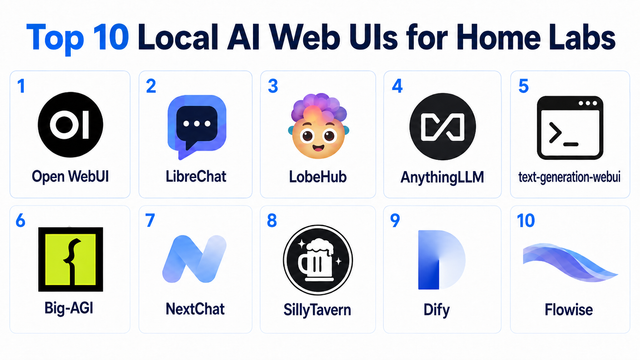
Top 10 Local AI Web UI for Home Labs In 2026
Compare 10 self-hosted local AI web UIs for home labs, covering Ollama support, RAG, agents, multi-user access, setup effort, and ideal use cases.
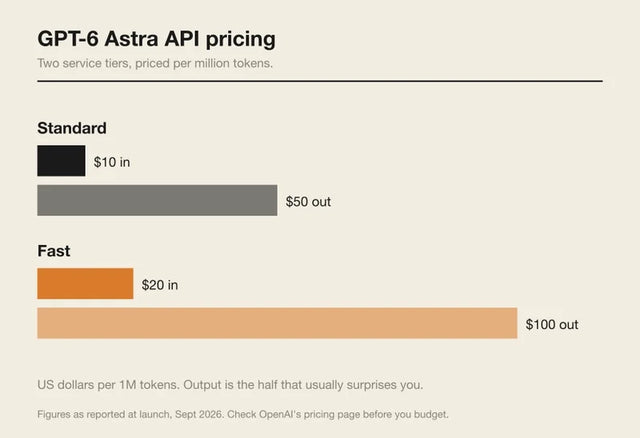
How Much Does GPT-6 Astra Cost Over Time? When Cloud AI Makes Sense vs Local AI
A practical GPT-6 Astra cost guide covering token usage, long-term AI workloads, cloud vs local tradeoffs, and why hybrid AI infrastructure matters.
GPT-6 Astra vs Local AI: Which Parts of an Agent Should Stay on Your Home Server?
GPT-6 Astra can stay in the cloud while your home server keeps files, memory, RAG, tools, permissions, and durable agent state local.


