
8GB vs 16GB vs 32GB RAM for Jellyfin: Which Tier Fits Your Workload?


Use 8GB as the default Jellyfin tier, move to 16GB when the server also hosts meaningful services, and choose 32GB only when measured workloads justify it.
Baseline Gate: Jellyfin Itself Usually Does Not Need 16GB or 32GB
Jellyfin’s current hardware guidance recommends 8GB of system RAM for an average deployment and notes that 4GB may be sufficient for a headless Linux server. That makes 8GB the sensible baseline for a dedicated media server rather than the entry level to avoid at all costs.
The official hardware selection guide also recommends more memory for heavier operating systems such as Windows 11. The OS therefore changes the baseline before the number of Jellyfin users does.
Do not size RAM from simultaneous streams alone. Direct Play does not reserve gigabytes per user, and hardware video encode capacity is largely a media-engine question. Memory should be justified by the whole host workload and observed pressure.
8GB Wins for a Dedicated or Lightly Shared Jellyfin Host
Choose 8GB when Jellyfin is the main service, the host runs a lightweight Linux environment or similarly modest OS, and additional containers are small. This tier leaves room above a minimal deployment without paying for memory that may sit unused.
It also fits many Direct Play-heavy households where the media engine handles occasional supported transcodes. If playback is failing because a codec falls back to software or the GPU is unavailable, moving from 8GB to 16GB usually does not fix the actual bottleneck.
A compact platform such as ZimaBoard 2 832 can represent this tier for a light-to-medium container role, but storage and acceleration must still be sized separately; onboard memory capacity is only one decision axis.
16GB Wins When Jellyfin Shares the Host With Real Background Services
Choose 16GB when Jellyfin runs beside photo indexing, download automation, databases, several containers, monitoring, or other services that are active at the same time. The extra memory creates room for the combined working set and filesystem cache rather than directly doubling Jellyfin performance.
This tier is also more comfortable for heavier desktop-style operating systems or for users who want to avoid tight memory management during library scans and concurrent app activity. The trigger is sustained host pressure, not a desire for a rounder specification.
The Zima Jellyfin hardware requirements page maps higher-memory Zima configurations to additional containers and growth rather than claiming that RAM alone creates a fixed number of extra video streams.

32GB Wins Mainly for Virtualization, Heavy Co-Hosting, or Memory-Hungry Data Services
Choose 32GB when the server also runs virtual machines, heavier databases, large photo or AI indexing jobs, development environments, or other workloads whose memory demand is independent of Jellyfin. At this point, you are sizing a multi-service home server, not a media server alone.
If Jellyfin is the only meaningful service and 8GB shows no swap pressure or out-of-memory events, 32GB usually delivers diminishing returns. More free RAM may become cache, but that is not equivalent to a proportional improvement in playback.
A larger all-in-one platform may make sense when storage, services, and memory expansion are being consolidated. Even then, 32GB should solve a named co-hosted workload rather than acting as insurance against an undefined future.
Integrated Graphics Add a Bandwidth Question That Capacity Alone Does Not Answer
Integrated GPUs share system memory, so memory bandwidth can matter during demanding accelerated processing. Jellyfin specifically notes that dual-channel memory can improve memory bandwidth for some iGPU workloads such as hardware HDR/DV tone mapping.
That means an 8GB dual-channel configuration and a 16GB single-channel configuration are not comparable only by capacity. Platform architecture, channel layout, and whether memory is soldered or upgradeable can affect the media path differently.
Check the actual platform configuration before paying for a larger tier. If the RAM is not user-upgradeable, buying 16GB can be sensible future headroom for a shared host; if it is easily upgradeable, starting at 8GB and measuring may be lower risk.
Conditional Verdict: 8GB by Default, 16GB for Shared Hosts, 32GB for Non-Jellyfin Work
Pick 8GB for a dedicated or lightly shared Jellyfin server that passes real playback and background-task tests without memory pressure. This is the default tier supported by Jellyfin’s own current guidance.
Pick 16GB when the server has a broader app stack, a heavier OS, or measured peak memory use that makes 8GB tight. Pick 32GB when virtualization or other memory-hungry services make the host—not Jellyfin—the reason for the upgrade.
If the problem is transcoding speed, storage latency, or network throughput, do not buy more RAM as a proxy fix. Upgrade the resource that the workload is actually saturating.

Recommended products

Product Comparisons
More to Read
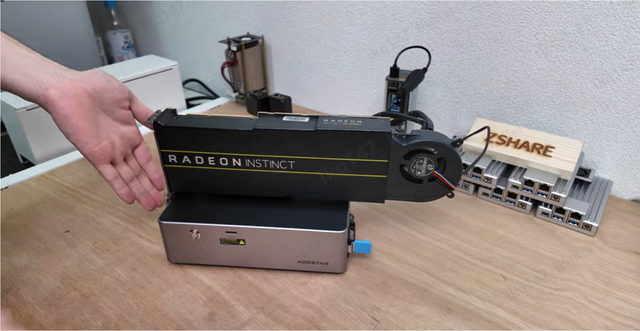
More CPU Cores for Jellyfin: When Do They Actually Make It Faster?
More cores change Jellyfin only after a controlled lower-core candidate becomes CPU-bound and the same workload scales on the larger processor.
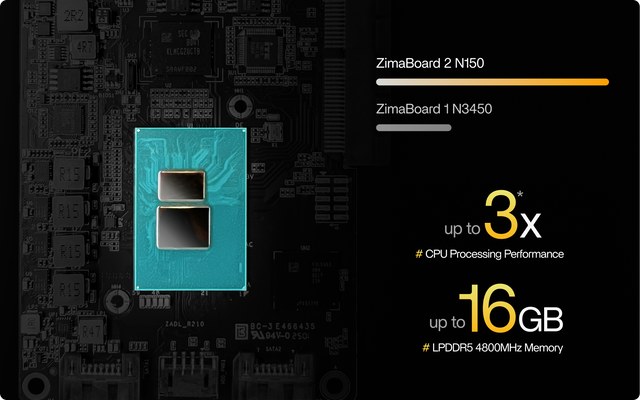
Direct Remote Exposure vs Private VPN Access for Jellyfin: Which Route Is Safer?
Use a private VPN for your own managed clients; use a hardened public HTTPS route only when client compatibility or sharing requires public reachability.
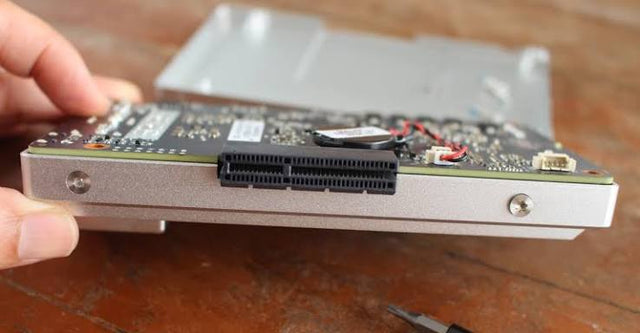
SATA SSD vs NVMe SSD for Jellyfin: Which Specification Changes Results?
For most Jellyfin servers, HDD-to-SSD is the big jump; NVMe beats SATA only when app-state or shared-host I/O actually reaches SATA's latency or queue...


