Run Plex, Pi-hole, Proxmox, or even Minecraft - 24/7, cool and silent. ZimaBoard 2 handles media streaming, firewalls, homelabs, and AI containers with ease. Low power, high reliability.
Native SATA & PCIe - no hats, no hassles. Plug in 2.5" HDDs/SSDs, install a 10G NIC, GPU, or NVMe adapter. It's ready for your personal storage or expansion needs.
Dual 2.5G Ethernet built-in. Ideal for fast local NAS, low-latency remote access, or routing multiple network services at home.
Run what works for you - ZimaOS, TrueNAS, Proxmox, Debian, pfSense… Users love testing different OS setups for backups, Plex servers, Docker labs, or cluster builds.
Small, hackable, and kind of cute.Many call it "a mini server that looks like a toy but runs like a beast." Perfect for creative DIYers and tech lovers.
We offer 14-Day Money-Back Guarantee after delivery. Try it out risk-free!
Need Help?
For tech support, join our Discord Community - real geeks, pro users, and Zima devs are always around to help.
Costruisci il tuo firewall ad alte prestazioni per casa o ufficio in pochi minuti.
Prendi il controllo della tua rete con il kit firewall ZimaBoard 2 (832), un pacchetto completo progettato per creator, utenti self-hosting e professionisti IT che desiderano prestazioni elevate in un formato compatto.
Contenuto della confezione
ZimaBoard 2 - Processore Intel N150 quad-core, due porte Ethernet 2.5GbE, due porte SATA III, 8 GB/16 GB di RAM LPDDR5x, eMMC da 32 GB/64 GB, ZimaOS preinstallato.
Pronto per eseguire pfSense, OpenWRT, OPNsense e ZimaOS, ecc.
Connettività fino a 4× 2.5 GbE per routing avanzato o configurazioni multi-LAN.
Raffreddamento silenzioso assistito da ventola per un funzionamento continuo 24/7.
Il design compatto si adatta a qualsiasi scrivania, rack o mini laboratorio.
Ideale per
Firewall o router per laboratorio domestico
Gateway VPN o hub per l'accesso remoto
Dispositivo edge IoT sicuro
Test di rete e acquisizione dei pacchetti
Ora i modelli ZimaBoard 2 832 e 1664 sono pronti per la spedizione: aggiorna subito la tua configurazione NAS. Assicurati il tuo in anticipo e sii tra i primi a dare energia alla tua rete con ZimaBoard 2.
Used to run my selfhosted services with docker on my Synology NAS for years and decided I needed more powerful and dedicated hardware for this purpose with lower power consumption...
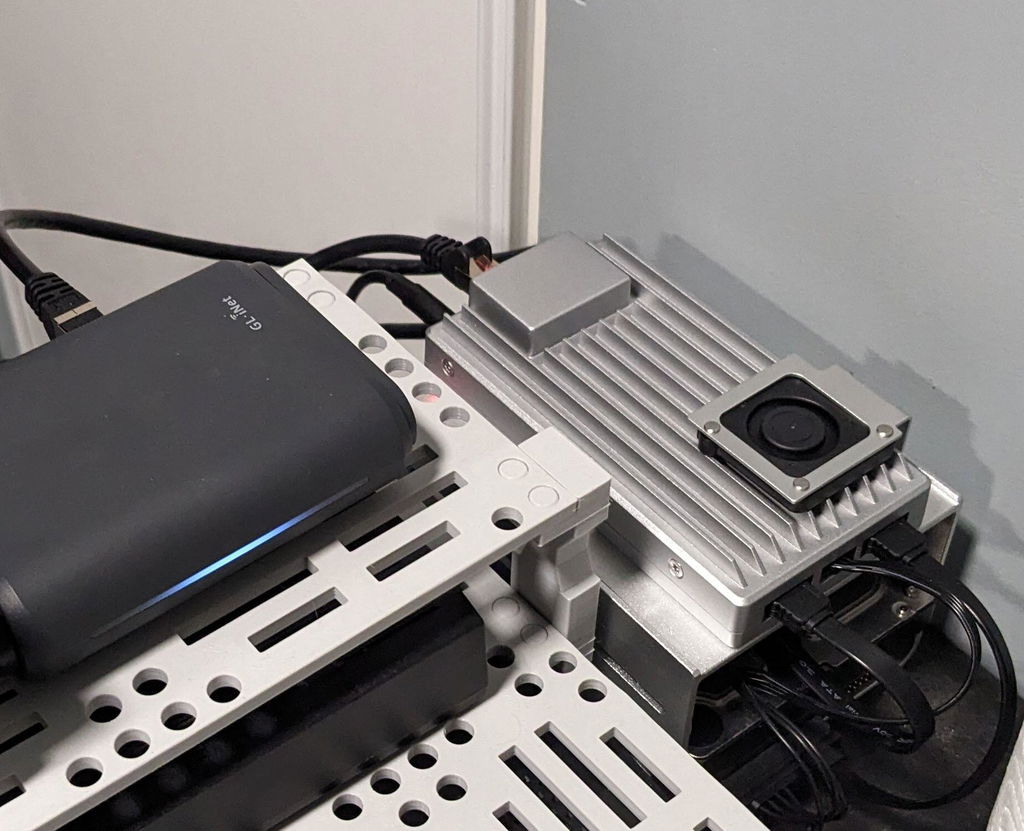
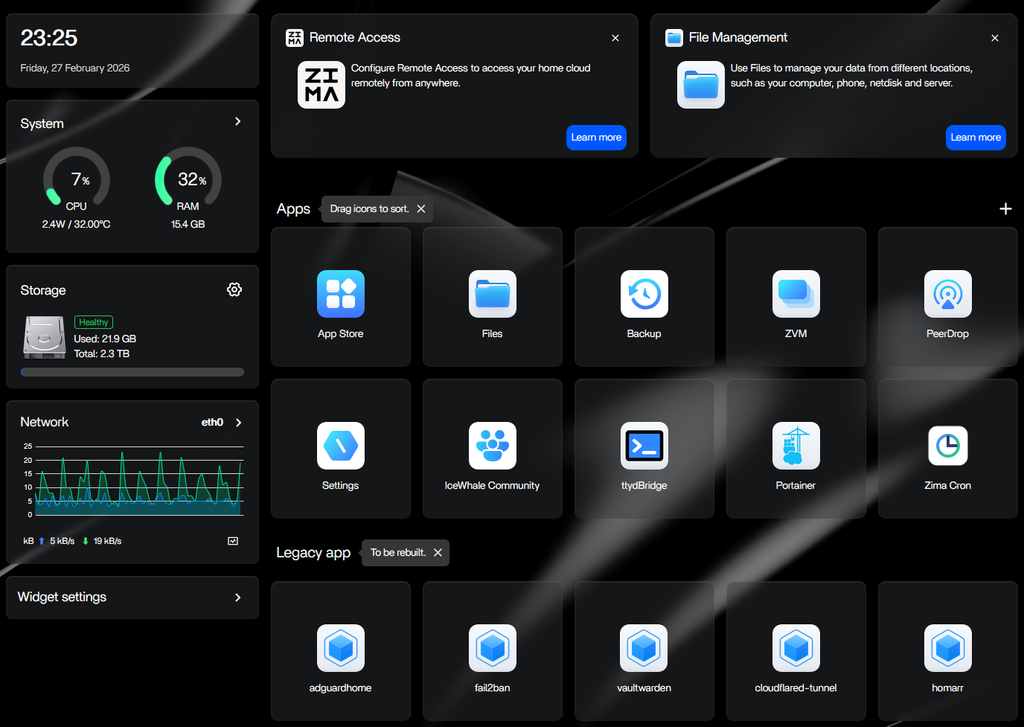
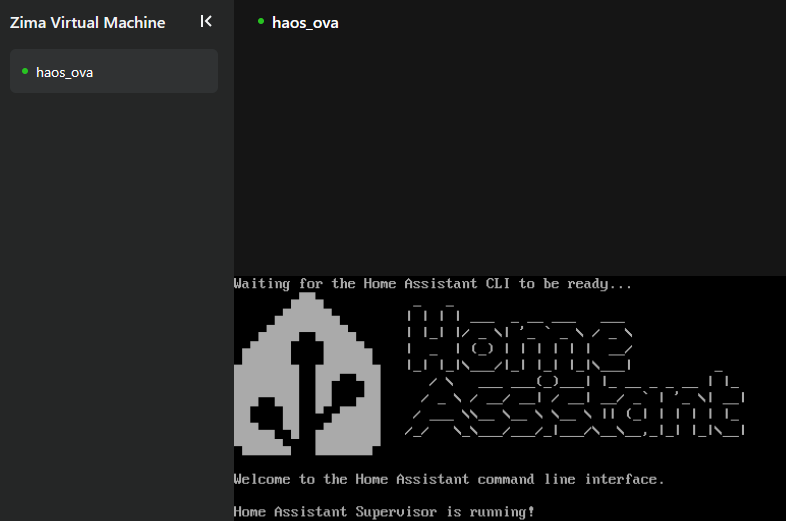
Now my Zimaboard 2 1664 (with 2TB 3.5" SATA HDD and 250GB 2.5" SATA SSD) is running my password manager, mediacenter, local DNS + adblocker, home assistant (fully managed in ZVM) and is much snappier than my 8 years old NAS and with very low power budget compared to my NAS.
Home Assistant and password manager are made available externally with cloudflare tunnel (cloudflared docker container).
Every container managed as stack in portainer (installed from the Zima appstore)
Perfect selfhosting device for me ... poweful but power efficient.
Not a single second of regret, would buy again (to build a cluster?).
Little trick/tip it you want your VM to auto start on zimaboard reboot ... can be achieved with the following commands in ttybridge :
sudo virsh list --all (to get your vm id/name)
then :
sudo virsh autostart (to set your vm to autostart when your zimaboard reboots)




 ZimaCube 2 NAS personale cloud domestico Da $799.00 USD /
 ZimaBoard 2 - Mini server domestico per la tua grande idea
 ZimaBlade - Server Single Board per Cyber Native


