


ZimaBlade 7700 DeskBuild NAS Kit: X86 4-Core DIY NAS with One-Click Apps
Features
- A ready-to-build DIY NAS kit.
A more complete starting point for personal cloud, backups, and home storage projects. - Powered by ZimaBlade 7700.
Gives you more headroom for richer self-hosting setups and always-on home server tasks. - Built for private storage and everyday access.
Great for organizing files, media libraries, and backup needs at home. - An easier way to start building.
A simpler path for users who want a more NAS-focused setup with less guesswork. - Flexible, open, and made to grow.
Expand your storage and shape your system around the way you want to use it.
Shipping & Delivery
- Orders are usually arranged within 72 hours after payment (holidays excluded)
- Delivery to most countries takes around 8–10 business days
- Questions about the product or shipment? Contact shop@icewhale.org or reach us via the online chatbox
Ways to Pay


Warranty & Support
- 2 years for deliveries within the EU
- 1 year for all other regions
ZimaBlade Deskbuild NAS KIt_
Transform your digital storage experience with the ZimaBlade DeskBuild NAS Kit, designed for tech enthusiasts who crave customization and control. This robust NAS kit empowers you to build your own network attached storage with an intuitive DIY setup, perfect for both beginners and seasoned tinkerers.
Feature-Packed for Ultimate Customization:
- DIY Made Easy: Dive into the world of do-it-yourself without the complexity. Our kit comes with user-friendly instructions that make assembly straightforward, offering you a hands-on way to learn and create.
- Powerful x86 Architecture: At the heart of the ZimaBlade DeskBuild NAS Kit is a potent x86 microprocessor, ensuring compatibility with a wide range of software applications and offering superior performance over ARM-based solutions. This means faster data processing and more efficient operation.
- One-Click Apps Installation: Streamline your software setup with our one-click apps feature. From media servers to file management tools, easily customize your NAS to suit your specific needs with minimal fuss.
Designed for Flexibility and Expansion:
- The ZimaBlade DeskBuild NAS Kit is not just about storage; it's about expanding your capabilities. Add extra memory, swap out drives, or integrate additional software without limits. Tailor your NAS to your lifestyle, whether you're managing large multimedia files, running a home business, or backing up your digital life.
Build, Learn, and Grow:
- Whether you're a tech enthusiast looking to dive deeper into hardware assembly or a novice interested in home server solutions, the ZimaBlade DeskBuild NAS Kit is your gateway to a more knowledgeable and capable digital world.
Perfect for: DIY enthusiasts, tech tinkerers, digital storage geeks, and anyone who loves to customize their tech solutions.

Update (as of 2025/10/10):
The included ZimaBlade power adapter has been upgraded to 12V/5A (60W) by default to support more demanding setups.
Note:
This upgraded adapter provides sufficient power for most use cases, including connecting up to two 3.5" HDDs. It ensures more stable performance during heavy I/O tasks, without the need for additional external power sources.
Let's see what's included in your ZimaBlade DeskBuild NAS Kit
1. ZimaBlade 7700 Single-Board Server
- High-Performance CPU: Equipped with a powerful processor to handle intensive tasks effortlessly.
- Versatile Connectivity: Multiple ports for seamless integration with your existing setup.
- Compact Design: Fits neatly into any workspace, ensuring efficiency without compromising on space.
- Customization Ready: Perfect for DIY enthusiasts who love to tailor their system to specific needs.
- Advanced Play Options: Utilize ZimaBlade to build your own private cloud, run a personal web server, or create a dedicated media center. The possibilities are endless!
2. 16GB DDR3L 1333 MT/s (PC3L-10600S) 204-Pin SODIMM Memory
- High-Speed Performance: 1333 MT/s for rapid data transfer.
- Energy Efficient: Low voltage for reduced power consumption.
- Easy Installation: 204-Pin SODIMM makes upgrading simple and straightforward.
3. Mini DisplayPort to HDMI Adapter (4K)
- High-Resolution Support: Up to 4K for stunning video quality.
- Easy Connectivity: Simple plug-and-play design for quick setup.
- Compact and Portable: Ideal for both home and on-the-go use.
4. 12V/5A (60W) USB-C Power Adapter
- Stable Power Supply: Maintains optimal performance for your ZimaBlade.
- Safety Certified: Built with safety features to protect your device.
- Compact Design: Easy to integrate into your setup.
5. 2-Bay HDD Rack Tray
- Increased Storage: Supports two 3.5-inch HDDs for expanded storage options.
- Sturdy Design: Durable build ensures your drives are securely mounted.
- Easy Integration: Compatible with ZimaBlade and other systems for seamless integration.
6. SATA Y-Cable
Simplify your storage setup with the SATA Y-Cable, designed to connect your ZimaBlade 7700 to multiple HDDs for enhanced storage solutions.
- Versatile Connectivity: Connects to 2.5-inch and 3.5-inch HDDs with ease.
- Durable Construction: Built to last, ensuring reliable performance.
- Easy Installation: Simplifies the connection process for hassle-free setup.
7. 240W USB C to USB C Cable
- Dual-Head Design: Charge two devices at once with the convenience of a single cable, ideal for multi-device users.
- Robust Power Delivery: Supports up to 240W, making it suitable for high-demand devices including laptops and tablets.
- Durable Silicone Construction: Made from high-quality silicone, this cable is built to withstand frequent use and resist wear and tear, ensuring longevity.
- Versatile and Reliable: Whether you're syncing devices or charging at high speeds, this cable provides reliable performance and durability.
Why Choose the ZimaBlade DeskBuild NAS Kit?
Comprehensive Solution: Everything you need to set up a powerful and efficient NAS system in one package.
High Performance: Boosted memory and reliable power support ensure smooth and quick data management.
Versatile and Customizable: Perfect for tech enthusiasts who love to customize and optimize their systems.
Advanced Usage Options: With ZimaBlade 7700, create your own personal cloud, run various server applications, or even set up a home automation system. Explore the detailed guides and tutorials available to get the most out of your ZimaBlade 7700.
- How to Set Up a NAS with ZimaBlade 7700?
- ZimaBlade 7700 Connection and Access Guide
Specification
ZimaBlade 7700:
- CPU: Intel® E3950
- Memory: SODIMM slot, compatible with 16 GB DDR3L RAM
- Storage: Integrated 32 GB eMMC
- Network: 1 x 10/100/1000 Mbps Gigabit Ethernet
- Display:
- 1 x 4K MiniDP @ 60 Hz
- 1 x board-to-board eDP interface
- Graphics:
- Up to 700 MHz
- Intel® Quick Sync Video
- Intel® Clear Video HD Technology
- Intel® Clear Video Technology
- PCIe: 1 x PCIe 2.0, four lanes
- USB:
- 1 x USB Type-C (data + power + display)
- 1 x USB 3.0
- 2 x USB 2.0
- SATA: 2 x SATA 3.0
- Power: 36 W USB Type-C power adapter
- Thermal: 6 W TDP with passive cooling
- Dimensions: 107 mm x 80 mm x 23 mm
- Enclosure: Custom injection molded polycarbonate (opaque and transparent), aluminum alloy heatsink, and four black silicone feet
- Software: Pre-installed Debian-based CasaOS with streamlined Docker experience. Fully compatible with Windows, Ubuntu, Debian, Raspberry Pi OS, CentOS, OpenWrt, pfSense, Android, LibreELEC, and more.
16GB DDR3L Memory:
- Type: DDR3L 1333 MT/s (PC3L-10600S)
- Capacity: 16GB
- Pin: 204-Pin SODIMM
12V/5A (60W) USB-C Power Adapter:
- Voltage: 12V
- Current: 5A
- Certifications: Safety certified
Mini DisplayPort to HDMI Adapter:
- Resolution: Up to 4K
- Compatibility: Mini DisplayPort to HDMI
2-Bay HDD Rack Tray:
- Compatibility: Supports 3.5-inch HDDs
- Design: Durable and easy to install
SATA Y Cable:
- Compatibility: 2.5-inch and 3.5-inch HDDs
- Construction: High-quality materials for long-lasting use
240W USB C to USB C Cable:
- Feature: Silicone
- Fast Charging: 50V 5A 240W
- Size: 1M
- Support: USB2.0 CM to CM with IC
Order Your ZimaBlade DeskBuild NAS Kit Today!
Don't miss out on the opportunity to enhance your digital workspace with the ZimaBlade DeskBuild NAS Kit. Order now and unlock the full potential of your data management system.
Shipping List
- ZimaBlade 7700 Single-Board Server * 1
- 16GB DDR3L 1333 MT/s (PC3L-10600S) 204-Pin SODIMM Memory * 1
- Mini DisplayPort to HDMI Adapter (4K) * 1
- 12V/5A USB-C Power Adapter * 1
- 2-Bay HDD Rack Tray * 1
- SATA Y-Cable * 1
- 240W USB C to USB C Cable 1M *1
Customer Reviews
I got tired of having to keep paying for a Google Photos subscription to store my photographic memories in the cloud, where prices keep getting higher and higher for the same features. So I decided to build a small NAS server. I looked at several options, from a complete NAS system, which was very expensive, to a simple miniPC that I could convert into a NAS. I relied on AI to make the best decision: a device to build a NAS that wasn't excessively expensive. And then the AI suggested the ZimaBlade solution. Finding a kit ready to use ZimaBlade with two connected hard drives and a stand to keep everything neatly organized was a surprise. It seemed like the perfect solution for me. And the price was very attractive. The setup is very simple, although I had some trouble figuring out how to open the ZimaBlade case to install the RAM. I connected it to my local network, turned it on, and simply by accessing it through my computer's web browser, I was able to configure and install the programs I needed to turn it into a server to store my photos. The Immich installation was a bit complex, especially forcing it to use the 2TB hard drive I connected to the ZimaBlade. Perhaps this part could be improved.
It works fast, it's quiet, it doesn't emit heat, and it allows me to have my own photo storage on my local network without paying for subscriptions and accessible from anywhere with my mobile devices. What more could I ask for?
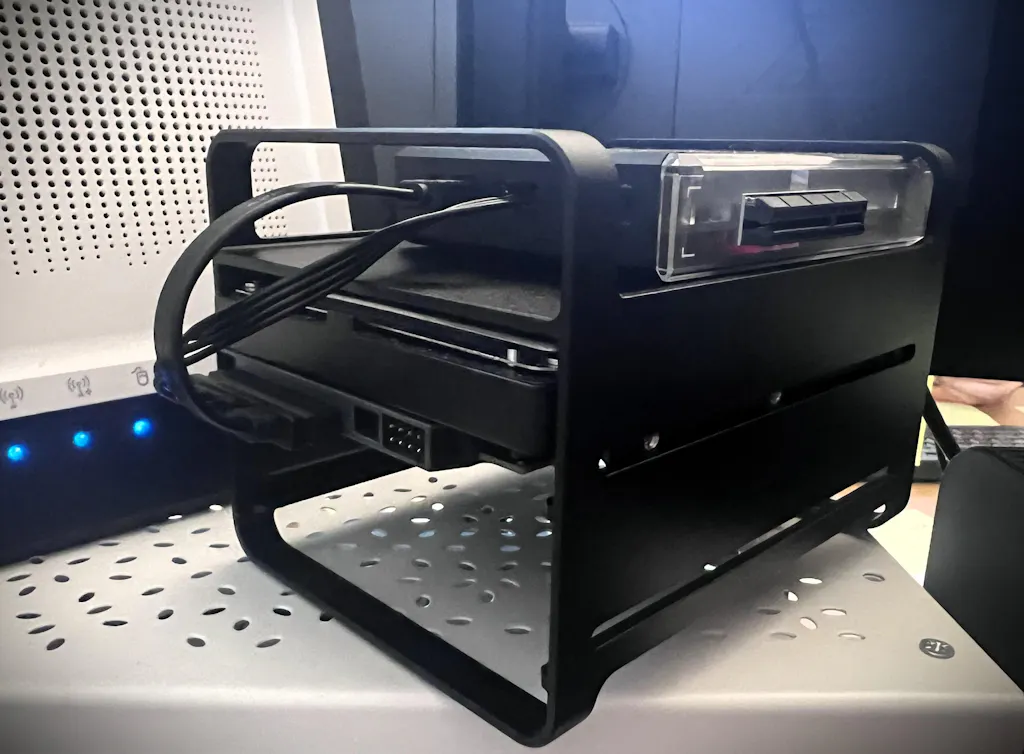
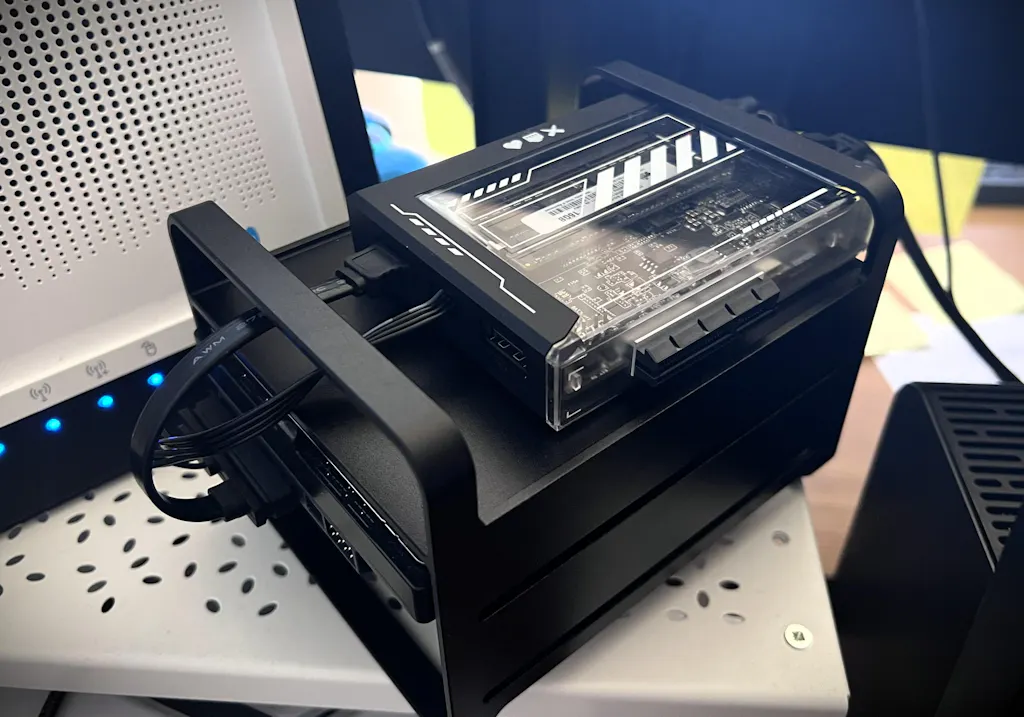
I’ve been running a ZimaBlade 7700 as my home server for just a few days now, and I’m already genuinely impressed by what this little machine can do.
Hardware
Everything lives inside the black aluminium chassis of the ZimaBlade DeskBuild NAS kit — compact, solid and with a great look. The unit has 16GB DDR3L RAM and a 1TB NVMe SSD for the OS and all containers — mounted via a PCIe to NVMe adapter using a rigid 90° riser, which positions it neatly alongside the unit. The two HDDs for media storage connect directly to the onboard SATA ports using a Y-cable. The 12V/5A USB-C power adapter handles everything without breaking a sweat, including spinning drives.
What I’m Running
The ZimaBlade runs Proxmox VE 8, hosting a full stack of Linux containers: network-wide ad blocking with Pi-hole and DNS-over-HTTPS, a WireGuard VPN for secure remote access, a password manager, home automation via Homebridge for full Apple Home integration, Jellyfin for media streaming, a reverse proxy with automatic HTTPS, a PostgreSQL database server, and several personal web applications I’ve developed myself.
Performance
The Intel E3950 is modest on paper but handles this workload without complaint. What surprised me most was the Intel HD 500 GPU — with Quick Sync configured, Jellyfin handles hardware-accelerated transcoding efficiently. I also use VAAPI for batch video conversion tasks, achieving speeds up to 15x real-time on older formats.
Thermals
Passive cooling works well in a ventilated space. CPU temperatures under load stay within comfortable limits. Just make sure the unit has room to breathe — it earns its heat.
Verdict
For a compact, silent, low-power home server, the ZimaBlade 7700 punches well above its weight. If you’re willing to put in the initial setup effort, it becomes an incredibly capable and flexible home lab platform.
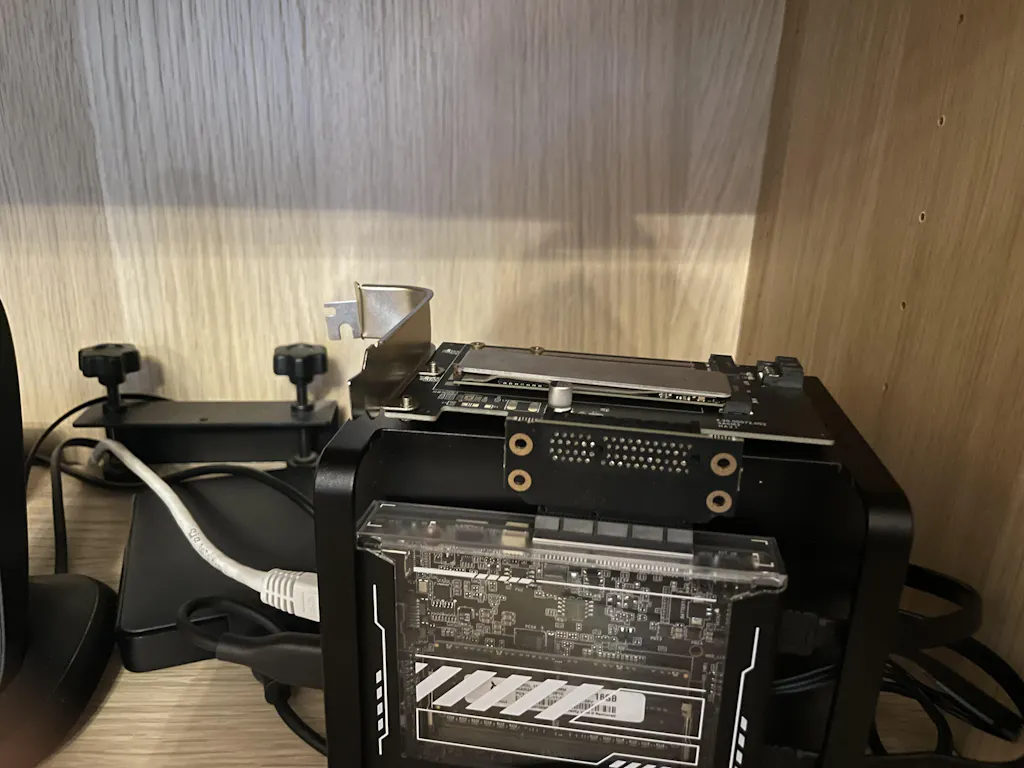
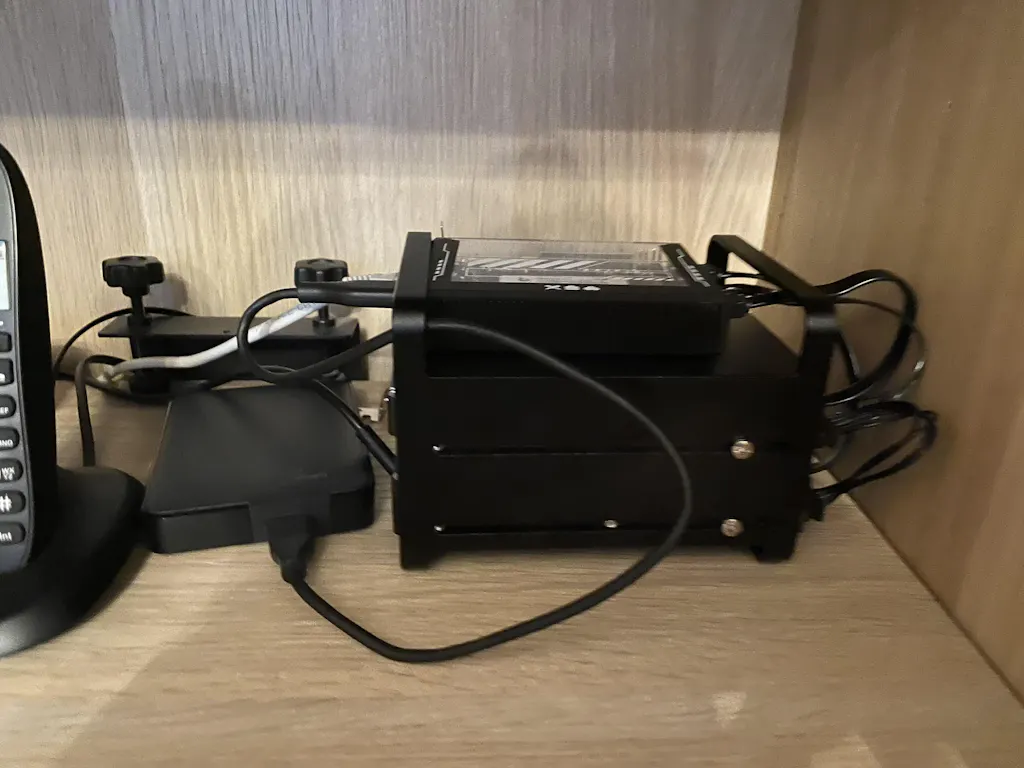
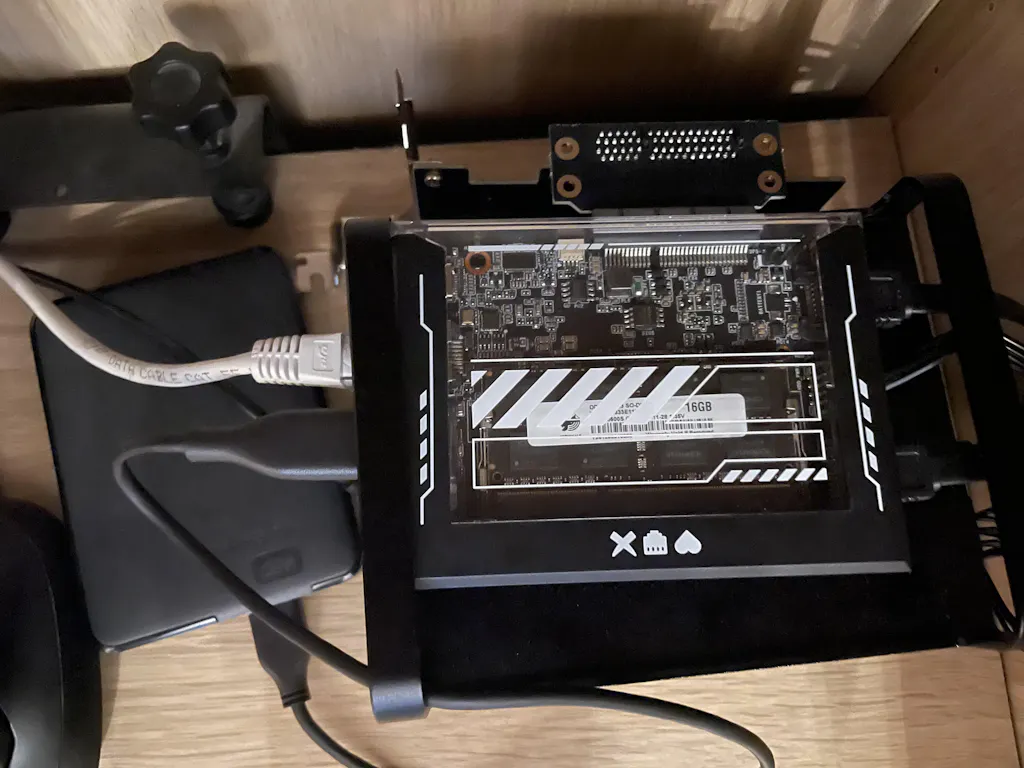
Zimablade has been great, I did have a rocky start and for some reason it wasn't recognizing the NIC drivers but I was able to get them installed fairly easily. I was able to migrate my media library onto it and it is now used daily for my Jellyfin server. (it is not hosting my Jellyfin server but mounted to it and pulls the media from it)
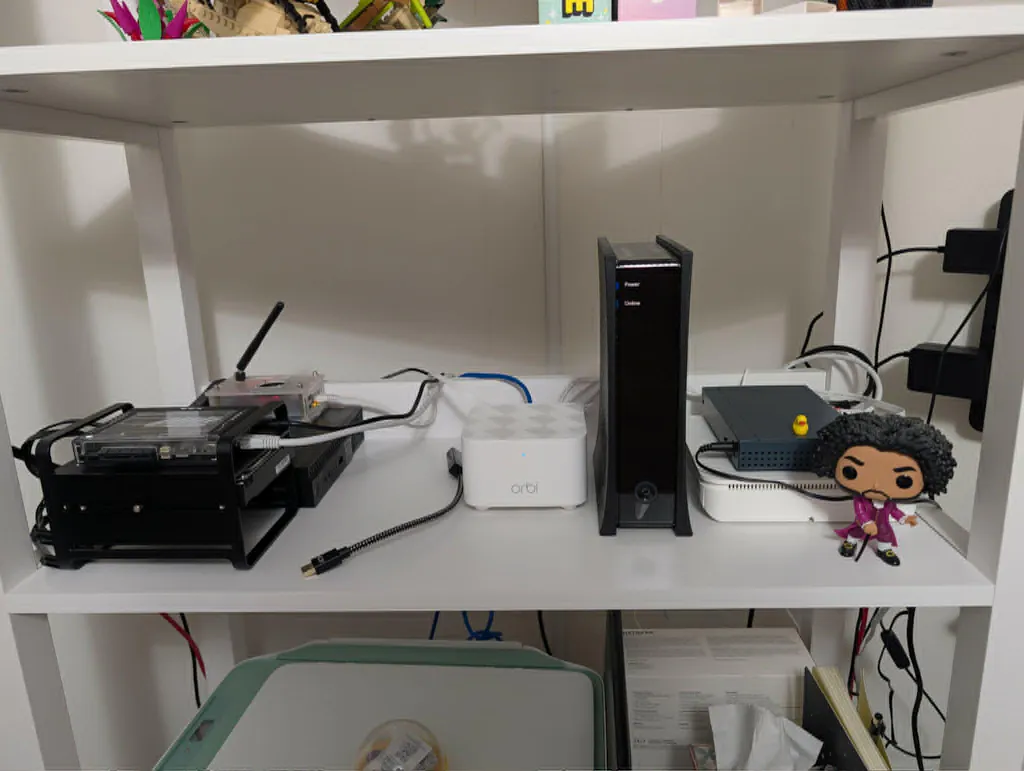
Perfect
A great little NAS with a limited storage. If you use a debrid service for your media it is a beast. Transcoding works as expected and cpu/ram are rarely over 60%.
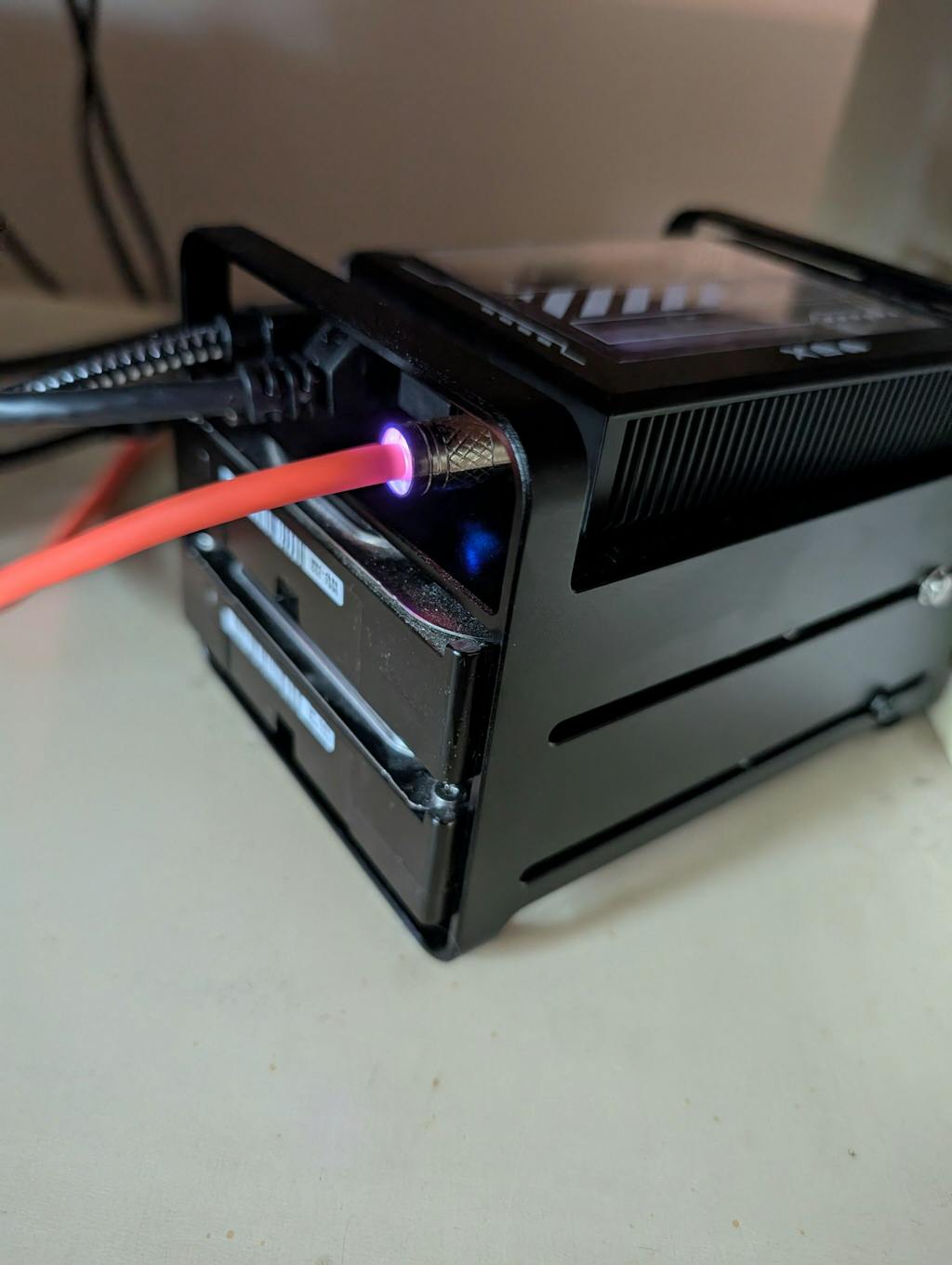
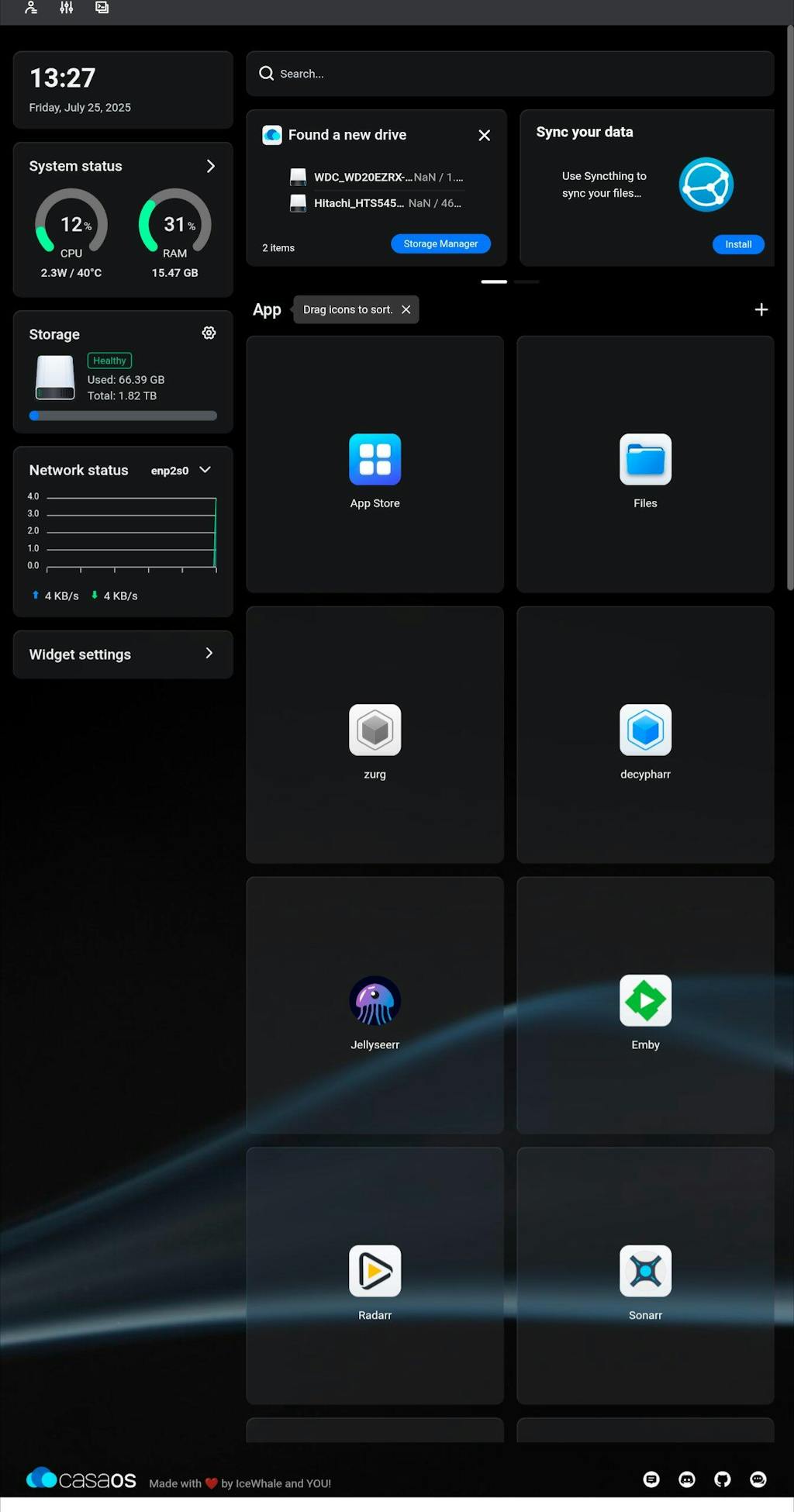
Reviews in Other Languages
Lo utilizo principalmente para almacenamiento y gestion de fotografias. Pero de todas maneras se le puede sacar mucho mas provecho. Cosas que podria corregir, el cargador, no es tan de buena calidad, tendre que comprar otro.
j'ai posé une question par internet j'attends la réponse dans l'attente je ne prononce pas
Zimablade NAS Bundle
Your cart is currently empty.
Start Shopping-

 ZimaCube 2 Personal Cloud Home NAS From $799.00 USD /
 -

 ZimaBoard 2 - Hyper Performance Single Board Home Server From $339.00 USD /
 -

 ZimaBlade - Single Board Server for Cyber Native From $69.00 USD /


