
How I Turned the ZimaCube 2 Into a Zero-Trust Ingress Controller for My Entire Homelab


Your homelab has a front door. If you are like most self-hosters, that front door is a port forward on your router — and it is wide open.
I spent weeks rebuilding mine. The result: a production-grade ingress layer running entirely on a ZimaCube 2. No open ports on my router. No publicly reachable origin servers. End-to-end TLS on every connection. All of it sitting quietly next to my TV.
Here is exactly how I built it, what broke along the way, and why the ZimaCube 2 turned out to be the perfect platform for the job.
The Problem With Traditional Homelab Ingress
A lot of homelabs still look like this:
- Port 443 forwarded on the router → points to a reverse proxy
- Port 80 forwarded → redirects to 443
- Services are directly reachable if you know the IP
- The origin infrastructure is one port scan away from discovery
This creates real problems. Publicly exposed ingress ports. Directly reachable origin servers. Admin interfaces that answer before authentication. Even with HTTPS, the infrastructure itself remains visible — and visibility invites reconnaissance.
I wanted a different model entirely. Something closer to how modern cloud infrastructure handles ingress: outbound-only trust, zero inbound exposure, and encrypted tunnels that hide the origin.

Why the ZimaCube 2
This kind of architecture demands a specific set of hardware traits. Not raw power — reliability, flexibility, and silence.
The ZimaCube 2 checked every box:
|
Always-On: Quiet 24/7 operation. The ingress layer has to run continuously — the ZC2 thermal design means it does that without dominating the room. |
Dual 2.5GbE: One interface for the edge network, one for internal. Traffic segmentation starts at the physical layer, not just in Docker. | Docker Native: NVMe storage for fast container I/O. Multiple bridge networks do not choke the system. The platform was built for this. |
At this point, the ZimaCube 2 has effectively become four things in one machine: a Docker host, a reverse proxy platform, an ingress layer, and a centralized infrastructure appliance. For modern self-hosting, that combination is extremely practical.

The New Architecture
Instead of opening ports on my router, the new design works like this:
- Cloudflare Tunnel creates outbound-only encrypted connections to Cloudflare edge
- Nginx Proxy Manager handles routing, SSL termination, and ACLs
- Docker bridge networks segment edge traffic from internal workloads
- Zero inbound NAT rules — the router has no idea anything is being served
This immediately felt closer to modern cloud ingress architecture than traditional port-forwarded self-hosting.

Docker Network Segmentation: Edge ≠ Internal
One of the most important changes was separating traffic using Docker bridge networks.
docker network create \
--subnet 172.x.x.x/24 \
edge
The edge network carries exactly two containers: Cloudflare Tunnel and Nginx Proxy Manager. That is it. Applications live on separate internal Docker networks — completely isolated from the ingress layer.
The ZimaCube 2 handles this segmentation cleanly. Multiple bridge networks do not create performance overhead on the platform, and the NVMe storage ensures container startup and network I/O stay fast even as the network topology grows more complex.
The TLS Problem That Almost Broke Me
This ended up being the most interesting engineering lesson in the entire project.
The setup seemed straightforward at first. HTTP between Cloudflare Tunnel and Nginx Proxy Manager worked immediately:
http://reverse-proxy → ✅ Works
So I enabled HTTPS.
https://reverse-proxy → ❌ Fails
The certificate was valid. The expiration date was fine. The trust chain checked out. Everything looked correct — and yet HTTPS refused to connect.
The real issue was TLS hostname validation.
The certificate was issued for my public domains (example.com, app.example.com). But Cloudflare Tunnel was internally connecting to reverse-proxy — a Docker hostname that did not match anything on the certificate. The hostname mismatch caused TLS validation to fail silently.
The fix: configure Cloudflare Tunnel with Origin Server Name: example.com while still routing internally to https://reverse-proxy:443. That preserved encrypted transport, proper hostname validation, and full TLS verification — without disabling any security checks.
This is the kind of lesson you only learn by building.

ACLs and the Lesson About Infrastructure Traffic Paths
One operational lesson I learned very quickly: reverse proxies often see Docker bridge IPs, tunnel IPs, and internal proxy IPs instead of the original client IP.
I learned this the hard way when I accidentally locked myself out of Nginx Proxy Manager.
I configured an ACL to only allow my LAN subnet (192.168.x.x/24). The logic seemed sound — only devices on my home network should access the admin panel.
NPM was actually seeing traffic from the Docker bridge network. Not from my LAN. The access control blocked everything, including me.
Adding the Docker subnet to the allow list resolved it immediately. But it was a very real reminder that infrastructure traffic paths are often different from what we assume on paper.
Why This Architecture Matters on the ZimaCube 2
There is a reason this stack works so well on the ZC2 specifically:
- Dual 2.5GbE means the ingress layer has dedicated bandwidth — your internal network traffic does not compete with internet-facing services
- NVMe storage ensures fast container networking — bridge network throughput does not bottleneck on slow disk I/O
- Quiet always-on operation means the ingress layer runs 24/7 in a living space — not a basement rack
- Docker-native platform with enough headroom to run the tunnel, reverse proxy, ACL engine, and all your services simultaneously
- Expandability means you can add a dedicated NIC or accelerator card later if your networking needs grow
The ZimaCube 2 is not just hosting these services. It is the right platform for them.
The Final Stack
What is running on the ZimaCube 2 now:
- Cloudflare Tunnel — outbound-only encrypted connections, zero open ports
- Nginx Proxy Manager — reverse proxy, SSL, ACLs
- Docker bridge networks — segmented edge vs. internal traffic
- End-to-end TLS — encrypted from client to origin, no plaintext anywhere
- Hidden origin — nothing answers on a public IP
It is still a homelab. But the operational model now resembles modern ingress engineering far more closely than traditional port-forwarded self-hosting.
The biggest realization from this project: modern self-hosting increasingly requires the same ingress, networking, and trust-boundary thinking found in production infrastructure. And the hardware needs to keep up — quiet, reliable, networked, and always on.

The ZimaCube 2 delivers exactly that.
Build your own zero-trust homelab with ZimaCube 2 →
Frequently Asked Questions
What is a Cloudflare Tunnel and why would I use it on my ZimaCube 2?
A Cloudflare Tunnel creates an outbound-only encrypted connection from your ZimaCube 2 to Cloudflare edge network. Instead of opening ports on your router (which exposes your infrastructure to the internet), all traffic flows through this encrypted tunnel. Your origin server — the ZimaCube 2 — remains completely hidden from public view.
Do I need to open any ports on my router for this setup?
No. That is the point. Cloudflare Tunnel only makes outbound connections. Your router does not need a single port forward rule. This eliminates the most common attack vector in homelab networking.
Can the ZimaCube 2 handle running a reverse proxy and all my services at the same time?
Yes. Michael ZC2 runs Cloudflare Tunnel, Nginx Proxy Manager, and 10+ Docker containers simultaneously — all while maintaining quiet, cool operation. The dual 2.5GbE ports and NVMe storage ensure networking and container I/O do not become bottlenecks.
Why does Docker network segmentation matter?
If every container shares the same network, one compromised service gives an attacker a path to everything else. By placing only Cloudflare Tunnel and Nginx Proxy Manager on an "edge" network (and keeping applications on separate internal networks), you create a controlled boundary between public-facing traffic and your private services.
What was the TLS hostname mismatch issue?
When Cloudflare Tunnel connected to Nginx Proxy Manager internally using a Docker hostname like reverse-proxy, the TLS certificate — which was issued for a public domain like example.com — did not match. The fix was configuring Cloudflare Tunnel to use the correct Origin Server Name while still routing to the internal Docker hostname. This preserved full encryption without disabling validation.
How does the ZimaCube 2 networking hardware compare to a standard NAS for this use case?
Most consumer NAS devices ship with a single gigabit Ethernet port. The ZimaCube 2 has dual 2.5GbE — which means you can dedicate one interface to edge traffic (Cloudflare + reverse proxy) and the other to internal services. This physical-layer separation is something you cannot achieve on single-NIC hardware.

Recommended products
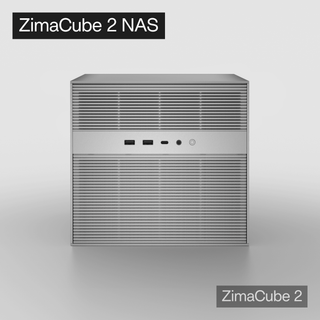
Zima Campaign Hub
More to Read
Self-Hosting Day 2026: Why September 25 Belongs to the Self-Hosting Community
Discover what Self-Hosting Day 2026 is, why September 25 matters, what people self-host, and how to share your own server story.

Cybersecurity Awareness Month 2026: How Secure Is Your Digital Life at Home?
Use Cybersecurity Awareness Month 2026 to audit five layers of your digital home: identity, devices, network, data, and recovery.

How SjslTech Builds an R36S Cloud Gaming Server With ZimaOS
SjslTech compares three ways to host an R36S game library over SMB: a Windows PC, ZimaOS running on ZimaBlade, and another R36S handheld. The...


