
ZimaCube 2 Pro Unboxing — The First NAS That Feels Like a Design Object


Most NAS devices ship in a brown box. You open it, you find foam, you find a black rectangle, you plug it in. The experience is transactional — you bought a thing, you received a thing.
The ZimaCube 2 Pro does not arrive this way. It arrives like a statement.
I have been unboxing hardware across two continents for years. This is the first time I have paused mid-unboxing to think "someone actually designed this — not just engineered it, designed it." Here is what is in the box, what it feels like in the hands, and why the hardware underneath the aluminum matters more than the packaging.
The Arrival: Five Days, Two Boxes, One DHL Office
My review unit shipped from Shenzhen to Kampala, Uganda via DHL. Transit time: approximately five days. In a country where "the package is with the courier" can mean anything from "it is ten minutes away" to "it exists, somewhere, probably," DHL is the exception. No hidden charges on arrival. No mystery disappearances.
Shipped weight: approximately 5.5 kg. We will discuss why shortly.
The outer box is a brown corrugated carton printed directly with "ZimaCube Personal cloud" in clean sans-serif — no branding tape, no stickers, no screaming logos. IceWhale appears to have studied the Dieter Rams school of "less but better" for this. A NAS device this large has no business arriving this tastefully.
What is in the Box
Open the outer carton and you find two distinct inner boxes plus a loose accessories layer.
The "ZimaCube Parts_" Box. A flat black box labeled in the same typeface as the outer carton, seated in custom die-cut dense foam. Inside: a KPTEC external AC adapter (19V 13A, 247W rated, UL/CE/GS/UK CA certified), multiple zip-lock bags of assorted replacement screws and fasteners, and a power cord. The PSU is a large slab-like brick — and it is the reason the package weighs 5.5 kg. No complaints: it is properly specced for six spinning drives and a Core i5.
The Accessories. IceWhale includes a CAT6 UTP patch cord (1M, black), a custom IW-stamped magnetic-head screwdriver for drive installation, and four M.2 NVMe heat sinks with pre-applied thermal pads for the 7th Bay. Thoughtful inclusions where it counts.
The Main Event. The ZimaCube 2 Pro retail box is black with a single orange accent band at the equator. The design aesthetic lands somewhere between a corporate gift and a director cut Blu-ray. It creates expectations — and the product then has to meet them.

Physical First Impressions
Four sides of matte black aluminum plate. No branding on the sides. No ventilation. No fingerprint magnet effect. The aluminum is the mass you feel when you pick it up — and you feel it. Lifting this thing is a genuinely satisfying physical experience.
Dimensions: 240 × 221 × 220 mm — roughly the size of a shoebox for someone with unusually square feet.
Front and rear panels are black plastic mesh grilles. The front covers the six drive bays; the rear covers the two 80mm fans. The grilles are noticeably thinner than the aluminum panels they flank — a minor criticism, since an uninitiated user natural handhold is exactly where the grille lives.
Cooling: Thermally Separated by Design
Inside, the upper section (CPU and PCIe) and lower section (drives) are thermally separated. Two 80mm fans eject hot air from the drive bay section at the rear, while side panels feature two bands of circular perforations — top and bottom — for passive supplemental airflow.
There are also 13 RGB LEDs. Their purpose is presumably to confirm the device is alive in a dark room, or to satisfy the demographic who believes blinking lights improve throughput.

I/O: Everything You Would Want
Front Panel
Practical for quick drive attachments without reaching around the back. |
Rear Panel
Direct Mac/PC connection, multi-client networking, and monitor driving — all in one cube. |
The rear I/O is where the Pro version separates itself. Dual Thunderbolt 4 means direct Mac or PC connection for video editing workflows. 10GbE plus dual 2.5GbE means the networking stack is ready for anything. And you still get HDMI and DisplayPort — meaning this cube can drive monitors directly.
The Spec That Matters: Three Versions, One Chassis
|
|
Standard
|
Pro
|
Creator Pack
|
|---|---|---|---|
|
CPU
|
i3-1215U (6C)
|
i5-1235U (10C)
|
i5-1235U (10C)
|
|
RAM
|
8GB DDR5
|
16GB DDR5
|
64GB DDR5
|
|
OS Drive
|
256GB NVMe
|
256GB NVMe
|
1TB NVMe
|
|
Network
|
2× 2.5GbE
|
10GbE + 2× 2.5GbE
|
10GbE + 2× 2.5GbE
|
|
GPU
|
—
|
—
|
NVIDIA RTX PRO 2000
|
|
TB4
|
2
|
2
|
2
|
|
PCIe Lanes
|
9 (constrained)
|
20
|
20
|
All three share: 6× SATA3 bays, the 7th Bay with 4× M.2 NVMe slots, Thunderbolt 4, and PCIe expansion (x16 + x8).
What You Should Know Before Buying
RAM is adequate, not generous. The Pro ships with 16GB DDR5 as standard. For a platform that can host six drives, a 10GbE NIC, and a PCIe card simultaneously, the upgrade path to 64GB is real and worth budgeting from day one. The SODIMM slots are standard and user-accessible.
The PSU is external. Some homelab users prefer internal power supplies. IceWhale went external — likely for thermal reasons and chassis size constraints. The upside: a failed PSU is trivial to replace. The downside: another brick in your cable management.
This is not a traditional NAS. It ships with ZimaOS Plus pre-installed but supports CasaOS, Linux, OMV, Unraid, TrueNAS, Home Assistant OS, pfSense, Windows, and Android. The hardware spec — i5 + 10GbE + Thunderbolt 4 + PCIe x16 — is closer to a compact server than a storage appliance. Treat it accordingly.

First Verdict
The ZimaCube 2 Pro sets a high bar before you have even plugged it in. The packaging and presentation are genuinely thoughtful. The hardware spec — an i5-1235U with 10GbE, Thunderbolt 4, and a PCIe x16 slot in a 240mm cube — is not something you can easily replicate with off-the-shelf components in this form factor.
The compromises are real but minor: sharp corners, flexible front and rear grilles. None of them change the fundamental impression: this is a piece of homelab equipment that IceWhale made feel worth owning before you turn it on.
Most enterprise NAS vendors have never bothered with that. IceWhale did.
The device has not been powered on yet. Drive installation, ZimaOS setup, and performance numbers come next. But the box was very nice — and for once, that actually matters.
Explore the ZimaCube 2 Series →
Want the full picture? Read our Homelab Evolution story, our Docker & CI/CD deep dive, and our Local AI & PCIe expansion guide.
Frequently Asked Questions
What is the difference between the ZimaCube 2 Standard and the ZimaCube 2 Pro?
The Standard uses an i3-1215U (6 cores) with 8GB DDR5 and dual 2.5GbE. The Pro upgrades to an i5-1235U (10 cores) with 16GB DDR5 and adds 10GbE alongside the dual 2.5GbE ports. The Pro i5 also brings 20 PCIe lanes versus the i3 lane constraints — meaning the Pro can handle more simultaneous I/O without bottlenecks.
Does the ZimaCube 2 Pro come with drives?
No. The Pro ships with a 256GB NVMe OS drive pre-installed, but the six SATA3 bays and four M.2 NVMe slots in the 7th Bay are user-populated. You choose your own drives and configure your own storage pools.
How much RAM does the ZimaCube 2 Pro support?
The Pro ships with 16GB DDR5 4800 MT/s (2× 8GB) and supports up to 64GB via standard SODIMM slots. If you plan to run Docker, VMs, ZFS, or AI workloads, budgeting for a RAM upgrade from day one is a good idea.
Can the ZimaCube 2 Pro run operating systems other than ZimaOS?
Yes. The hardware supports CasaOS, Linux, OMV, Unraid, TrueNAS, Home Assistant OS, pfSense, Windows, and Android. It is an x86 platform — you can install whatever OS fits your workflow.
What is the 7th Bay?
The 7th Bay is a dedicated module with 4× M.2 NVMe slots — separate from the six SATA3 drive bays. It is designed for fast cache drives, dedicated Docker/VM storage, or a high-speed working pool alongside your bulk HDD storage. The included M.2 heat sinks are for drives installed here, where the thermal environment is tight with four cards in close proximity.

Recommended products
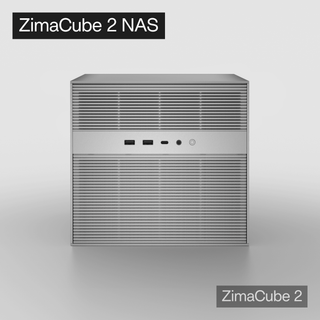
Zima Campaign Hub
More to Read
Self-Hosting Day 2026: Why September 25 Belongs to the Self-Hosting Community
Discover what Self-Hosting Day 2026 is, why September 25 matters, what people self-host, and how to share your own server story.

Cybersecurity Awareness Month 2026: How Secure Is Your Digital Life at Home?
Use Cybersecurity Awareness Month 2026 to audit five layers of your digital home: identity, devices, network, data, and recovery.
How SjslTech Builds an R36S Cloud Gaming Server With ZimaOS
SjslTech compares three ways to host an R36S game library over SMB: a Windows PC, ZimaOS running on ZimaBlade, and another R36S handheld. The...


