
Why I Replaced Rack Servers With a ZimaCube 2 — A Homelab Evolution Story


I have been running homelabs for years. Like many in the self-hosting community, my setup evolved through compromises — rack servers that sounded like jet engines, tower servers that dominated entire rooms, and mini PCs that were quiet but never felt complete. When I was accepted into the ZimaCube 2 Pioneer Program, I immediately knew this was the kind of device I had been looking for.
Not just another mini PC. Not just another NAS. Not just another homelab box.
What I wanted — and what the ZimaCube 2 delivers — is a true all-in-one infrastructure platform: compact, quiet, power efficient, repairable, and expandable.

The Journey: From Rack Servers to Something Smarter
Like many people in self-hosting and home lab communities, my infrastructure evolved over time.
Phase 1
Dell PowerEdge Rack Servers
Powerful but loud, hot, power-hungry, and physically massive.
Phase 2
ASUS PN50 + DAS Enclosure
Quiet and compact, but limited by USB-attached storage and lack of integration.
Phase 3
ZimaCube 2
All-in-one: storage, compute, Docker, ZFS, expandability — quiet and integrated.
What I Actually Wanted
Modern self-hosting increasingly requires balancing storage, containers, networking, backups, automation, and AI experimentation — all in one coherent system. I wanted a platform that could:
- Support NVMe storage properly
- Support traditional hard drives
- Run ZFS cleanly
- Support Docker and virtualization
- Allow future GPU expansion
- Remain power efficient
- Stay quiet enough for 24/7 operation
- Use standard replaceable components
The ZimaCube 2 checked every single one of those boxes.
Small Enough to Live With
One of the most practical things about the ZimaCube 2 is its size.
This is not a rack server that needs a basement, closet, or dedicated lab space. It is small and clean enough that I can place it next to my TV on my entertainment cabinet without it looking out of place.
Compared to the older rack servers I previously used, the difference in heat, power usage, noise, and physical footprint is substantial. This is one of the first systems I have owned that feels practical to run 24/7 in a normal living space while still functioning as a serious infrastructure platform.
[[related_products]]
First Impressions: Build Quality That Surprised Me
The first thing that stood out was the construction quality. Most consumer devices in the United States are heavily plastic-based. The ZimaCube 2 immediately felt different — it feels closer to professional infrastructure equipment than a typical consumer NAS.
Even small details stood out: the way they provided tools and heatsinks in the box, the internal layout, drive accessibility, and airflow design. Everything made sense. The overall experience felt intentional.
The Hardware That Made Consolidation Possible
Here is the storage architecture I settled on:
Bulk Storage Pool
3 × 6TB HDD
- 2 drives in RAID 1 for active data
- 1 drive dedicated to local backup
- Handles media, long-term datasets, and general storage
Fast Storage Pool
NVMe
- 2 × 512GB NVMe in RAID 1
- 1 × 2TB NVMe for local backup
- Handles Docker containers, VMs, app storage, and infrastructure services
This dual-pool design meant I could finally consolidate storage and compute into a single, integrated platform — something my old DAS-over-USB setup could never achieve.
Lessons Learned From the Migration
- Consolidating services simplified operations significantly. Having storage, Docker, networking, and backups on one system reduces the cognitive load of managing a homelab.
- Having integrated storage and compute changes how infrastructure feels operationally. You stop thinking about "the storage box" and "the compute box" and start thinking about services.
- Quiet infrastructure makes 24/7 self-hosting much more practical. When you do not hear your homelab, you engage with it differently — you check on it more, experiment more, and enjoy it more.
The ZimaCube 2 reduced a lot of the fragmentation that existed in my previous setups.
Why the ZimaCube 2 Stands Out
What impressed me most is that the ZimaCube 2 feels like a practical infrastructure platform designed by people who actually understand modern homelab workloads.
It combines storage, compute, expandability, repairability, efficiency, quiet operation, and modern connectivity — without becoming oversized, proprietary, noisy, or overcomplicated. That balance is genuinely difficult to get right, and the team nailed it.
For the first time in a long time, I feel like I have a true all-in-one server — a real platform for self-hosting, containers, storage, infrastructure experimentation, and whatever comes next.
Frequently Asked Questions
Q1. Is the ZimaCube 2 quiet enough for a living room?
Yes. Even while running 10+ Docker containers, storage pools, reverse proxies, and CI/CD infrastructure, the system remains both quiet and cool during continuous operation. This is one of the first compact systems that is truly practical to run 24/7 in a living space.
Q2. Can the ZimaCube 2 replace a rack server?
It depends on your workload, but for most homelab use cases — Docker, storage, media serving, self-hosting, backups — absolutely. The ZimaCube 2 consolidates what previously required multiple pieces of hardware into one quiet, efficient system.
Q3. How does the ZimaCube 2 compare to a mini PC + DAS setup?
The key difference is integration. With a mini PC + USB DAS, you are limited on storage flexibility, RAID options, and advanced filesystem features. The ZimaCube 2 gives you direct-attached SATA and NVMe with proper ZFS support, all in one chassis.
Q4. What filesystem should I use on the ZimaCube 2?
ZFS is a natural fit. The direct-attached storage architecture (6× SATA + 4× M.2 NVMe) gives you the flexibility to build proper ZFS pools without the compromises of USB-attached storage.
Q5. Does the ZimaCube 2 support drive replacement and repairs?
Yes. The internal layout is designed for accessibility — drives are easy to reach, components use standard replaceable parts, and the overall design prioritizes repairability over sealed-box consumer aesthetics.

Recommended products
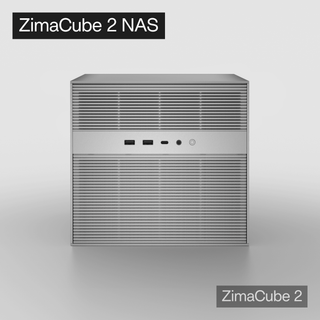
Zima Campaign Hub
More to Read
Self-Hosting Day 2026: Why September 25 Belongs to the Self-Hosting Community
Discover what Self-Hosting Day 2026 is, why September 25 matters, what people self-host, and how to share your own server story.
Cybersecurity Awareness Month 2026: How Secure Is Your Digital Life at Home?
Use Cybersecurity Awareness Month 2026 to audit five layers of your digital home: identity, devices, network, data, and recovery.
How SjslTech Builds an R36S Cloud Gaming Server With ZimaOS
SjslTech compares three ways to host an R36S game library over SMB: a Windows PC, ZimaOS running on ZimaBlade, and another R36S handheld. The...


