
How Many Users Can Home Assistant Support on a Small Home Server?


Home Assistant has no universal user limit; a small server supports only the concurrent sessions whose actual workloads stay within defined latency and recovery targets.
Named accounts are cheap when most people are inactive, while a few busy dashboards can request history, stream cameras, render custom cards, and consume frequent WebSocket updates. Remote access can add proxy and upload constraints that local tests miss. Capacity must therefore be expressed as concurrent workload at an acceptable service level, not as the number of people stored in the user registry.
Registered Accounts Are Not Concurrent Workload
An account mainly adds identity and permissions until someone connects. A logged-in phone with a background connection costs more than a dormant account, and a camera-heavy wall panel can cost more than several users opening simple control views.
A community question about simultaneous users shows that simultaneous user workload has no simple documented conversion into CPU or memory because client behavior varies widely.
Count active WebSocket sessions, dashboard views, history queries, streams, and service calls during the same interval. The registered-user total remains useful for administration, not performance prediction.
Dashboard Design Changes Cost Per User
A simple dashboard subscribes to a limited entity set, while charts, maps, cameras, custom cards, and broad templates add server queries, network transfer, and client rendering. Frequent entity updates multiply across every subscribed session.
Multi-unit and multi-user design discussions expose the isolation and organization problems around multi-user instance design, not merely a raw connection total.
Separate household segmentation from performance. One instance may technically serve several groups yet provide inappropriate privacy or administration boundaries; scaling hardware does not resolve that design constraint.
The Client and Network Can Fail Before the Server
Mobile processors, browser memory, Wi-Fi quality, VPN latency, proxy configuration, and home upload bandwidth can dominate perceived speed. A server may answer promptly while one device spends seconds rendering a complex view.
A case where dashboards were slow on mobile but fast on a computer demonstrates why client-side dashboard delay must be timed separately from server response.
Compare local and remote clients with the same view. If server timestamps remain stable but render time diverges, increasing server capacity will not raise the practical user count for that client path.

Event Fan-Out Creates the Saturation Boundary
Every new state can be delivered to many connected clients, and each view may trigger additional template or history work. CPU, memory, database latency, and outbound bandwidth can therefore rise nonlinearly when busy sessions overlap.
A WebSocket event-spam investigation links a laggy dashboard to update volume, illustrating how WebSocket update fan-out can dominate even when the number of people is small.
This is the failure boundary: user count is not the cause unless adding identical sessions repeatedly raises a correlated resource and service latency. Integration storms, bad cards, and network faults must be corrected before declaring the server full.
Find Capacity With a 2-4-8 Session Test
Create one representative test profile and run two concurrent sessions, then four, then eight. At each step repeat a dashboard load, fixed history query, harmless service call, and camera view while recording p95 latency, CPU, memory, storage queue, and outbound bandwidth.
The concurrent-user test framework provides a concurrent-user diagnostic framework, helping define the metrics and stop condition for a small Home Assistant server.
Stop at the first level that misses the household latency target or shows sustained saturation; the previous passing level is the tested capacity for that workload, not a universal promise. Repeat remotely and during normal automation activity, then reserve headroom for backups, updates, and reconnect storms.

Recommended products

Tech & AI HUB
More to Read
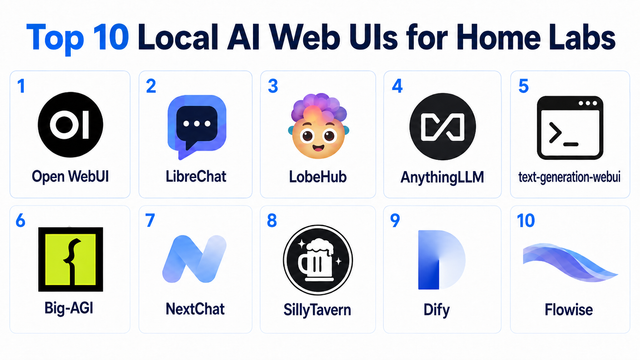
Top 10 Local AI Web UI for Home Labs In 2026
Compare 10 self-hosted local AI web UIs for home labs, covering Ollama support, RAG, agents, multi-user access, setup effort, and ideal use cases.
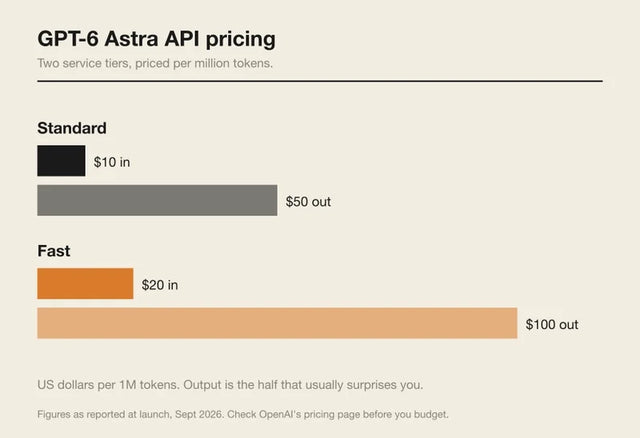
How Much Does GPT-6 Astra Cost Over Time? When Cloud AI Makes Sense vs Local AI
A practical GPT-6 Astra cost guide covering token usage, long-term AI workloads, cloud vs local tradeoffs, and why hybrid AI infrastructure matters.
GPT-6 Astra vs Local AI: Which Parts of an Agent Should Stay on Your Home Server?
GPT-6 Astra can stay in the cloud while your home server keeps files, memory, RAG, tools, permissions, and durable agent state local.


