
Can a Home AI Server Share One Model Across Multiple User Sessions?


Yes. One home AI server can load a model once and serve multiple user sessions. Modern inference servers are designed to share the expensive model weights while maintaining separate request state for each conversation. This is far more memory-efficient than loading a second copy of the same model for every family member.
The main scaling limit is usually not the weights. It is the growing KV cache, context length, simultaneous token generation, and queueing created by active users. Multi-user serving is therefore a scheduling problem as much as a model-size problem.
What Is Actually Shared Between Users?
                 One loaded model
                 weights in RAM/VRAM
                         |
       +-----------------+-----------------+
       |                 |                 |
    Session A         Session B         Session C
   KV cache A        KV cache B        KV cache C
   history A         history B         history C
The transformer weights are read-only during ordinary inference, so many requests can use the same copy. Each sequence still needs its own token state and attention cache.
| Resource | Shared? | Why |
|---|---|---|
| Model weights | Yes | Same parameters serve all requests |
| KV cache | No, except controlled prefix reuse | Depends on each sequence |
| Conversation history | No | Application/user data |
| Tokenizer | Yes | Same model vocabulary |
| GPU compute | Scheduled | Requests share throughput |
| Authentication | No | Must identify each caller |
How Do Inference Servers Handle Concurrent Requests?
Different runtimes expose different scheduling controls, but the principle is similar: admit several sequences, batch work where possible, and queue excess requests.
Ollama's FAQ documents parallel request controls and notes that parallel context increases memory requirements. Llama.cpp's parallel example demonstrates multiple simulated clients using one model server.
Higher-throughput servers such as vLLM use batching and KV-cache-aware scheduling to keep accelerators busy across multiple incoming sequences.
Why Context Length Can Consume More Memory Than Another User Suggests
Suppose the model weights fit comfortably in VRAM. Four users each open a very long conversation. The weights do not quadruple, but the KV cache can grow substantially for every active sequence.
VRAM budget
  |
  +-- model weights      fixed
  +-- KV cache user A    grows with context
  +-- KV cache user B    grows with context
  +-- KV cache user C    grows with context
  +-- runtime overhead
This is why “the model fits” is not sufficient capacity planning. Multi-user systems should set maximum context length, maximum concurrent sequences, and a bounded queue.
ZimaSpace's existing guide to accelerator scheduling for multi-user home AI expands on the same resource boundary.

Should Every User Get a Dedicated Model Process?
Usually no. Separate processes duplicate weights and reduce the number of models that fit in memory. They can still make sense when:
- users need different fine-tunes or quantizations;
- strong process isolation is more important than efficiency;
- one workload uses a custom runtime;
- you want hard per-user GPU allocation;
- one model has incompatible context or sampling requirements.
For a family or small team using the same model, one inference service behind an authenticated application is usually simpler.
Keep Conversation Memory Outside the Model Server
The inference server should not be the authoritative database for “who said what.” Store chat history and user preferences in the application layer under an explicit user/session ID.
Browser / app
    |
    | authenticated user_id
    v
Chat application
    |
    +-- history DB (per user)
    +-- RAG permissions
    |
    v
Shared model server
Before every generation, the application assembles only the history and private retrieval context the current user is allowed to see.
This matters especially for a private AI assistant on a NAS, where the same server may contain personal documents belonging to several household members.
Shared Prefix Caching Is Not Shared Conversation Memory
Some runtimes can reuse KV cache or other work for common prompt prefixes. A shared system instruction or repeated document prefix may therefore be computed once and reused efficiently.
That optimization must not be confused with allowing one user's private context to enter another user's prompt. Cache systems need correct isolation and hashing semantics; application permissions still decide which content may be supplied to a request.
Use Fair Scheduling So One User Cannot Occupy the Server
A single request asking for a very long output can consume decode capacity while other users wait. Add admission controls such as:
- per-user concurrent request limit;
- maximum output tokens;
- maximum context window;
- global maximum active sequences;
- queue timeout;
- priority for short interactive requests;
- separate batch queue for background jobs.
Interactive chat and overnight document summarization should not compete under identical scheduling policy.
What Happens When the Server Runs Out of Memory?
A good service rejects or queues new work before the accelerator crashes. Capacity controls should use the real configured context, not only an optimistic average.
| Pressure | Safer Response |
|---|---|
| All sequence slots busy | Queue briefly |
| Queue too long | Return busy / retry signal |
| Context exceeds policy | Summarize or reject |
| Background batch active | Pause or deprioritize it |
| Memory near limit | Reduce concurrency before OOM |
Do not silently shrink every user's context window until the server stops crashing. Make context policy visible so users know what the system can retain.
Privacy and Authentication Matter More in Multi-User Mode
When one model serves one administrator, a localhost-only endpoint may be enough. Once several people use it, the application should authenticate users and authorize their data sources.
Protect:
- chat histories;
- RAG collections and document ACLs;
- saved prompts;
- tool credentials;
- generated files;
- logs and traces.
A shared model process should see only the context for the current request and should not become a convenient bypass around the NAS's normal permission model.
How Many Users Can One Home AI Server Support?
There is no useful fixed number. A server may support many registered users if only one or two are active, while two concurrent long-context users can exhaust a small GPU.
Benchmark three scenarios:
- one interactive user;
- your expected simultaneous household load;
- one heavy user plus several short requests.
Measure time to first token, tokens per second per user, queue time, KV-cache utilization, RAM/VRAM usage, and request failure rate.
FAQs
Will users see each other's conversations because the model is shared?
Not if the application keeps conversation history and retrieval context separate. Sharing model weights does not inherently share chat history.
Does parallel inference make each user faster?
It can increase total throughput, but each individual request may receive less compute when several sequences are active. The goal is usually better aggregate service and lower queue time.
Can one server host several models too?
Yes if memory permits. Some runtimes load and unload models as needed, while others are designed around one or several persistent serving processes. Multi-model scheduling adds another capacity layer beyond multi-user scheduling.
Final Verdict
One loaded model is exactly the resource a small home AI service should usually share. Keep model weights common, isolate session history and KV state, authenticate every user, bound context and concurrency, and schedule background work separately from interactive chat. Multi-user AI becomes reliable when you plan for per-session state and queue behavior instead of multiplying the model process.

Recommended products

Tech & AI HUB
More to Read
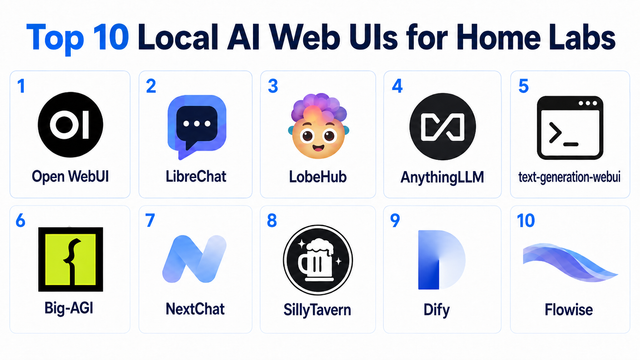
Top 10 Local AI Web UI for Home Labs In 2026
Compare 10 self-hosted local AI web UIs for home labs, covering Ollama support, RAG, agents, multi-user access, setup effort, and ideal use cases.
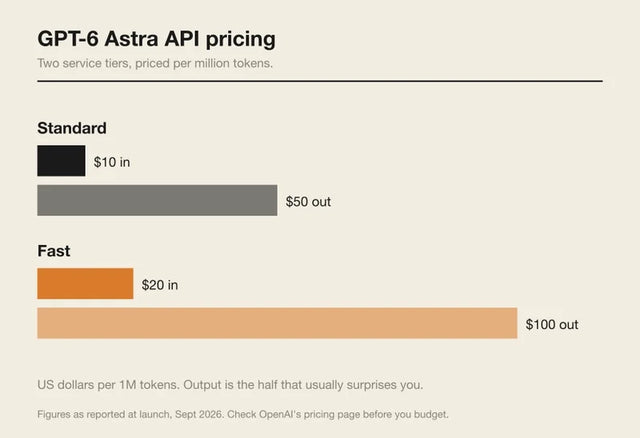
How Much Does GPT-6 Astra Cost Over Time? When Cloud AI Makes Sense vs Local AI
A practical GPT-6 Astra cost guide covering token usage, long-term AI workloads, cloud vs local tradeoffs, and why hybrid AI infrastructure matters.

GPT-6 Astra vs Local AI: Which Parts of an Agent Should Stay on Your Home Server?
GPT-6 Astra can stay in the cloud while your home server keeps files, memory, RAG, tools, permissions, and durable agent state local.


