
Can an Integrated GPU Be Shared Between a VM and Host Containers?


Sometimes. Full PCI passthrough gives the VM the whole integrated GPU, so host containers normally lose access. Sharing requires hardware and driver support for mediated devices, Intel GVT-g on certain older platforms, or SR-IOV virtual functions on supported newer platforms.
Container access is a separate layer: containers usually share the host kernel and use render devices such as `/dev/dri/renderD128`. A VM needs a virtualized GPU function or mediated device rather than that host device node. That distinction determines the safe configuration, validation method, and rollback point.
Identify the virtualization mode your platform supports
Start with the exact CPU generation, iGPU PCI ID, firmware, host kernel, and driver. A guide for one Intel generation may not apply to another, and some sharing methods are retired or require out-of-tree modules.
If only full passthrough is supported, choose either the VM or the host for acceleration. Do not expect a host container to retain Quick Sync after the host driver is unbound.
If SR-IOV or mediated devices are supported, keep the physical function on the host and assign a virtual function or mdev to the VM. Confirm reset and driver behavior before calling it production-ready.
Use capability and workload signals
Verify the host still exposes a render node and the VM sees its assigned virtual GPU. Run hardware decode or encode in both environments rather than relying on device listings.
Watch GPU engine utilization, errors, memory pressure, and kernel logs during simultaneous transcodes. Sharing capacity does not guarantee predictable performance or codec support.
Use the table below to choose a safe operating model.
| Observed state | Verdict | Next action |
|---|---|---|
| Full PCI passthrough | Exclusive VM use | Host containers lose iGPU |
| Supported mdev/GVT-g | Shared slices | Generation-specific |
| Supported SR-IOV | PF on host, VF to VM | Validate driver lifecycle |
Configure least privilege and upgrade control
Give host containers only the render device and required group permissions, not broad privileged access. In the VM, install the driver matching the virtualized function and keep a software-rendering fallback for maintenance.
Pin working kernel and driver combinations until the next update passes a lab test. Experimental SR-IOV modules can break after kernel or firmware updates, so document removal and recovery steps.
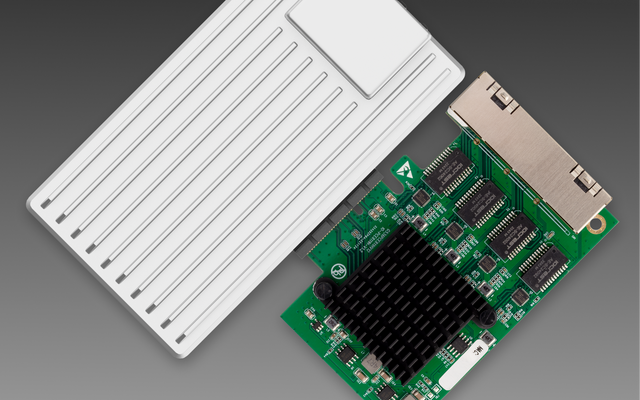
ZimaSpace's ZimaCube GPU expansion overview provides hardware context.
An independent homelab GPU sharing guide outlines full passthrough, mediated devices, and SR-IOV.

Retest after reboot and concurrent load
Cold-boot the host, start containers first, then the VM; repeat in the opposite order. Both paths should recover without manual driver rebinding.
Run the real concurrent workload long enough to expose thermal throttling and reset faults. Then restart the VM without restarting the host and confirm containers keep acceleration.
Proceed only when the exact platform supports a sharing mode and survives concurrent-load and reboot tests. Stop if the host loses its render node, the VM cannot reset, or the solution depends on an unmaintained driver you cannot safely pin.

Recommended products

Support & Tips
More to Read
Can You Replace a Noisy Mini PC Fan Without Changing Thermal Control?
Yes—if the replacement matches the electrical interface, airflow, and feedback signals; connector fit alone does not preserve thermal control.
Can a Home Server Resume Services in Dependency Order After UPS Recovery?
Yes—use explicit boot dependencies and readiness checks; restart policies alone do not guarantee services become usable in the right order.
Can You Use Wake-on-LAN After a Complete Power Loss?
Sometimes—WOL needs standby power and firmware/NIC state to recover after AC returns; it cannot wake a machine while power is absent.


