
Build a Private AI Agent Workspace with Hermes, NAS, GitHub, Obsidian, and Telegram


If your AI agent only runs when your laptop is open, it is still a desktop tool. A private AI agent workspace needs a stable place to run, a memory system it can read and update, a version history you can review, and a simple way to send tasks from anywhere.
A practical stack is: Hermes as the agent runtime, NAS or VM as the 24/7 base, Obsidian as Markdown memory, GitHub as the sync and review layer, Telegram as the command interface, and local AI tools such as Ollama and Open WebUI when privacy or cost matters.
What This Workspace Actually Does
This setup turns scattered AI usage into a repeatable workflow. Instead of copying text between ChatGPT, notes, GitHub, and messaging apps, you send one command, let Hermes process it, save the result into Obsidian, track the change in GitHub, and receive the output in Telegram.
| Problem | Workspace Fix | Tool |
| Agent forgets project context | Store persistent memory in Markdown | Obsidian |
| Agent changes are hard to trust | Track every edit with version history | GitHub |
| Laptop cannot run jobs 24/7 | Move runtime to always-on hardware | NAS / VM |
| Tasks are hard to send remotely | Use a mobile command channel | Telegram |
| Routine AI calls cost too much | Run simple tasks locally when possible | Ollama / Open WebUI |
Use Hermes as the Agent Runtime
Hermes Agent is the runtime layer. It receives tasks, keeps context, works with skills, talks through messaging channels, and can run scheduled jobs. In this stack, Hermes is the worker; the NAS is where the worker lives.
Do not start by giving Hermes full control of everything. Start with narrow jobs: summarize a note, save a link, create a daily briefing, check a GitHub repository, or draft a Telegram reply for approval. For the Hermes layer, follow the ZIMA official guide so the agent runtime is installed on the same always-on workspace that stores your vault, logs, and automation tasks.
Best first Hermes tasks
| Task | Input | Output |
| Save a link | Telegram URL | Obsidian note with summary and tags |
| Daily project briefing | GitHub changes + recent notes | Telegram summary |
| Research capture | Text, screenshot, or voice memo | Structured note in wiki/
|
| Draft approval | Prompt or incoming message | Draft sent to Telegram before action |
Run the Agent on NAS or VM, Not Only on Desktop
A desktop is good for editing notes and reviewing changes. It is bad for always-on automation. A NAS or VM is better for cron jobs, background sync, Telegram bots, logs, and long-running agent tasks.
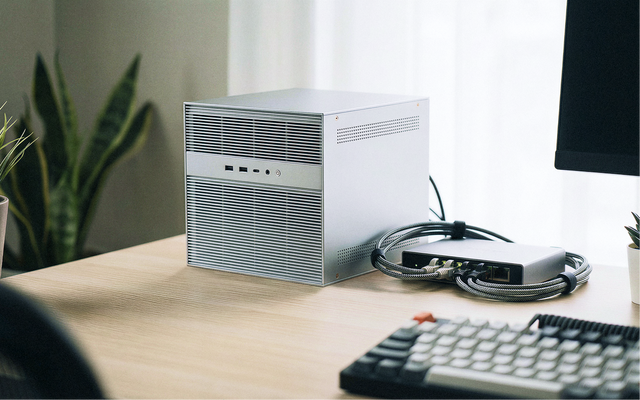
This is where ZimaSpace fits naturally. A ZimaBoard 2 personal server is enough for a lightweight Hermes workspace with Telegram, GitHub sync, cron, and Obsidian files. A ZimaCube 2 AI NAS makes more sense when the vault is large, files matter, or you want Ollama, Open WebUI, RAG, and team storage in one place.
Use Obsidian as the Agent Memory Layer
Obsidian works because the memory stays readable. Its local Markdown data storage model means notes live as plain files inside a vault. Humans can edit them. Agents can read and update them.
Keep the vault structured. Do not let the agent write anywhere it wants.
vault/
├── AGENTS.md
├── LLMMEMORIES.md
├── SYSTEMPROMPT.md
├── raw/
├── wiki/
└── .obsidian/| File / Folder | Purpose | Agent Rule |
AGENTS.md |
Workspace rules | Read first; edit only with review |
LLMMEMORIES.md |
Persistent project and user context | Read often; update carefully |
SYSTEMPROMPT.md |
Style, output, and behavior preferences | Read before writing |
raw/ |
Original sources, PDFs, screenshots, transcripts | Read-only |
wiki/ |
Clean notes, summaries, linked knowledge | Main write area |
Write a Clear AGENTS.md Before Automation
AGENTS.md is the most important file in the vault. It tells Hermes how to behave before touching your notes.
# AGENTS.md

Before writing:
1. Read LLMMEMORIES.md.
2. Check existing wiki/ notes before creating a new one.
3. Never edit raw/.
4. Write new structured notes only in wiki/.
5. Use clear titles and internal links.
6. Add source links when summarizing external material.
7. Ask for approval before editing AGENTS.md, SYSTEMPROMPT.md, or LLMMEMORIES.md.
8. Send a Telegram summary after each completed task.
This one file prevents most early mistakes: duplicated notes, messy naming, overwritten sources, and agent memory drift.
Use GitHub as the Review Layer
Agent-written memory needs history. GitHub gives you diffs, rollback, branches, private repositories, and human review. That matters because an agent can write useful notes one minute and pollute your knowledge base the next.
The Obsidian GitHub Sync plugin can connect an Obsidian vault to GitHub. GitHub’s own repository files and revision history model gives the vault a controlled backend instead of leaving agent edits untracked.
Simple review workflow
- You edit notes in Obsidian.
- The vault syncs to a private GitHub repository.
- Hermes reads the latest context.
- Hermes writes only to approved folders.
- Changes sync back through GitHub.
- You review diffs before trusting the update as long-term memory.
Use Telegram as the Control Channel
Telegram is the fastest way to use the agent when you are away from the desk. Send a link, voice note, task, screenshot, or command. Hermes processes it on the NAS and sends the result back.
The Telegram messages.sendMessage API supports sending messages back into a chat, which makes Telegram useful for summaries, reminders, approval requests, and completion notices.
Useful Telegram commands
| Command | Agent Action |
| Save this link | Summarize the URL and write it to wiki/
|
| Remember this | Add a short entry to LLMMEMORIES.md after approval |
| Brief me | Summarize today’s GitHub changes and new notes |
| Draft a reply | Create a draft and send it back for approval |
| Find related notes | Search the vault and return linked context |
Build the First Workflow: Telegram to Obsidian
The best first workflow is capture. Do not begin with full automation. Begin by turning Telegram messages into clean Obsidian notes.
| Step | Action | Output |
| 1 | Send a Telegram message or URL | Input received by Hermes |
| 2 | Hermes classifies the input | Task type: link, note, reminder, research, draft |
| 3 | Hermes reads AGENTS.md
|
Correct folder and writing rule selected |
| 4 | Hermes creates a note | Markdown file in wiki/ or inbox |
| 5 | GitHub sync records the change | Reviewable version history |
| 6 | Hermes sends a Telegram summary | You know what was saved |
Add Cron After Capture Works
Scheduled work should come after the basic capture loop is stable. Hermes cron is useful when the task has a clear trigger, predictable output, and low risk.
Use the Hermes cron automation guide for recurring jobs such as daily briefings, GitHub monitoring, note cleanup, link summaries, and reminder workflows.
Good cron jobs for a private workspace
| Cron Job | Runs When | Writes To |
| Daily briefing | Every morning |
wiki/daily/ and Telegram |
| GitHub change summary | Once per day | Project note |
| Inbox cleanup | Every evening | Linked wiki pages |
| Reading queue summary | Twice per week | Research note |
Add Local AI Only Where It Helps
Local AI is useful for routine work: summarizing notes, tagging content, extracting action items, cleaning transcripts, and answering from private context. Cloud AI is still better for difficult reasoning, long research, and complex coding.
An Ollama and Open WebUI self-hosting guide is a good reference for the local model layer. In this architecture, Ollama handles local models, Open WebUI provides a self-hosted interface, and Hermes decides how the work should flow.
| Task | Local Model | Cloud Model |
| Summarize short notes | Good fit | Optional |
| Tag Obsidian pages | Good fit | Usually unnecessary |
| Classify Telegram messages | Good fit | Usually unnecessary |
| Complex coding task | Depends on model | Often better |
| Deep research report | Useful for preprocessing | Often better for final reasoning |
Keep Automation Safe
Start with read, summarize, save, and notify. Delay risky actions until the workflow is proven.
| Action | Recommended Rule |
Read raw/
|
Allowed |
Write to wiki/
|
Allowed after rules are tested |
Edit LLMMEMORIES.md
|
Require review |
Edit AGENTS.md
|
Require review |
| Send external messages | Require Telegram approval |
| Delete files | Block by default |
| Push code | Require branch and human review |
Recommended Starter Architecture
Telegram
   ↓
Hermes Agent
   ↓
NAS / VM
   ├── Obsidian Vault
   │   ├── AGENTS.md
   │   ├── LLMMEMORIES.md
   │   ├── SYSTEMPROMPT.md
   │   ├── raw/
   │   └── wiki/
   ├── GitHub Sync
   ├── Cron Jobs
   ├── Logs
   └── Optional Local AI
       ├── Ollama
       └── Open WebUI
Build it in this order: vault first, GitHub sync second, Telegram capture third, Hermes workflow fourth, cron fifth, local AI sixth. This avoids the common mistake of installing many tools before the memory structure is ready.
Final Takeaway
Hermes gives the agent a runtime. Obsidian gives it memory. GitHub gives you control over changes. Telegram gives you a remote interface. NAS gives the whole system a stable place to run.
That is why this topic fits ZimaSpace. A NAS is no longer only for backup or media storage. For AI agent users, it becomes the private infrastructure layer for memory, automation, and 24/7 personal workflows.
FAQ
Can Hermes use Obsidian as long-term memory?
Yes. Hermes can use an Obsidian vault as long-term memory if the vault is structured with clear rules, readable Markdown files, and safe write permissions.
Why use GitHub with Obsidian for AI agents?
GitHub makes agent edits reviewable. If Hermes writes a bad note or changes memory incorrectly, you can inspect the diff, revert the file, or tighten the rules in AGENTS.md.
Can Telegram control an AI agent running on a NAS?
Yes. Telegram can send commands, links, notes, and approval decisions to the agent. The agent can send summaries, drafts, reminders, and completion messages back to Telegram.
Do I need local AI models for this workspace?
No. You can start with cloud models. Local models become useful when you want lower cost for routine tasks, better privacy for internal notes, or a self-hosted AI interface.
Which ZimaSpace device fits this workflow?
ZimaBoard 2 fits a lightweight Hermes workspace with Telegram, cron, GitHub sync, and Obsidian. ZimaCube 2 fits a larger AI NAS workspace with more files, RAG, Open WebUI, Ollama, and team storage.

Recommended products

AI HUB
More to Read
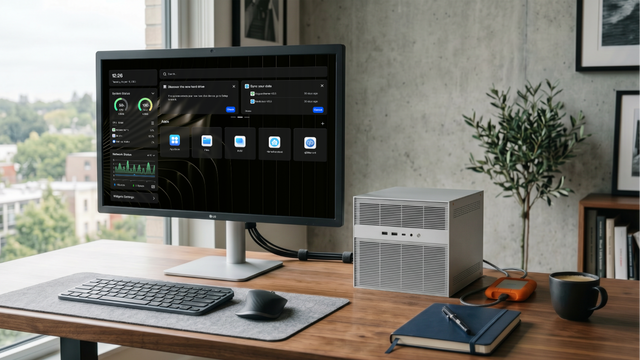
The Home AI Server Demand Forecast 2027: Why Private AI Workloads Are Moving Closer to Home
A 2027 forecast on why home AI server demand may grow as local LLMs, private RAG, media AI, automation, privacy needs, and cloud infrastructure...
What GPT-5.6 Means for Local AI, Home Servers, and Private Data
A practical guide to GPT-5.6, local AI, home servers, private data, hybrid workflows, RAG, tool calling, and safe cloud model use.
AI Agent at Home: What Can It Actually Automate?
A practical guide to home AI agents, covering smart-home control, local files, private RAG, server reports, approval gates, and safe automation.


