
AI Agent at Home: What Can It Actually Automate?


AI agents at home sound futuristic, but the useful version is quieter: a private assistant that reads context, checks sensors, summarizes files, controls trusted devices, generates automations, and asks before risky actions.
The real question is not whether an AI agent can “run the house.” It cannot. The better question is which household tasks are repetitive, digital, reversible, and safe enough to automate.
An AI Agent Is Not Just a Chatbot
A chatbot answers questions. A voice assistant turns commands into actions. A traditional automation runs fixed if-this-then-that logic. An AI agent goes one step further: it can interpret a goal, choose tools, use memory, follow steps, and report what happened.
In a home setup, that might mean connecting a model to smart-home devices, Home Assistant, NAS folders, calendars, task apps, Docker services, scripts, cameras, notes, and notifications. The model is only one part of the system. The real power comes from the tools it can safely use.
Home Assistant has already been moving in this direction by making it easier to bring AI agents into smart-home workflows, including experiments with local models and device control.
| System Type | What It Does at Home |
| Chatbot | Answers questions |
| Voice assistant | Turns natural language into commands |
| Automation rule | Runs fixed if-this-then-that logic |
| Workflow tool | Runs repeatable multi-step tasks |
| AI agent | Chooses tools and steps based on a goal |
| Local AI agent | Does more of this with data staying at home |
Misconception: an AI agent is not magic. It is a model connected to tools, memory, permissions, and logs.
The Real Boundary Is Tools, Permissions, and Memory
A home agent is only useful if it can access the right context. It may need to read sensor states, calendar events, device names, folder paths, camera events, task lists, or past notes. Without that context, it is just guessing.
But access also creates risk. The same agent that can summarize a folder may also be able to move, rename, or delete files if you give it too much permission. The same agent that can check a door sensor should not automatically unlock a door without confirmation.
| Agent Layer | Home Example |
| Model | Understands requests and plans steps |
| Tools | Smart home, scripts, calendar, NAS, apps |
| Memory | Notes, preferences, task history, RAG |
| Permissions | What it can read, write, or trigger |
| Approval | What requires human confirmation |
| Logs | What it did and why |
A home agent is only as safe as the tools it can touch.
Smart Home Control Is Useful, but Rules Still Matter
Smart-home control is the most obvious home agent use case. An agent can help with lights, blinds, thermostat modes, speakers, plugs, scenes, reminders, and occupancy-based routines. Home Assistant’s local voice setup also shows that local voice control for smart homes can run without depending on a cloud assistant for every command.
Still, AI should not replace every stable rule. Motion lights, leak alerts, smoke alarms, and basic schedules are usually better as deterministic automations. Agents are better at explaining status, drafting new automations, adjusting routines from natural language, and combining context that fixed rules do not handle well.
| Home Task | Better as Fixed Rule | Better as Agent Task |
| Motion turns on hallway light | Yes | No need |
| Movie night scene | Maybe | Yes |
| Explain why lights turned on | No | Yes |
| Adjust a routine from natural language | No | Yes |
| Leak alarm | Yes | Agent can summarize |
| Bedtime routine | Rule first | Agent can personalize |
Misconception: a smart-home agent should not replace every automation. Stable safety routines still belong in deterministic rules.
It Can Help Build and Debug Home Automations
One of the most practical home agent jobs is not controlling the house. It is helping you build the system. Many smart-home users struggle with entity names, YAML, scripts, dashboards, error logs, and duplicated automations.
An AI assistant can draft Home Assistant automations, explain logs, suggest dashboard layouts, consolidate repeated rules, or generate a first version of a script. That is useful because smart-home configuration often fails not from lack of devices, but from messy logic.
| Setup Task | Good AI Role | Human Check Needed |
| Generate YAML automation | Draft code | Test before enabling |
| Debug logs | Explain likely cause | Verify against docs |
| Merge automations | Suggest structure | Review logic |
| Build dashboard | Draft layout | Check entities |
| Create scripts | Generate first version | Run in sandbox |
| Rename entities | Suggest cleanup | Avoid breaking automations |
The most practical home agent may first be a smart-home programming assistant, not a fully autonomous controller.
Monitoring and Daily Reports Are Low-Risk Wins
Automation does not always mean taking action. Sometimes the most useful agent is one that quietly checks the home and tells you whether anything needs attention.
A morning report might summarize weather, calendar events, open windows, garage state, offline devices, backup status, and unusual activity. An evening report might say the house looks normal, the garage has been open too long, a camera saw a person near the driveway, or a server backup failed.
| Report Type | What the Agent Summarizes |
| Morning brief | Weather, calendar, house state |
| Security brief | Doors, garage, cameras, unusual motion |
| Energy report | HVAC, plugs, high usage devices |
| Server report | Backups, disk space, failed containers |
| Media report | New files, transcripts, tags |
| Maintenance report | Filters, batteries, offline devices |
Misconception: automation does not always mean taking action. Sometimes the best automation is telling you nothing needs attention.
Computer Vision Helps Security, but Should Not Become Blind Trust
AI camera analysis can reduce noise in home security. Instead of alerting on shadows, leaves, rain, or spider webs, a vision model can help detect people, vehicles, animals, packages, or unusual activity.
That does not mean the agent should assume intent. A camera event can be summarized, stored, and sent for review. It should not automatically escalate every unknown motion into a security action.
| Vision Task | Good Agent Role | Risk Boundary |
| Person detection | Notify and summarize | Do not assume intent |
| Vehicle detection | Log and alert | Avoid false alarm escalation |
| Animal detection | Filter camera alerts | Low risk |
| Package detection | Notify | Avoid sharing footage automatically |
| Unknown motion | Ask for review | Do not trigger extreme action |
| Security clip summary | Summarize locally | Protect storage and access |
A good home security agent should reduce false alarms and improve awareness, not make final security judgments alone.
File and NAS Automation Is More Useful Than People Expect
The most useful home agent may not control your lights. It may clean up the digital mess your home already has: downloads, receipts, PDFs, warranties, manuals, family photos, tax files, audio notes, meeting recordings, project folders, and media libraries.
This is where a home server or NAS becomes important. The agent can watch folders, classify files, rename downloads, OCR scans, summarize PDFs, tag photos, transcribe recordings, move items to a review folder, and create weekly summaries.
| File Workflow | What the Agent Can Do |
| Downloads folder cleanup | Rename and move files |
| Scanned documents | OCR, summarize, tag |
| Family photos | Caption and organize |
| Meeting recordings | Transcribe and summarize |
| Research PDFs | Extract key points |
| Home finance folder | Sort receipts and invoices |
| Project archive | Build searchable notes |
| Media library | Generate tags and descriptions |
Deletion should be handled differently. A safer agent moves files into a review folder first instead of silently deleting them.
Private RAG Turns Home Files Into Memory
A home agent becomes more useful when it can answer from your own files. That is where private RAG comes in. Manuals, receipts, warranty documents, repair records, school files, family notes, insurance policies, and home server docs can become a private knowledge base.
With local tool calling, a model can invoke trusted tools and incorporate the results into its response. Ollama’s local model tool calling is one example of how a local model can move beyond plain chat and interact with structured functions.
| Home Knowledge Source | Possible Agent Task |
| Appliance manuals | Find setup steps or error codes |
| Receipts | Summarize monthly spending |
| Insurance files | Retrieve policy details |
| Home repair records | Build maintenance history |
| Personal notes | Search and summarize |
| School documents | Organize deadlines |
| Family archive | Find photos or events |
Misconception: private RAG is not perfect memory. It still needs clean folders, good permissions, careful indexing, and human review for important answers.
Home Server Maintenance Is a Good Agent Job
Home servers and NAS systems produce a lot of useful signals: disk usage, backup status, Docker container health, failed login attempts, storage growth, update notices, and error logs. These are exactly the kinds of details people forget to check.
An agent can summarize them without becoming an unattended sysadmin. It can report that disk usage is rising, a backup failed, a container restarted, or a login pattern looks unusual. It should not silently expose ports, delete files, change firewall rules, or disable backups.
| Maintenance Task | Safe Agent Role |
| Disk usage | Summarize and alert |
| Backup jobs | Report success or failure |
| Docker containers | Show status |
| Logs | Summarize anomalies |
| Updates | Recommend timing |
| Failed logins | Explain pattern |
| Storage growth | Predict capacity issue |
Misconception: an AI agent should not be your unattended sysadmin. It should notice, explain, and ask before risky changes.
Household Admin Works Best as Draft-First Automation
Household admin is full of small repeated tasks: grocery lists, calendar reminders, chores, filter replacements, subscription checks, receipt summaries, shopping lists, and daily priorities.
These are good agent tasks when the output is a draft. Let the agent prepare a list, schedule, reminder, or message. Ask before it spends money, sends messages, cancels services, or changes records.
| Household Task | Good Automation Level |
| Create grocery list | Automatic draft |
| Add calendar reminder | Confirm or auto if low-risk |
| Summarize receipts | Automatic |
| Draft email to landlord | Draft only |
| Order supplies | Approval required |
| Cancel subscription | Approval required |
| Delete old files | Review required |
The safest home agent drafts first and acts second.
Local Agents Are Better When Privacy Matters
Local-first agents are attractive because many home tasks involve private context: files, camera events, device states, notes, receipts, server logs, family schedules, and personal media.
Cloud agents may be stronger for web research, complex reasoning, and advanced multimodal work. Local agents are stronger when the data should stay on your own network, especially for repeated file processing, private RAG, local device control, and home server workflows.
| Task Type | Local Agent | Cloud Agent |
| Private files | Strong fit | Use carefully |
| Smart home routines | Strong fit | Optional |
| Web research | Limited unless connected | Strong fit |
| Complex reasoning | Depends on model | Strong fit |
| Repeated file processing | Strong fit | Can get costly |
| Sensitive documents | Strong fit | Depends on policy |
| Advanced multimodal tasks | Limited | Often stronger |
For many homes, the best setup is not purely local or purely cloud. It is local-first, with cloud help only for tasks that truly need it.
What It Should Not Automate Without Human Review
A home agent should not be judged only by how many actions it can trigger. It should be judged by whether it knows when to stop.
High-risk actions need approval gates: unlocking doors, disabling alarms, exposing home server ports, deleting files, making purchases, sending sensitive messages, sharing private documents, changing firewall rules, modifying backup retention, changing financial records, granting permissions, or changing camera access.
| Risky Action | Safer Pattern |
| Delete files | Move to review folder |
| Send email | Draft first |
| Buy item | Require approval |
| Unlock door | Manual confirmation |
| Change firewall | Explain and wait |
| Share document | Ask before sharing |
| Disable backup | Never without approval |
| Change permissions | Require admin review |
A good home agent should be allowed to prepare risky actions, not silently execute them.
A Practical Home Agent Stack
A practical home agent stack does not need to start with a giant AI server. It needs a model runtime, an automation platform, a smart-home hub, local storage, a memory layer, a notification channel, logs, approval gates, and backups.
n8n’s AI Agent node for workflow automation is a useful example of how an agent can connect a model to tools and steps instead of staying as a plain chatbot.
| Layer | Example Role |
| Model runtime | Understands requests |
| Automation platform | Runs repeatable workflows |
| Smart home hub | Controls devices |
| NAS / file server | Stores documents and outputs |
| Vector database | Provides private memory |
| Notification channel | Sends alerts and approval requests |
| Logs | Records what happened |
| Backup | Protects agent memory and configs |
For a compact always-on setup, ZimaBoard 2 personal server can host lightweight Docker services, Home Assistant-style workflows, local tools, and monitoring tasks, while ZimaCube 2 NAS fits the storage-heavy side of the stack: private RAG files, media libraries, agent memory, outputs, and backup. The point is not to “buy an agent,” but to give the agent a stable local place to run and remember.
What a Home Agent Can Actually Automate Today
The realistic answer is not “everything.” A home agent is best for digital coordination, low-risk routines, monitoring, drafts, summaries, and tasks that can be reviewed before action.
| Category | Realistic Automation | Risk Level |
| Smart home | Scenes, lights, climate suggestions | Low to medium |
| Automation setup | Draft YAML, debug logs, dashboard ideas | Medium |
| Monitoring | Daily state summary, anomaly reports | Low |
| Security cameras | Person, vehicle, animal summaries | Medium |
| Files | Rename, summarize, tag, archive | Low to medium |
| NAS | Folder watch, backup reports, storage summaries | Low |
| RAG | Answer from private documents | Medium |
| Media | Captions, transcripts, metadata | Low |
| Server maintenance | Logs, alerts, health reports | Medium |
| Calendar | Draft reminders and schedules | Low to medium |
| Draft replies | Medium | |
| Purchases | Prepare cart only | High |
| Security devices | Notify and summarize only | High |
| Permissions | Recommend changes only | High |
Final Takeaway
An AI agent at home can automate more than chat, but less than the hype suggests. It is best for repeatable, low-risk, digital tasks: smart-home routines, automation drafts, file cleanup, private document search, media tagging, backup summaries, server alerts, reminders, and daily reports.
The safest home agent is not fully autonomous. It is local-first, tool-limited, permission-aware, logged, backed up, and designed to ask before touching anything risky.
FAQ
Can an AI agent fully automate my home?
No. It can automate many digital and smart-home tasks, but it should not fully control locks, alarms, payments, file deletion, firewall settings, or permissions without review.
What is the best first use for a home AI agent?
Start with low-risk tasks: daily home summaries, file organization drafts, smart-home routine suggestions, backup reports, and reminders that ask before taking action.
Is a home AI agent different from Home Assistant automation?
Yes. Home Assistant automations are usually fixed rules. An AI agent can interpret goals, summarize context, draft automations, and choose tools, but stable safety routines should still use deterministic rules.
Should a home AI agent run locally or in the cloud?
Local-first is better for private files, smart-home state, camera summaries, and repeated tasks. Cloud models can help with harder reasoning, web research, or advanced multimodal tasks.
Can an AI agent organize files on a NAS?
Yes, but it should be cautious. A good agent can classify, rename, tag, summarize, and move files into review folders. It should not permanently delete files without approval.
Can an AI agent help with home server maintenance?
Yes. It can summarize disk usage, backup jobs, Docker status, failed logins, update reminders, and logs. Risky actions like changing firewall rules or disabling backups should require confirmation.
What should never be fully automated by a home agent?
Door locks, alarms, purchases, financial records, file deletion, private document sharing, firewall changes, backup retention, and permission changes should always require human review.
What hardware does a home AI agent need?
It depends on the workload. A small home server can run lightweight tools and automation, while a NAS or larger ai server is better for private files, media libraries, RAG data, and backups.

Recommended products

AI HUB
More to Read
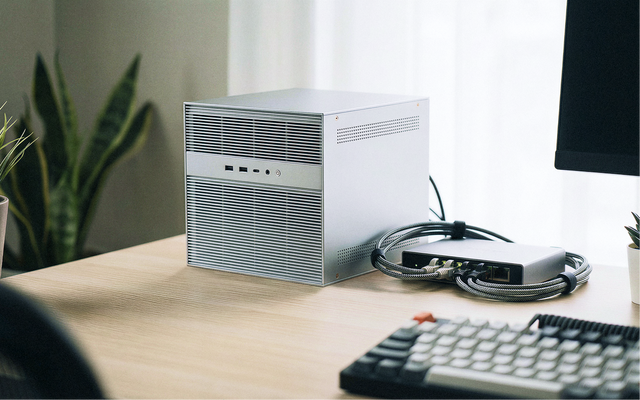
The Home AI Server Demand Forecast 2027: Why Private AI Workloads Are Moving Closer to Home
A 2027 forecast on why home AI server demand may grow as local LLMs, private RAG, media AI, automation, privacy needs, and cloud infrastructure...
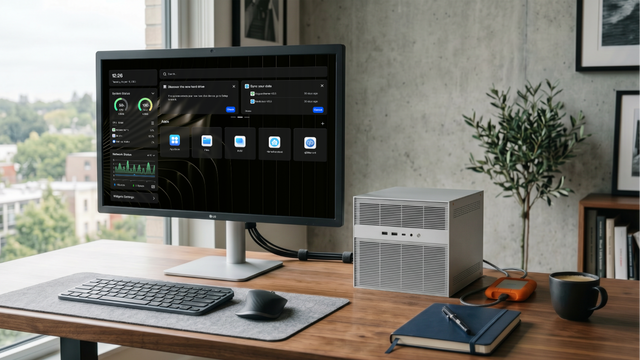
What GPT-5.6 Means for Local AI, Home Servers, and Private Data
A practical guide to GPT-5.6, local AI, home servers, private data, hybrid workflows, RAG, tool calling, and safe cloud model use.
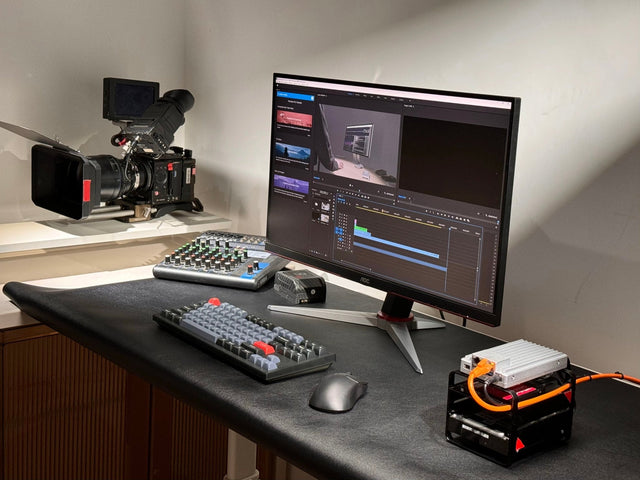
Mac + NAS for Local AI: A Better Private Workflow Than One Device Alone
Build a private Mac + NAS local AI workflow that separates Mac compute from NAS storage for RAG, models, outputs, backups, and agents.


