
ZimaOS vs Proxmox vs Windows Server: Which System Should Your ZimaCube Run?


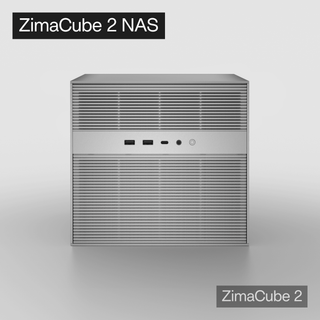
ZimaCube is hardware. It comes pre-installed with ZimaOS, but because it is built on the x86 architecture, you can install almost any operating system on it.
The real question is: which system is actually right for you?
This is not a “Proxmox is better than ZimaOS” comparison. Each system has its own ideal use case. Choosing the wrong system may lead to limited functionality at best, or data risks at worst. This guide helps you make the right choice from the start.
Three-Sentence Overview
| System | One-Sentence Summary |
|---|---|
| ZimaOS | Out-of-the-box NAS + Docker experience with almost no learning curve |
| Proxmox VE | Professional-grade virtualization with VMs and LXC containers, unlocking the full potential of the hardware |
| Windows Server | Familiar Windows experience, GUI-based server role configuration, and a 180-day free evaluation period |
ZimaOS: The Best Starting Point for 80% of Users
ZimaOS is the NAS operating system pre-installed on ZimaCube. It is based on Linux and Docker.

Its Strengths
- Get started in 10 minutes: Plug it in, power it on, access its IP address from a browser, and you are already in the management interface. No monitor required.
- Solid NAS fundamentals: RAID management, SMB/NFS file sharing, and user permission control can all be handled from one interface.
- Docker support: The app store allows one-click deployment of common services such as Plex, Home Assistant, Transmission, and dozens of other applications.
- No terminal required: All operations can be completed through the web interface, making it extremely friendly for users who are not familiar with the command line.
Its Limitations
- No virtual machine support: It cannot run VMs or LXC containers. It only supports Docker.
- Lower hardware utilization: ZimaCube’s 6-core, 8-thread CPU and up to 64GB of memory may remain mostly underused in ZimaOS.
- Limited expandability: If you later want to run a Windows VM, set up GPU passthrough, or virtualize a software router, ZimaOS will not be enough.
Analogy: ZimaOS is like an automatic family car. It is easy to drive, low-maintenance, and perfect for daily commuting. But you would not take it off-road.
You Should Stay With ZimaOS If:
- You only need NAS file sharing and a few Docker applications
- You do not want to learn command-line operations or virtualization concepts
- ZimaCube is used by your family and needs to run stably long-term
- You are new to NAS and want to use it for a few months before going deeper

Proxmox VE: Unlock the Full Potential of ZimaCube
Proxmox VE is an open-source virtualization platform based on Debian. It supports KVM virtual machines and LXC containers.
Its Strengths
- It truly uses the hardware: The 6-core CPU can run 3–4 VMs plus 10 LXC containers at the same time, finally putting ZimaCube’s hardware to proper use.
- It can run almost anything: Windows Server VM, Ubuntu Server VM, OPNsense software router, virtualized Synology DSM, Home Assistant OS — if you can think of it, you can probably run it.
- LXC is lighter than Docker in some scenarios: LXC containers share the host kernel, start in seconds, can be backed up directly through Proxmox, and are often easier to manage at the system level than Docker containers.
- GPU passthrough: After installing a low-profile GPU, you can pass it through to Plex or Jellyfin for hardware-accelerated 4K transcoding.
- Enterprise-grade backup: Proxmox Backup Server supports incremental backup, deduplication, and compression. Restoring a VM can take only a few minutes.
Its Learning Curve
- You need to learn: Virtualization concepts such as VM vs CT, bridged networking, and PCIe passthrough come with a learning curve.
- You will need the command line: Most tasks can be completed through the web interface, but some configurations inevitably require terminal commands.
- It takes time to tune: Installing Proxmox is only the beginning. Storage tuning, backup configuration, and monitoring setup can take several weekends.
Analogy: Proxmox is like a manual 4WD off-road vehicle. It can go almost anywhere, but you need to know how to drive it.
You Should Switch to Proxmox If:
- You want one machine to run NAS, a software router, Windows, and Linux at the same time
- You are willing to invest time in learning virtualization
- Your services have grown beyond what Docker alone can comfortably handle
- You need GPU passthrough for transcoding or AI inference
- You have more than one x86 machine and want unified management

Windows Server 2025: An Uncommon but Worthwhile Path
Installing Windows Server 2025 directly on ZimaCube is not the usual route, but once it works, the experience can be surprisingly good.
Its Strengths
- Familiar interface: Windows users face almost no transition cost. The desktop, File Explorer, and Task Manager are all things you have used for years.
- GUI-based server role configuration: Active Directory, DNS, and DHCP can all be configured through graphical wizards without editing configuration files manually.
- Remote Desktop works out of the box: The RDP experience is far better than VNC or web terminals.
- 180-day free evaluation: This is enough time to learn, experiment, and build a complete environment.
- Storage Spaces: Windows provides native software RAID-like storage management without requiring a dedicated RAID card.
Its Pain Points
- Drivers can be painful: ZimaCube’s consumer-grade hardware does not come with an official Windows Server driver package. You may need to manually download the Intel network driver and install remaining devices one by one through the Windows Update Catalog using hardware IDs and CAB files. Plan for an afternoon.
- Weak GPU passthrough experience: Hyper-V GPU passthrough is not ideal on consumer-grade hardware. If you need this, go back to Proxmox.
- 180-day limit: After the evaluation period expires, you will need a license or migrate before then.
- Higher performance overhead: Windows Server is heavier than Linux, with a baseline memory usage of around 2–3GB.
Analogy: Windows Server is like a car you have been driving for ten years. It may not be the fastest, but you know exactly where every button is.
You Should Install Windows Server If:
- You are already familiar with the Windows ecosystem and want to learn server administration
- You need Active Directory for domain management experiments
- You want a comfortable Remote Desktop environment
- Your main services are Windows-native
- You treat it as a time-limited learning experiment

Multi-System Coexistence: Why Choose One?
The three systems are not mutually exclusive. An advanced setup could look like this:
Bare-metal Proxmox VE
├── VM 1: ZimaOS
│ └── HDD and NVMe passthrough, dedicated to NAS storage
├── VM 2: Windows Server 2025
│ └── AD domain controller + RDP jump host
├── VM 3: OPNsense
│ └── Software router
├── LXC 1: Docker host
│ └── Plex, Home Assistant, and daily services
├── LXC 2: Development environment
└── ...
ZimaOS gives you NAS simplicity.
Windows Server gives you a familiar server environment.
Proxmox gives you powerful virtualization.
With one ZimaCube, you can have all three.
The prerequisite is that you first spend time building the foundation properly on Proxmox.
Decision Matrix
| Your Profile | Recommended System | Reason |
|---|---|---|
| NAS beginner who only wants file sharing + Docker | ZimaOS | No learning curve, up and running in 10 minutes |
| NAS beginner willing to learn | ZimaOS → Proxmox after a few months | Start using it first, then upgrade when real needs appear |
| User with Linux or virtualization experience | Proxmox VE | Unlocks the full potential of the hardware |
| Windows user who wants to learn server administration | Windows Server 2025 | Familiar environment, and 180 days is enough to learn a lot |
| Want one machine to manage the whole home network | Proxmox + software router VM | Combines virtualized routing and NAS on one machine |
| Video creator who needs direct Thunderbolt connection | ZimaOS or Windows Server | Depends on which platform your editing software runs on |
Final Advice
No matter which system you choose, one principle is worth remembering:
Before you actually run into a performance bottleneck or functional limitation, your current system is the best system.
Do not rush to replace ZimaOS with Proxmox in the second week. Use it first. When one day you realize, “I need a Windows VM,” or “I want to virtualize my router as well,” that is the right time to migrate.
Changing systems based on real needs is far more efficient than optimizing too early.
ZimaCube’s hardware is capable enough, and the system can always be changed. You do not need to make the perfect choice on day one. You only need to know where the door is when you need it.
Acknowledgment:
This article is based on the ZimaCube Experience Blog by community user Bob. Special thanks to Bob for his detailed Proxmox hands-on notes and sincere sharing.

Recommended products
Zima Campaign Hub
More to Read

How Rez Tech Builds His Own Personal Cloud With ZimaBoard 2
Rez Tech builds a personal cloud with ZimaBoard 2, two local drives, RAID 1, and ZimaOS, then tests file access, 4K HDR media, and...

Silicon Steak Shrinks His Homelab With ZimaBoard 2
Silicon Steak explores whether ZimaBoard 2 can replace a much larger homelab machine, testing storage, media playback, Minecraft, Pi-hole, self-hosted apps, and ZimaOS management.

How Smart Life Builds a Private Cloud with ZimaBoard 2
Smart Life turns ZimaBoard 2 into a home destination for phone photos and videos, showing the hardware build, ZimaOS storage setup, phone connection, and...


