


From a Family Laptop to a ZimaOS NAS in a Jonsbo N4


Thank you to u/vaniszh for sharing a ZimaOS journey that began with a family member's unused laptop and grew into a dedicated NAS in a Jonsbo N4. The first machine provided a way to try self-hosting; the later build gave household services a more permanent home. The photographs preserve that progression from a familiar computer to an assembled server and rack cabinet.
The original homelab journey connects the hardware changes to everyday needs: family photos, media, game hosting and other applications previously handled through separate services. It is a story of learning from use before settling into a dedicated setup.
The Old Laptop Made the First Experiment Possible

The creator describes starting with an unused work laptop from their mother and finding ZimaOS while looking into a beginner-friendly server platform. Existing hardware made it possible to try the idea without first designing a new computer.
That is a useful first milestone for another household. A small experiment can establish which services people actually open, what information they want to keep and which parts of administration the operator is comfortable handling.
The reason to move on can then come from those observations. A dedicated case may provide a clearer place for drives and a more convenient physical arrangement. It does not remove the need to understand the applications that made the first machine useful.
The Dedicated Build Gives Storage a More Deliberate Home
| Part | Configuration described in the source |
|---|---|
| Case | Jonsbo N4 |
| Processor and motherboard | Intel Core Ultra 5 245K and Z890M Aorus |
| Memory | Initial 16 GB module; another module added later |
| System SSD | Samsung 990 Pro; capacity not specified |
| Power and cooling | SF750 supply and Noctua NH-L9x65 cooler |
| Hard drives | Two 2 TB WD Purple drives added during the project |

This inventory describes the creator's choices, rather than a minimum specification for ZimaOS. It also leaves some details open. An additional memory module does not establish its capacity, and a list of disks does not identify a filesystem or redundancy policy.
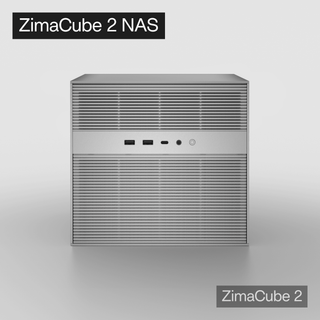
Readers comparing a purpose-built personal cloud for the same broad workload can also review the ZimaCube 2 personal cloud NAS. The machine in this story remains the creator's custom N4 build.
The first ZimaOS homelab on a reused ProDesk provides a companion case of learning the service requirements on equipment already available.
The Server Eventually Acquires a Permanent Location

The creator describes a progression from beneath the desk to the garage and then into a cabinet, with a UPS added along the way. Moving the hardware becomes another stage in making the installation part of the home.
A cabinet can organize equipment and cables, while the applications still need the same access to storage and networking. For another builder, a move is a useful moment to record connections and confirm that the services return as intended afterward.
The photograph does not establish a tested battery runtime or coordinated shutdown procedure. Those are separate operating checks, just as the physical arrangement is separate from the NAS's data-protection policy.
The Application Collection Reflects Household Use

The listed applications include Jellyfin, Immich, a game-server panel, Gitea, Home Assistant and a small Discord bot. These are different routines sharing one host: entertainment, personal information, development and home services.
The useful organizing question is what each application needs to remain usable. A media service needs its library paths. A game server needs its world and settings. A development service needs its repositories and configuration. A visible app tile is an entry point to that work rather than a complete operating record.
For a similar household installation, a short inventory could identify the person using each service, its persistent data location and its acceptable maintenance window. That makes it easier to prioritize an interruption without treating every container as equally urgent.
Family Photos Turn Recovery into an Everyday Requirement
Photo management is one of the motivations for the project. Once other people begin relying on a library, being able to browse it today and being able to recover it later become distinct responsibilities.
The Immich backup and restore guide explains that a comprehensive recovery copy needs the photos and videos together with the database. Keeping only one of those parts cannot reproduce the complete application state.
The source does not publish a restore exercise. A reader adapting the arrangement could define a small test that retrieves selected media and the corresponding library information without relying on the original host remaining available.
Our Pi-hole-to-family-server story offers another example of a personal server taking on responsibilities beyond the original experiment.
A Password Service Has Its Own Data to Preserve
The creator also describes Vaultwarden serving a family role. That adds another reason to keep recovery planning specific to the application, rather than assume one generic copy of the server covers every service equally well.
The official Vaultwarden backup guidance identifies the data that needs attention and explains that database handling depends on the backend in use. It is the appropriate reference for a reader planning their own recovery process.
This is an operating lesson from the service inventory, without implying that the creator lost access or used a particular database backend. The source lists the application; it does not supply every configuration detail behind it.
Keep the Next Upgrade Connected to a Real Requirement
The most useful part of this progression is that the project acquired jobs before it acquired a cabinet. The operator had reasons to keep developing it, and those reasons can also guide later changes.
For another builder, a future upgrade could be justified by a measured workload, a storage limit or a maintenance difficulty encountered in ordinary use. Recording that reason makes a hardware change easier to evaluate afterward and keeps the application needs at the center of the project.
FAQ
Does the hardware list define a required specification?
No. It records one creator's chosen components for their own project.
Is the final memory capacity established?
The source describes an initial module and a later addition without specifying every detail needed to calculate the final total.
Do two hard drives establish a protected array?
No. The post does not document a specific pool or redundancy policy.
Is a complete migration and restore procedure supplied?
The story describes the progression and applications rather than a reproducible recovery manual.
Conclusion
This homelab grew because the first experiment became useful. The later NAS and cabinet gave those services a more permanent physical home, while their data and recovery needs remained application-specific. The transferable lesson is to keep hardware growth connected to the household routines that made the server worth maintaining.
Welcome to the ZimaSpace community! Share your setup, ask questions, and explore practical build guides, real user stories, and product updates with fellow self-hosters.

Recommended products
Zima Campaign Hub
More to Read
A ZimaBlade 7700 Backup NAS with an Optane M10 Boot Drive
A ZimaBlade 7700 backup companion separates its Optane M10 boot device from mirrored 12 TB drives, with a PCIe riser shaping the compact layout.
A ZimaBoard Firewall and Dell Proxmox Host in a Printed Mini Rack
A printed mini rack gives a ZimaBoard pfSense firewall and Dell Proxmox host separate roles, with cabling and storage still evolving.
A First ZimaOS Laptop Server for Photos and the Next Hardware Move
An old laptop becomes a first ZimaOS photo server, raising questions about moving data drives, learning containers and sharing Immich with family.


