
How to Build a Private Digital Hub for Your Pet’s Photos, Records, and Safety Information


Living with a pet creates more digital information than most families realize. There are the obvious things—years of photos and videos—but also vaccination records, insurance documents, microchip details, medication notes, travel paperwork, veterinarian contacts, and information connected to everyday pet safety.
The problem is rarely that these files do not exist. The problem is that they live everywhere: phones, laptops, email inboxes, cloud accounts, messaging apps, veterinary portals, external drives, and sometimes paper folders.
A private digital hub gives that information one predictable home. It does not replace the apps and devices you use every day. Instead, it creates a long-term layer where important photos, records, and family files remain organized, accessible, and backed up.
Why Pet Information Becomes Scattered
Pet information accumulates gradually. One family member takes photos on an iPhone, another records videos on a different device, the veterinarian sends a PDF by email, an insurance provider keeps documents behind an online login, and a microchip registration number may still be sitting in a paper envelope.
After several years, a single pet can have information spread across:
- Phones and tablets
- Digital cameras and memory cards
- Shared photo libraries
- Email attachments
- Cloud storage accounts
- Veterinary portals
- Insurance accounts
- Messaging apps
- External drives and old computers
- Connected pet apps and devices
This becomes noticeable when you actually need something. Finding a favorite puppy photo is frustrating when it is buried on an old phone. Finding a vaccination certificate, insurance policy, recent photograph, or microchip number before a trip can be far more important.
The same problem appears in ordinary household storage. A reliable family document hub works best when files are classified by purpose and sensitivity instead of being dropped into one unrestricted folder.
Your pet archive can follow the same principle.
Create a Central Folder Structure
Start with a structure that everyone in the household can understand. A complicated filing system is rarely useful if nobody remembers where something belongs six months later.
For one pet, a practical structure might look like this:
PET_ARCHIVE/
├── PHOTOS/
│   ├── 2024/
│   ├── 2025/
│   └── 2026/
├── VIDEOS/
├── MEDICAL/
│   ├── vaccinations/
│   ├── medications/
│   └── vet-records/
├── IDENTIFICATION/
│   ├── microchip/
│   └── registration/
├── INSURANCE/
├── TRAVEL/
├── EMERGENCY/
└── DEVICE_INFO/
Families with several pets can place each pet's name at the top level and repeat the same structure underneath it.
For photos and videos, organizing by year and event is usually enough:
PHOTOS/
├── 2026-03-Adoption-Day/
├── 2026-06-Beach-Trip/
└── 2026-08-Everyday-Life/
Important documents deserve similarly descriptive names:
2026-03-rabies-vaccination.pdf
2026-05-pet-insurance-policy.pdf
microchip-registration-current.pdf
emergency-vet-contacts.txt
The exact structure matters less than consistency. A useful archive should still make sense years later even if the original phone, app, or cloud service is no longer being used.
Store Photos and Videos in a Personal Cloud
Photos are usually the fastest-growing part of a pet archive. A few pictures every week can turn into thousands of files across a pet's lifetime, especially when several family members are taking them.
Videos increase storage even faster. Clips of a first walk, a training session, a road trip, a swim, or an ordinary afternoon may eventually become some of the most valuable files in the entire family collection.
Leaving the only copies on individual phones creates unnecessary fragmentation. A home NAS or personal cloud can instead become the central archive where full-resolution originals from multiple devices eventually come together.
The broader principle is the same as safe family photo storage: no single phone, cloud account, external drive, or NAS should become the only place irreplaceable memories exist.
For households with growing photo and video libraries, the ZimaCube 2 Personal Cloud NAS can provide centralized storage for pet media, household documents, backups, and other family files.
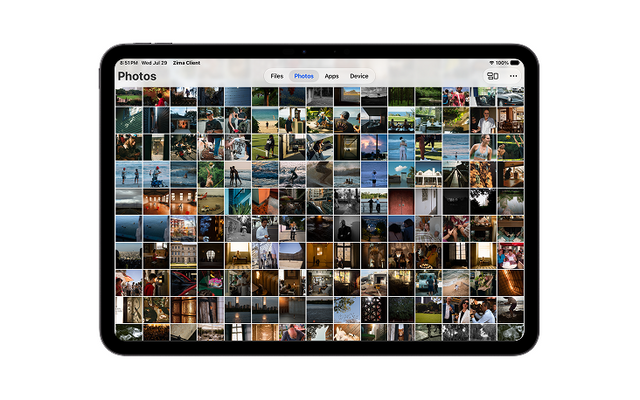
Once those photos are on a home server, organization does not have to stop at folders. A private photo library can make a large archive easier to browse and rediscover as the number of images grows.
The key distinction is that centralized storage is not the same as backup. A NAS gives the collection a stable home, but important memories still need independent recovery copies.
Keep Medical and Identification Records Accessible
A useful pet digital hub should contain more than media.
Consider keeping digital copies of:
- Vaccination certificates
- Microchip number and registration information
- Veterinarian contact details
- Emergency veterinary clinic information
- Insurance policies and claim documents
- Medication names and instructions
- Known allergy information
- Adoption or ownership documents
- Travel certificates when applicable
- A recent, clearly identifiable photograph
These files may only be opened occasionally, which is exactly why predictable organization matters. Information used once a year is often harder to locate than information opened every day.
It is also useful to maintain a small emergency folder containing the most important records. The same approach applies to a broader offline emergency library, where essential family and pet records remain available through another access path instead of depending entirely on scattered online accounts.
Combine Long-Term Records With Real-Time Safety Tools
Long-term storage and real-time pet safety solve different problems.
A home server is useful for preserving information that should still be available months or years from now: photographs, videos, veterinary records, insurance files, microchip details, travel documents, and emergency contacts.
Real-time safety tools answer a different question: where is your pet right now?
For dogs that spend time in yards, parks, hiking trails, or other outdoor environments, a GPS dog collar can provide a real-time location layer that a static digital archive cannot. Location tracking and boundary alerts can help owners respond when a dog moves beyond an expected area.
Identification and live tracking should not be confused. The American Animal Hospital Association explains that a pet microchip is an identification device rather than a GPS tracker. A microchip can help connect a found animal with its registered owner, but it does not report the animal's live location. pet microchip identification and GPS tracking therefore serve different purposes.
The digital archive adds a third layer. Recent photographs, microchip details, registration records, veterinarian contacts, and emergency information remain organized and available even when they originate from different services or devices.
These layers complement one another:
LONG-TERM RECORD
Photos / Videos / Medical / Identification
              +
REAL-TIME SAFETY
GPS / Location / Boundary Alerts
              +
RECOVERY
Independent Local + Off-Site Backups
The same long-term thinking applies to the memories themselves. A practical approach to pet photo preservation is to keep original files, preserve useful context, maintain multiple copies, and avoid leaving years of memories dependent on a single phone or online account.
No single device needs to perform every role. A home server is better suited to preserving long-term records, while real-time tracking tools handle immediate location and safety needs. Keeping those roles separate creates a more resilient system for both everyday use and unexpected situations.
Protect Sensitive Pet and Family Data
A pet archive can contain more sensitive information than it first appears to.
Veterinary and insurance documents may contain names, addresses, phone numbers, policy details, or other household information. Registration records may contain contact information. Photographs and videos can also reveal where your family lives or regularly spends time.
Location metadata deserves particular attention. Phones can embed geographic coordinates in photographs and videos when location services are enabled. Apple explains that shared photos may include location information and provides controls for reviewing or removing photo location metadata before sharing.
For a private pet archive:
- Use strong, unique passwords for storage accounts.
- Limit medical and identification folders to people who need them.
- Keep administrative accounts separate from casual family access where possible.
- Avoid publicly sharing folders containing private documents.
- Review location metadata before posting photos publicly.
- Avoid exposing addresses, phone numbers, ID tags, or travel documents in shared images.
- Review access when old devices or accounts are no longer used.
Convenient family sharing does not require making the underlying archive public. Keep the originals private and share selected copies when needed.
Back Up the Entire Pet Archive
A NAS should never be the only copy of information that would be painful or impossible to replace.
The U.S. National Archives recommends the 3-2-1 backup rule when preserving digitized family photographs and documents:
- 3 copies of important files
- 2 types of storage
- 1 copy off-site
For a pet archive, a practical version could look like this:
| Copy | Example | Purpose |
|---|---|---|
| Primary archive | Home NAS | Central storage and everyday access |
| Second copy | External drive or second device | Local recovery |
| Off-site copy | Encrypted cloud or remote storage | Recovery after a home-level incident |
A more detailed 3-2-1 backup strategy also helps clarify an important point: RAID, storage redundancy, snapshots, synchronization, and independent backups solve different failure scenarios.
A second or third copy protects against more than a failed drive. It can matter after accidental deletion, theft, malware, fire, water damage, account problems, or damage to the entire primary storage system.
Backups also need to be tested. Occasionally open several photographs, videos, and documents from the backup itself rather than assuming that an automated job is still working.
Do Not Forget Printed Pet Photos
Older pet memories may not begin as digital files at all. Printed photographs, old albums, certificates, and handwritten records can also be incorporated into the archive through careful digitization.
The U.S. National Archives recommends protecting original photographs from excessive heat, humidity, light, and damaging storage materials. Its photo preservation guidance also recommends appropriate enclosures and stable storage conditions for family photographs.
When digitizing an important print:
- Scan the highest-value photographs first.
- Keep a high-quality master scan.
- Record the pet's name, approximate date, place, and event.
- Keep the original physical photograph after scanning.
- Add the digital copy to the same backup system as newer photos.
A scanned image sitting on one laptop is still only one copy. Digitization becomes preservation when the file is organized, backed up, and recoverable.
Review the Archive Every Year
A pet digital archive stays useful only when it reflects your pet's current life.
Choose a memorable date—an adoption anniversary, birthday, or another annual milestone—and use it as a reminder to review the archive.
A yearly review can include:
- Importing recent photos and videos
- Removing obvious duplicate files
- Updating vaccination records
- Replacing expired insurance documents
- Checking veterinarian and emergency contacts
- Confirming microchip registration information
- Updating medication information
- Reviewing device and account information
- Checking folder permissions
- Testing backup copies
You should also update critical information whenever something important changes rather than waiting for the annual review. A new veterinarian, phone number, insurance policy, microchip registry entry, or medication should be reflected in the archive while the information is fresh.
A Pet's Digital Life Is Part of the Family Archive
Pet photos often begin as ordinary files on a phone. Over time, they become a record of puppyhood, family trips, favorite places, changing routines, and years of everyday life together.
Medical records, identification details, safety information, and travel documents have a more practical purpose, but they benefit from the same principle: important information is more useful when it has a predictable home.
A private digital hub does not need to replace every cloud service, veterinary portal, photo app, or connected pet device. It simply becomes the long-term layer underneath them.
Bring important files together, keep the archive understandable, separate private information from casual sharing, use real-time tools for real-time needs, maintain independent backups, and review the collection regularly.
The result is more than another folder of files. It is a digital record of your pet's life that remains useful to your family long after individual phones, apps, and devices have changed.
Frequently Asked Questions
What is the best way to store pet photos long term?
Keep the full-resolution originals in an organized central archive and maintain multiple independent copies. A practical setup uses a NAS or personal cloud as the home archive, another local backup such as an external drive, and an off-site copy. Avoid relying on one phone, one drive, or one cloud account as the only copy.
Is a NAS enough to protect pet photos?
No. A NAS is useful as a central photo archive, but it should still be backed up. Hardware failure is only one risk; accidental deletion, malware, theft, fire, water damage, and mistakes can affect an entire storage system. Keep at least one independent backup outside the NAS.
Should pet photos and medical records be stored together?
They can live on the same private storage system, but they should not necessarily have the same permissions. Photos intended for family sharing can use a shared media area, while veterinary records, insurance documents, identification details, and other sensitive files should be kept in restricted folders.
What pet records should be saved digitally?
Useful records include vaccination certificates, veterinarian contacts, microchip registration details, insurance documents, medication information, ownership or adoption records, travel certificates, emergency contacts, and recent identifying photographs. Keep the documents that would be difficult to reconstruct quickly if the original account or paper copy became unavailable.
Can a pet microchip track a dog in real time?
No. A pet microchip stores identification information that can be retrieved when the chip is scanned; it does not transmit a live location. Real-time location requires a GPS-based tracking device such as a GPS dog collar. The two technologies complement each other because microchips support identification, while GPS devices are designed for active location tracking.
Should I permanently save my dog's GPS history?
Not necessarily. Location history can be useful for remembering trips, favorite parks, or important events, but continuous location data can also reveal household routines. Preserve selected routes or screenshots when they add useful context to your archive, and treat detailed location information as private data.
How often should a pet digital archive be updated?
A yearly review is a practical baseline for photos, documents, permissions, and backups. Important information such as contact details, medication, insurance, veterinarian information, and microchip registration should be updated whenever it changes.

Recommended products


Zima Campaign Hub
More to Read

OCP Global Summit 2026: What Open Infrastructure Means for Home Servers
OCP Global Summit 2026 puts AI infrastructure in focus. Explore what its theme means for home server users, from workload planning and local AI...
Best Photo Management Software for NAS in 2026: 10 Tools Compared
Compare 10 NAS photo managers by folder handling, mobile backup, search, sharing, privacy, and maintenance to choose a library for your home server.

Self-Hosting Day 2026: Why September 25 Belongs to the Self-Hosting Community
Discover what Self-Hosting Day 2026 is, why September 25 matters, what people self-host, and how to share your own server story.


