
Perplexity Hybrid Compute on Mac: How Its Privacy Gate Splits Local and Cloud AI


Perplexity Hybrid Compute on Mac is more interesting as a privacy architecture than as another way to run an LLM locally. A single Perplexity Computer task can now combine frontier models in the cloud with a local model on an Apple silicon Mac. Cloud models handle jobs such as research, planning, and difficult reasoning, while the local side can work with private files, sensitive information, and on-device actions. Between them sits a local Privacy Gate that controls what information is allowed to cross the device boundary.
That changes what "hybrid AI" means. It is no longer just a user manually choosing between Ollama and a cloud API. Perplexity is trying to make routing part of the agent itself: decide which part of a task belongs locally, identify sensitive context before it leaves the Mac, and selectively use cloud intelligence when it adds value. That makes Hybrid Compute a useful case study for a larger local-AI question: when one workflow spans local and cloud models, which data, actions, and state should remain under the user's control?
What Is Perplexity Hybrid Compute on Mac?
Perplexity Hybrid Compute is a mode in Perplexity Computer that lets one task use both cloud AI and an on-device model without requiring the user to manually split the workflow into separate prompts. Perplexity announced the feature on September 1, 2026 as an extension of its broader push toward local-first agents.
Its earlier Perplexity Portable Computer local-first architecture moved the orchestrator, planner, tool routing, task queue, search index, and model execution onto local hardware. Hybrid Compute approaches the problem differently: it deliberately keeps cloud intelligence in the loop while putting a policy boundary around private work.
In Perplexity's Hybrid Compute announcement, the division of labor is described clearly.
| Part of the Workflow | Primary Execution Zone |
|---|---|
| Frontier reasoning | Cloud |
| Web search | Cloud |
| High-level planning | Cloud |
| Private file analysis | Local Mac |
| Sensitive information | Local Mac |
| On-device actions | Local Mac |
| Privacy classification and routing safeguards | Local Mac |
The important unit is therefore not the model. It is the task. Different parts of the same task can live in different trust zones.
What Runs Locally and What Runs in the Cloud?
Hybrid Compute makes more sense when you stop thinking in terms of "local model versus cloud model" and instead ask what each side is actually good at.
Cloud AI remains attractive for current web knowledge, broad research, and frontier reasoning. A Mac is better positioned to work directly with files and applications that should not be copied into a remote model's context. Perplexity Computer coordinates both sides so that the user does not have to manually summarize a confidential document, remove sensitive sections, paste the sanitized text into another chatbot, and then transfer the answer back into a local workflow.
Consider a legal task:
PUBLIC / CLOUD SIDE
Current case law
Web research
Frontier reasoning
High-level planning
        |
        v
   PRIVACY GATE
        ^
        |
PRIVATE / LOCAL SIDE
Privileged files
Client identities
Local extraction
Draft documents
On-device actions
A cloud model might research public case law. The local model can inspect privileged documents and turn the relevant facts into a sanitized research question. The cloud does not need the entire client file to contribute useful reasoning.
Perplexity describes similar examples for finance and advertising: public filings and market research can be handled remotely while confidential deal documents, embargoed creative assets, or internal records stay on the Mac.
This creates a better definition of hybrid AI:
Hybrid AI is not simply running half of a workload locally and half in the cloud. It is assigning different responsibilities to different trust zones.
How Does Perplexity's Privacy Gate Work?
The Privacy Gate is the most important part of Hybrid Compute because routing models is easy compared with deciding which information those models are allowed to see.
Perplexity says the Privacy Gate runs on the Mac and evaluates sensitive information before protected content is sent toward a cloud service. Depending on the situation, the system can keep information local, mask sensitive details, refuse an action, or ask the user for consent.
| Privacy Gate Action | What It Means |
|---|---|
| Keep local | The protected information remains on the Mac and local processing handles that part of the task. |
| Mask | Sensitive details are removed or rewritten before approved context reaches a cloud service. |
| Refuse | The requested transfer or action is blocked when the protected information should not leave the device. |
| Ask for consent | The user decides whether the information may cross the local boundary. |
Perplexity specifically identifies names, addresses, account information, and secrets as examples of details the on-device classifier can recognize. Credentials, payment-card information, and government IDs receive stronger protection.
That creates an important distinction from a normal cloud workflow. A local file does not automatically become cloud context just because an AI agent needs help with the task. The application first has an opportunity to decide whether the full data is required, whether part of it can be removed, or whether a local model can complete that step without sharing anything.
For Enterprise subscribers, Perplexity says administrators can also define organization-wide policies for information that must remain local, information that may be masked, and data transfers that require explicit approval. Admins can audit when information leaves a device.
The architecture is useful, but it should not be misunderstood as "your data can never leave the Mac." Hybrid Compute still uses cloud services. The stronger claim is that protected data can stay local and selected transfers are subject to an on-device policy layer instead of automatically becoming cloud context.
How Does the Mac Know Which Data Is Sensitive?
A privacy policy only works if the machine can identify sensitive data reliably. Perplexity therefore introduced a second piece of technology alongside Hybrid Compute: PII-Tracer, a compact 0.6B model designed to detect personally identifiable information locally.
According to Perplexity's PII-TRACE research, PII-Tracer provides one of the signals used by the Privacy Gate. The application can then use those detections to keep content local, redact sensitive spans, or request explicit permission before escalating a task to a cloud model.
The difficult part is not identifying an obvious credit-card number in one sentence. AI agents maintain long conversations, and the same identifier can appear repeatedly across user messages, assistant responses, tables, code, or structured records. Missing only one later occurrence may still expose information the system was intended to protect.
Perplexity built PII-TRACE to test this problem across long conversations. Its benchmark contains 13,148 synthetic user-assistant conversations spanning 13 languages and 10 writing systems, with more than 37,000 labeled identifier mentions across nine PII types.
The broader architectural point is especially relevant to local AI: privacy itself is becoming a local AI workload.
A mature private AI stack may therefore contain more than one model:
Main local LLM
        +
PII / security classifier
        +
Embedding model
        +
Reranker
        +
OCR / vision model
        +
Agent runtime
The largest model may handle reasoning, but smaller local models can enforce policy, retrieve information, classify requests, or preprocess private data before any remote model becomes involved.
Why Did Perplexity Build Its Own Local Inference Engine for Mac?
Hybrid routing only feels seamless if the local half of the task is fast enough to participate continuously. If an agent alternates between cloud reasoning, private file processing, another local model call, a tool action, and another reasoning step, slow local inference delays the entire workflow.
Perplexity therefore built Lily, a lightweight inference engine optimized specifically for Apple silicon and Qwen3.6-35B-A3B. The company says it plans to open-source the engine.
In Perplexity's Apple Silicon inference research, Lily is described as a specialized Rust runtime with an OpenAI-compatible API and custom Metal kernels. PyTorch and MLX are not part of Lily's execution path.
The reason for specializing around one model is architectural. Qwen3.6-35B-A3B is a 35B sparse model that activates roughly 3B parameters per token. It combines mixture-of-experts routing, Gated DeltaNet layers, and full-attention layers. Those components generate different compute and memory-access patterns, giving a runtime opportunities to optimize specifically around Apple silicon.
The checkpoint used by Lily is 4-bit quantized and approximately 19.4GB, which helps explain why Perplexity can set a 24GB unified-memory baseline for Hybrid Compute while still supporting a substantial local model.
| Perplexity M5 Max Test | Lily | MLX-LM |
|---|---|---|
| Average prefill throughput | 4,156 tok/s | 3,388 tok/s |
| Average decode throughput | 170.0 tok/s | 126.4 tok/s |
| Relative prefill | 1.23× | Baseline |
| Relative decode | 1.35× | Baseline |
These are Perplexity's measurements on one M5 Max configuration with a 40-core GPU and 128GB of unified memory, not a universal performance prediction for every supported Mac.
The more durable takeaway is that local inference performance increasingly depends on matching model architecture, runtime, memory layout, and hardware. Apple silicon is not simply a smaller datacenter GPU. Its unified-memory design, Metal execution paths, and memory bandwidth create a different optimization problem.
Which Macs Can Run Perplexity Hybrid Compute?
Perplexity currently lists a relatively simple baseline: any Apple silicon Mac running macOS 15 or later with at least 24GB of unified memory.
Hybrid Compute is available to Perplexity Pro, Max, and Enterprise subscribers. At launch, users can choose among three local models: Gemma 4 E4B, Qwen3.6-35B-A3B, and a Perplexity model.
| Mac Configuration | Hybrid Compute Status | Practical Interpretation |
|---|---|---|
| Intel Mac | Not supported | Hybrid Compute requires Apple silicon |
| Apple silicon + 16GB | Below official requirement | Does not meet Perplexity's 24GB minimum |
| Apple silicon + 24GB | Supported baseline | Official entry point for local hybrid inference |
| Apple silicon + 32–64GB | Supported | More memory headroom for local models, context, and other applications |
| High-memory MacBook Pro / Mac Studio | Supported | More flexibility for larger local workloads |
The 24GB figure is Perplexity's published minimum. The descriptions of higher-memory systems above are hardware-planning interpretations rather than separate official recommended tiers.
Perplexity also points to a dedicated Mac mini as an always-on option. The Mac can run the local model continuously while the user controls Computer remotely from an iPhone.
That small detail is strategically important because it changes the role of the Mac.
What Happens When a Mac Becomes an Always-On AI Node?
A Mac used interactively is a personal computer. A Mac mini left online to run agents, local inference, private file processing, and remote tasks begins to behave more like an AI node.
That shift brings server-style requirements that have little to do with benchmark scores:
- persistent access to project files,
- stable network paths,
- permission management,
- agent outputs and workspaces,
- search indexes and embeddings,
- versioned archives,
- snapshots and backups,
- storage capacity that can expand independently from the Mac.
The Mac's internal SSD is excellent for hot data, model checkpoints, caches, and active workspace. But once an agent begins working with years of documents, photos, project folders, code, research archives, or team files, there is little reason every durable asset has to live on the same SSD as the inference runtime.
This is where local AI starts looking less like one application running on one laptop and more like infrastructure.
Where Does a NAS Fit in a Hybrid Mac AI Workflow?
A NAS does not need to run Perplexity Hybrid Compute to have a useful role in the architecture. Perplexity currently places its local inference and Privacy Gate on the Mac. A NAS can sit behind that compute layer and provide a persistent private data zone.
We already cover the basic architecture in our guide to separating Mac compute from long-term NAS storage. Hybrid Compute adds a third zone: external cloud intelligence.
| Zone | Primary Role | Typical Data or Work |
|---|---|---|
| Cloud | Frontier intelligence | Web research, difficult reasoning, public information, cloud services |
| Mac | Local compute and policy boundary | Local model, Privacy Gate, private file processing, device actions, active workspace |
| NAS / local server | Durable private data | Documents, media, RAG sources, archives, agent outputs, shared folders, backups |
A conceptual home or small-office architecture can therefore look like this:
                CLOUD
        Frontier reasoning
            Web search
        External services
                |
                |
       Approved / filtered
              context
                |
                v
               MAC
          Local model
          Privacy Gate
          Agent actions
          Active workspace
                |
                |
            Trusted LAN
                |
                v
          NAS / SERVER
        Private documents
          RAG sources
         Project archive
         Agent outputs
            Backups
The important point is that these layers solve different problems. A NAS is not slow VRAM, and the Mac is not automatically the best place for long-term storage. The Mac handles active compute and privacy decisions. The storage system provides durable capacity, organization, permissions, snapshots, and backup.
That same pattern is useful when building a private AI assistant around local files and retrieval. The model does not need every archive permanently loaded into its context. It needs permissioned access to the right files when the workflow calls for them.
This separation also makes the AI stack easier to evolve. A Mac mini can be replaced by a faster Mac Studio. The local model can change. Perplexity can add new runtimes. Cloud models can improve. The private document archive and project history do not need to move every time the compute layer changes.
Is Perplexity Hybrid Compute Just Ollama Plus a Cloud Model?
No. The important difference is policy-aware orchestration.
A user can already build a hybrid setup manually with Ollama, a local model, and an API from Claude, Gemini, OpenAI, or another provider. But in a simple setup, the user or application developer usually decides explicitly which prompt goes to which model.
The difference looks like this:
MANUAL HYBRID

User
 |
 +-- Ollama / Local LLM
 |
 +-- Cloud Model

User or application decides routing


PERPLEXITY HYBRID COMPUTE

User Task
    |
    v
Computer Orchestration
    |
    v
Privacy Classification
    |
    v
Routing / Policy Decision
   / \
  /   \
Local  Cloud
That routing layer can evaluate privacy before deciding whether cloud intelligence should participate. The local model is therefore not only an alternative inference endpoint; it is part of a coordinated workflow.
This is also why hybrid AI can be more than a privacy compromise. Selective routing can become a cost strategy. Routine extraction, document analysis, classification, or privacy filtering can remain local, while premium cloud intelligence is reserved for the steps that benefit from it most. Our broader local versus cloud AI cost analysis explores that trade-off in more detail.
Is Hybrid Compute More Private Than Fully Local AI?
Not automatically. A fully local workflow has the simplest trust boundary because the model, tools, data, and inference can remain inside the local environment. Hybrid Compute deliberately retains cloud services, so it introduces additional routing and policy decisions.
| Approach | Privacy Strength | Main Trade-Off |
|---|---|---|
| Fully local AI | Data does not need to leave the local environment | Limited by local model capability, hardware, and offline information |
| Cloud AI | Simple managed experience but remote processing is fundamental | More context may need to cross the device boundary |
| Hybrid Compute | Selected sensitive work can remain local | Privacy depends on detection, routing policy, permissions, and user choices |
PII-Tracer itself demonstrates why this is a difficult engineering problem. Perplexity created a dedicated benchmark because long conversations make consistent detection harder. If an identifier appears five times and the classifier catches four, the missed occurrence may still expose exactly the information the privacy layer was supposed to protect.
A Privacy Gate therefore reduces unnecessary exposure; it does not eliminate trust. Users still rely on the local application, its classifier, the operating system's permissions, the routing rules, and any external service they approve.
This is a healthier way to evaluate private AI than assuming that the word "local" solves every privacy question. The relevant questions are:
- Where does the original data live?
- Which model receives it?
- Who decides whether it can leave?
- Can sensitive context be removed before escalation?
- What permissions can the agent exercise locally?
- What logs and backups persist after the task finishes?
Does Perplexity Hybrid Compute Show Where Personal AI Is Going?
Hybrid Compute is too new to prove that every personal AI system will follow the same design, but it makes a broader architectural shift easier to see.
Local models are becoming workers rather than miniature replacements for every frontier model. A local model can inspect private files, extract facts, enforce policy, execute device actions, and prepare sanitized context. It does not necessarily need to beat the best cloud model at every reasoning benchmark to be valuable.
Cloud models can become specialists for research, difficult reasoning, and capabilities that benefit from large managed infrastructure. Small local models can become privacy and routing components. A Mac or AI PC can become the active execution node. A NAS or home server can remain the durable data layer behind it.
That means routing may become as important as model choice.
The question shifts from:
"Can I run the biggest model locally?"
to:
"Can my system keep the right data local while using the best available model for each part of the job?"
Perplexity's Portable Computer showed that the agent runtime itself can move toward local hardware. Hybrid Compute on Mac takes the next step by making the boundary between local and cloud execution part of the workflow. Together, the two releases point toward an AI architecture in which users do not have to choose absolutely between local control and cloud capability.
For local-first infrastructure, that is the more important trend. The future may be less about one machine doing everything and more about clearly separated roles: cloud for external intelligence, local compute for trusted execution, and persistent local storage for the data that should remain yours.
FAQ: Perplexity Hybrid Compute on Mac
What is Perplexity Hybrid Compute on Mac?
Perplexity Hybrid Compute is a Perplexity Computer mode that divides one task between a local model on an Apple silicon Mac and frontier AI services in the cloud. The local side handles private files, sensitive information, and device actions while cloud models can provide research, planning, and advanced reasoning.
Does Perplexity Hybrid Compute keep files completely local?
Protected files and sensitive information can remain on the Mac, but Hybrid Compute is not a purely offline system. When a task needs cloud capabilities, the Privacy Gate can keep sensitive data local, mask it, refuse the transfer, or ask for user consent before approved information is sent.
What is the Perplexity Privacy Gate?
The Privacy Gate is an on-device layer that evaluates sensitive information before it crosses from the Mac to cloud services. Perplexity says it can classify protected details and apply actions such as keeping information local, masking it, refusing an action, or requesting consent.
What Macs support Perplexity Hybrid Compute?
Perplexity currently requires an Apple silicon Mac running macOS 15 or later with at least 24GB of unified memory. Intel Macs and Apple silicon systems with less than 24GB do not meet the published requirement.
How much unified memory does Perplexity Hybrid Compute need?
The official minimum is 24GB of unified memory. More memory provides additional headroom for local models, context, other applications, and larger workloads, but Perplexity does not currently publish separate recommended 32GB, 64GB, or 128GB tiers.
Which local models does Perplexity Hybrid Compute use?
At launch, Perplexity lists Gemma 4 E4B, Qwen3.6-35B-A3B, and a Perplexity model as local model options. The available model list may expand as the product develops.
Does Perplexity Hybrid Compute work offline?
Some local processing can run on the Mac, but the complete Hybrid Compute workflow is designed to combine local execution with cloud capabilities such as frontier reasoning and web research. Tasks that depend on those remote capabilities require connectivity.
Is Perplexity Hybrid Compute the same as Ollama?
No. Ollama is primarily a local model runtime and API. Hybrid Compute is an agent-level orchestration system that coordinates local and cloud models while adding privacy classification and routing policy around a single task.
What is PII-Tracer?
PII-Tracer is Perplexity's compact 0.6B model for detecting personally identifiable information locally. Its detections can help the Privacy Gate decide whether sensitive content should remain on-device, be redacted, or require approval before cloud escalation.
What is Lily?
Lily is Perplexity's specialized local inference engine for Apple silicon and Qwen3.6-35B-A3B. It uses a Rust runtime and custom Metal kernels and exposes an OpenAI-compatible API. Perplexity says it plans to open-source the engine.
Does a Mac running Hybrid Compute still benefit from a NAS?
Potentially, yes, but for a separate role. Hybrid Compute runs its local inference and Privacy Gate on the Mac. A NAS can provide persistent storage for private documents, RAG sources, project archives, generated outputs, shared folders, snapshots, and backups without needing to become the primary inference device.

Recommended products

Tech & AI HUB
More to Read
Top 10 Local AI Web UI for Home Labs In 2026
Compare 10 self-hosted local AI web UIs for home labs, covering Ollama support, RAG, agents, multi-user access, setup effort, and ideal use cases.
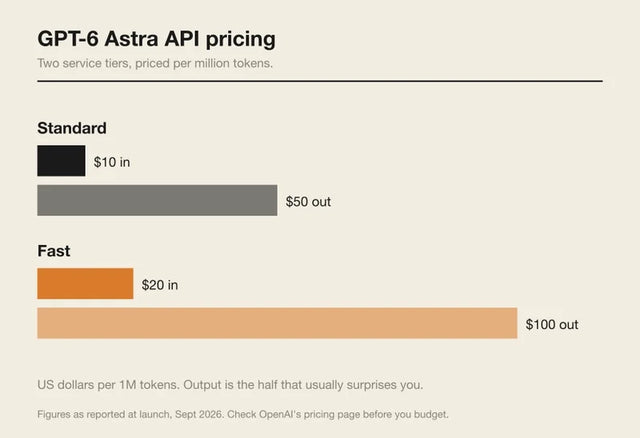
How Much Does GPT-6 Astra Cost Over Time? When Cloud AI Makes Sense vs Local AI
A practical GPT-6 Astra cost guide covering token usage, long-term AI workloads, cloud vs local tradeoffs, and why hybrid AI infrastructure matters.
GPT-6 Astra vs Local AI: Which Parts of an Agent Should Stay on Your Home Server?
GPT-6 Astra can stay in the cloud while your home server keeps files, memory, RAG, tools, permissions, and durable agent state local.


