
Can a Local AI Workflow Survive Temporary Internet Loss?


Yes—but only if the workflow is local end to end, not merely local at the LLM layer. A model can run on your home server while the rest of the pipeline still depends on cloud embeddings, remote authentication, hosted vector search, package downloads, DNS, license checks, web APIs, or a SaaS tool. Any one of those can turn a “local” agent into an internet-dependent system.
The right design goal is graceful degradation. During a temporary outage, local tasks should continue, cloud-only work should enter a durable queue, and the workflow should resume without duplicating side effects when connectivity returns.
Map the Critical Path Before Calling the Workflow Local
Start by drawing every service a normal request touches:
User
  |
  v
Local UI
  |
  v
Agent runtime
  |
  +-- local LLM?
  +-- local embedding model?
  +-- local vector DB?
  +-- local DNS?
  +-- local auth?
  +-- local tools?
  +-- cloud API?
          |
          X internet outage
If a required arrow crosses the WAN, the workflow is only partially local. That is not inherently bad; hybrid designs are useful. It simply means you need a defined offline behavior.
ZimaSpace's private AI assistant architecture provides a useful baseline because file storage, indexing, retrieval, and inference can all be separated into explicit services rather than hidden inside one cloud application.
Which Dependencies Most Commonly Break During an Outage?
| Dependency | Failure Symptom | Offline Design |
|---|---|---|
| Hosted LLM | Generation stops | Local fallback model or queued task |
| Cloud embeddings | New documents cannot be indexed | Local embedding model |
| Hosted vector DB | Private retrieval fails | Self-hosted vector store |
| Remote OAuth / identity | User or tool login fails | Local session / local identity for local tasks |
| Public DNS | Local services referenced by names fail | Local DNS / resolver entries |
| Container registry | Restart cannot pull image | Pre-pulled images |
| Model hub | Runtime tries to download weights | Complete local model cache |
| SaaS tool | Action cannot complete | Durable pending-job queue |
A workflow that works today only because every container, model, tokenizer, and Python package is already cached can fail after the next rebuild. Offline resilience includes recovery paths, not just the currently running process.
Keep Models and Tokenizers Fully Local
Download the actual model artifacts needed by the runtime, including tokenizers, configuration files, adapters, rerankers, and embedding models. Then test with WAN access disabled.
A common surprise is that the main model is local but a helper component downloads at first use. RAG can fail because the embedding model is remote; speech can fail because a voice model is missing; vision can fail because an object detector was never cached.
Do the same for container images. Docker's image save command can create portable archives for important images, while ordinary image pulls should be completed before you deliberately test an offline boot.

Keep Retrieval Local If Offline Search Matters
A self-hosted vector database is especially useful because retrieval can continue even when the WAN disappears. Qdrant's local quickstart shows a simple localhost deployment with persistent local storage.
But local vector storage is only half the path. The query embedding must also be generated locally. Otherwise the database is available but every new question still needs a remote embedding API before search can begin.
OFFLINE-CAPABLE RAG

Question
   |
Local embedding model
   |
Local vector DB
   |
Local documents
   |
Local LLM
   |
Answer
The local knowledge-base guide is useful for auditing each of these stages separately.
Make Cloud Tools Optional, Not Fatal
A local agent may still need email, web search, cloud calendars, remote APIs, or frontier models. The offline-safe pattern is to classify each tool:
- local-required: must remain available for the workflow's core job;
- cloud-optional: improves the result but can be skipped;
- cloud-deferred: action can wait until connectivity returns;
- cloud-required: workflow should stop clearly rather than fake success.
If a user asks the agent to “archive this note locally and email a copy,” loss of internet should not roll back the local archive merely because email is unavailable. Record the successful local step and queue the email as pending.
Use Durable Task State So Recovery Does Not Duplicate Actions
The hardest part of outage recovery is ambiguity. A request may leave the home server just before connectivity drops. Did the cloud service receive it? Did it execute? Did the reply get lost?
Use stable task IDs and an explicit state machine:
planned
  |
  v
local-complete
  |
  v
remote-pending
  |
  +-- offline --> retry-later
  |
  +-- confirmed --> complete
For write actions, retries should be idempotent whenever possible. “Create invoice #A123 if absent” is safer than “create another invoice.” Store the remote resource ID after success so the agent can reconcile after a timeout.
This is closely related to the tool-execution trust boundary: execution state belongs in a durable control layer rather than in the model's conversational memory.
Do Not Let Public DNS Become a Local Single Point of Failure
If the agent reaches vector.home, ollama.home, or voice.home through a resolver that itself depends on the internet, local services may appear down during a WAN outage.
Keep local names resolvable through your router, local DNS service, static host records, or another LAN-resident resolver. Also test time synchronization behavior. Short outages are usually harmless, but long periods with a badly drifting system clock can break TLS, authentication, and scheduled jobs even after the network returns.
What Should the User Experience Look Like Offline?
Do not return generic “AI failed” messages. Show which capability is unavailable and what happened to the task.
| Situation | Good Offline Behavior |
|---|---|
| Local chat only | Continue normally |
| RAG search | Continue with local index |
| Web research requested | Answer from local sources or mark web step unavailable |
| Email action | Queue with visible pending state |
| Cloud-only reasoning | Offer local fallback or pause task |
| Unknown partial remote write | Reconcile before retrying |
Run a Real WAN-Down Drill
- Preload all intended models and images.
- Disconnect only the WAN while leaving the LAN intact.
- Restart the AI services instead of merely keeping warm processes alive.
- Ask a local RAG question.
- Run a local file tool.
- Trigger one optional cloud task and one deferred write task.
- Restore the WAN and verify the queue resumes exactly once.
- Review logs for hidden external calls that timed out.
A successful offline test after a clean service restart is far more meaningful than unplugging the internet while everything remains cached in memory.
FAQs
Does running Ollama or another local model make the whole agent offline?
No. Embeddings, retrieval, authentication, tools, web APIs, or model downloads may still require the internet. Audit the full request path.
Should an offline workflow avoid all cloud tools?
No. Hybrid tools can be valuable if the workflow has explicit fallback and queue behavior. The problem is an undocumented cloud dependency in a supposedly local critical path.
How long can a local AI system run offline?
Potentially indefinitely for fully local functions, but practical limits include software updates, certificate validity, time synchronization, external data freshness, and any cloud actions accumulated in the pending queue.
Final Verdict
A local AI workflow can survive temporary internet loss when locality is designed as an end-to-end property. Keep core models, embeddings, retrieval, DNS, identity, and state on the LAN; classify cloud services as optional or deferred; and make retries idempotent. The best test is not whether the model answers with the WAN unplugged—it is whether the whole workflow can restart, continue useful work, and reconcile safely when connectivity returns.

Recommended products

Tech & AI HUB
More to Read
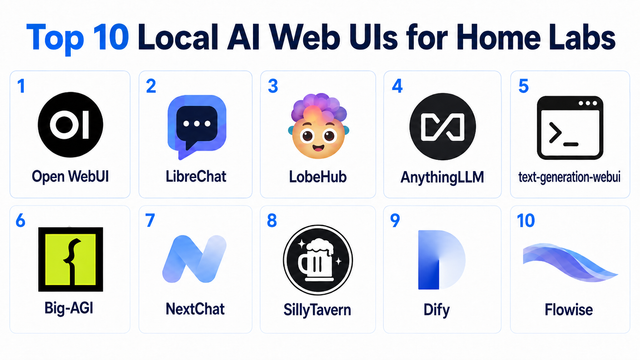
Top 10 Local AI Web UI for Home Labs In 2026
Compare 10 self-hosted local AI web UIs for home labs, covering Ollama support, RAG, agents, multi-user access, setup effort, and ideal use cases.
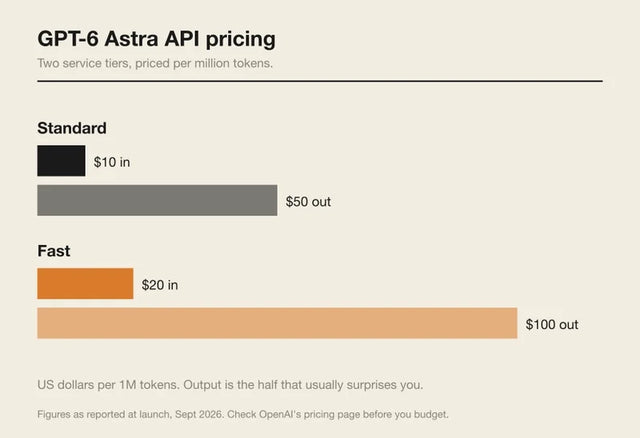
How Much Does GPT-6 Astra Cost Over Time? When Cloud AI Makes Sense vs Local AI
A practical GPT-6 Astra cost guide covering token usage, long-term AI workloads, cloud vs local tradeoffs, and why hybrid AI infrastructure matters.
GPT-6 Astra vs Local AI: Which Parts of an Agent Should Stay on Your Home Server?
GPT-6 Astra can stay in the cloud while your home server keeps files, memory, RAG, tools, permissions, and durable agent state local.


