
How Does Container Isolation Affect Home Assistant Resource Access?


Container isolation limits Home Assistant resource access by requiring explicit mounts, device mappings, network paths, users, and capabilities across the host boundary.
A container can see a path named /config yet remain unaware of every other host directory, and it can reach ordinary IP devices while failing to discover multicast services. USB radios, Bluetooth adapters, serial ports, low-numbered ports, and host-owned files add separate permission checks. Isolation therefore improves containment, but each required resource must cross a deliberately configured boundary.
Mounts Define Which Persistent Files Exist Inside
A container receives its own filesystem view. Bind mounts and named volumes expose selected host data, so an apparently valid container path may point to an empty volume, a read-only mount, or a different host directory than the operator expects.
A Docker deployment analysis connects storage layout with backup design, making container storage mapping the first access contract to verify before diagnosing Home Assistant configuration or database behavior.
Persistence depends on the mounted source, not the writable appearance of the container layer. Recreating a container can discard unmounted changes even when they worked during the previous run.
User IDs and Mode Bits Still Apply Across the Mount
The host kernel evaluates ownership and permissions for mounted files. A numeric container user can differ from the host account name, producing read failures, root-owned replacements, or a database that opens in one image but not another.
An ownership analysis explains why matching names are insufficient and why numeric UID and GID mapping depends on numeric UID and GID values shared across the boundary.
Running privileged can mask the mismatch but expands authority well beyond the file. The safer fix is to align ownership and grant only the directories and operations Home Assistant actually needs.
Network Mode Controls Discovery and Reachability
Bridge networking gives the container an isolated interface and translated ports. Host networking shares the host stack, which can simplify multicast discovery, broadcast protocols, and callbacks but reduces network separation and can create port conflicts.
A Home Assistant discussion of avoiding host mode shows that container discovery boundary can be rebuilt with explicit routing or relays in some environments, although not every discovery protocol behaves equally.
If direct IP control works but automatic discovery fails, multicast or broadcast boundaries are likely. If both fail, routing, firewall, DNS, or address selection is a stronger candidate than discovery alone.

Devices and Kernel Features Need Explicit Delegation
USB serial radios, Bluetooth, GPIO, hardware acceleration, and low-level network operations rely on host device nodes, kernel drivers, groups, and capabilities. Mapping a device path is necessary but may not be sufficient when permissions or cgroup policy deny access.
A Kubernetes deployment account shows how orchestration introduces additional storage, networking, and device constraints, illustrating that layered isolation constraints grows with each isolation layer.
This mechanism stops at hardware and driver failure. If the host itself cannot use the radio or device, changing container privileges only obscures the original fault; verify host access before expanding container authority.
Audit Access From Host to Process
List every required path, port, multicast domain, device, UID, GID, capability, and dependency. For each, test host access first, then inspect the container mapping, then test as the actual container process identity.
The host-versus-bridge tradeoff compares host and bridge networking for Home Assistant, providing the tradeoff boundary for the network part of the audit.
Keep the smallest permission set that passes configuration read-write, database persistence, local device control, discovery, restart, and backup-restore tests. Add one mount, device, group, or capability only when the preceding test proves it is the missing boundary.

Recommended products

Tech & AI HUB
More to Read
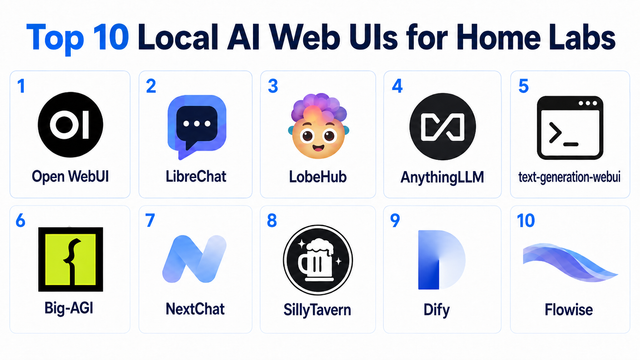
Top 10 Local AI Web UI for Home Labs In 2026
Compare 10 self-hosted local AI web UIs for home labs, covering Ollama support, RAG, agents, multi-user access, setup effort, and ideal use cases.
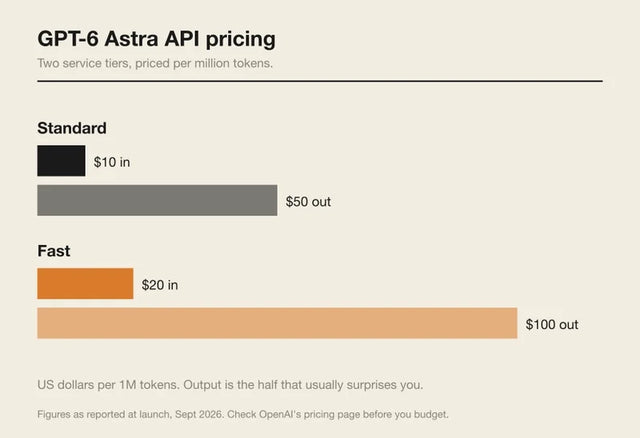
How Much Does GPT-6 Astra Cost Over Time? When Cloud AI Makes Sense vs Local AI
A practical GPT-6 Astra cost guide covering token usage, long-term AI workloads, cloud vs local tradeoffs, and why hybrid AI infrastructure matters.
GPT-6 Astra vs Local AI: Which Parts of an Agent Should Stay on Your Home Server?
GPT-6 Astra can stay in the cloud while your home server keeps files, memory, RAG, tools, permissions, and durable agent state local.


