
Komoridas minimalistiska NAS-hölje i BALMUDA-stil förvandlar ZimaBoard 2 till ett kompakt hölje för två diskar, byggt kring två 3,5-tums HDD-fack. Det ursprungliga MakerWorld-projektet kombinerar en stilren skrivbordsdesign med aktiv luftcirkulation, löstagbar hårdvara och ett fästsystem baserat på M3-skruvar och värmeinsatsmuttrar.
Designen är mer än bara ett kosmetiskt skal. Den samlar kortet, två hårddiskar i fullstorlek och en 120 mm-fläkt i ett enda hölje, samtidigt som bygget förblir lätt att underhålla. Skaparen skrev ut höljet i Sunlu PETG på en Bambu Lab P1S och modifierade fläktkabeln med en PicoBlade-kontakt för att passa anslutningen på ZimaBoard.
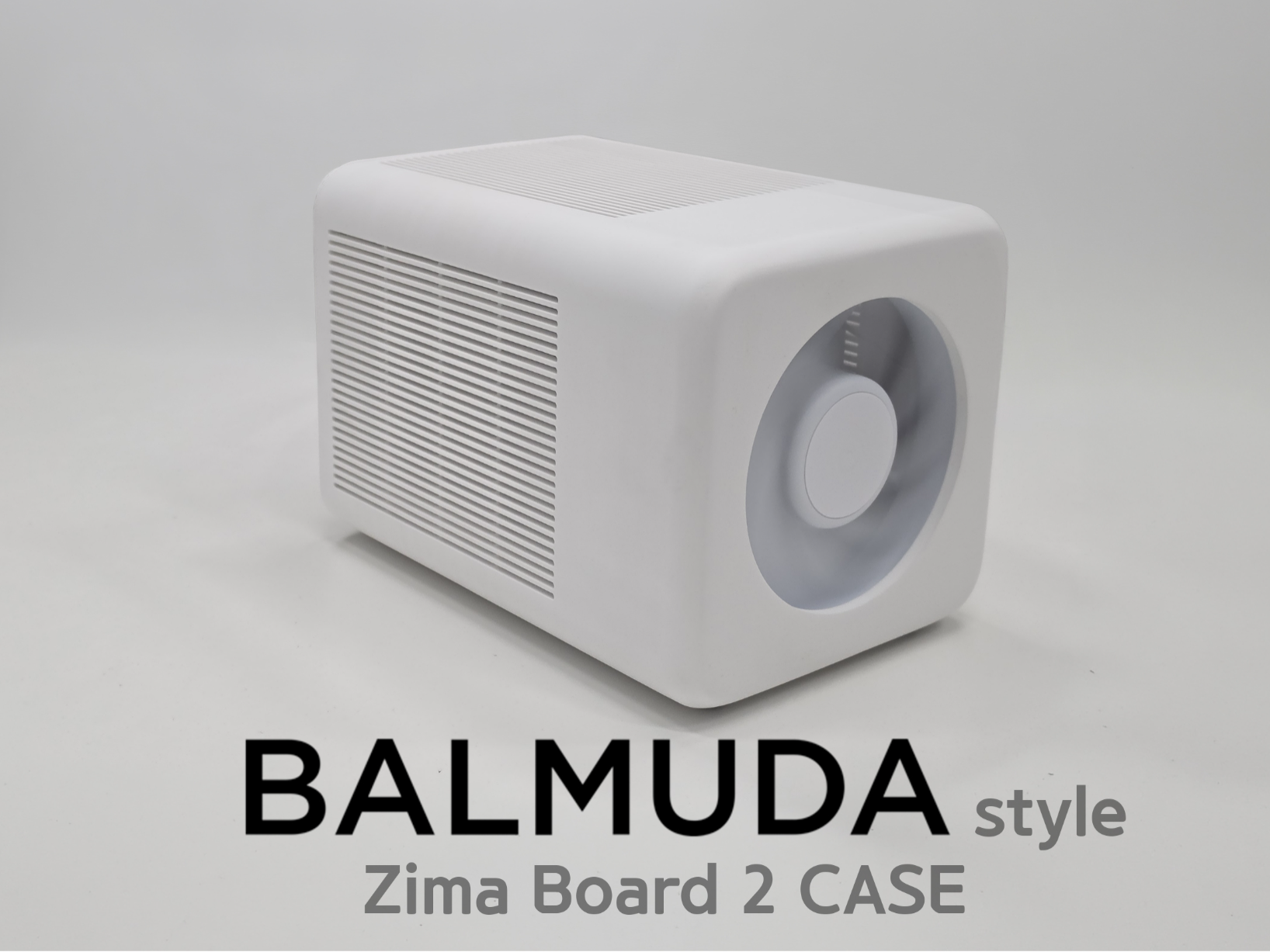
Vad detta ZimaBoard 2 NAS-hölje är utformat för
Projektet är specifikt utformat kring en kompakt ZimaBoard 2 NAS-layout, snarare än ett generiskt SBC-hölje. Den utmärkande funktionen är utrymme för två 3,5-tums hårddiskar bredvid serverkortet, vilket ger användarna ett snyggare sätt att organisera ett litet lokalt lagringsbygge utan att behöva lämna diskarna exponerade på skrivbordet.
Den fysiska layouten motsvarar en av ZimaBoard 2:s främsta styrkor: plattformen är byggd för utbyggbar lagring och har inbyggd SATA-anslutning. Höljet förändrar inte kortets elektriska kapacitet, utan organiserar i stället hårdvaran i ett mer färdigt stationärt system.
Så är höljet organiserat
Två 3,5-tums HDD-fack
Höljet är utformat för två 3,5-tums hårddiskar. Detta är den centrala skillnaden mellan projektet och mindre ZimaBoard 2-höljen som bara skyddar själva kortet. För en hem-NAS skapar designen en enda fysisk struktur för beräkningsnoden och masslagringen.
Källprojektet bekräftar konfigurationen med två diskar, men anger inte en komplett strömförsörjningskonfiguration för diskarna. Byggare bör därför planera diskströmförsörjning, SATA-kablar och kabelutrymme som separata delar av den slutliga NAS-montering, i stället för att anta att själva höljet löser dessa elektriska krav.
120 mm fläktfäste för aktiv luftcirkulation
Komorida integrerade ett 120 mm stort fläktfäste i höljet. I stället för att enbart förlita sig på att ZimaBoard 2-chassit avleder värme kan höljet flytta luft runt kortet och hårddiskarna som ett kombinerat system.
Detta är särskilt relevant när två 3,5-tumsenheter arbetar inuti samma hölje. Källan bekräftar fläktstorleken och skaparens kabelmodifiering, men innehåller inga kontrollerade temperaturjämförelser. Därför bör designen beskrivas som att den ger aktiv luftcirkulation, inte som att den garanterar en specifik temperatursänkning.
M3-skruvar och värmeinsatser
Höljet använder M3-skruvar tillsammans med M3-värmeinsatsmuttrar. Det gör det utskrivna chassit enklare att öppna och montera ihop igen än en design som helt förlitar sig på plastgängor eller permanenta clips. Det är också praktiskt för en NAS som kan behöva framtida enhetsbyten, kabeländringar eller fläktunderhåll.
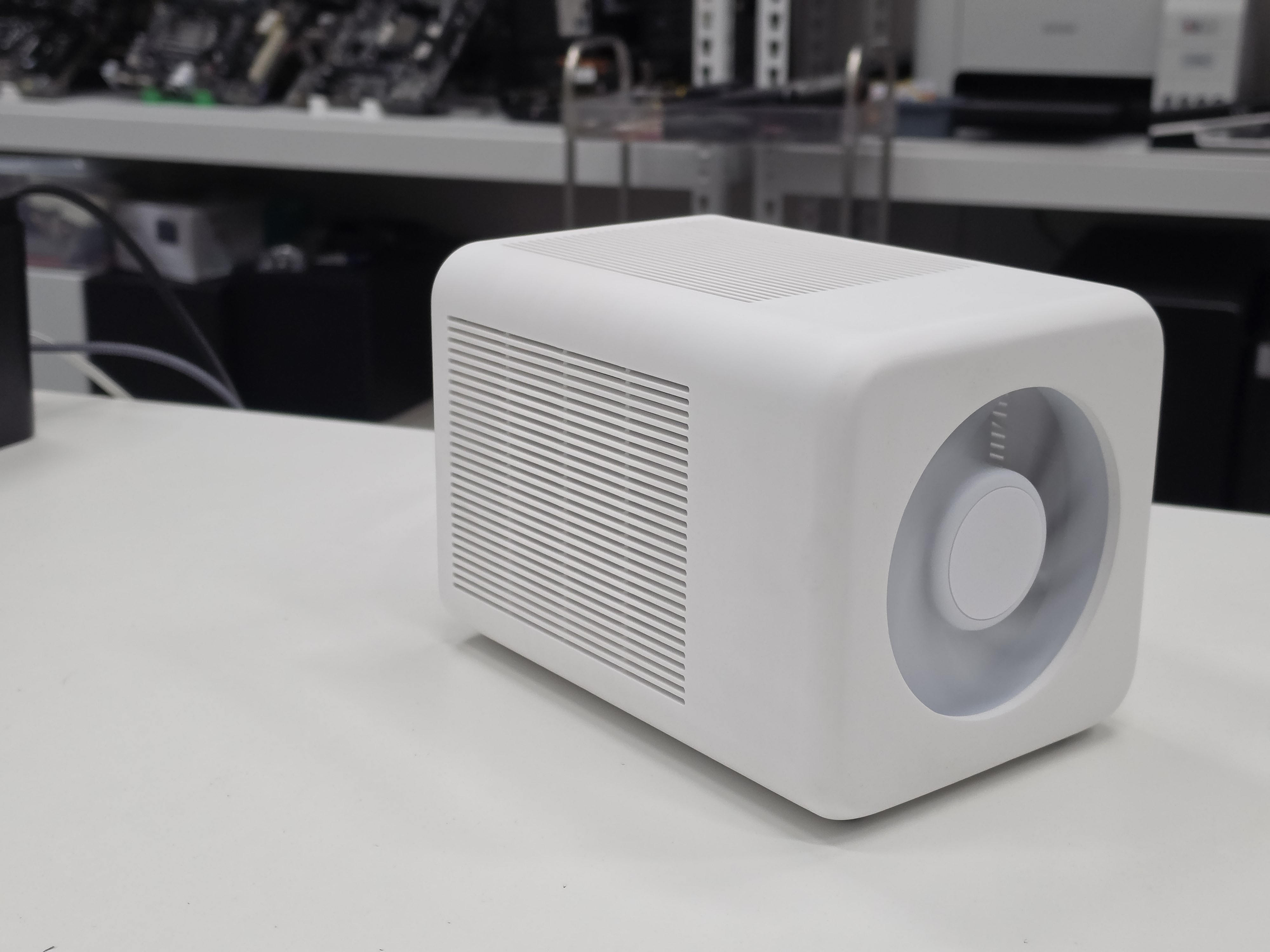
Krav på utskrift och hårdvara
Skaparen dokumenterade en specifik uppsättning för utskrift och montering. Dessa detaljer är användbara som en beprövad referens, men bör inte tolkas som den enda möjliga kombinationen av skrivare eller material.
| Komponent | Bekräftat i källbygget |
|---|---|
| Målsystem | ZimaBoard 2 |
| Lagringskapacitet | Två 3,5-tums hårddiskplatser |
| Fläktstorlek | 120 mm |
| Använd skrivare | Bambu Lab P1S |
| Använt material | Sunlu PETG |
| Fästelement | M3-skruvar och M3-värmeinsatsmuttrar |
| Fläktanslutning | Terminerad på nytt med ett PicoBlade-kontaktdon |
Fläktanslutningen kräver extra uppmärksamhet
Den viktigaste tekniska försiktighetsåtgärden i det här projektet gäller fläktanslutningen. Skaparen kopplade inte bara in en orörd stationär PC-fläkt i kortet. Fläktkabeln terminerades om med ett PicoBlade-kontaktdon så att den kunde anslutas till anslutningen på ZimaBoard-sidan.
Anta inte att enbart kontaktdonets form bevisar elektrisk kompatibilitet. Kontrollera innan du strömsätter fläkten stiftordning, spänning, jord samt PWM- och varvräknarpositionerna mot den hårdvara du faktiskt använder. Om du kopplar om ett kontaktdon fel kan fläkten eller den anslutna hårdvaran skadas.
Källan beskriver kabeldragningen i relation till standardkonfigurationen för PWM-fläkten, men byggare bör kontrollera sin egen kontakt och kabel i stället för att kopiera ledningsfärger enbart utifrån utseendet.
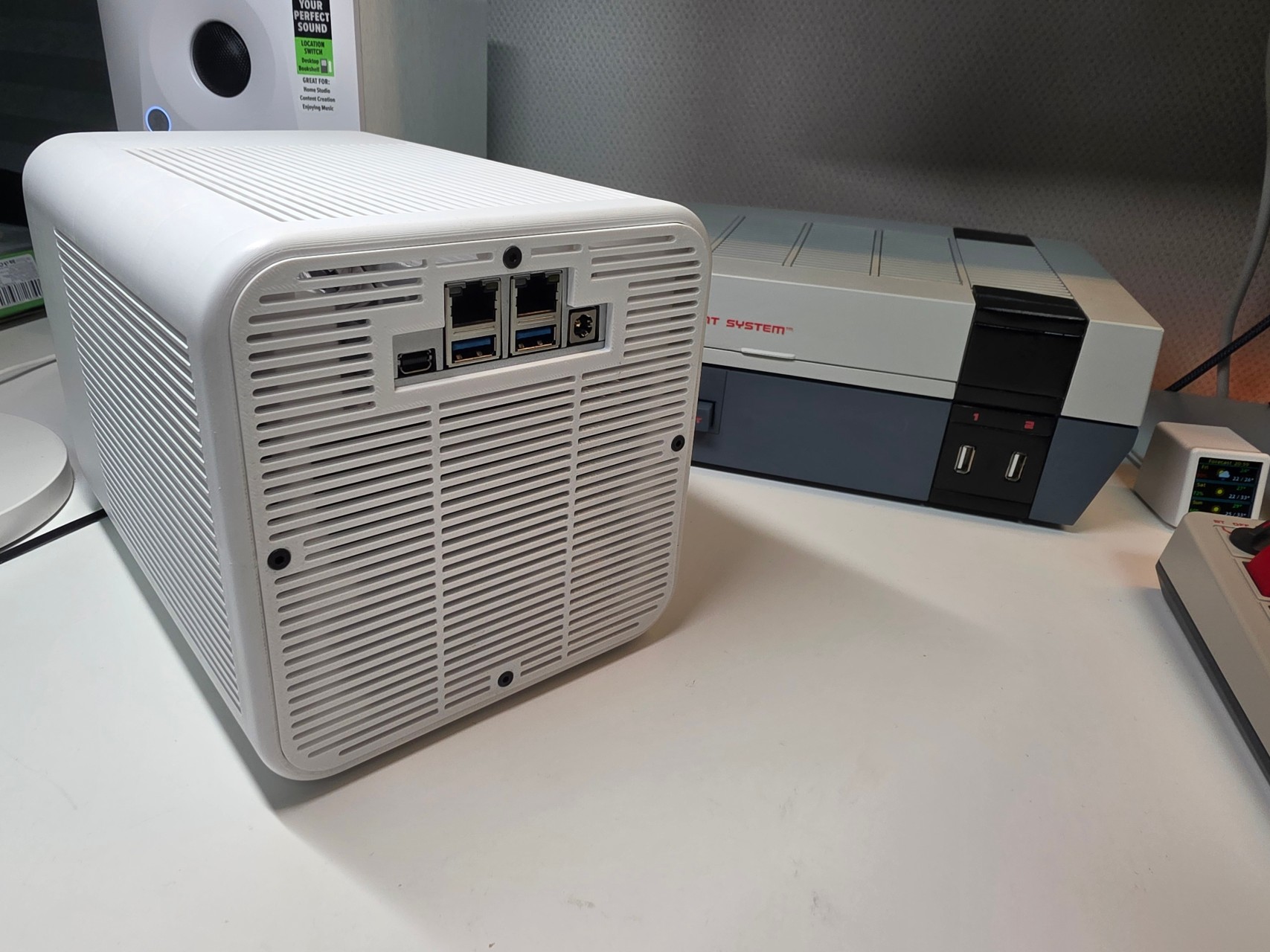
Var det här bygget passar in i en ZimaBoard 2-NAS-installation
Det här chassit är mest användbart för byggare som redan vet att de vill ha en liten NAS med två diskar och föredrar ett färdigt skrivbordschassi framför en öppen ramkonstruktion. ZimaBoard 2 tillhandahåller beräkningskraft och lagringsanslutningar, medan det utskrivna chassit hanterar fysisk organisering, diskplacering och luftflöde.
Användare som planerar en annan lagringslösning kan jämföra hårdvaran i det bredare ZimaBoard 2-lagrings- och expansionsekosystemet. Det är särskilt användbart när man avgör om ett specialutskrivet chassi, ett separat hårddiskställ, ytterligare SATA-expansion eller en annan fysisk layout passar bygget bättre.
Kompatibilitet och viktiga begränsningar
- Chassit är designat för ZimaBoard 2. Källan fastställer inte kompatibilitet med tidigare ZimaBoard-modeller utan modifieringar.
- Den bekräftade lagringslayouten är två 3,5-tums hårddiskar. Andra diskarrangemang kan kräva ändringar av modellen eller adaptrar.
- Det bekräftade fläktfästet är 120 mm. Andra fläktstorlekar dokumenteras inte i källprojektet.
- Bambu Lab P1S och Sunlu PETG är den kombination som skaparen har testat. Andra skrivare och material kan fungera, men källan verifierar dem inte.
- Strömförsörjning till diskarna ingår inte i chassits design. Planera den elektriska anslutningen för de två 3,5-tumsdiskarna separat.
- Fläktkontakten är modifierad. Kontrollera stiftkonfigurationen innan du ansluter ström.
Vanliga frågor
Hur många hårddiskar rymmer det här ZimaBoard 2-chassit?
Den ursprungliga designen har två fack för 3,5-tums hårddiskar. Projektet är därför avsett för en kompakt NAS med två diskar, snarare än ett skyddande hölje enbart för kortet.
Vilken storlek på fläkt stöder chassit?
Källbygget innehåller fästen för en 120 mm-fläkt. Skaparen använde aktiv luftcirkulation som en del av kabinettets design, men inga kontrollerade termiska mätningar före och efter har tillhandahållits.
Kan en vanlig PWM-datorfläkt anslutas utan modifiering?
Anta inte att det går. I den publicerade byggbeskrivningen monterade skaparen en PicoBlade-kontakt på nytt i fläktkabeln för anslutningen på ZimaBoard-sidan. Kontrollera den faktiska elektriska pinout-konfigurationen innan du ansluter en fläkt.
Vilket material användes för att skriva ut kabinettet?
Komorida skrev ut kabinettet i Sunlu PETG. Det är materialet som bekräftas av källprojektet; listningen fastställer inte prestandaresultat för PLA, ABS, ASA eller andra material.
Vilken hårdvara behövs för monteringen?
Den dokumenterade monteringen använder M3-skruvar och M3-gänginsatser för värmefixering. Dessa fästelement gör att kabinettet kan monteras och öppnas upprepade gånger utan att enbart förlita sig på gängor som skurits direkt i utskriven plast.
Behöver jag en Bambu Lab P1S för att skriva ut den?
Skaparen använde en Bambu Lab P1S, men källan anger inte att modellen är begränsad till den skrivaren. Innan du använder en annan skrivare bör du kontrollera modellens mått, tillgänglig byggvolym, utskriftsorientering och de aktuella kraven för utskriftsprofilen i den ursprungliga listningen.
Innehåller kabinettet allt som behövs för att strömförsörja två 3,5-tums hårddiskar?
Den publicerade beskrivningen bekräftar två 3,5-tums hårddiskplatser, men dokumenterar inte ett komplett strömförsörjningssystem för två enheter. Behandla strömförsörjning och kabeldragning för enheterna som separata hårdvarubeslut när du planerar NAS:en.
Ursprungligt MakerWorld-projekt och information om skaparen
Den här sidan är en redaktionell genomgång av Komoridas NAS-kabinett som skapats av communityn. Aktuella modellfiler, utskriftsprofiler, uppdateringar från skaparen och licensinformation finns fortfarande i det ursprungliga MakerWorld-projektet. Källistan är märkt BY-NC, och 3D-modellfilerna distribueras inte på den här sidan.
Projektet publicerades av Komorida den 10 juli 2026. Eftersom utskriftsprofiler och information från skaparen kan ändras över tid bör den ursprungliga listningen förbli den aktuella källan för nedladdningsbara filer och licensvillkor.


